

Appify Side Cart – WooCommerce based AJAX cart without reloading page
Appify Side Cart is a WooCommerce plugin that allows you to add and remove products from your cart without reloading the page.
Plugin info
Maintenance & Compatibility
Maintenance score
Possibly abandoned • Last updated 1100 days ago
Is Appify Side Cart – WooCommerce based AJAX cart without reloading page abandoned?
Possibly abandoned (last update 1100 days ago).
Compatibility
Similar & Alternatives
Explore plugins with similar tags, and compare key metrics like downloads, ratings, updates, support, and WP/PHP compatibility.
Description
APPIFY SIDE CART – WOOCOMMERCE BASED CART WITHOUT RELOADING PAGE
👉 See Our Official GitHub page: Official Appify Side Cart GitHub
POWERED BY WooCommerce
Appify Side Cart is a powerful and easy-to-use plugin that enhances the shopping experience for your customers. With this plugin, customers can add and remove products from their cart without reloading the page, making the process faster and smoother. Additionally, customers can also update or rearrange the products in their cart without any page load.
FEATURES
- Ajax add to cart and remove
- No load on single page and shop page to add a product
- Product update and remove in cart without page load
- Product arrange in ascending or descending order
WHY CHOOSE US?
Appify Side Cart is a reliable and user-friendly plugin that improves the customer experience on your website. With its ajax features, customers can add and remove products quickly and smoothly, without any delays. Additionally, the plugin also allows customers to update and rearrange their cart without any page load, making it more convenient for them.
It’s not working?
-
Clear your cache:
Clearing your cache may help resolve any issues with the app build process.
-
Check for updates:
Make sure you are using the latest version of Appify Side Cart and that your WordPress and WooCommerce websites are up to date.
-
Contact the Appify Side Cart team:
If you are still experiencing issues after trying these steps, you can contact the Appify Side Cart team at [email protected] for assistance.
Installation
To install the Appify Side Cart plugin on your WordPress website, follow these steps:
Log in to your WordPress dashboard and go to the Plugins section.
-
Click on the “Add New” button.
-
In the search bar, type “Appify Side Cart” and press enter.
-
Click on the “Install Now” button next to the Appify Side Cart plugin.
-
After the plugin has been installed, click on the “Activate” button to activate the plugin on your website.
-
Once the plugin is activated, you can access it from the WordPress dashboard by going to the Woocommerce submenu Appify Side Cart section.
-
Follow the on-screen instructions to set up and configure the plugin.
That’s it! You should now have the Appify Side Cart plugin installed and activated on your WordPress website. You can now start using it.
Frequently Asked Questions
Appify Side Cart uses ajax technology to allow customers to add and remove products from their cart without reloading the page. This makes the process faster and smoother for customers.
Yes, Appify Side Cart works with all themes.
Yes, with Appify Side Cart, you can arrange the products in your cart in ascending or descending order.
Yes, Appify Side Cart is a WooCommerce plugin and is fully compatible with WooCommerce.
You can contact us at [email protected] if you have any problems with the plugin.
Review feed
Screenshots
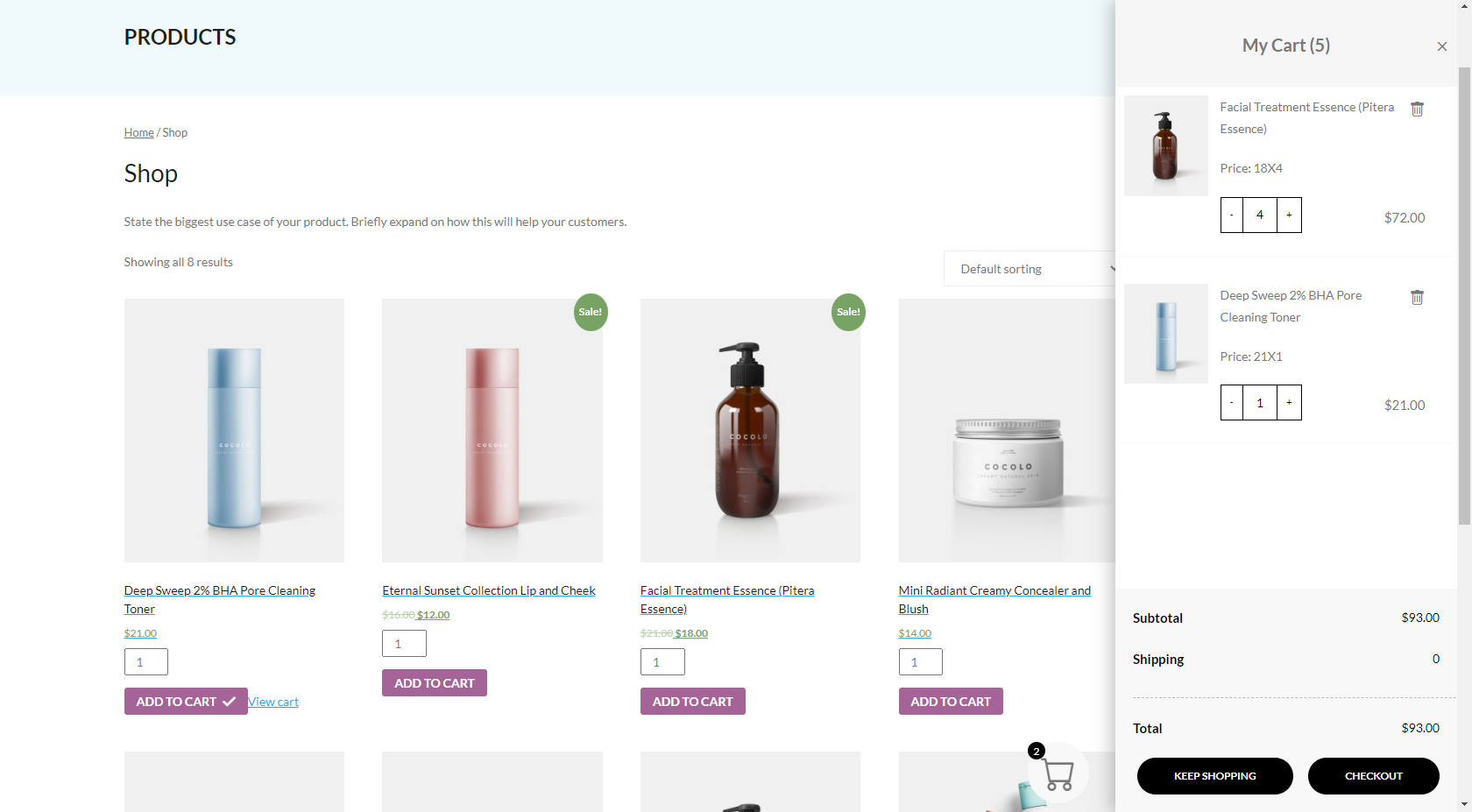
Appify Side Cart Frontpage UI

Product Update

Product Remove

Empty Cart

Setting Page Options