

AS English Admin
Lets users change their administration language to English
Plugin info
Maintenance & Compatibility
Maintenance score
Possibly abandoned • Last updated 2067 days ago
Is AS English Admin abandoned?
Possibly abandoned (last update 2067 days ago).
Compatibility
Similar & Alternatives
Explore plugins with similar tags, and compare key metrics like downloads, ratings, updates, support, and WP/PHP compatibility.
Description
This plugin lets users change their administration language to native English (en_US locale).
This is useful during site development and for people more accustomed to the english administration panel, even if your site
is in another language. (The frontend will still use the native language.)
This plugin is fully compatible with WooCommerce and can correctly identify and translate frontend / backend AJAX requests.
If you are using this plugin with Advanced Custom Fields, please move the as-english-wp-admin.php file to the /wp-content/mu-plugins/ folder
(create it if it does not exist). This is an ACF limitation.
This plugin is developer friendly and small (~200 lines of code). Check the FAQ for customization examples.
Usage
Basic usage
Once you have installed and activated the plugin, navigate to any admin page and check the top admin bar. A button will
display your current locale. If you click on it, the admin will change to English locale (en_US). To switch back,
press the button again.
Requirements
- PHP 5.3 or higher
Translations
- None
Installation
- Upload the
as-english-wp-adminfolder to/wp-content/plugins/ - Activate the plugin (English WordPress Admin) through the ‘Plugins’ menu in WordPress
- Use the functionality via the admin bar
Frequently Asked Questions
Some plugins are still in the native language when switching to English
To fix this, move the file /wp-content/plugins/english-wp-admin/as-english-wp-admin.php to /wp-content/mu-plugins/
This will ensure this plugin is loaded before all other plugins and that it sets the correct language. This is a WordPress restriction.
Why are some URLs whitelisted?
update-core.php is whitelisted because translation updates do not work properly if you change locale on that screen.
How do I whitelist a specific page from being translated
Use the english_wordpress_admin_whitelist filter. It takes a preg-style regular expression.
/** Whitelist /wp-admin/options-general.php?page=my_plugin **/
add_filter('english_wordpress_admin_whitelist', function($whitelisted_urls)
{
    $whitelisted_urls[] = '.*\/wp-admin\/options-general.php\?page=my_page$';
    return $whitelisted_urls;
});
How do I prevent regular users from having the option of changing the admin language?
If you only want the first admin user to have this option, put this code in your themes function.php file:
/** Only allow the admin user to change the admin language **/
if(get_current_user_id() === 1) {
    add_filter('english_wordpress_admin_show_admin_bar', '__return_true');
}
else {
    add_filter('english_wordpress_admin_show_admin_bar', '__return_false');
}
How do I automatically enable this plugin for certain users?
Use the snippet below to have admins always use the admin page in english.
/** Enable the plugin automatically for admin users */
if(current_user_can('manage_options')) {
    global $english_wordpress_admin_plugin;
    $english_wordpress_admin_plugin->set_cookie(1);
    add_filter('english_wordpress_admin_show_admin_bar', '__return_false');
}
This plugin does not solve my needs
You can leave feature requests in the plugin support forum.
Review feed
Screenshots
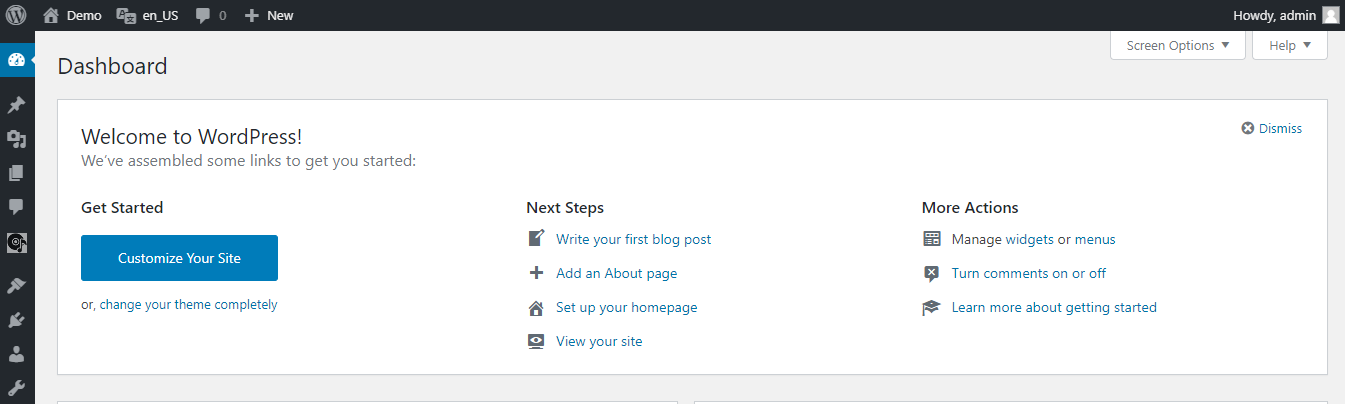
The plugin admin bar
Changelog
1.0
- Initial release