

Plugin info
Maintenance & Compatibility
Maintenance score
Possibly abandoned • Last updated 3137 days ago
Is AS Metabox abandoned?
Possibly abandoned (last update 3137 days ago).
Compatibility
Similar & Alternatives
Explore plugins with similar tags, and compare key metrics like downloads, ratings, updates, support, and WP/PHP compatibility.
Description
As Metabox Easy To Use WordPress Metabox Framework And More Customizable Option. You Can Make Beautiful Metabox Option
Configuration
Usage as Plugin
1. Upload ‘as-metabox‘ folder to the ‘/wp-content/plugins/’ directory or Install as a regullar WordPress plugin
Usage as Theme
2. require_once get_template_directory_uri() .'/as-metabox/as-metabox.php';
After installation, you can modify and change directly metabox-config files from as-metabox/config folder or you can make another new option using wp hook
add_action('as_metabox_init', 'your_function_name');
Metabox Options
- Text
- Url
- DatePicker
- Textarea
- Checkbox
- Radio
- Select
- WP Select
- Number
- Icons
- Group
- Upload
- WP Editor
- Color Picker
- Custom Option
- And More Options Is Upcoming
More Documentation
- See github.com
V 1.0
- Initial Release
Installation
Usage as Plugin
1. Upload ‘as-metabox‘ folder to the ‘/wp-content/plugins/’ directory or Install as a regullar WordPress plugin
Usage as Theme
2. require_once get_template_directory_uri() .'/as-metabox/as-metabox.php';
Make a Basic MetaBox Sample
$asmeta = new As_metabox(array(
        'title'         => __('Meta box demo 1', 'asm'), //MetaBox Title
        'id'            => 'demo-id-1',                  //MetaBox Id Please Give An Unique Id
        'screen'        => array('post'),                //MetaBox Post Type Example  array('post', 'page'),
        'context'       => 'advanced',                   //MetaBox Post Context
        'priority'      => 'low'                         //MetaBox Post Priority
    ));

$asmeta->add_section(array(
            'title'     =>  __('Text fields', 'asm'),
            'id'        =>  'section-1',
            'icon'      =>  'fa-text-width',
            'fields'    =>  array(
                                array(
                                    'id'                => 'text-field',                 //Option Id Please Give An Unique Id
                                    'title'             => __('Text Field', 'asm'),      //Option Id Title
                                    'desc'              => __('Text Field Demo', 'asm'), //Option Id Description
                                    'type'              => 'text',                       //Option Id Type
                                    'default'           => 'text',                       //Default Option Value
                                )
                            )
                        )
                    );
Frequently Asked Questions
Installation Instructions
Usage as Plugin
1. Upload ‘as-metabox‘ folder to the ‘/wp-content/plugins/’ directory or Install as a regullar WordPress plugin
Usage as Theme
2. require_once get_template_directory_uri() .'/as-metabox/as-metabox.php';
Make a Basic MetaBox Sample
$asmeta = new As_metabox(array(
        'title'         => __('Meta box demo 1', 'asm'), //MetaBox Title
        'id'            => 'demo-id-1',                  //MetaBox Id Please Give An Unique Id
        'screen'        => array('post'),                //MetaBox Post Type Example  array('post', 'page'),
        'context'       => 'advanced',                   //MetaBox Post Context
        'priority'      => 'low'                         //MetaBox Post Priority
    ));

$asmeta->add_section(array(
            'title'     =>  __('Text fields', 'asm'),
            'id'        =>  'section-1',
            'icon'      =>  'fa-text-width',
            'fields'    =>  array(
                                array(
                                    'id'                => 'text-field',                 //Option Id Please Give An Unique Id
                                    'title'             => __('Text Field', 'asm'),      //Option Id Title
                                    'desc'              => __('Text Field Demo', 'asm'), //Option Id Description
                                    'type'              => 'text',                       //Option Id Type
                                    'default'           => 'text',                       //Default Option Value
                                )
                            )
                        )
                    );
Review feed
Screenshots

installed in test server option demo

installed in test server plugin demo

installed in test server plugin demo

installed in test server plugin demo
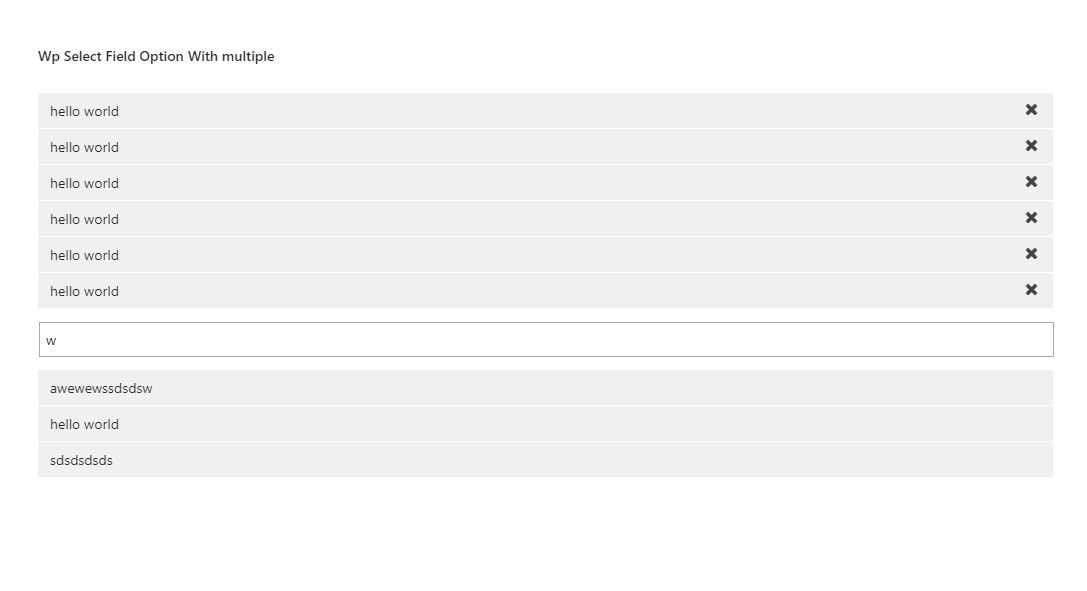
installed in test server plugin demo