

Authyo OTP for Contact Form 7
Adds OTP verification (Email, SMS, WhatsApp, Voice Call) to Contact Form 7 with redirect URL option for post-submission redirection.
Plugin info
Maintenance & Compatibility
Maintenance score
Maintained • Last updated 120 days ago • 3 reviews
Is Authyo OTP for Contact Form 7 abandoned?
Likely maintained (last update 120 days ago).
Compatibility
Similar & Alternatives
Explore plugins with similar tags, and compare key metrics like downloads, ratings, updates, support, and WP/PHP compatibility.
Description
Authyo OTP for Contact Form 7 adds one-time password (OTP) verification via Email, SMS, WhatsApp, and Voice Call to your forms, using Authyo’s secure delivery service. This plugin helps ensure that only verified users can submit your Contact Form 7 forms, reducing spam and enhancing form security. Additionally, you can configure a custom redirect URL for each form to automatically redirect users to a thank-you page or any specified URL after successful form submission.
“This plugin is an add-on for Contact Form 7 and is not developed by or affiliated with the Contact Form 7 authors.”
Features:
– OTP verification field for Contact Form 7
– Secure one-time password handling
– Customizable messages for sent, verified, and failed OTP
– Seamless integration with Authyo service
– Email, SMS, WhatsApp, and Voice Call OTP support
– contact form 7 redirection option
This plugin helps reduce spam and ensures that only verified users can submit your forms.
External Services
This plugin connects to the Authyo API to send and verify one-time passwords (OTPs) for form submissions.
Service used: Authyo (https://app.authyo.io)
Purpose: To send and verify email-based one-time passwords for Contact Form 7 forms.
Data sent: The email address entered by the user (and OTP data) is transmitted securely to Authyo’s servers only for the purpose of OTP verification.
When: Data is sent when the user requests an OTP and again when verifying it.
Provider: Authyo Inc.
Terms of Service: https://authyo.io/terms-service
Privacy Policy: https://authyo.io/privacy-policy
Dependencies
This plugin requires the Contact Form 7 plugin to be installed and activated.
Contact Form 7 is developed by Takayuki Miyoshi and available for free on WordPress.org:
https://wordpress.org/plugins/contact-form-7/
Installation
- Upload the plugin files to the
/wp-content/plugins/authyo-otp-for-contact-form-7/directory, or install through the WordPress Plugins screen. - Activate the plugin through the Plugins menu in WordPress.
- Configure your Authyo API key in the plugin’s settings page under Authyo OTP.
- Enable OTP verification for specific Contact Form 7 forms in the Form Integration tab.
- Add the appropriate shortcode to your Contact Form 7 form:
- For email OTP:
[authyo_email] - For phone OTP: Add a phone field first
[tel your-phone], then add[authyo_phone]
- For email OTP:
- Save and test your form.
Example Contact Form 7 Phone OTP Setup:
<label> Your Phone Number
    [tel your-phone] [authyo_phone]</label>

<label> Your Message
    [textarea your-message] </label>

[submit "Send"]
The plugin will automatically integrate a country selector with your phone field and display the country code prefix inline.
Frequently Asked Questions
Yes. This is an extension for Contact Form 7.
Email, SMS, WhatsApp, and Voice Call.
Yes, you need an Authyo account and API key to use the service.
Review feed
Screenshots
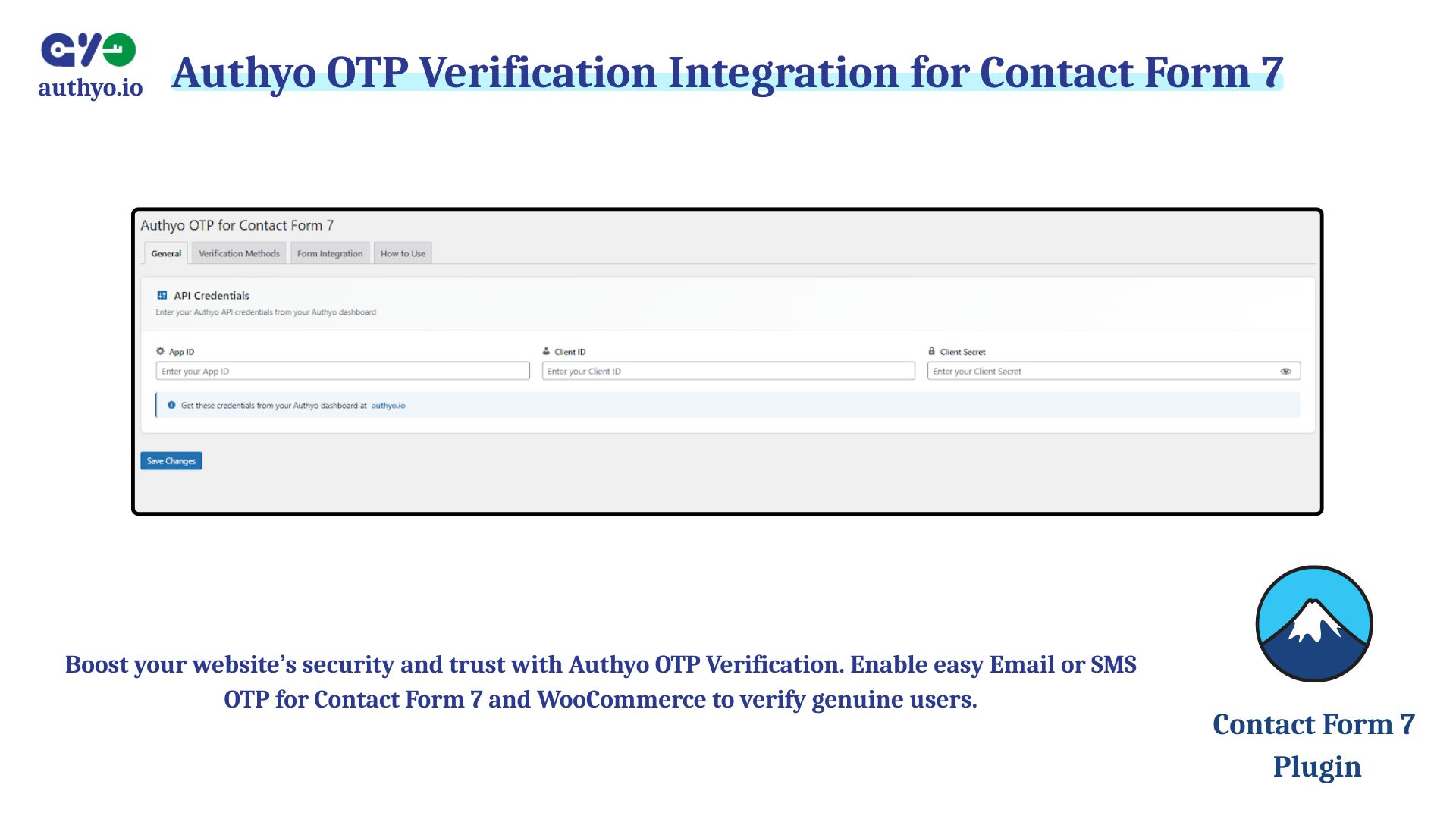
OTP Integration tab for configuring the plugin.

Enable OTP channels and phone number OTP settings.
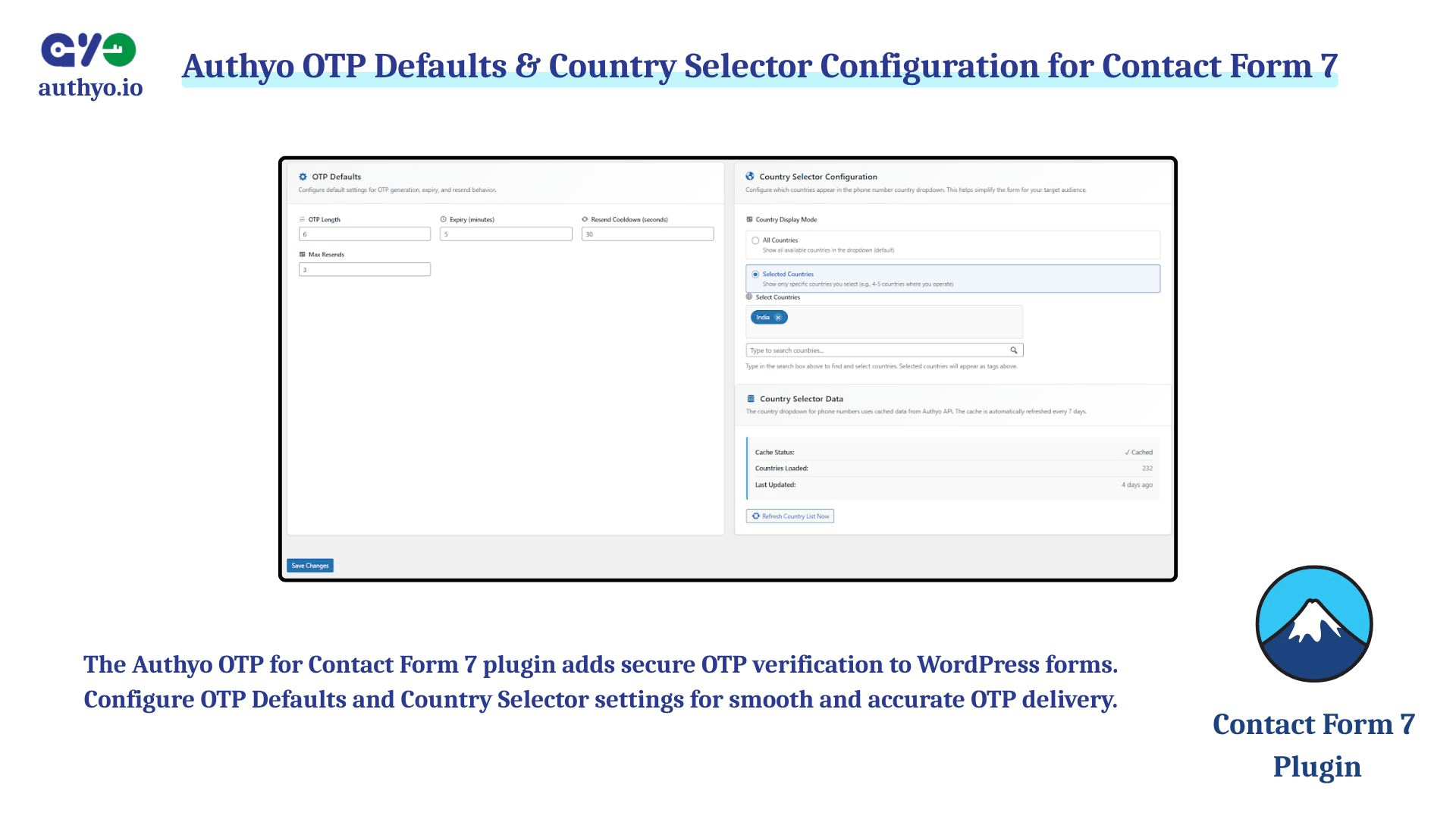
Phone number country selection setup.
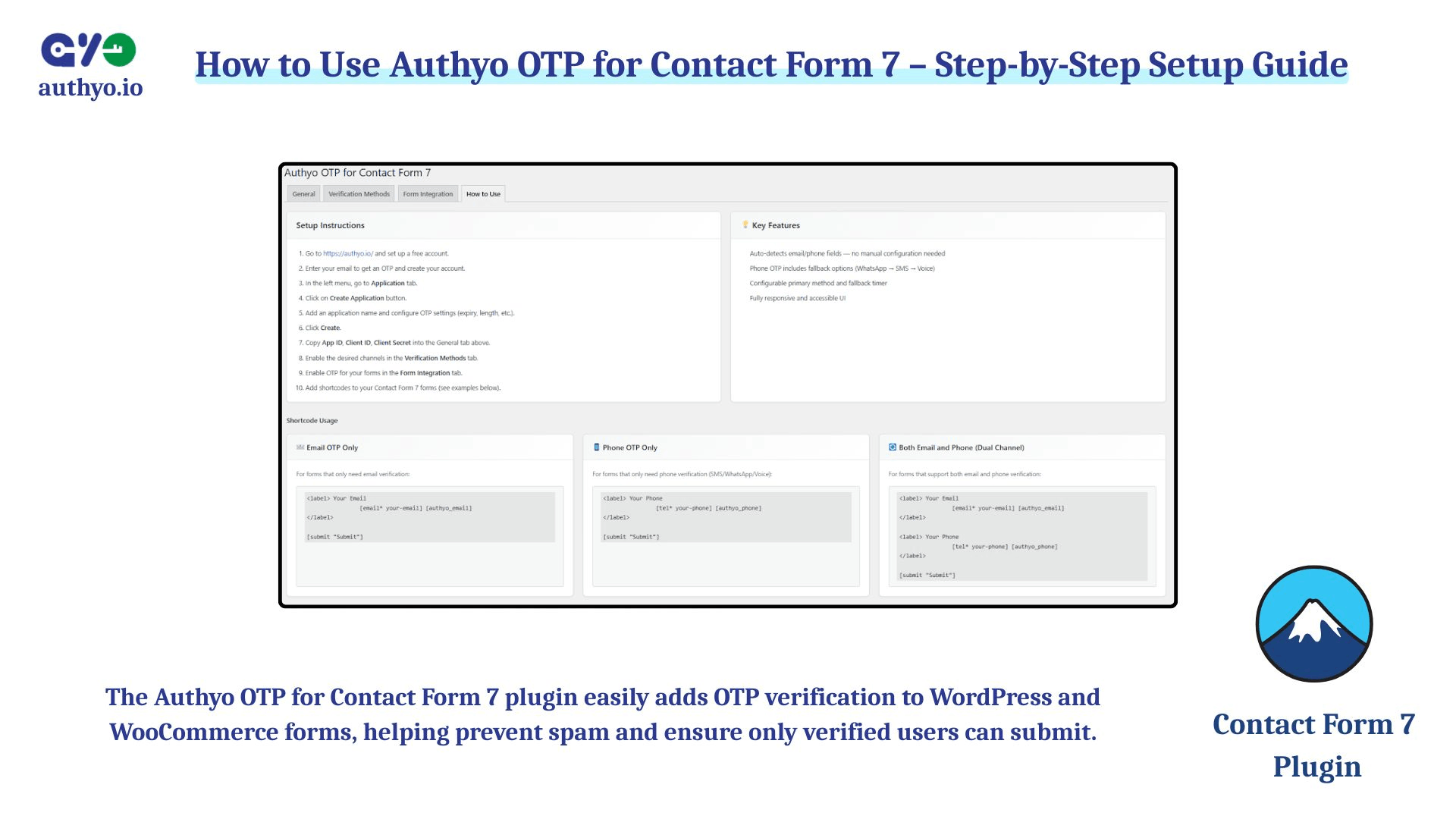
How to use the plugin and support information.
Changelog
1.0.8
- Update: WordPress compatibility updated to 6.9.
- Feature: Country dropdown now automatically selects and locks when only a single country is configured in admin panel.
1.0.7
- Feature: Added redirect URL option for each form in Form Integration tab.
- Feature: Users can now configure a redirect URL that will automatically redirect users after successful form submission.
- Improvement: Enhanced form submission handling with automatic redirect functionality.
1.0.6
- Security: Fixed WordPress coding standards compliance issues.
1.0.5
- Performance: Performance improvements in this version.
1.0.4
- Performance: Enhanced overall performance and resolved a minor issue in this version.
1.0.3
- Feature: Added deactivation feedback popup to collect user feedback when plugin is deactivated.
- Feedback: Users can now provide reasons for deactivation (temporary, complicated, found alternative, or other).
- API: Integrated feedback submission to Authyo feedback API endpoint.
- UX: Non-intrusive modal popup with skip option for quick deactivation.
1.0.2
- UI: Removed the manual Verify button (auto-verification on OTP input).
- Admin: Added highlighted note that Voice Call is available only in India.
- Compliance: Removed debug
error_log()/print_r()usages. - Security: Added nonce verification and unslashing for admin tab postback; sanitized/allowlisted GET tab.
- Performance/Standards: Replaced direct DB queries in helpers with option/transient-based methods.
1.0.1
- Added support for OTP via SMS, WhatsApp, and Voice Call.
- Introduced the [authyo_phone] shortcode for phone-based OTP flows that integrates with CF7 tel fields.
- Added automatic country code selector that integrates inline with Contact Form 7 phone fields.
- Enhanced admin UI for channel selection and per-form field mapping.
- Improved UX with visual country code prefix display on phone input fields.
1.0.0
- Initial release with Email OTP support.