

Auto Delete Post – Ultimate plugin for deleting a post automatically
Auto Delete Post is a comprehensive WordPress plugin that automatically deletes posts, pages, and custom post types after a specified time.
Plugin info
Maintenance & Compatibility
Maintenance score
Maintained • Last updated 130 days ago • Support resolved 100% • 7 reviews
Is Auto Delete Post – Ultimate plugin for deleting a post automatically abandoned?
Likely maintained (last update 130 days ago).
Compatibility
Similar & Alternatives
Explore plugins with similar tags, and compare key metrics like downloads, ratings, updates, support, and WP/PHP compatibility.
Description
Auto Delete Post is a comprehensive WordPress plugin that automatically deletes posts, pages, and custom post types after a specified time. Set a deletion date and time when publishing content, and the plugin will automatically remove it when the specified time arrives. Perfect for time-sensitive content, temporary posts, or automatically cleaning up outdated material.
Key Features:
* Schedule automatic deletion for any post, page, or custom post type
* Choose between moving posts to trash or permanent deletion
* Support for all public post types in WordPress
* Dedicated settings page to configure which post types to include
* Custom meta box on post edit screen to set deletion time
* Quick edit functionality for bulk scheduling
* Custom column showing scheduled deletion times
* Real-time reliable deletion processing
* Automatic removal of deletion schedule when posts are restored from trash
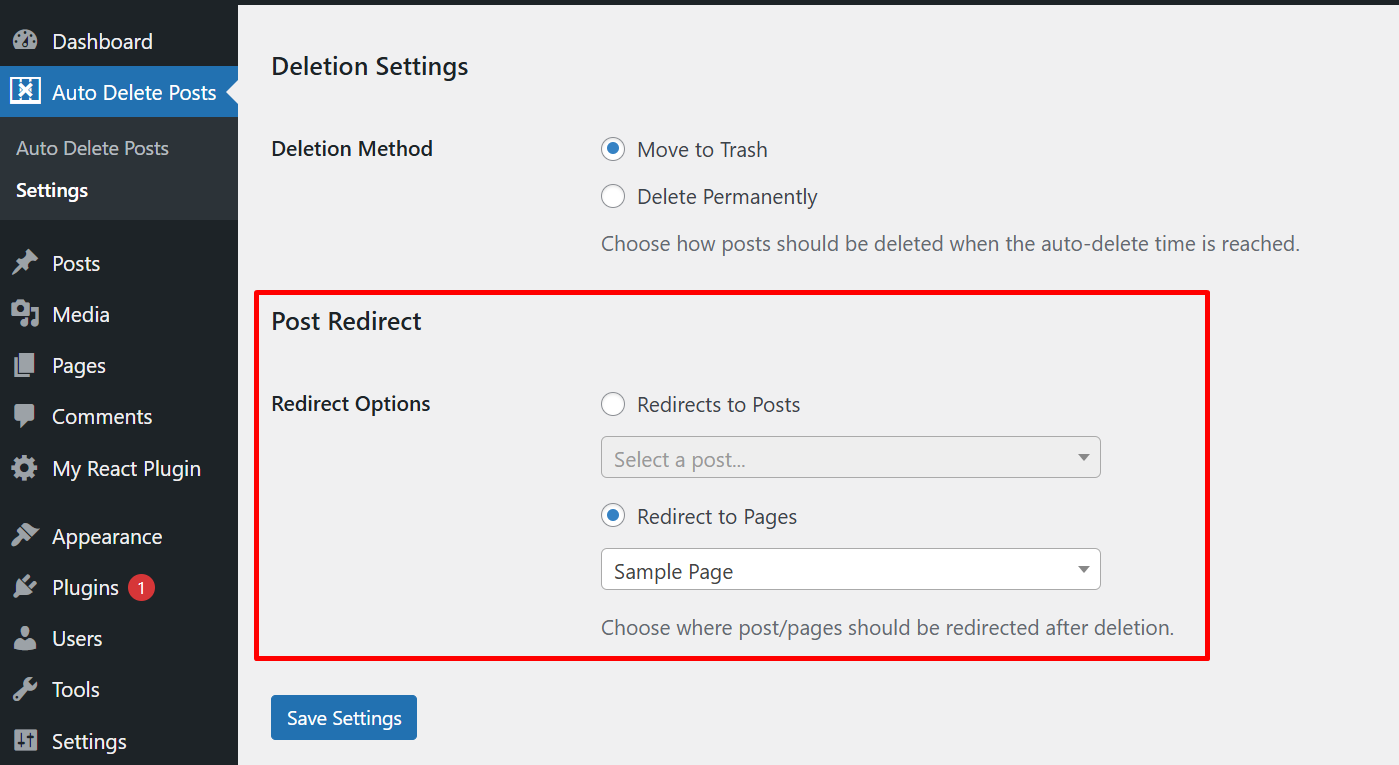
* Set post redirection option trying to visit deleted post/page
Installation
The easy way.
Go to your WordPress Dashboard. Navigate to Plugins > Add New and then search for “Auto Delete Post”. Click on Install and then Activate the Plugin.
That’s it, Auto Delete Post Plugin is now activated on your site!
The hard way..
Download “Auto Delete Post WordPress Plugin” and then extract the zip file and just drop the contents in the wp-content/plugins/ directory of your WordPress installation and then activate the Plugin from Plugins page.
Frequently Asked Questions
Yes
Yes, you can select which post types should have the auto-deletion functionality available via the plugin’s Settings page under the “Auto Delete Posts” menu.
You can choose whether posts should be moved to trash or permanently deleted when the scheduled time arrives. This is configured in the plugin’s Settings page.
Yes, you can use the quick edit functionality on the posts list page to set deletion times for multiple posts quickly.
Yes, you can cancel an auto-deletion by removing the scheduled time from the post’s edit screen or clearing the field in quick edit.
Yes, you can set a specific post or page for post redirection when user tries to visit deleted post/page.
Review feed
i can set time to automatic delate posts
Screenshots
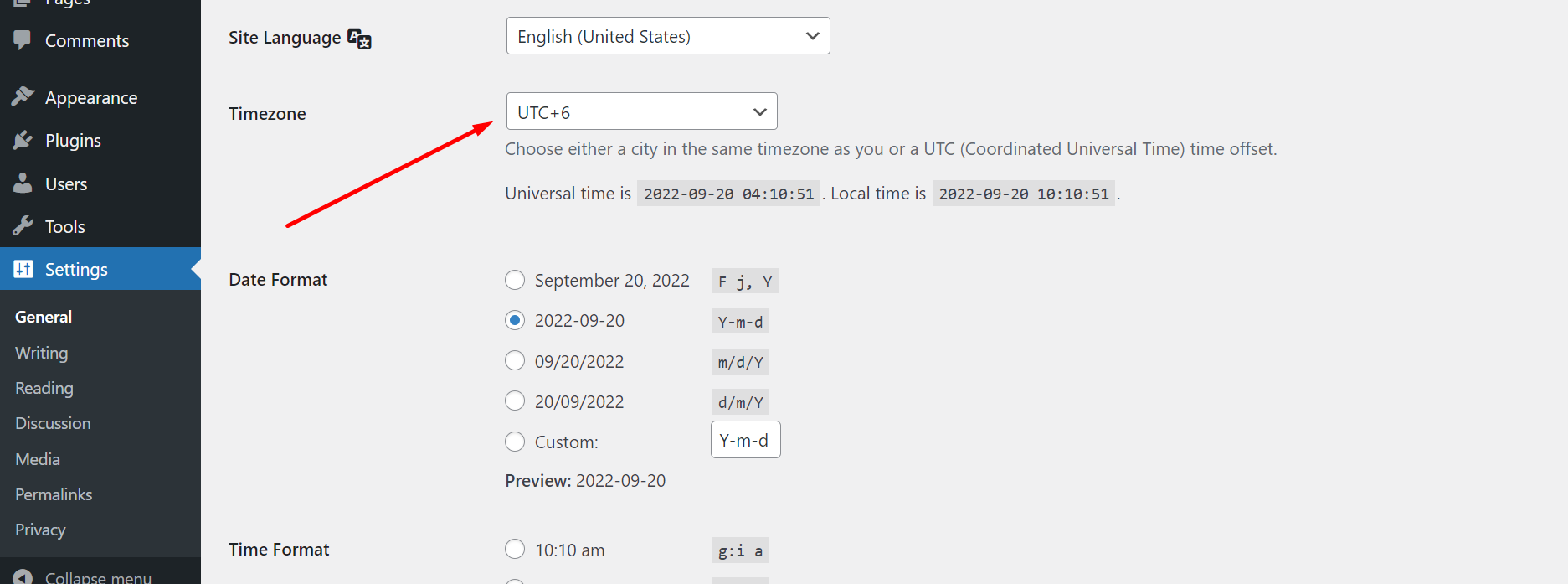
Set the default time zone from the WordPress settings option to work correctly according to your timezone
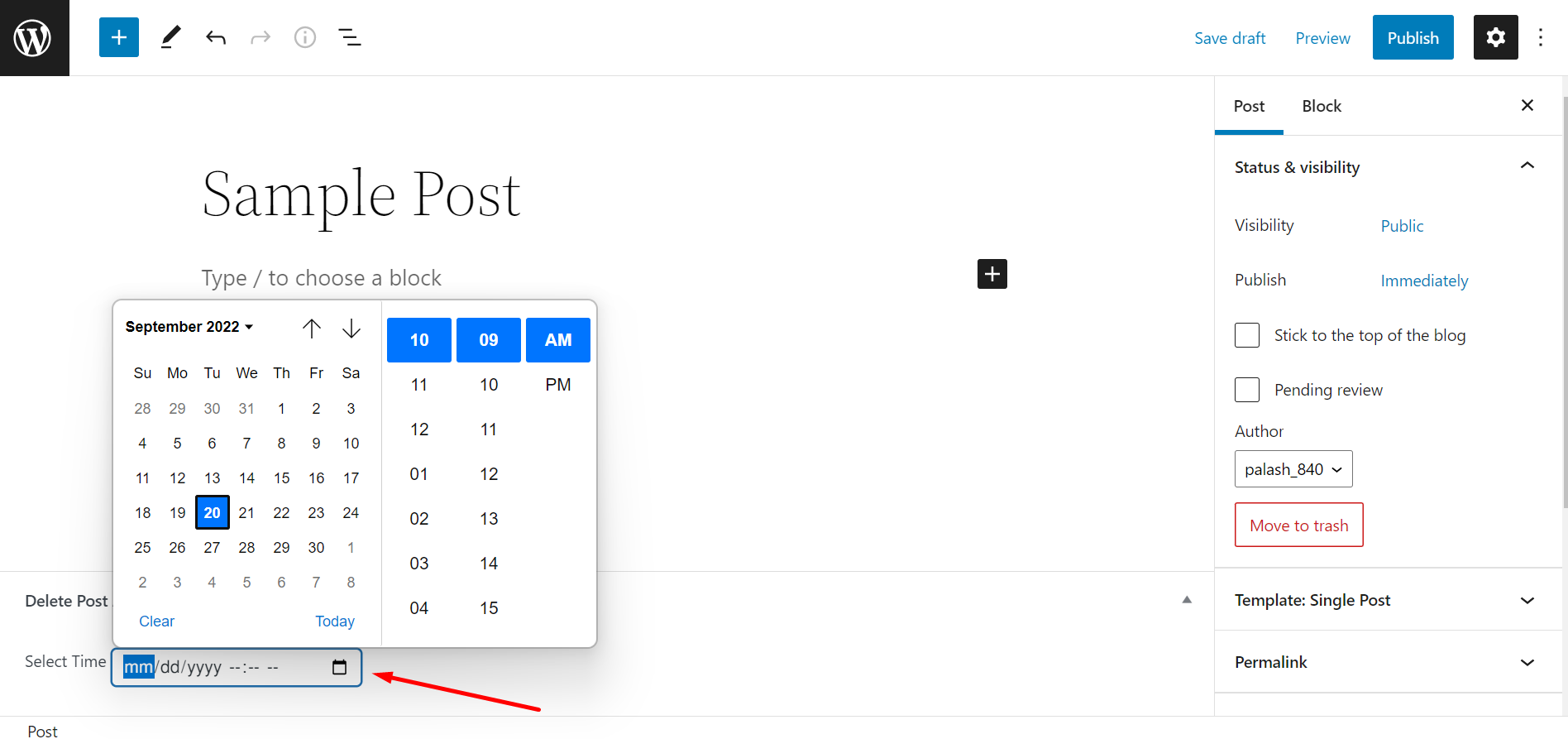
Select a time and date from the custom meta box field of this plugin on the post edit screen
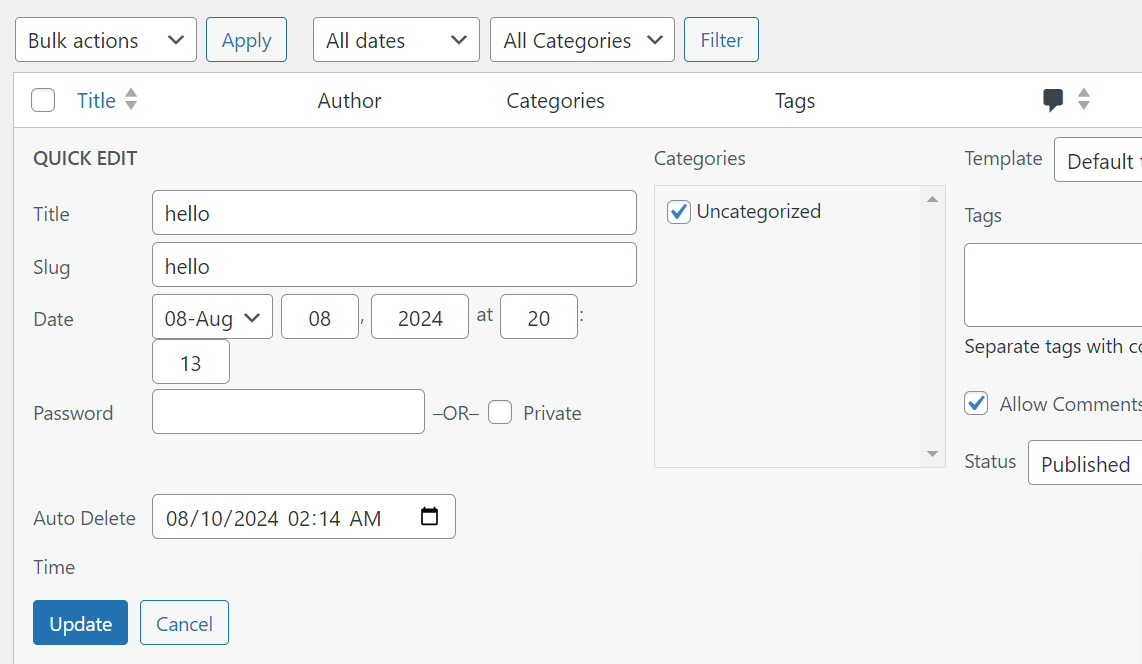
You can also select the time from the quick edit option, no need to go to the edit section of any post.
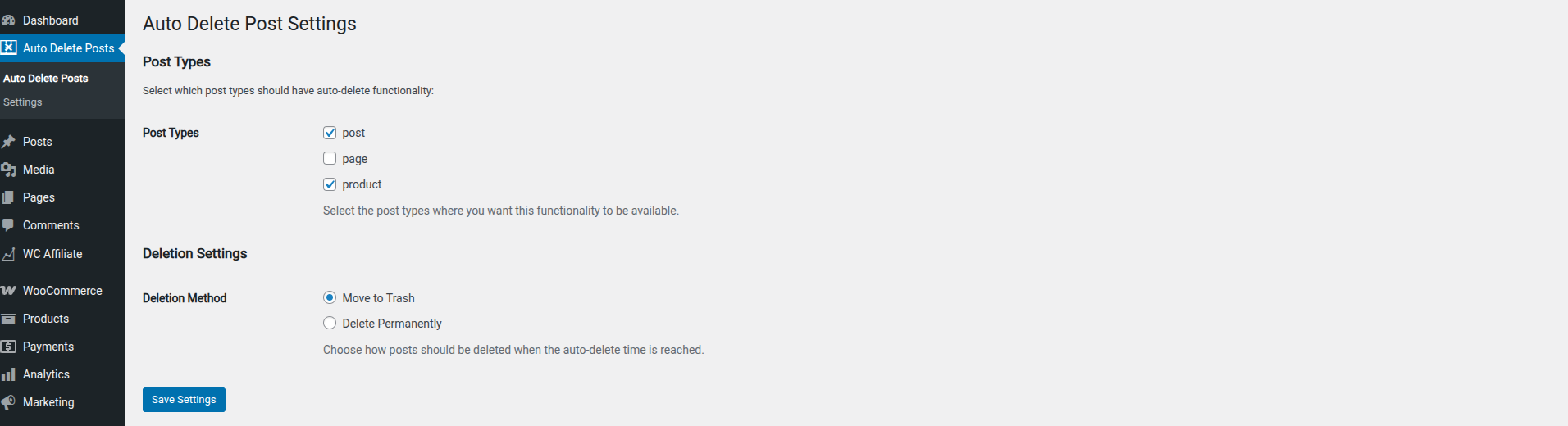
Select any post types where you want to enable this functionality and choose between moving to trash or permanent deletion in the plugin settings.

Select any post or page that you may want to set as post redirection.
Changelog
1.1.8
- Added post redirection option after for deleted post/page
1.1.7
- Updated the banner image
1.1.6
- Fixed fatal error caused by missing main class initialization.
1.1.6
- Fixed fatal error caused by missing main class initialization.
1.1.5
- Checked compatibility with latest version of WP
- Updated tested up to version to 6.7.2
1.1.4
- Added date time field in the quick edit section of post
1.1.3
- Solved unable to restore post from trash issue.