

Auto Image Alt Attribute
Adds automatically alt attributes in image tag where alt attributes are missing or alt is empty.
Plugin info
Maintenance & Compatibility
Maintenance score
Possibly abandoned • Last updated 2513 days ago • 24 reviews
Is Auto Image Alt Attribute abandoned?
Possibly abandoned (last update 2513 days ago).
Compatibility
Languages
Similar & Alternatives
Explore plugins with similar tags, and compare key metrics like downloads, ratings, updates, support, and WP/PHP compatibility.
Description
Adds automatically alt attributes in image tag where alt attributes are missing or alt is empty. Just install plugin, it will automatically adds alt attribute to all images in your website. It will resolve alt missing issue. It will auto pick image name and assign it to missing alt attribute.
How to use
- First Activate Plugin.
- It will auto add alt attributes in image tag where alt attribute is missing or alt is empty.
Installation
- Upload the
auto-image-altfolder to the directory/wp-content/plugins/. - Activate the plugin using the ‘Plugins’ menu in WordPress.
Frequently Asked Questions
Review feed
Nice Plugin - but why its own menu link?
Screenshots

Image where alt="", means alt attribute is empty.
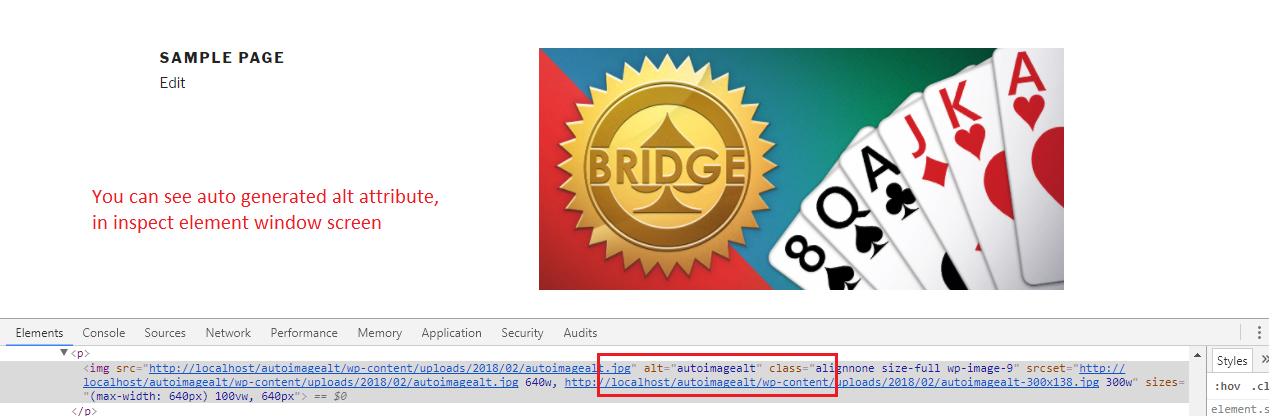
Front end , you are views auto generated ALT attribute.

Image where NO ALT is present.

Front end , you are views auto generated ALT attribute.
Changelog
1.2 (15th May,2019)
- WordPress 5.2 compatible
1.1 (4th Feb,2018)
- fix jQuery confliction issues.
- Compatible with your latest wordpress version
- Settings menu added.