

Auto Rename Media On Upload
Automatically renames any media files you upload by adding a prefix to the beginning of the filename based on the filetype.
Plugin info
Maintenance & Compatibility
Maintenance score
Possibly abandoned • Last updated 642 days ago • 1 reviews
Is Auto Rename Media On Upload abandoned?
Possibly abandoned (last update 642 days ago).
Compatibility
Similar & Alternatives
Explore plugins with similar tags, and compare key metrics like downloads, ratings, updates, support, and WP/PHP compatibility.
Description
This plugin will automatically rename any media files you upload to the Media Library, by adding a prefix to the beginning of the filename based on the filetype.
For example, you can tell it to add the prefix “pic-” to the beginning of all .jpg files that you upload. So uploading an image called car.jpg would get renamed to pic-car.jpg
And since it changes the name of the file, it will also change the “slug” that wordpress uses based on this new name.
You can set an individual/unique prefix for each of the following filetypes:
jpg jpeg png bmp gif tif mp4 avi m4v mov flv mkv 3gp pdf doc docx xls xlsx ppt pptx mp3 ogg wav zip csv txt rtf odt
You will need to go to the settings page and set the prefix you want to use for each of the filetypes.
The default behavior is that it will NOT rename any uploaded files until you have set the prefix on the settings page.
Installation
Frequently Asked Questions
- No. In the settings you can set how the filename will be renamed when it is uploaded. File will be automatically renamed during the upload process.
- No. In the settings you can set how the filename will be renamed when it is uploaded. File will be automatically renamed during the upload process.
- On the settings page, you can remove the prefix from the textbox and set it empty/blank for any filetype that you do not want to be renamed when it is uploaded. If a particular filetype has an empty/blank textbox, then it will not be renamed when it is uploaded.
- On the settings page, you can remove the prefix from the textbox and set it empty/blank for any filetype that you do not want to be renamed when it is uploaded. If a particular filetype has an empty/blank textbox, then it will not be renamed when it is uploaded.
- You can set an individual/unique prefix for each of the following filetypes: jpg jpeg png bmp gif tif mp4 avi m4v mov flv mkv 3gp pdf doc docx xls xlsx ppt pptx mp3 ogg wav zip csv txt rtf odt
- Submit a support request and I will see if I can get that filetype added for you.
- Make sure you go to the settings page and set the prefix you want to use for the particular filetype you are uploading and want renamed. And don’t forget to hit the SAVE button to make sure your changes are saved.
Review feed
Great plugin!
Screenshots
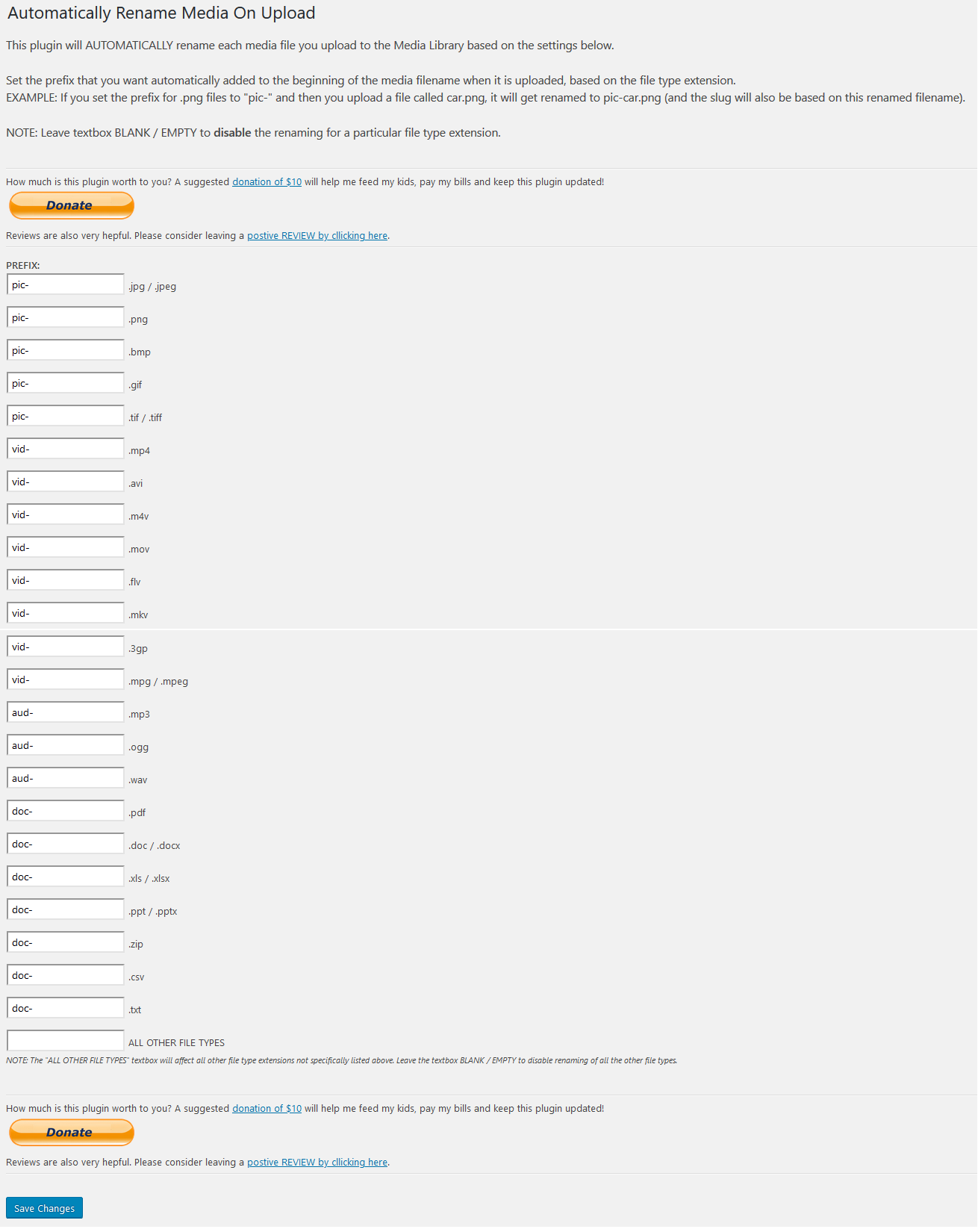
Settings page
Changelog
1.1.0
- Sanitize settings on save to prevent vulnerability for a high privilege user to perform stored cross-site scripting attack.
1.0.5
- Compatible with WordPress v5.5
1.0.4
- Shortened the name because it was too long in the settings menu.
1.0.3
- Minor code cleanup
1.0.2
- Added RTF and ODT formats.
1.0.1
- Minor code cleanup
1.0.0
- First stable release