

Auto-Close Comments, Pingbacks and Trackbacks
Auto-Close keeps your site clean by automatically closing comments, pingbacks, and trackbacks—so you can focus on content, not cleanup.
Plugin info
Maintenance & Compatibility
Maintenance score
Maintained • Last updated 127 days ago • 1 reviews
Is Auto-Close Comments, Pingbacks and Trackbacks abandoned?
Likely maintained (last update 127 days ago).
Compatibility
Similar & Alternatives
Explore plugins with similar tags, and compare key metrics like downloads, ratings, updates, support, and WP/PHP compatibility.
Description
Spammers target old posts in a hope that you won’t notice the comments on them. Why not stop them in their tracks by just shutting off comments and pingbacks? Auto-Close Comments, Pingbacks and Trackbacks lets you automatically close comments, pingbacks and trackbacks on your posts, pages and custom post types.
You can also choose to keep comments, pingbacks, or trackbacks open on certain posts, pages or custom post types. Just enter a comma-separated list of post IDs in the Settings page.
An extra feature is the ability to delete post revisions or limit their number.
Found a bug or want to contribute? PRs and issues welcome on GitHub. For help, use the support forum or premium support.
Key Features
- Close (or open) comments on posts, pages, attachments and even Custom Post Types
- Close (or open) pingbacks and trackbacks as well across all post types. You can also choose to delete them
- Schedule a cron job to automatically close comments, pingbacks and trackbacks daily
- Delete all post revisions or limit the number of revisions by post type
- Exclude specific post IDs from auto-close
- Block self-pings and custom ping URLs
- Schedule the closing of comments, pingbacks, and trackbacks for the current post
Installation
WordPress install
- Navigate to Plugins within your WordPress Admin Area
- Click “Add new” and in the search box enter “autoclose”
- Find the plugin in the list (usually the first result) and click “Install Now”
Manual install
- Download the plugin
- Extract the contents of autoclose.zip to wp-content/plugins/ folder. You should get a folder called autoclose.
- Activate the Plugin in WP-Admin.
- Go to Settings » AutoClose to configure
Frequently Asked Questions
Enter the post ID in the settings page under “Exclude posts”.
Yes! Auto-Close works with posts, pages, attachments, and any registered custom post types.
Yes, you can delete all revisions or set a limit per post type from the settings page.
You can report security bugs through the Patchstack Vulnerability Disclosure Program. The Patchstack team help validate, triage and handle any security vulnerabilities. Report a security vulnerability.
Review feed
Screenshots

Autoclose Settings - General

Autoclose Settings - Comments
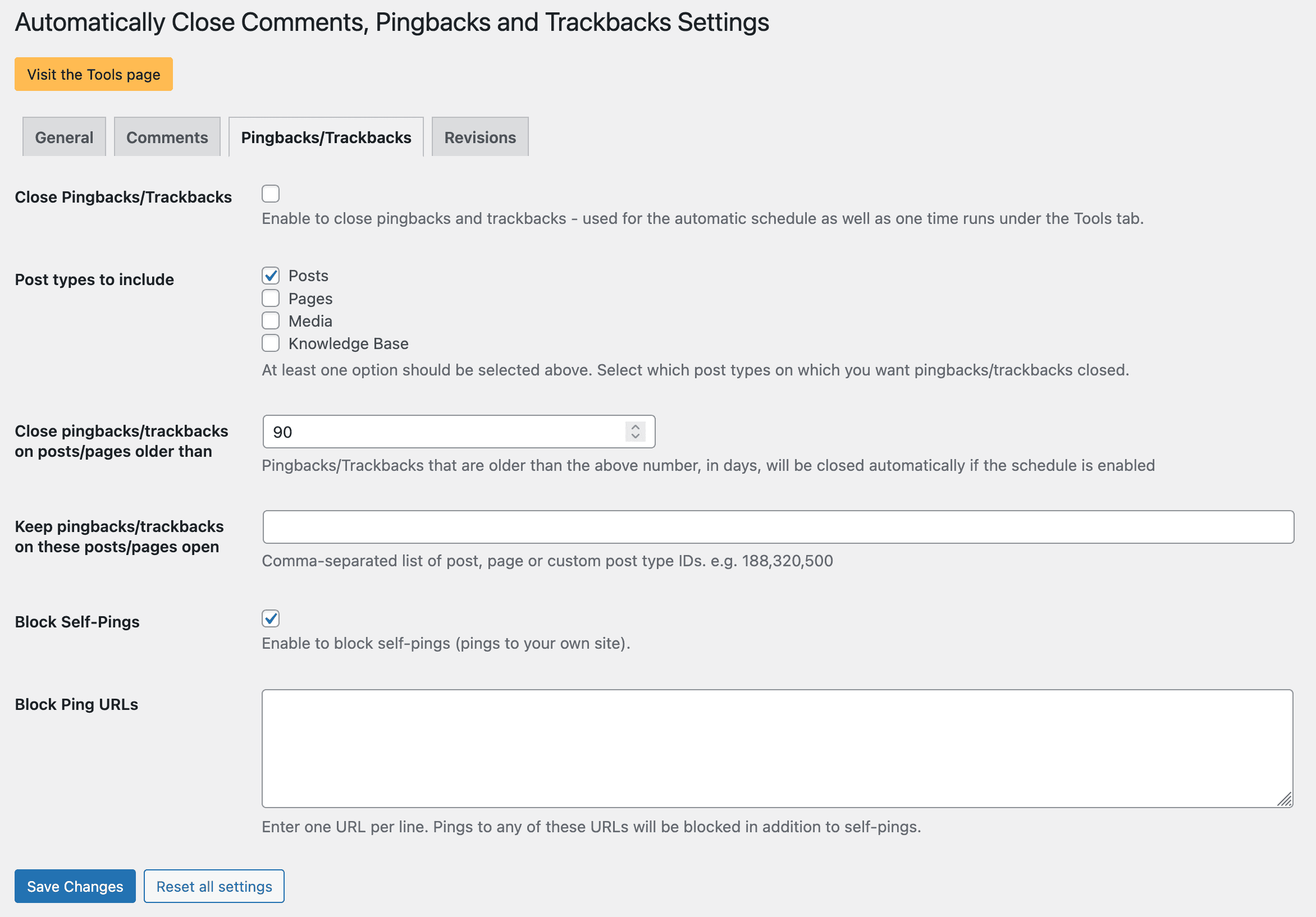
Autoclose Settings - Pingbacks/Trackbacks

Autoclose Settings - Revisions

Autoclose Tools
Changelog
3.0.0
Release post: https://webberzone.com/announcements/auto-close-v3-0-0/
Completely rewritten the plugin to use autoloading, namespaces and classes.
-
Features:
- Added block ping URLs feature and self-pings feature.
- Introduced a new meta box allowing users to schedule the closure of comments, pingbacks, and trackbacks for the current post.
-
Bug fixes:
- Fixed PHP error/warnings about loading translations too early.
For older changes, refer to changelog.txt