
Autocomplete Address and Location Picker for WooCommerce
Improve your WooCommerce checkout flow with Google Places address autocomplete, geocoding, and location picker tools. Supports Classic Checkout and Ch …
Plugin info
Maintenance & Compatibility
Maintenance score
Maintained • Last updated 125 days ago • 11 reviews
Is Autocomplete Address and Location Picker for WooCommerce abandoned?
Likely maintained (last update 125 days ago).
Compatibility
Similar & Alternatives
Explore plugins with similar tags, and compare key metrics like downloads, ratings, updates, support, and WP/PHP compatibility.
Description
Developed by PowerfulWP
This plugin integrates Google Places Autocomplete into your WooCommerce checkout, enabling customers to quickly and accurately fill in their billing and shipping addresses. This drastically improves checkout speed, enhances data accuracy, and reduces delivery failures caused by typos. It is the perfect solution for WooCommerce address validation and improving the customer experience.
💎 Get Premium | 📚 Documentation
🛑 Critical API Notice & Version Comparison
The Premium Version is essential for all new users and businesses focused on accurate geocoding and delivery management.
⚠️ Google API Change
Google has officially deprecated the Legacy Places API for all new Google Cloud projects.
➡️ If your Google Maps project was created recently, the legacy API cannot be enabled. You must upgrade to Premium to use the New Google Places API (PlaceAutocompleteElement), which is required for address autocomplete to function correctly.
🆓 Free Features (Classic Checkout Only)
The free version provides essential address autocomplete functionality for the Classic WooCommerce Checkout using the Legacy Google Places API.
- Autocomplete Address: Automatically suggests and fills billing and shipping addresses using the Google Places API (Legacy).
- Maps Display: Shows the selected autocomplete address on a map below the address form.
💎 Premium Features: Advanced Geocoding & Compatibility
The Premium version ensures full compatibility with modern WooCommerce and Google standards, offering powerful location tools for superior address collection and delivery planning.
🔌 API & Compatibility
- Google Places API Support: Legacy & New API (Required for all new Google Cloud accounts).
- Compatibility: Classic & WooCommerce Checkout Blocks (Full support).
- Performance: Designed to load asynchronously for minimal impact on site performance.
📍 Location Picker & Geolocation
- Location Picker (Map to Address): Allows customers to drag a pin on the map to choose their exact location. The full address and coordinates are automatically filled (Reverse Geocoding).
- Ideal for rural areas, complex addresses, or delivery services.
- Customer Location: Allows customers to use their device’s GPS/browser location to auto-fill the address on the checkout form.
🗺️ Fulfillment & Advanced Controls
- Order Coordinates (Admin): Stores and displays coordinates on the order page in the admin panel, including a direct link to Google Maps. Essential for delivery driver routing.
- Checkout Coordinates: Displays the selected address coordinates (latitude/longitude) to the customer on the checkout page.
- Advanced Maps: Set custom latitude & longitude coordinates to center the map display.
- Country Restrictions: Restrict autocomplete results to specific countries for better focus.
🤝 Delivery Plugin Integration
The collected coordinates are essential for accurate routing and assignment and integrate seamlessly with PowerfulWP’s delivery solutions. This plugin provides address autocomplete for all customer-facing address fields, including those added by the following compatible plugins:
- Local Delivery Drivers for WooCommerce Premium
- Delivery Drivers Manager Premium
- Delivery Drivers for Vendors
- Pickup & Delivery from Customer Locations for WooCommerce Premium
🧩 Compatibility
The plugin has been rigorously tested for maximum reliability across the WooCommerce ecosystem.
- WordPress: Requires 4.5+
- WooCommerce: Works with all versions 3.0+
- Checkout: Supports Classic Checkout and WooCommerce Checkout Blocks (Premium)
- Google API: Supports Legacy and New Places API
- HPOS: Fully compatible with WooCommerce High-Performance Order Storage (HPOS)
- Theme: Works with any standard theme (e.g., Astra, WoodMart, Flatsome, Divi, Elementor, Storefront, etc.)
More PowerfulWP Plugins
Enhance your WooCommerce delivery & logistics workflow with our compatible plugin suite:
Installation
Frequently Asked Questions
No. The free version supports Classic Checkout only. Checkout Blocks support is a feature of the Premium version.
Google deprecated the Legacy Places API for new Cloud accounts. If your Google project was created recently, you must use the new Places API (PlaceAutocompleteElement), which is supported exclusively in the Premium version.
The plugin uses Google Places suggestions to autofill and correct addresses, offering a powerful form of address validation. However, it does not perform a secondary, postal-level validation check. Its primary function is to ensure the address entered is a recognized Google location.
Yes. The Premium Version includes country restriction options, allowing you to limit suggestions to one or more specific countries.
Yes. This is a Premium feature known as the Location Picker. Customers can drag a map pin, and the plugin will automatically autofill the full address and coordinates.
Yes. Premium shows latitude/longitude in the admin order page with a direct link to open the location in Google Maps, crucial for accurate delivery driver routing.
Yes. This plugin integrates seamlessly with all PowerfulWP delivery-related plugins to support routing and address-based workflows using the collected coordinates.
Review feed
Postal code field not filling
Screenshots
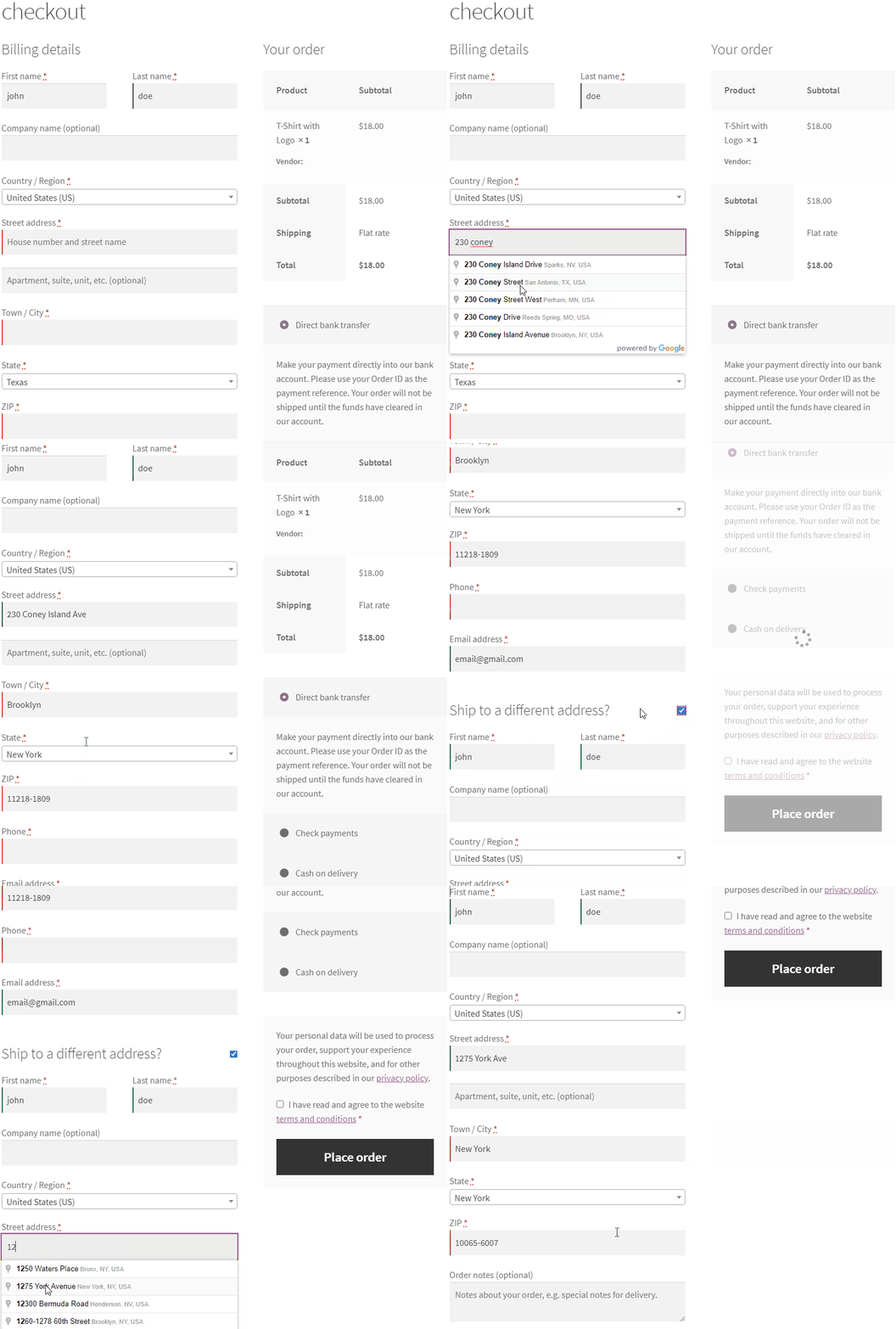
Premium - Autocomplete Address.
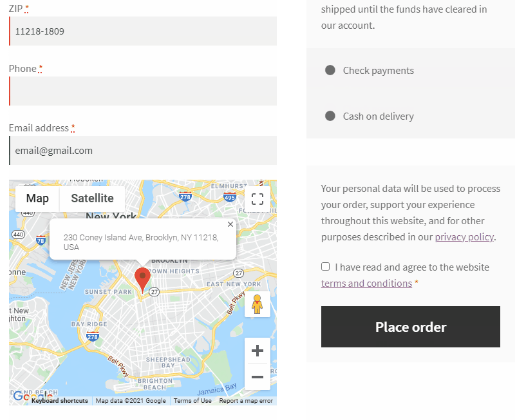
Premium - Maps.
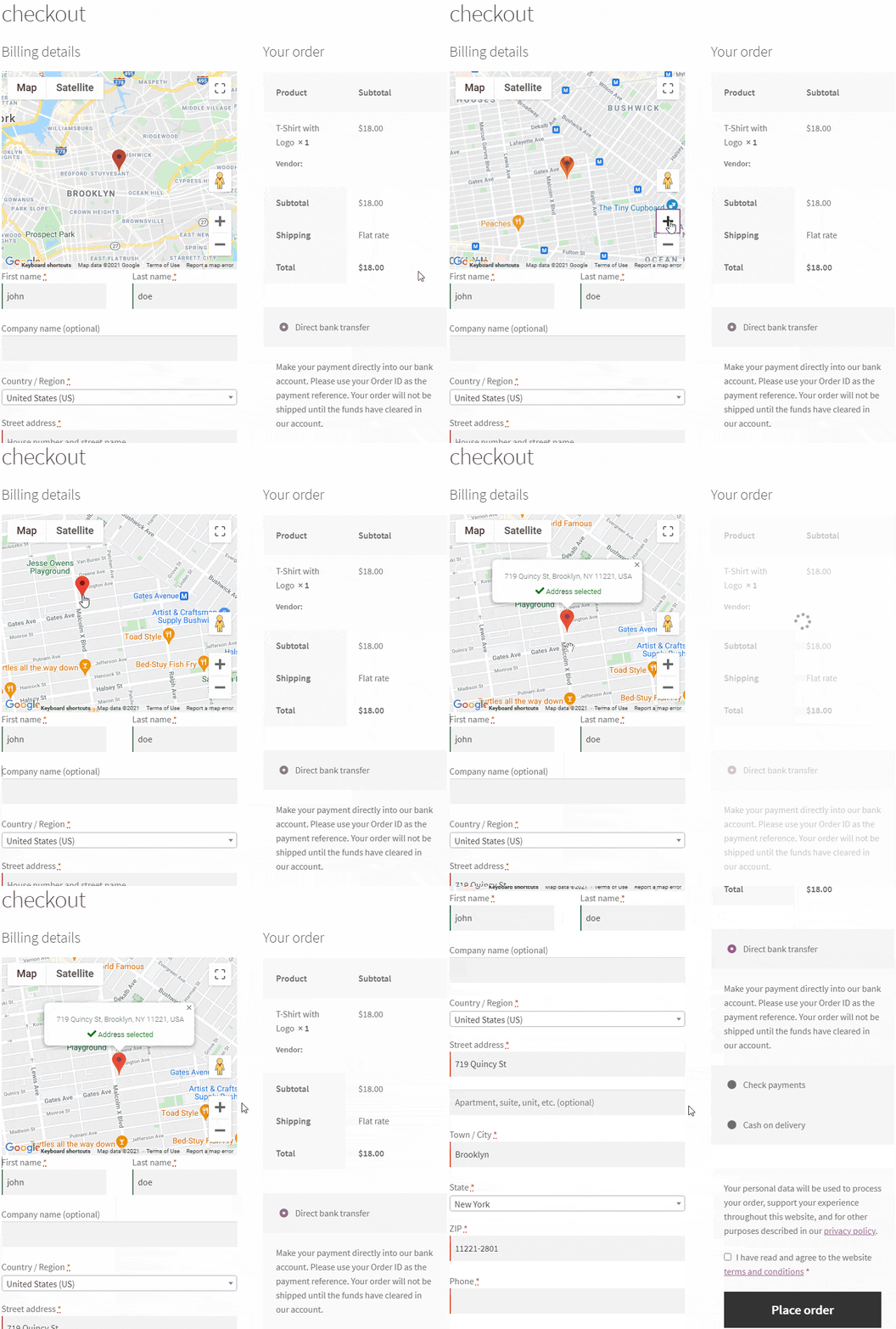
Premium - Location Picker.
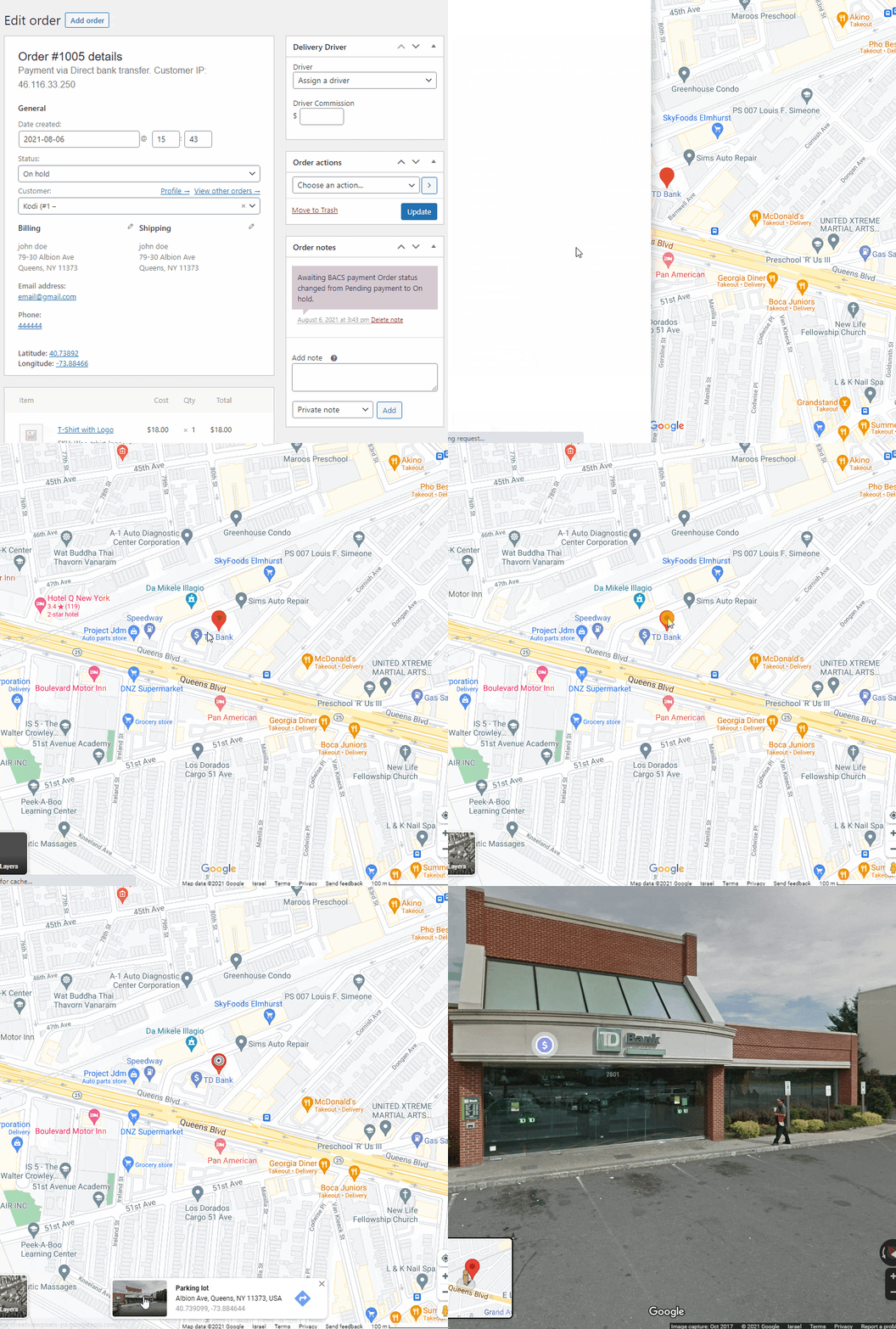
Premium - Coordinates.
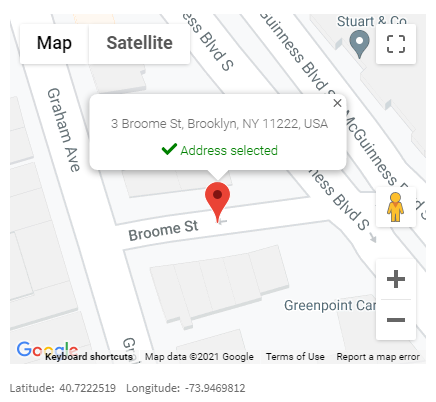
Premium - Customer Location.
Changelog
1.2.2
- Added: New Google Places API (PlaceAutocompleteElement) support for Classic checkout (Premium feature).
- Added: WooCommerce Blocks checkout support with React-based implementation (Premium feature).
- Added: Debug logging toggle setting for production troubleshooting.
- Added: Map centering based on pre-filled checkout addresses for better user experience.
1.1.9
- Update: freemius sdk
1.1.8
- Update: Integrated Freemius SDK version 2.6.2.
- Enhancement: Implemented ‘async’ attribute in Google Maps script for improved performance.
- Tweak: Woocommerce HPOS feature support.
1.1.7
- Added: postal_town suffix.
- Fix: fix deprecation warnings.
- Update: freemius sdk 2.5.10
1.1.5
- Fix: autocomplete subpremise
1.1.4
- Tweak: Updated Freemius SDK to version 2.5.6.
- Fix: Implemented trigger modification for select boxes of countries and states.
- Add: Added premise type to the address.
1.1.3
- Fix: update_checkout trigger.
1.1.2
- Fix: We removed the autocomplete postal code suffix.
- Tweak: Autocomplete for Pickup & Delivery from Customer Locations for WooCommerce plugin.
1.1.1
- Fix: We removed the focus from the address field on the checkout page.
- Tweak: WordPress 6.0
1.1.0
- Fix: Language.
1.0.9
- Fix: Freemius SDK security fix.
1.0.7
- Tweak: Localizing the Maps.
- Tweak: Address Format setting ( number + street name / street name + number ).
1.0.6
- Fix: autocomplete places.
1.0.5
- Fix: autocomplete places.
1.0.4
- Tweak: Premium – Map Zoom.
- Tweak: Premium – Customer location auto-select.
1.0.3
- Add billing coordinates when shipping address is missing.
1.0.2
- Add Location Picker Type.
1.0.1
- Fix autocomplete address type.
1.0.0
- Initial release.