

Autocomplete field for Elementor Pro Forms
Add an autocomplete field to your Elementor Pro Form Widget
Plugin info
Maintenance & Compatibility
Maintenance score
Possibly abandoned • Last updated 408 days ago
Is Autocomplete field for Elementor Pro Forms abandoned?
Possibly abandoned (last update 408 days ago).
Compatibility
Similar & Alternatives
Explore plugins with similar tags, and compare key metrics like downloads, ratings, updates, support, and WP/PHP compatibility.
Description
Autocomplete field for Elementor Pro Forms is an addon for Elementor pro that adds a new field to the Form widget called “Select autocomplete”.
This field allows you to load a list of valid options, display them in an autocomplete field and ensure that one of them is selected.
Contribute and credits
Autocomplete field for Elementor Pro Forms is developed and mantained by GH S.R.L.
Installation
Minimum Requirements
-
PHP 7.1 or higher
-
MySQL 5.6 or higher
Autocomplete field for Elementor Pro Forms can be installed directly through your WordPress Plugin Board.
-
Click “Add New” and search for “Autocomplete field for Elementor Pro Forms”.
-
Install and activate.
Alternatively you can download the plugin using the download button on this page and then upload the “autocomplete-field-for-elementor-pro-forms” folder to the / wp-content / plugins / directory then activate through the WordPress plugins page.
Frequently Asked Questions
Yes, this plugin is totally free.
Review feed
Screenshots
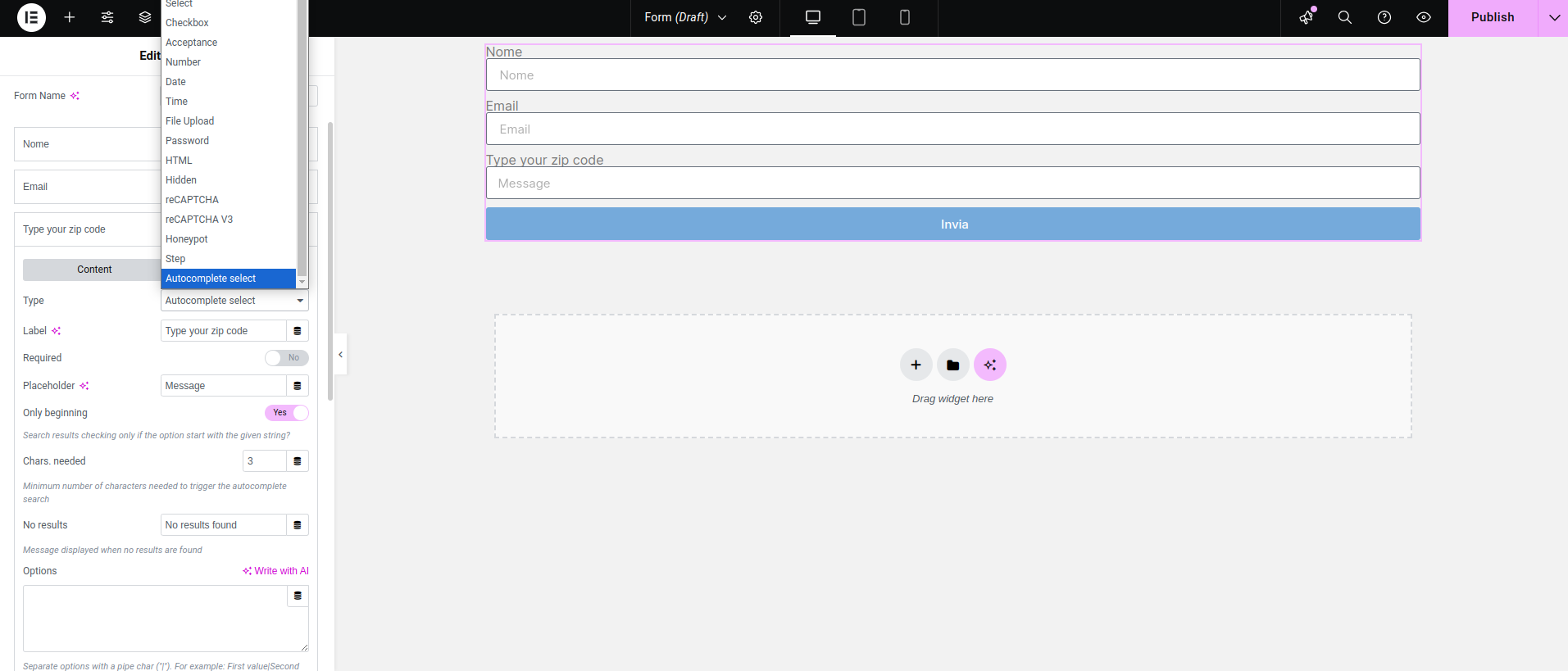
Add a form field and choose "Autocomplete select"
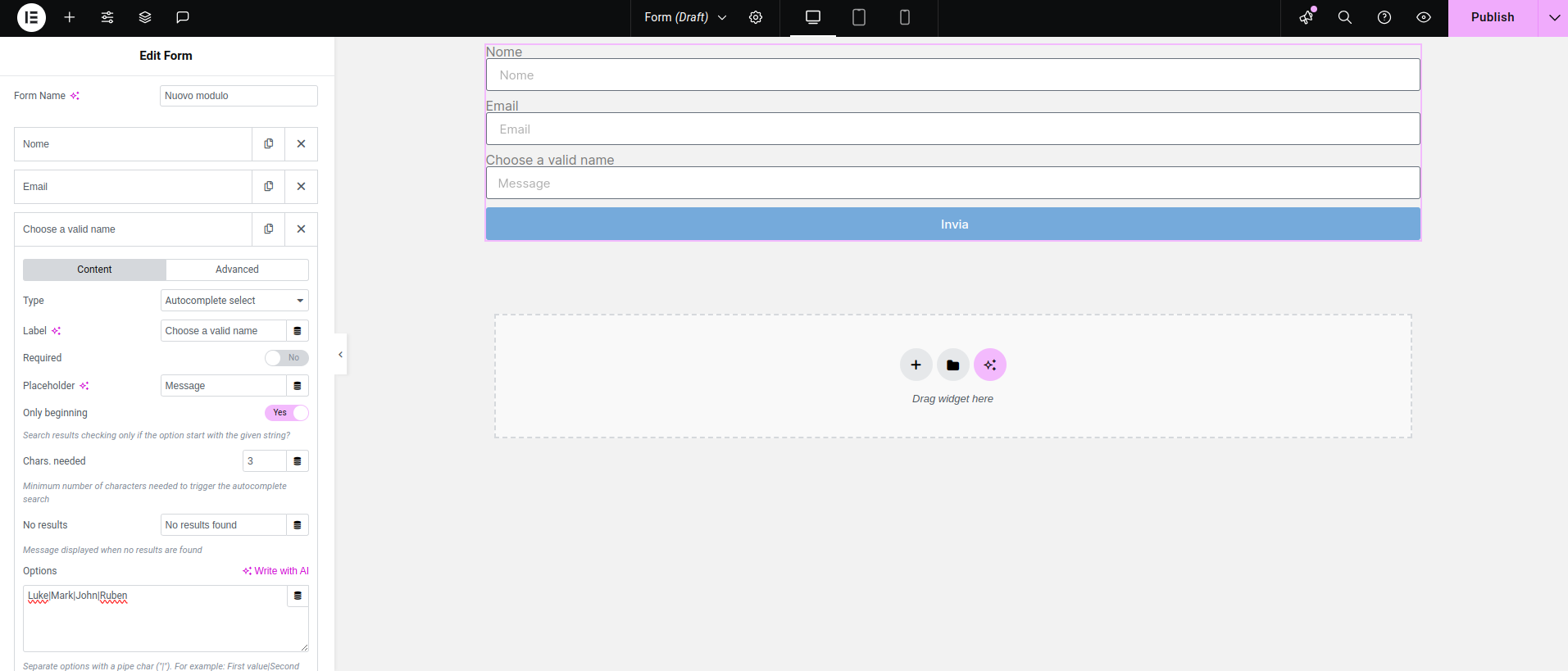
Fill the options textarea with your options, separated by a pipe character
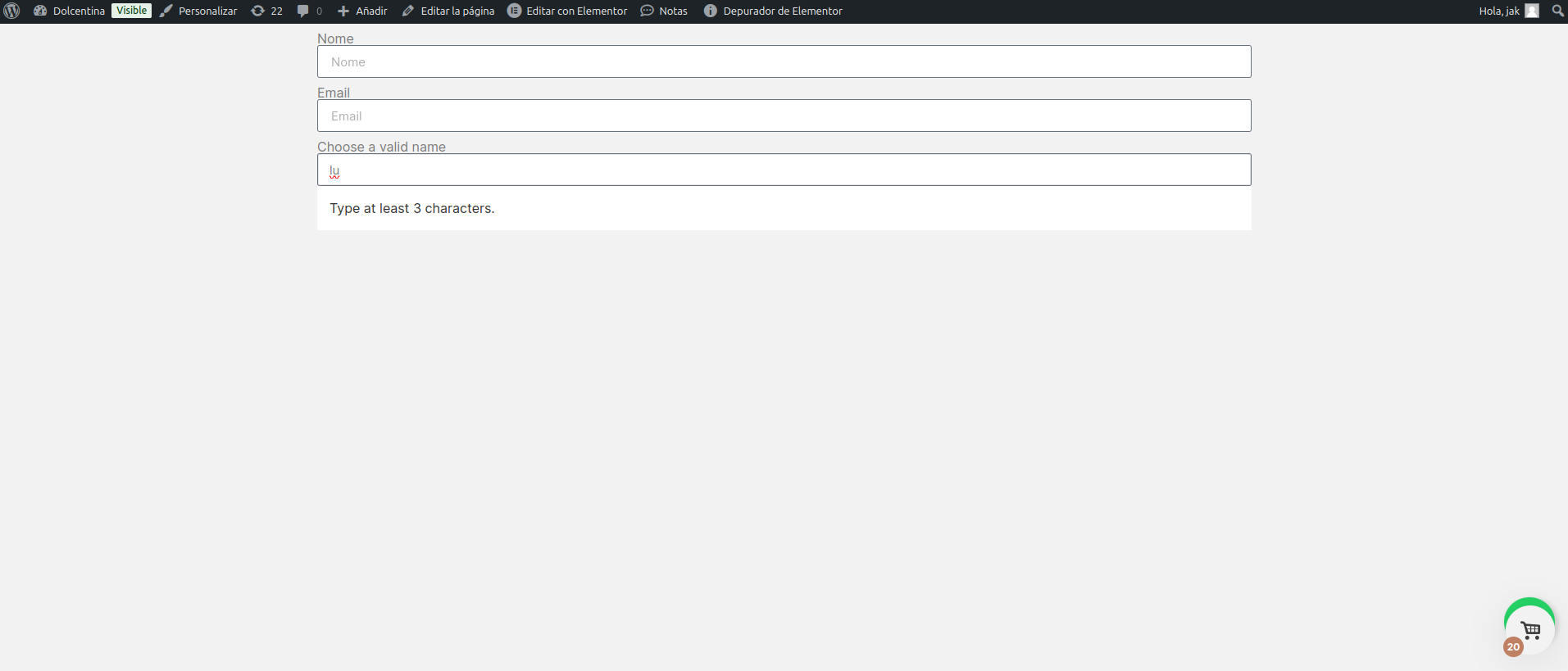
Typing less characters than what you have set triggers the "type at least..." message
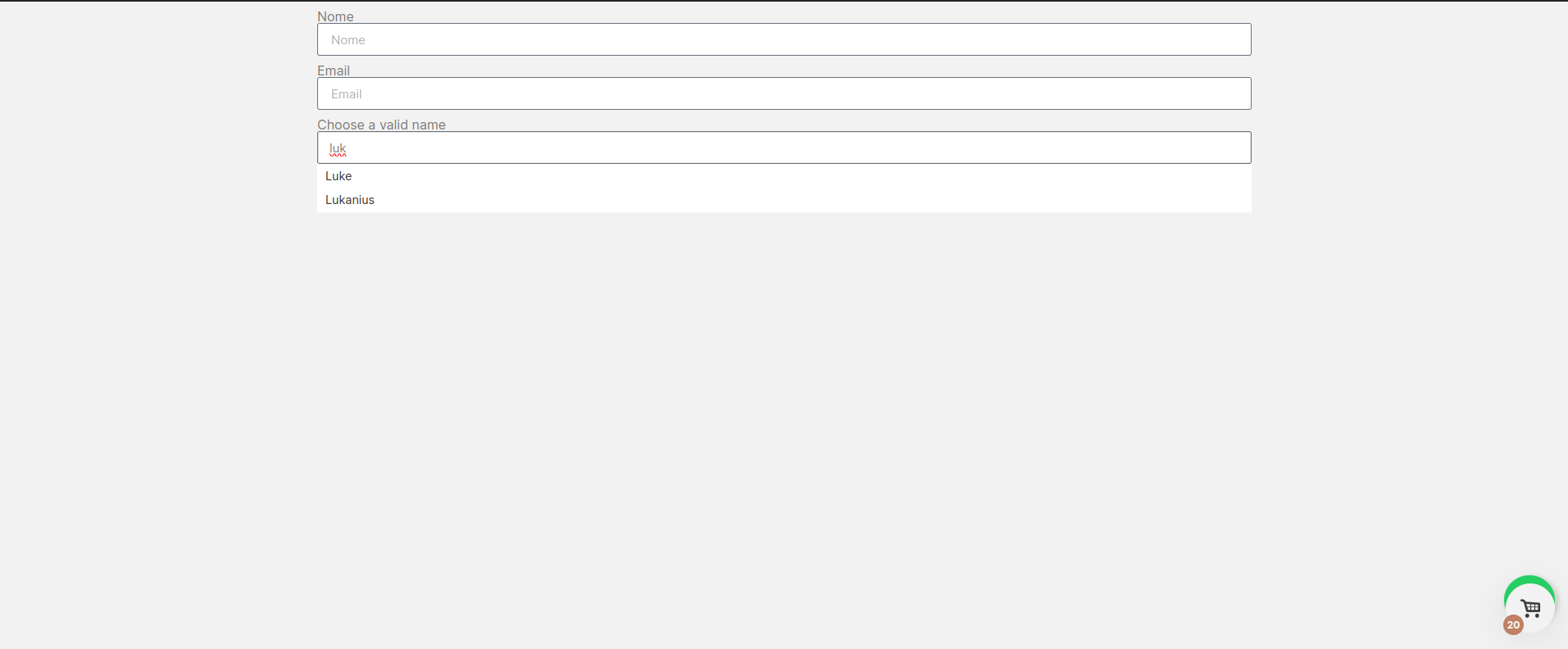
If matches are found, they are displayed and the customer can choose one of them
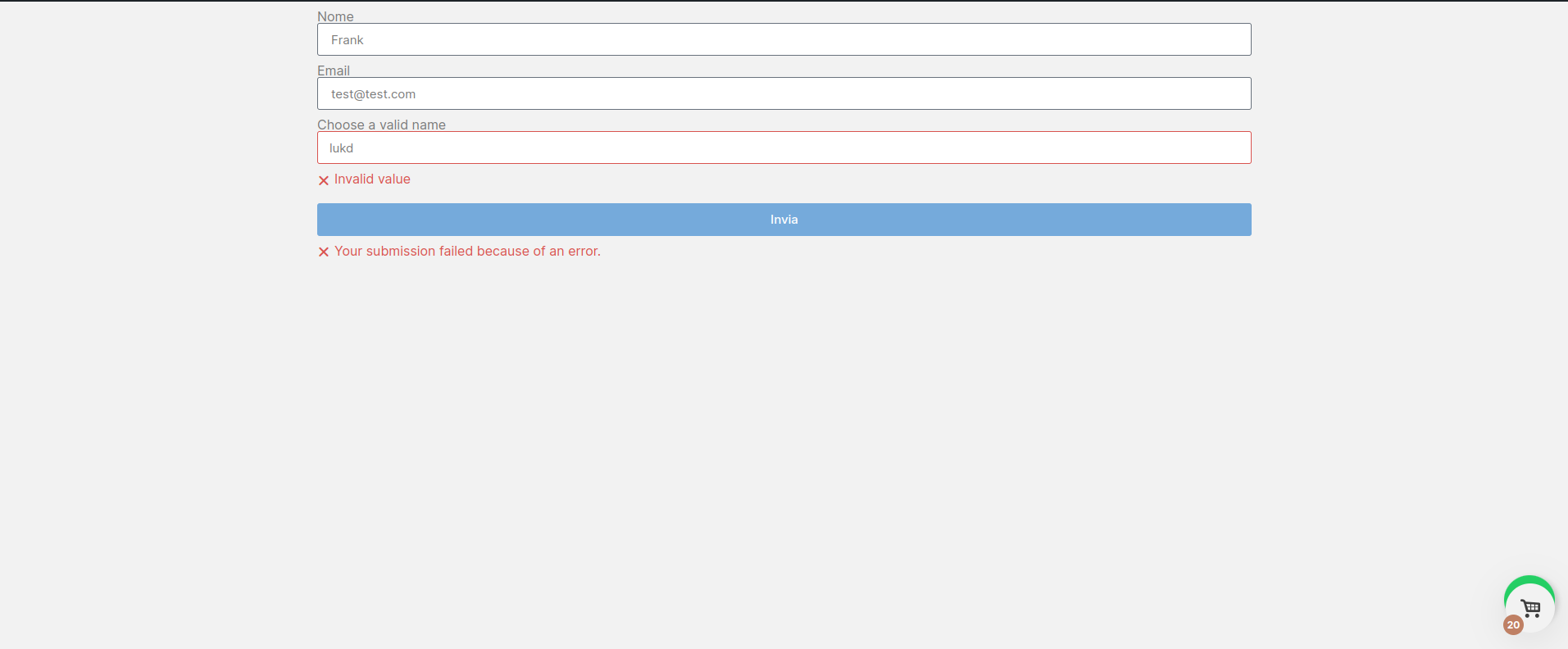
The submitted value is checked again: an error is triggered if it doesn't match one of the options you have set