
Autocomplete LearnDash Lessons and Topics
Autocomplete for LearnDash Lessons and Topics will automatically mark the lessons and topics as completed.
Plugin info
Maintenance & Compatibility
Maintenance score
Stale • Last updated 206 days ago • 3 reviews
Is Autocomplete LearnDash Lessons and Topics abandoned?
Likely maintained (last update 206 days ago).
Compatibility
Similar & Alternatives
Explore plugins with similar tags, and compare key metrics like downloads, ratings, updates, support, and WP/PHP compatibility.
Description
Autocomplete for LearnDash Lessons and Topics will automatically mark the lessons and topics as completed.
Here is what happens:
* The students will see the Mark Complete button on their first visit.
* They can also use it to go to the next lesson.
* The completion will happen in the background.
* Progress will move forward on next page visit
* Next time they visit the lesson or topic, they will not see the Mark Complete button.
There are no settings, just enable the plugin.
Future Development
Depending on the interest in this feature, we will decide on adding settings and other features to the plugin.
Installation
This section describes how to install the plugin and get it working.
e.g.
- Upload the plugin files to the
/wp-content/plugins/autocomplete-learndashdirectory, or install the plugin through the WordPress plugins screen directly. - Activate the plugin through the ‘Plugins’ screen in WordPress
Frequently Asked Questions
LearnDash LMS is the number one WordPress based Learning Management System (LMS) plugin. It includes many advanced features including, quizzing engine, course management, reports, certificates and payment methods.
You can also add GrassBlade xAPI Companion plugin and GrassBlade LRS to start using Experience API (xAPI) based contents with LearnDash LMS.
GrassBlade xAPI Companion is a paid WordPress plugin that enables support for Experience API (xAPI) based content on WordPress.
It also provides best in industry Advanced Video Tracking feature, that works with YouTube, Vimeo and self-hosted MP4 videos. Tracking of MP3 audios is also supported.
It can be used independently without any LMS. However, to add advanced features, it also has integrations with several LMSes.
GrassBlade Cloud LRS is a cloud-based Learning Record Store (LRS). An LRS is a required component in any xAPI-based ecosystem. It works as a data store of all eLearning data, as well as a reporting and analysis platform. There is an installable version which can be installed on any PHP/MySQL based server.
Review feed
Screenshots
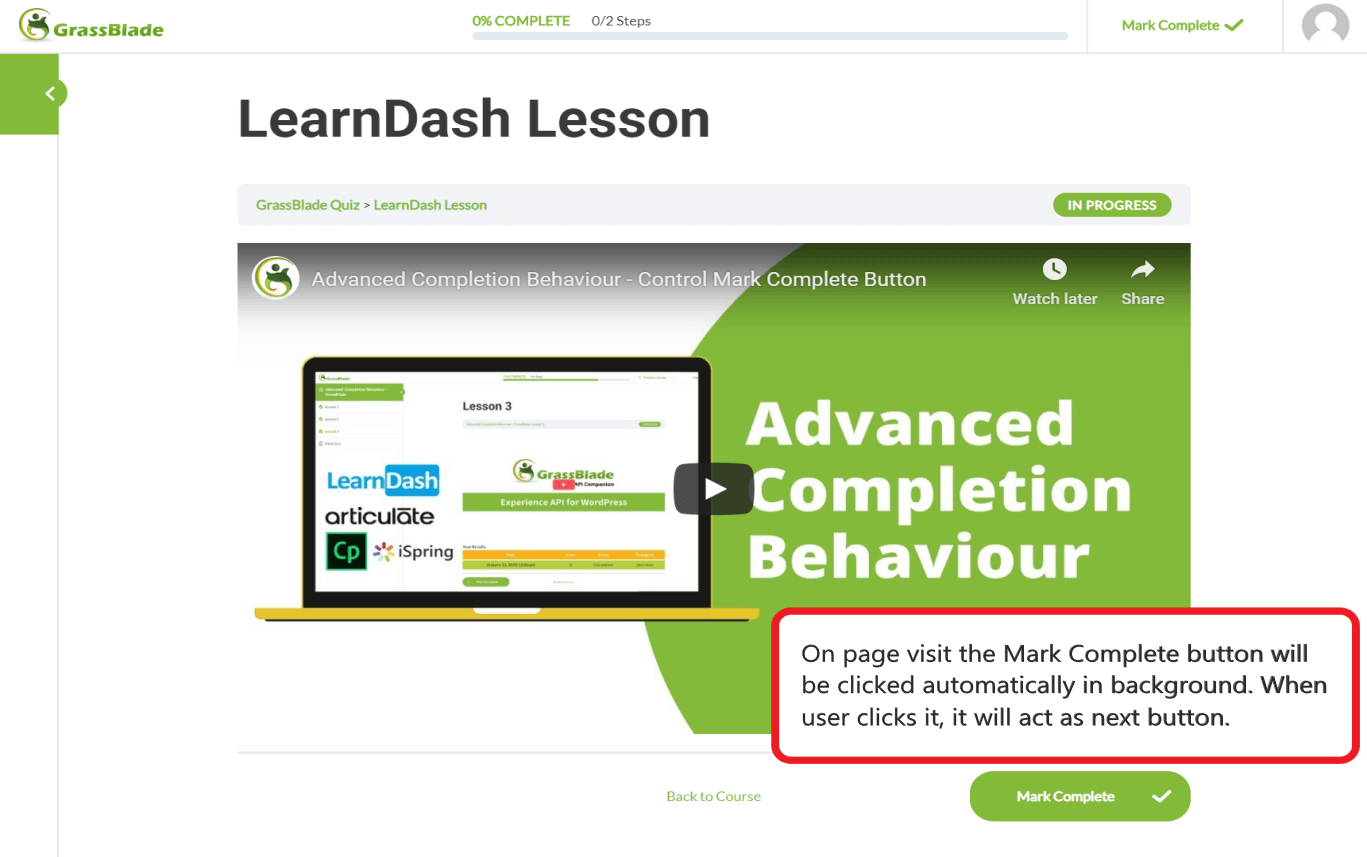
LearnDash Mark Complete Button
Changelog
1.5
- Fixed: LearnDash Course settings getting reset when course title or content is edited in Classic Editor
- Improvement: Changed Course level Enable/Disable settings to use WordPress metabox due to above bug in LearnDash
1.4
- Fixed: Lesson getting marked as incomplete when it is already complete.
1.3
- Fixed: several issues on addons page
1.2
- Feature: Added Settings to Enable/Disable at per Course Level
- Fixed: Conflict with LearnDash Video Progression
1.1
- Added Addons page
- Added class
1.0
- Initial Release