Autocomplete Location field Contact Form 7
Autocomplete Location field Contact Form 7 provide to text field in automatically suggestion of location. that location get by google location in cont …
Plugin info
Maintenance & Compatibility
Maintenance score
Stale • Last updated 324 days ago • 11 reviews
Is Autocomplete Location field Contact Form 7 abandoned?
Likely maintained (last update 324 days ago).
Compatibility
Similar & Alternatives
Explore plugins with similar tags, and compare key metrics like downloads, ratings, updates, support, and WP/PHP compatibility.
Description
Autocomplete Location field Contact Form 7 provide to text field in automatically suggestion of location. that location get by google location in contact form 7.
For you using this you need to setup google api key in setting that is simple setting
Pro Version | Support | Google Place Key Documentation
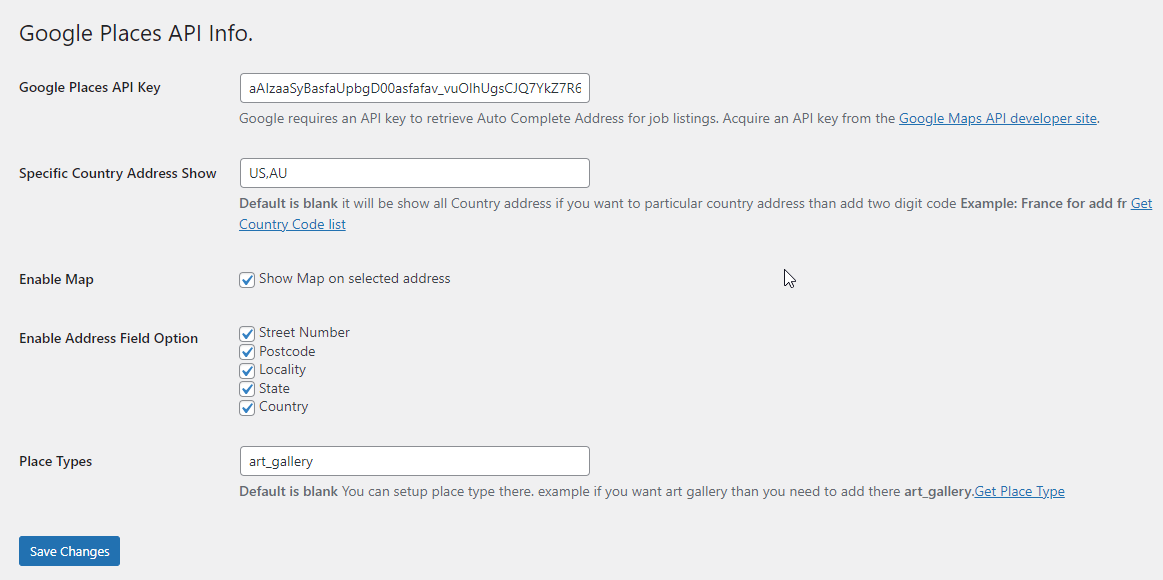
Go to admin Contact >> Google Place API there is text field that field in you need to add key you can be get api key from google location
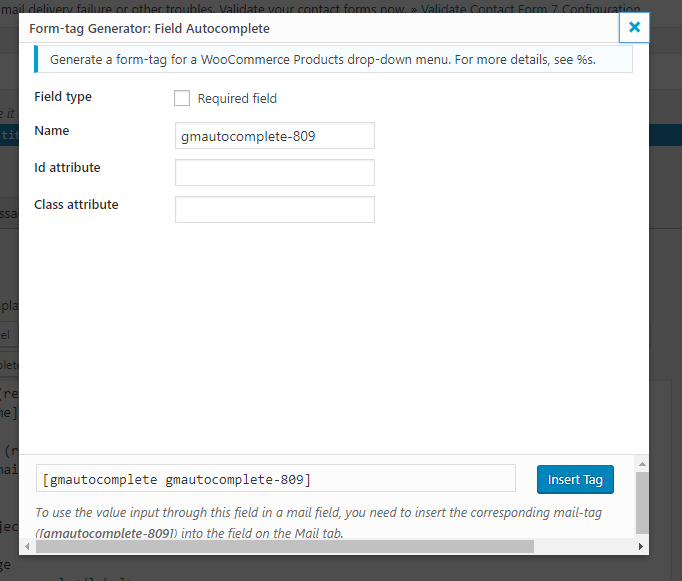
For adding Autocomplete field in contact form 7 in contact form 7 there will be show tag Field Autocomplete.
Features
- Auto Complete Google Address
- Specific Country Address Show (US,AU) Pro
- Enable Map Pro
- Enable Address Field Option – Street Number,Postcode,Locality,State,Country Pro
- Place Types (art_gallery) Pro
- Translation PlaceholderPro
Our More Plugins
Date Picker for Gravity Form plugin allows users to select dates easily, improving form usability and accuracy.
Pixel Manager for Contact Form 7 This plugin integrates seamlessly, allowing you to add tracking pixels to your forms for precise analytics.
Map Field For Contact Form 7 Users can select locations easily, enhancing user engagement and data accuracy.
Digital Signature for Wpforms allowing users to sign forms electronically. This plugin ensures secure and legally binding signatures, improving the professionalism of your forms.
Autocomplete Location field Contact Form 7 This plugin allows users to easily search and select locations, improving user experience and accuracy.
Date Picker For Contact Form 7 It simplifies date selection, enhancing user experience and ensuring accurate submissions.
Installation
Frequently Asked Questions
- Open the browser’s Inspect Element tool, go to the Console tab, and check for any error messages.
- Go to Contact >> Google Place API in the WordPress admin panel.
- Enter your Google API Key in the provided field.
- You can generate an API Key from Google’s official documentation.
- Open your Contact Form 7 form editor.
- Click on Field Autocomplete to insert the location field.
- Save the form and add it to your page using the shortcode.
Yes, but this feature is available in the Pro version. You can restrict address suggestions to specific countries like US, AU, etc.
Yes, Google Maps can be enabled in the Pro version, allowing users to view selected locations on a map.
For support, visit our support page.