

Autoload Optimizer
Autoload Optimizer Plugin is a powerful tool designed to optimize your WordPress database by managing autoloaded options efficiently.
Plugin info
Maintenance & Compatibility
Maintenance score
Possibly abandoned • Last updated 422 days ago • 1 reviews
Is Autoload Optimizer abandoned?
Possibly abandoned (last update 422 days ago).
Compatibility
Similar & Alternatives
Explore plugins with similar tags, and compare key metrics like downloads, ratings, updates, support, and WP/PHP compatibility.
Description
Autoload Optimizer Plugin is a powerful tool designed to optimize your WordPress database by managing autoloaded options efficiently. Over time, excessive autoloaded data can slow down your website, affecting performance and loading speed. This plugin helps identify, disable, or clean up unnecessary autoloaded entries, reducing database bloat and improving overall efficiency.
With an intuitive interface, the Autoload Optimizer allows you to analyze autoloaded data, disable non-essential options, and revert changes if needed—all without complex database queries. Whether you’re a developer or a site owner looking to boost performance, this plugin ensures a faster, more optimized WordPress experience.
Key Features:
✅ Scan and analyze autoloaded data
✅ Disable unnecessary autoloaded options
✅ Revert changes easily via the Disabled Options tab
✅ Improve website speed and database efficiency
✅ Safe and user-friendly interface
Optimize your site today with Autoload Optimizer and keep your WordPress database lean and fast! 🚀
Warning Note:
⚠ Proceed with Caution! ⚠
The Autoload Optimizer Plugin makes direct modifications to your WordPress database. Deleting essential autoloaded data may cause unexpected issues, including broken functionality or site errors.
📌 Before making changes, please:
✔ Create a full database backup
✔ Review the list of autoloaded options carefully
✔ Test changes on a staging site if possible
Use this tool responsibly to avoid any disruptions. If you’re unsure, consult a developer or seek professional support.
Your website’s stability is our priority! 🚀
Installation
- Install Autoload Checker via the plugin directory.
- Activate Autoload Checker.
- Find the tool on Tools > Autoload Checker.
Frequently Asked Questions
The Autoload Optimizer Plugin is a tool designed to help you manage and optimize the wp_options table in your WordPress database. It specifically targets the autoload data, which can grow over time and slow down your website. The plugin helps you identify and disable unnecessary autoloaded options, improving your site’s performance.
This plugin scans your database for top 20 autoloaded options and allows you to disable those that are not essential. By reducing the amount of data loaded into memory on every page load, your website can load faster and use fewer server resources.
Disabling non-essential autoloaded options should not break your site. However, some plugins or themes may rely on certain autoloaded data. This plugin provides a disabled options tab for critical options, and you can always re-enable an option if needed.
Yes, the plugin allows you to re-enable any autoloaded options that you have disabled. Simply navigate to the disabled options tab settings and restore the desired options.
If you encounter any issues or have questions, you can visit the plugin’s support forum on WordPress.org. For premium support contact [email protected]
Review feed
Screenshots
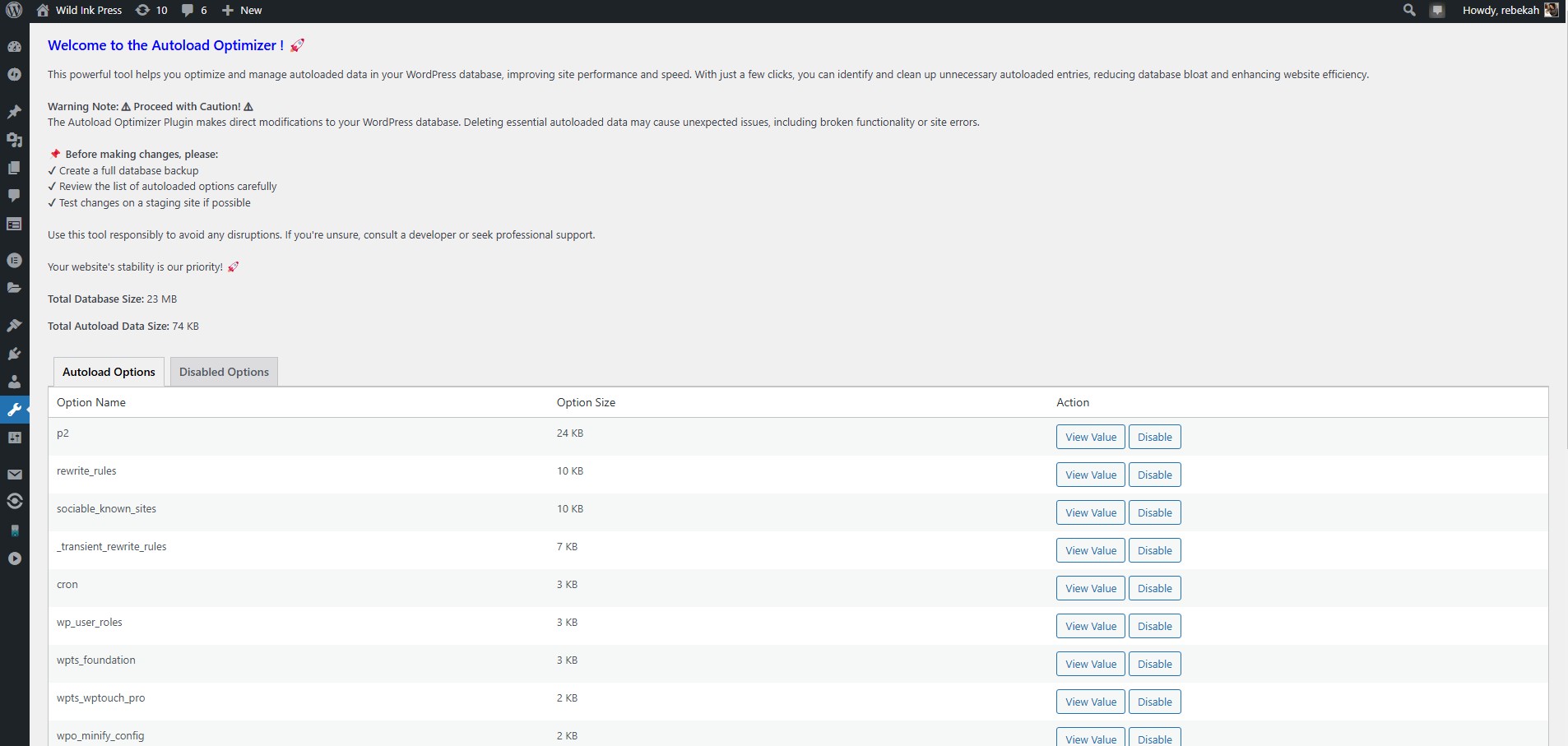
Autoload dashboard

Autoload Options tab to disable autoload data.
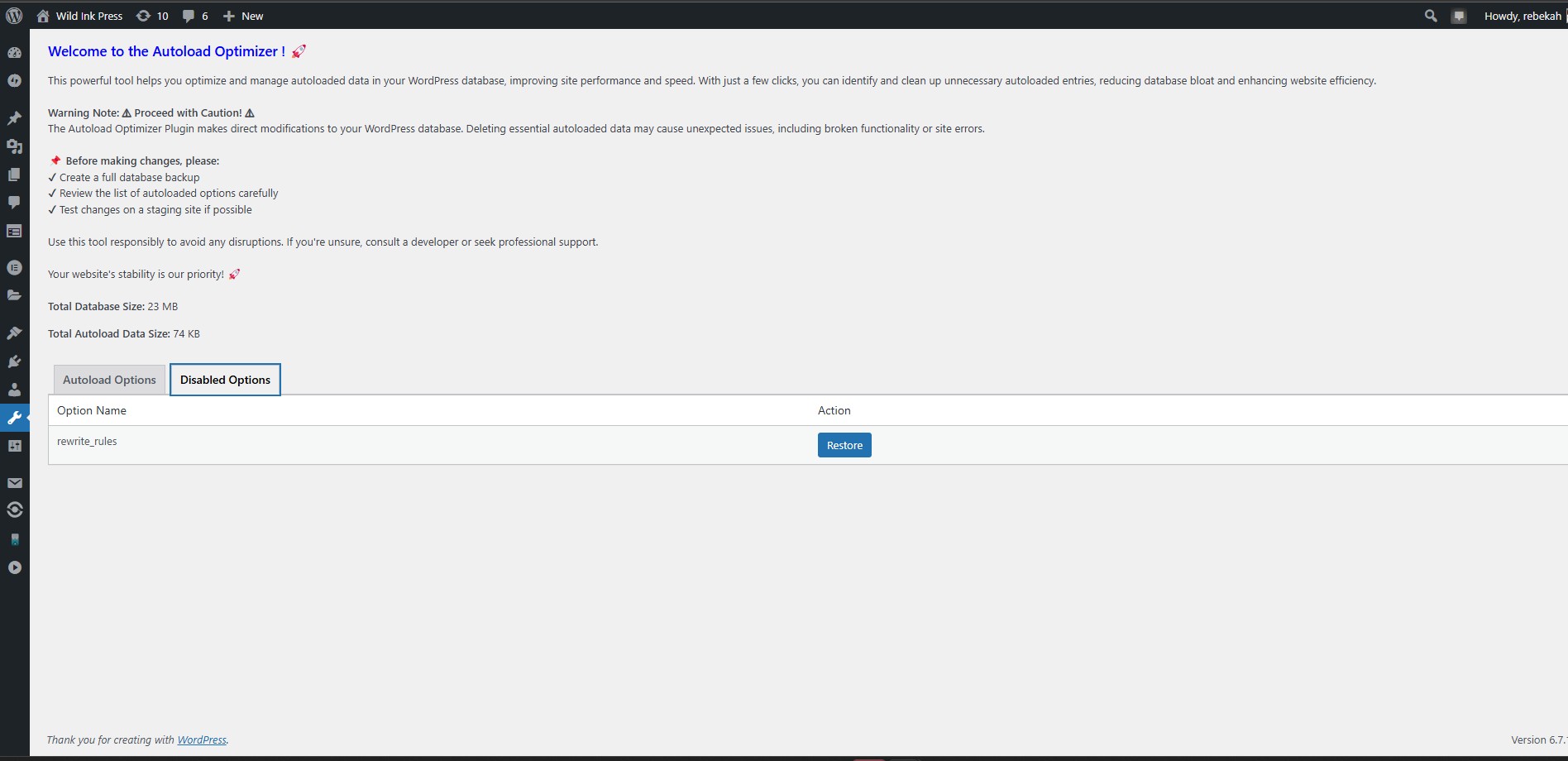
Disabled Options tab to restore the disabled autoload data.
Changelog
1.0
- Initial release