Automatic Product Categories for WooCommerce
Automatically assign WooCommerce product categories and tags using smart, rule-based automation. Save time managing products at scale.
Plugin info
Maintenance & Compatibility
Maintenance score
Maintained • Last updated 147 days ago • Support resolved 100% • 6 reviews
Is Automatic Product Categories for WooCommerce abandoned?
Likely maintained (last update 147 days ago).
Compatibility
Languages
Similar & Alternatives
Explore plugins with similar tags, and compare key metrics like downloads, ratings, updates, support, and WP/PHP compatibility.
Description
Save hours of manual work by automating how your WooCommerce products are categorized.
Automatic Product Categories helps you keep your store structured, searchable, and up-to-date — whether you’re managing 30 or 3,000 products.
Define flexible rules to assign product categories and tags based on product data, events, or schedules — no coding required.
Features
✅ Rule-based automation for WooCommerce products
✅ Automatically assign (add or remove) categories and tags based on product data
✅ Conditions based on product title, price, stock, description, and more
✅ Support for custom fields
✅ Event triggers (on product creation or update)
✅ Scheduled rule execution (run daily)
✅ Works with variable, grouped, and simple products
🚀 Pro Features
Automatic Product Categories PRO is here!
🔥 Dry Run mode – test your rules without making live changes
🔥 Rule Log – see exactly which products were updated, what categories or tags were added or removed
🔥 Quickly find tags and categories – without scrolling through long lists
🔥 Supports custom taxonomies in conditions (e.g. brands, attributes) – fully compatible with popular third-party plugins
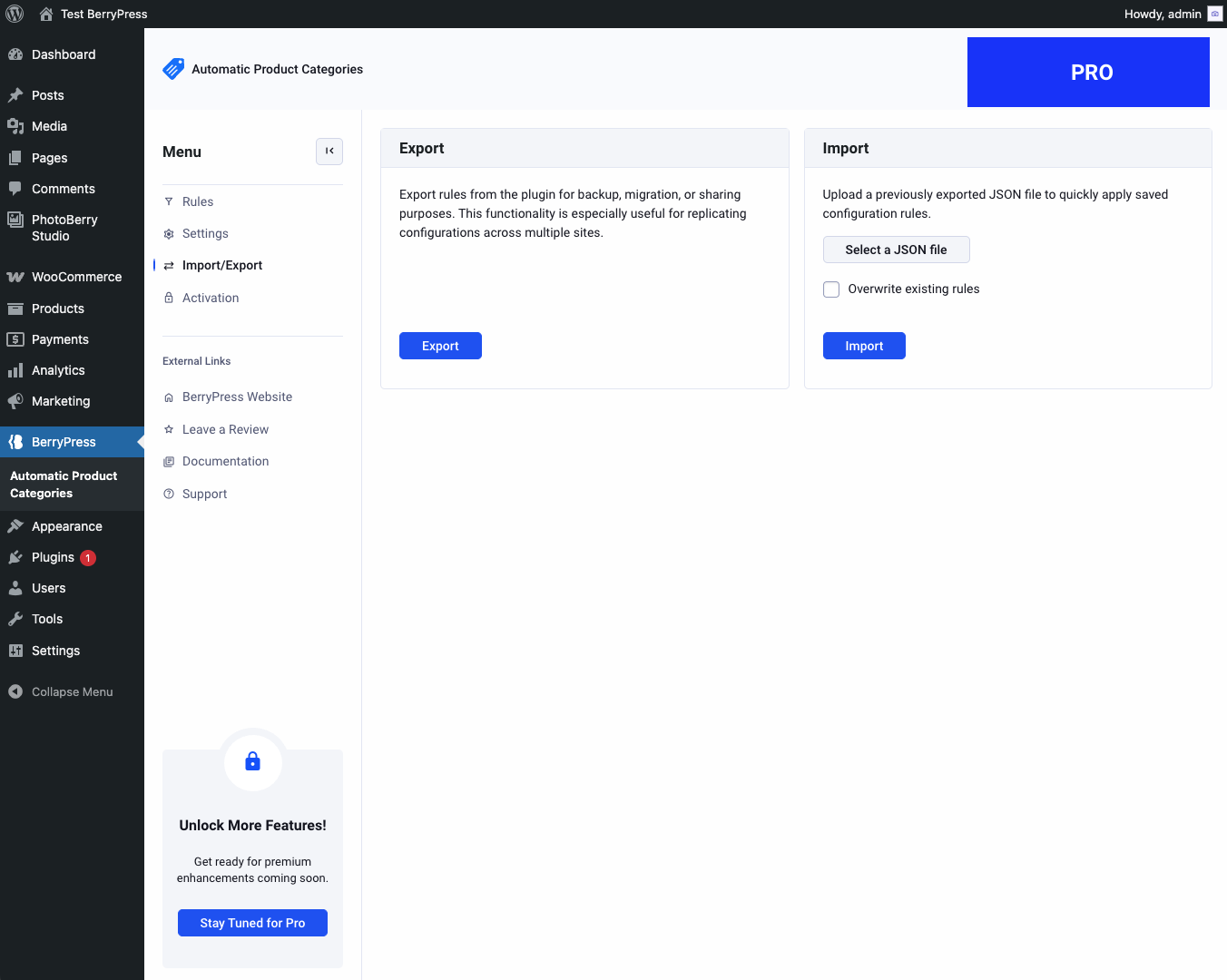
🔥 Import/export rules
🔥 Organize rules with groups
🔥 Clone rules with one click
🔥 Rule search
🔥 Rule filtering
🔥 Rule logs
🔥 Priority support from the BerryPress team
Planned Features:
🔥 Advanced rule logs
🔥 Schedule rule execution on specific dates
👉 Check it out now: Automatic Product Categories Pro
📚 Documentation
📦 Installation
- Upload the plugin files to the
/wp-content/plugins/automatic-product-categoriesdirectory or install via the WordPress Plugins screen. - Activate the plugin.
- Go to BerryPress Automatic Product Categories in the admin menu.
- Start creating rules to automate your product categorization.
1.2.2
Fix: Resolved an issue where product rules failed to match tags and categories containing special characters (e.g. &)
1.2.1
- Fix: When bulk-editing rules, settings were not saved for newly added rules.
1.2.0
- Store rules in a separate table
- Add columns sorting
- Mixed styling changes
- Add created date column
1.1.8
- Fix new actions not saving
- Fix error outline icon not displaying
1.1.7
- Syntax fix for old php
1.1.6
- Styling changes, optimize icon font size
- Minify CSS files
- Plugin check fixes
- Page length option save
1.1.5
- Fix potential memory issues
1.1.4
- Add: pagination to rule list
- Mixed small fixes
1.1.3
- Fix: Save all and run selected doesn’t run the rule
1.1.2
- Fix: Limit submitted rule fields to prevent exceeding PHP max_input_vars
- Change: Update menu item
- Add documentation tooltips
- Update: Rename condition matches and adjust “not” condition behavior to resolve confusion with category/tag conditions
- Update: Rename condition comparison options
1.1.1
- Styling fix
1.1.0
- Completely refreshed plugin UI.
- Refactored logic, removed unnecessary code, improved error handling.
- JavaScript: Fixed JS inconsistencies.
- Updated rule execution to apply to all product statuses, not just published ones.
- Add to conditions “product status”
- Add rule name field
- Rebrand to BerryPress
1.0.8
- Fix error when a rule references a category or tag that has been removed.
1.0.7
- Fix rule load issue
1.0.6
- Show “and” operator between multiple rule conditions
- Declare text domain
- Declare plugin dependency
1.0.5
- Add rule condition: Product total sales
- Add rule condition: Days since product created
- Add rule condition: Days since product modified
- Add rule condition: Product category
- Add the ability to automatically run rules daily on publicly published products
- Add case insensitive match types for “Product meta field” condition
- Improve UI layout on smaller monitors
- Fix: Certain comparison settings (for example, “less than”) result in an exception when saving
- Fix: PHP fatal error related to exception
- Fix: Certain match settings on numeric conditions result in an exception when saving rules
- Fix: Exception when saving rule including a “Product price” condition
- Fix: JavaScript error related to “Product meta field” condition
- Fix: Product attribute value condition not working correctly
1.0.4
- When removing product categories due to an enabled rule not matching, add the default (Uncategorized) category if the product has no other categories
- Don’t show the default (Uncategorized) category in the “Categories/Tags to Add/Remove” column
- Label tweak
1.0.3
- Added case-insensitive string matching options
- Added option not to remove categories/tags for non-matching rules
- Added product tag rule condition
- Clarified button label
1.0.2
- Add header comments to JS and CSS files
1.0.1
- Add an additional permissions check to admin functionality
1.0.0
- Initial release
Installation
This plugin can be installed under Plugins > Add New Plugin, either by searching for the plugin title or by downloading the plugin zip file and uploading it via the Upload Plugin feature.
Frequently Asked Questions
Yes! With Pro version you can target any custom taxonomy, including ones registered by plugins like “Perfect Brands for WooCommerce”.
Yes. Rules can be scheduled to run daily. With the Pro version, hourly, daily, weekly, and monthly schedules are supported.
Yes — using rule actions based on defined conditions.
Support for custom fields and advanced logic is available in the Pro version.
You can report security bugs through the Patchstack Vulnerability Disclosure Program. The Patchstack team helps validate, triage and handle any security vulnerabilities. Report a security vulnerability.
Review feed
Screenshots
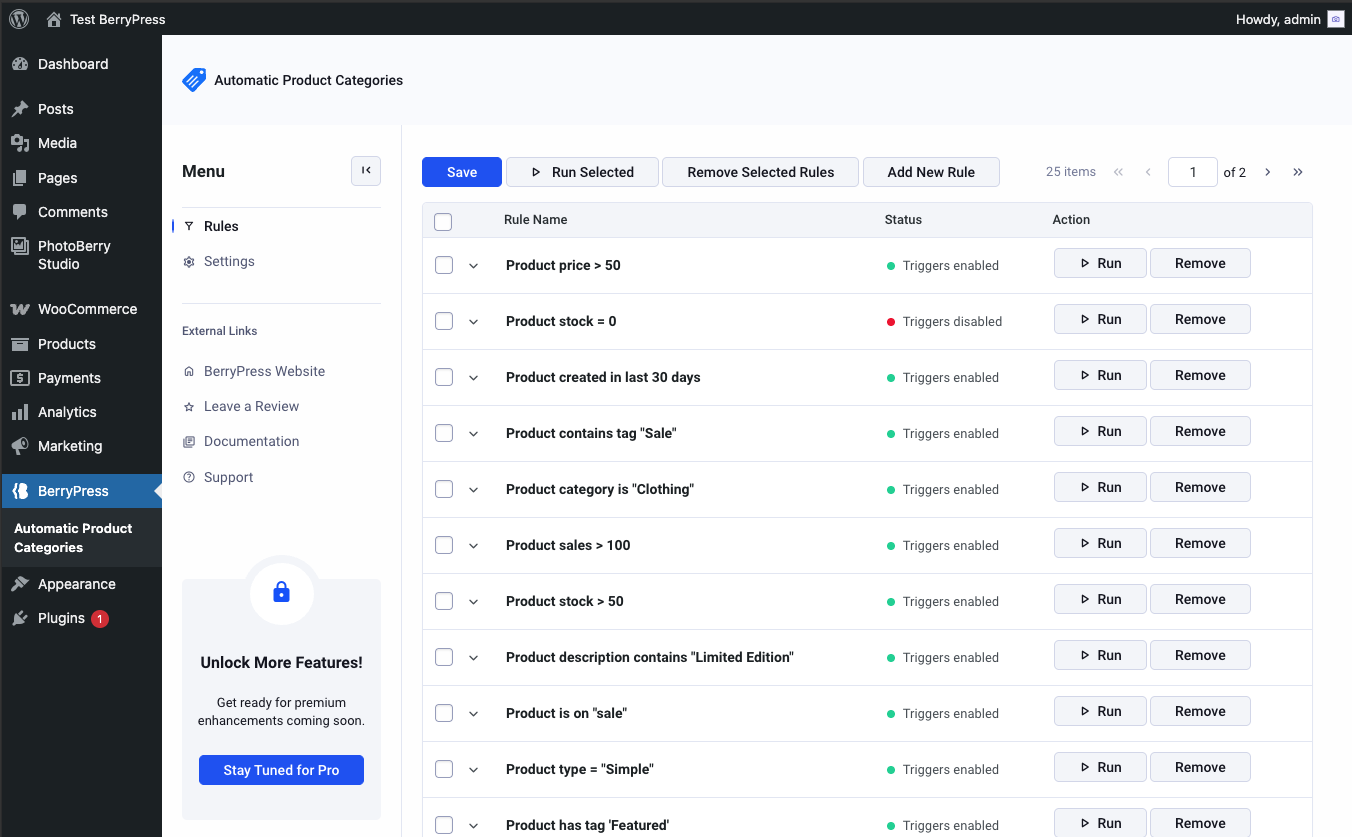
Rule editor with flexible condition logic
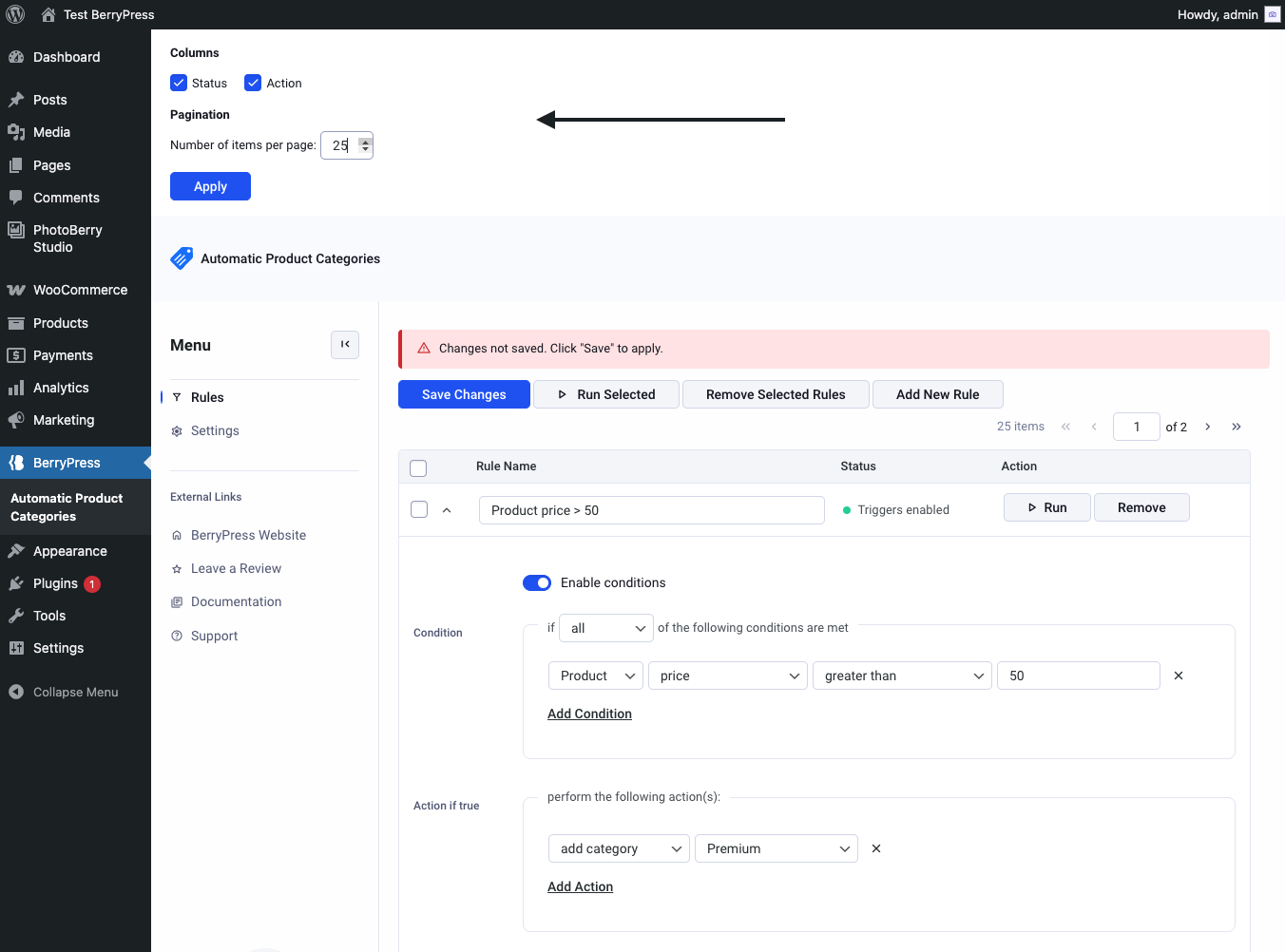
Settings
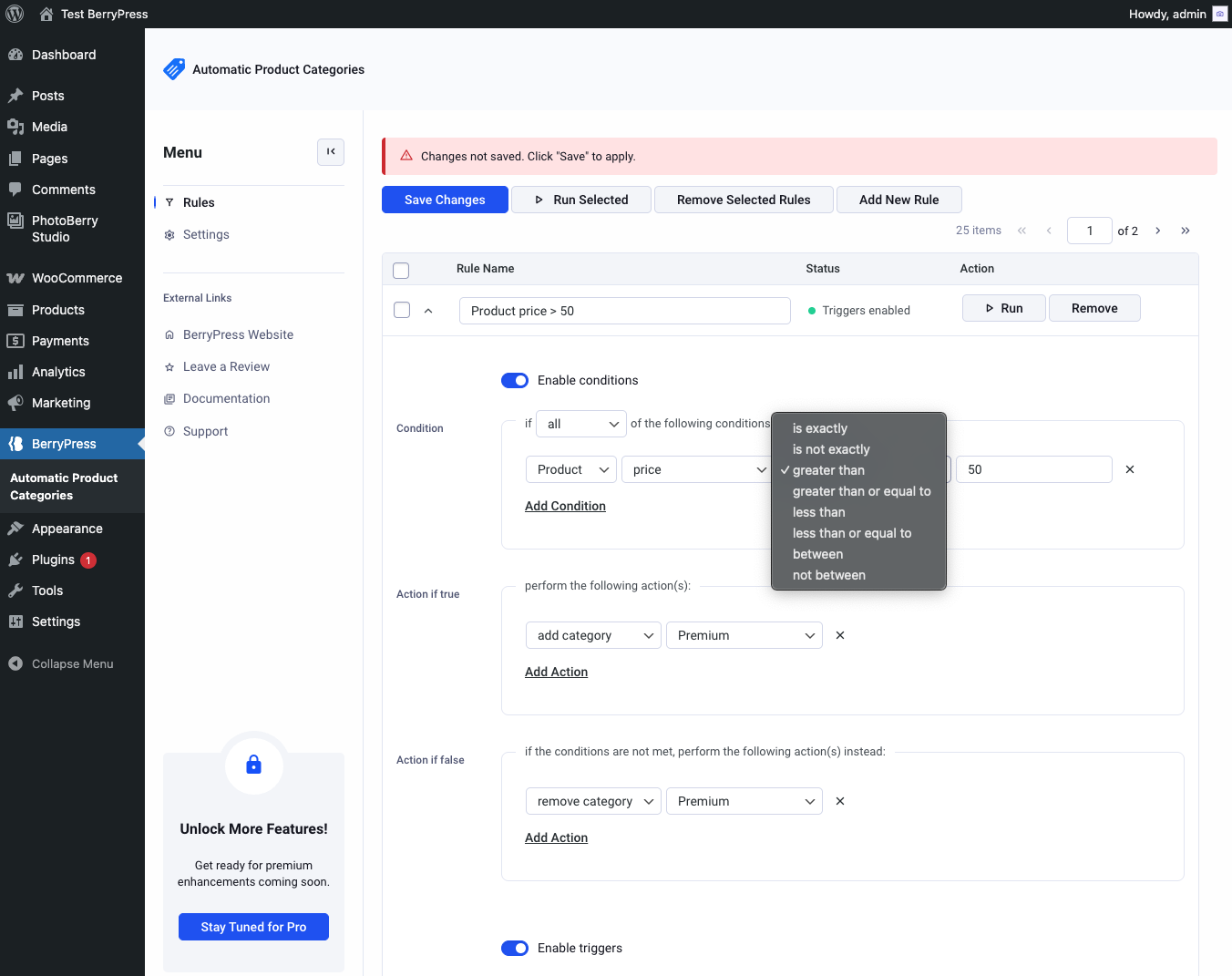
Condition example
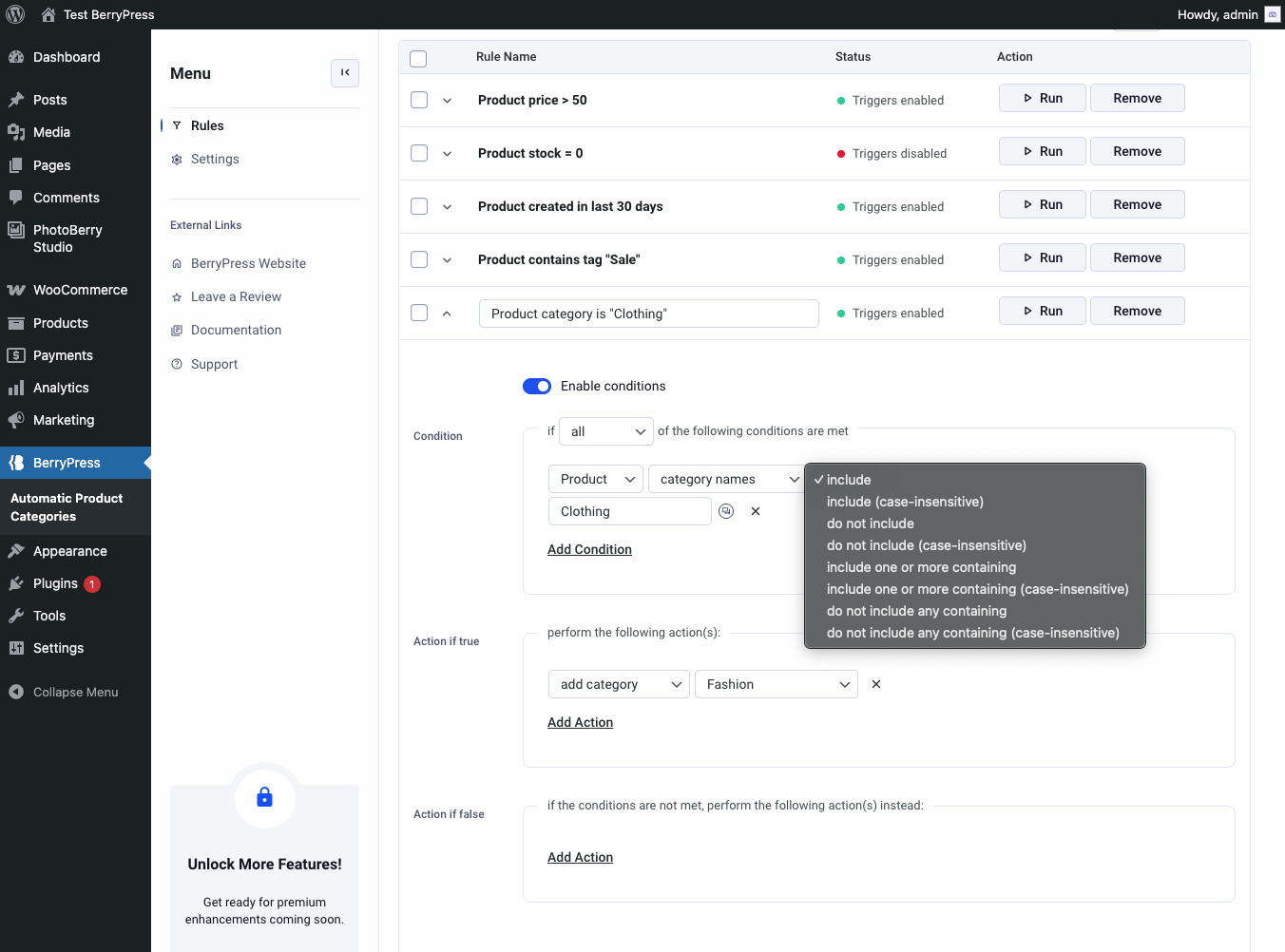
Condition example
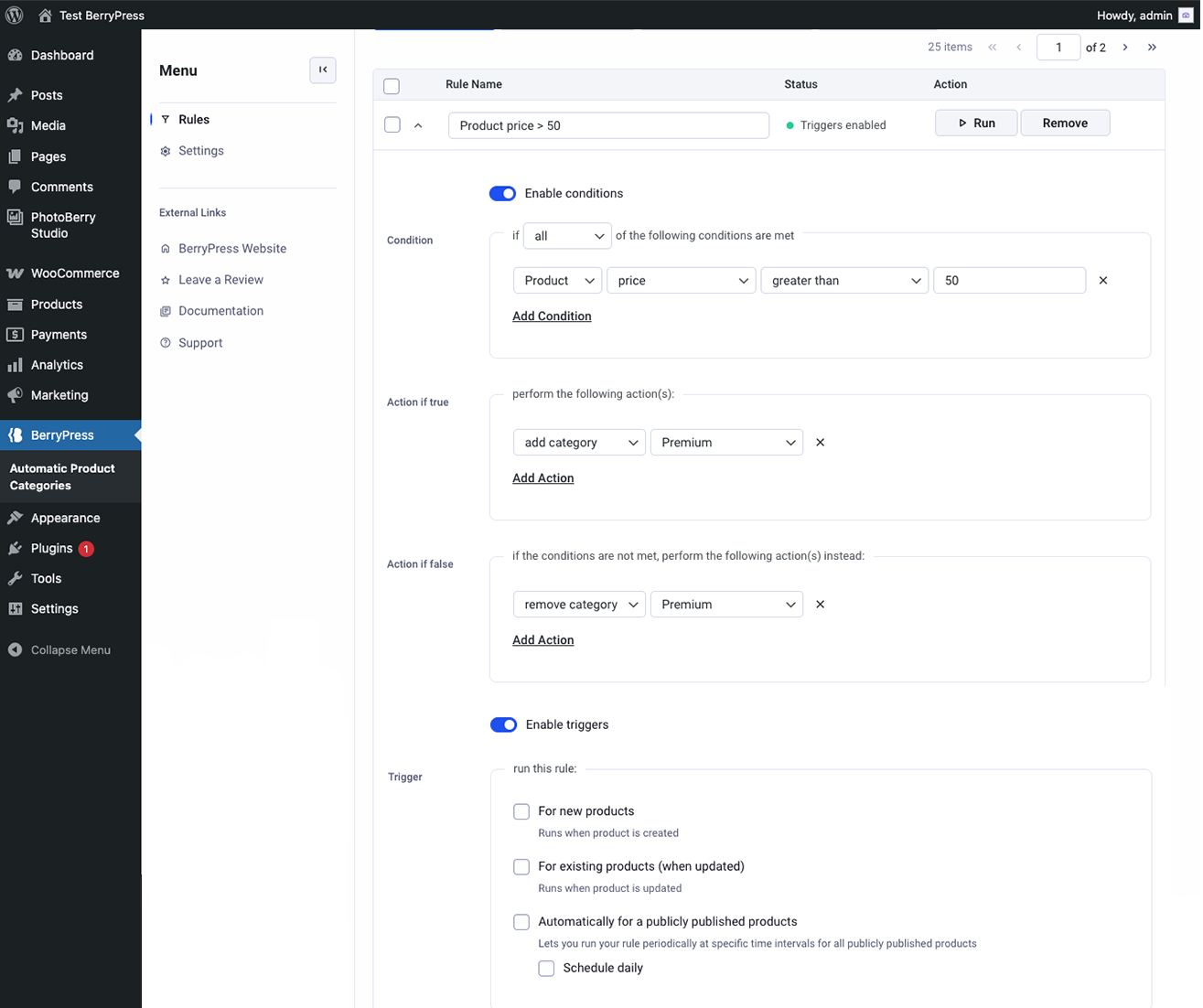
Rule settings
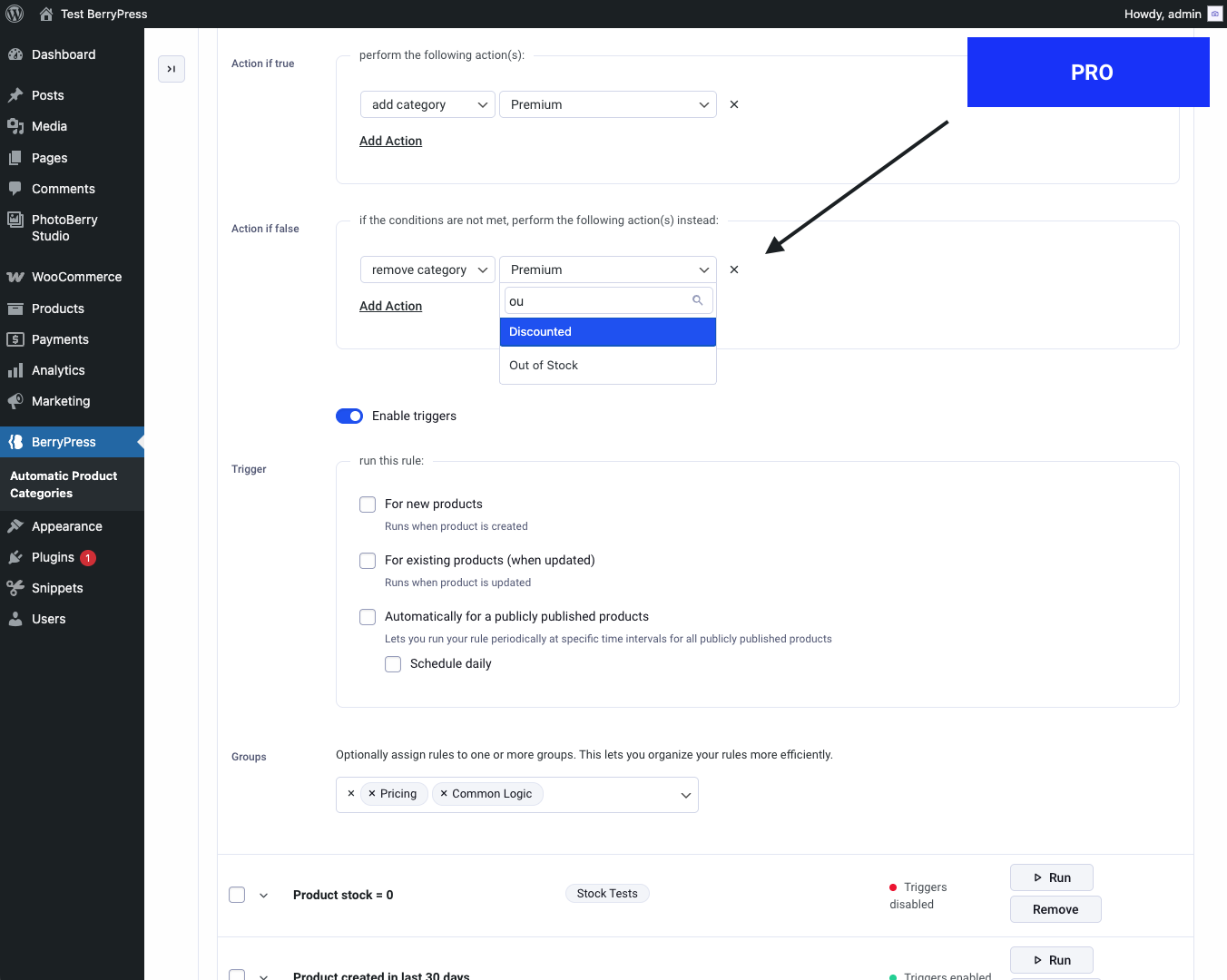
Category select search (PRO)
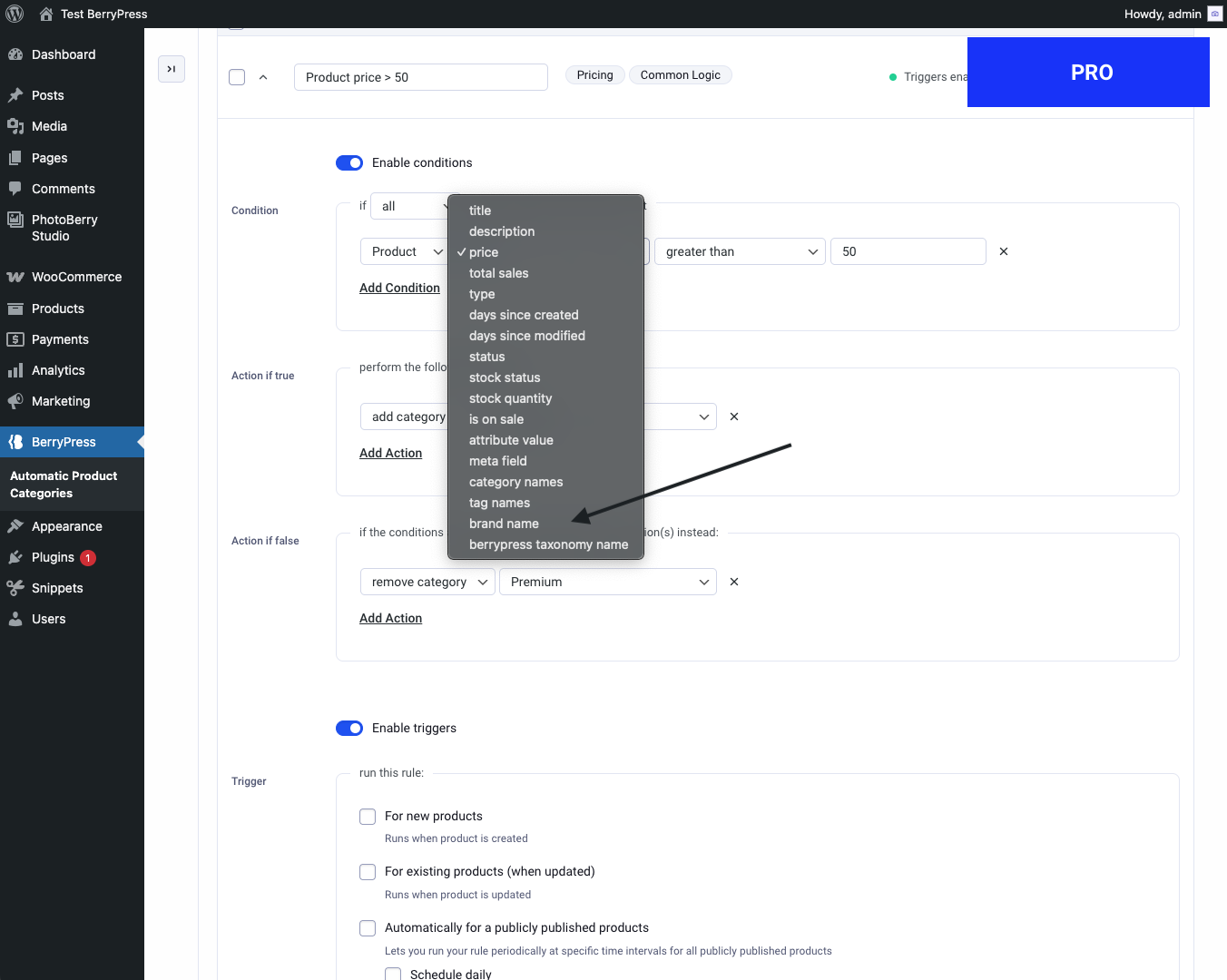
Custom taxonomy support (PRO)