

Automatic Teachable Student Enrollment for WooCommerce
The Automatic Teachable Student Enrollment for WooCommerce plugin connects a WooCommerce store with the Teachable platform.
Plugin info
Maintenance & Compatibility
Maintenance score
Maintained • Last updated 141 days ago • 4 reviews
Is Automatic Teachable Student Enrollment for WooCommerce abandoned?
Likely maintained (last update 141 days ago).
Compatibility
Similar & Alternatives
Explore plugins with similar tags, and compare key metrics like downloads, ratings, updates, support, and WP/PHP compatibility.
Description
Note: We have updated the product post meta key name which is responsible to store teachable course ID, when someone makes a duplicate from an existing product the course ID also copied automatically. It causes problem for those products which are not related to teachable course.
By the way, after updating this plugin, please must do re-save / update your teachable connected products for once.
The Automatic Teachable Student Enrollment for WooCommerce plugin connects a WooCommerce store with the Teachable platform. It facilitates the sale of courses from WooCommerce shops and automatically enrolls students in the correct course.
Free version will allow up to 5 courses.
Pro version will allow unlimited courses to sell.
Get a Pro version here.
Installation
Installation is straight Forward. Install it from the WordPress Plugin repository. and after installation Please follow below steps:
-
Teachable API KEY: Insert teachable API KEY in the API Key Field Under woocomerce-> Settings -> Teacheable. You can find your teachable API key from your teachable admin panel. Teachable dashboard -> Settings -> API keys
-
Publish Course Only: If you like to get only published courses from teachable then need to check it, otherwise it’ll get all courses from teachable. These courses will show at product add/edit page in admin area.
-
Order Status: Basically woocommerce has a couple of order status such as ( on-hold, Processing, Pendduing, Complete , darft ). So you can select right order status here to push student data to teachable for making enrollment success.
-
Save Change: Now click on Save change Button.
Frequently Asked Questions
Review feed
Great job
Screenshots

Plugin Activeted.

Teachable API KEY Link.

Teabable Tab On Woocommerce Settings page.
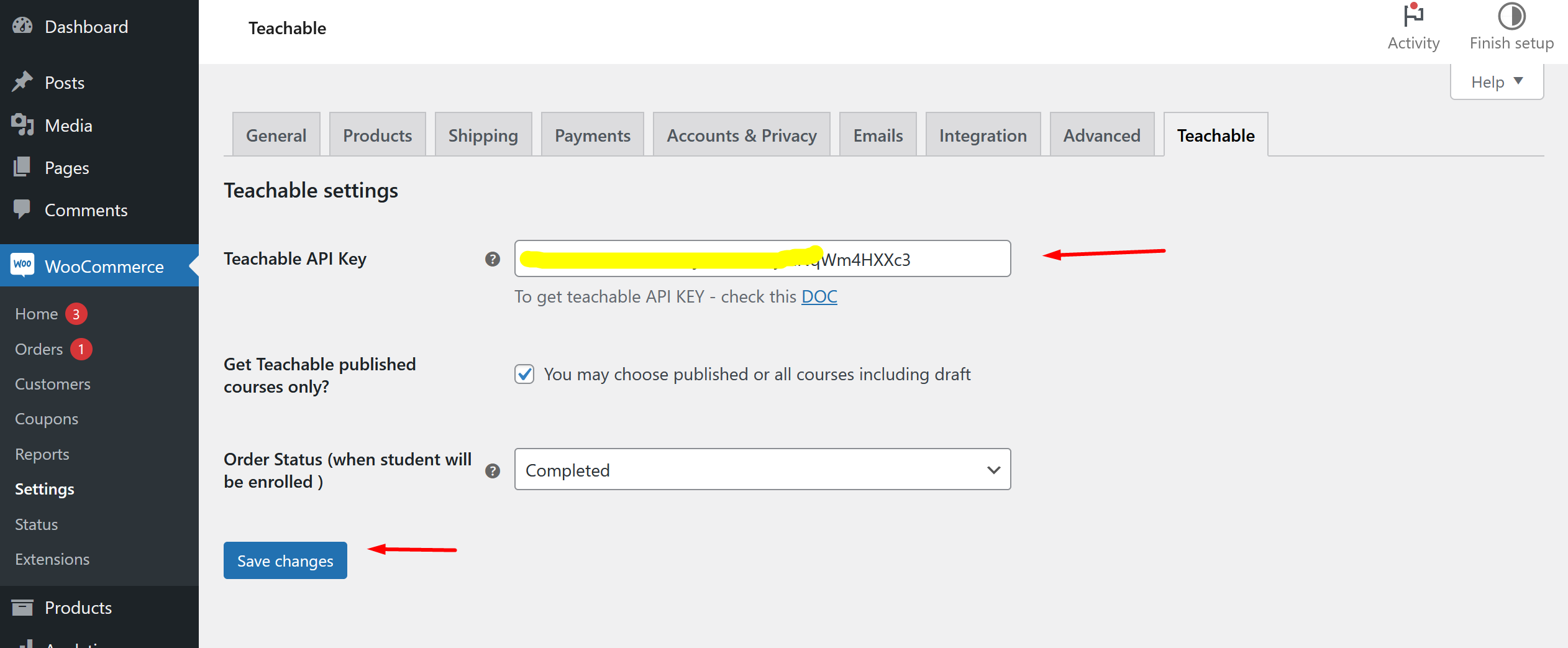
Teachable API KEY Example

Add New Product

Woocommerce to Teachable Metabox Displaying

Displaying Teachable Course List in a Drop Down
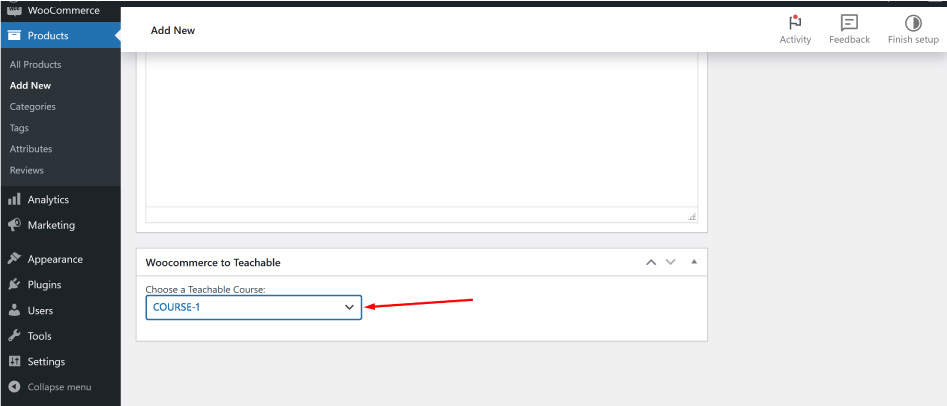
Selected Teachable Course
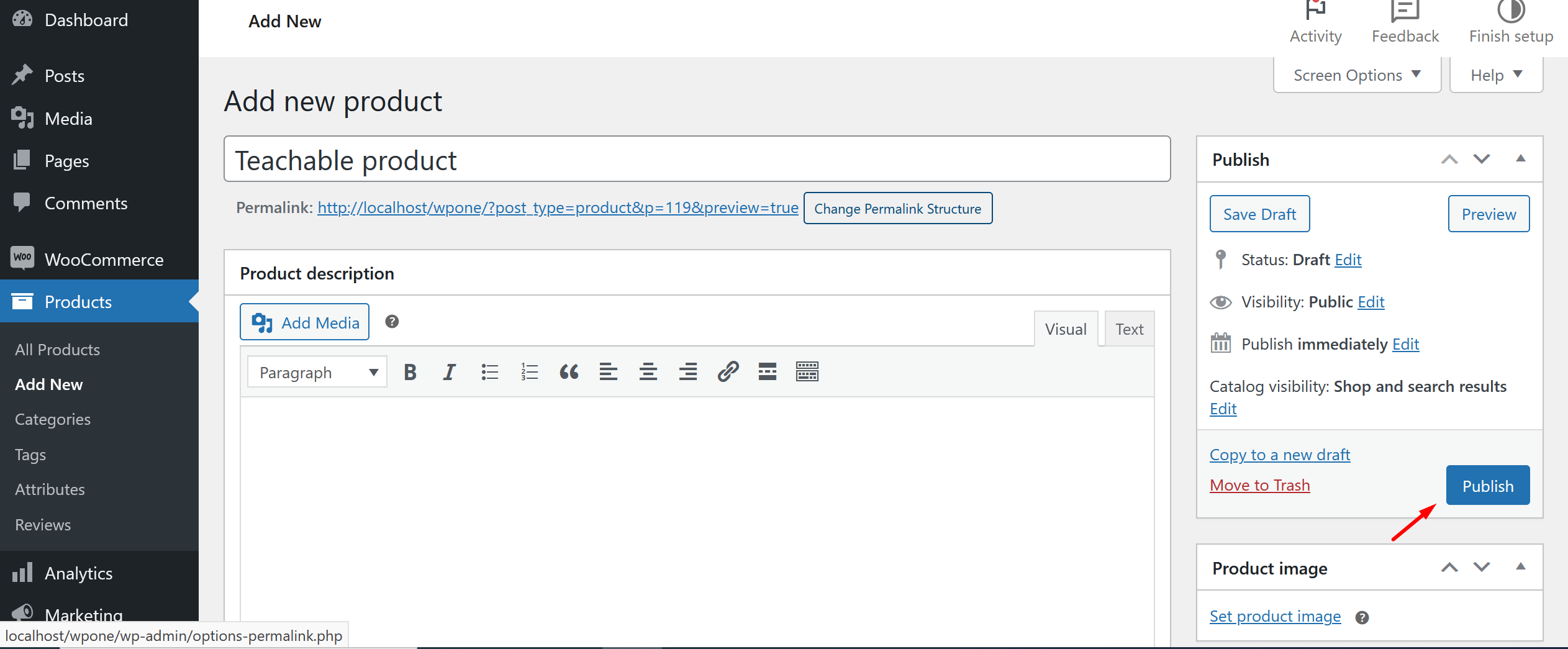
Publish Product
Changelog
1.1.1
- Some updated and released pro version.
1.0.2
*We have updated the product post meta key name which is responsible to store teachable course ID, when someone makes a duplicate from an existing product the course ID also copied automatically. It causes problem for those products which are not related to teachable course.
By the way, after updating this plugin, please must do re-save / update your teachable connected products for once.
1.0.1
- fixed Teachable Course Dropdown Selected Issue.
1.0.0
- Initial Release.