

AweBooking & Elementor Integration
This plugin integrated AweBooking widget into Elementor page builder, added AweBooking anywhere in your site.
Plugin info
Maintenance & Compatibility
Maintenance score
Possibly abandoned • Last updated 2733 days ago
Is AweBooking & Elementor Integration abandoned?
Possibly abandoned (last update 2733 days ago).
Compatibility
Similar & Alternatives
Explore plugins with similar tags, and compare key metrics like downloads, ratings, updates, support, and WP/PHP compatibility.
Description
Get all Awebooking’s premium add-ons and a lot of extras by joining our Membership program.
Both Elementor and Awebooking are simple yet greatly powerful when it comes to its very own function: building page and booking hotel. That’s why we dream up an idea of combining these two amazing plugins to create a perfection. This integration will bring users the ultimate solution for quickly setting up your hotel booking WordPress website.
There will appear Awebooking widgets including Search Availability Form, Services, Rooms and Single Room in the Elementor’s content module list. Users just simple drag and drop the widgets and modify parameters until they satisfy. The whole process is implemented right on the frontend to instantly see any change without saving many times.
This plugin will save a ton of your time as well as ease the work of quickly adding a hotel booking system to your website.
Elements
- Search availability form
- Services list
- Rooms list
- Single room
Requires
This plugin requires AweBooking and Elementor
Themes
Checkout AweBooking Hotel Booking WordPress theme built with Elementor page builder:
Installation
Frequently Asked Questions
Review feed
Screenshots
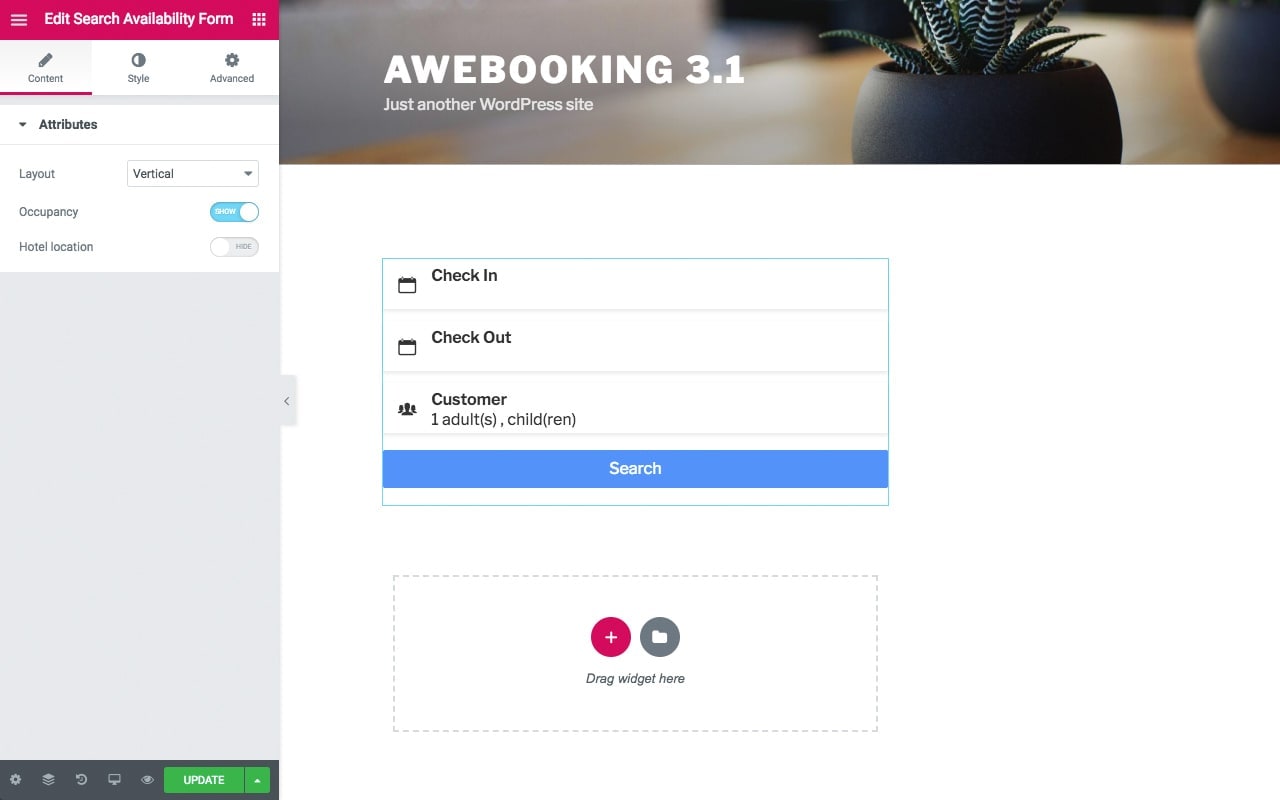
Search availability form

Rooms list

Single room