

Logo Carousel Gutenberg Block
Logo Carousel Block allows you to create interactive client logos carousel with Gutenberg Block Editor.
Plugin info
Maintenance & Compatibility
Maintenance score
Maintained • Last updated 134 days ago • 3 reviews
Is Logo Carousel Gutenberg Block abandoned?
Likely maintained (last update 134 days ago).
Compatibility
Languages
Similar & Alternatives
Explore plugins with similar tags, and compare key metrics like downloads, ratings, updates, support, and WP/PHP compatibility.
Description
Logo Carousel Block – Create a beautiful logo carousel slider with the Gutenberg block editor. Logo Carousel Block allows you to create interactive client logos carousel with Gutenberg Block Editor. It is a highly customizable block that allows you to showcase clients’ logos in a sliding manner.
Video Tutorial ( How to Use the block )
Features Included:-
- Showcase Clients’ Logos in a sliding manner.
- Slick, light-weight, and optimized.
- Clean Codes
- Customizable
- Logo Link
- Logo Styling
- All Carousel Features
- Logo Hover Effects
- Logo Caption showcase options
- Never slowdowns your site.
- Highly Customizable
- Responsive and Mobile-friendly.
- Easy to use and customizable with Gutenberg Block Editor.
- Gutenberg Native Components are being used.
- No block builder
Pro Features
- Multiple Rows
- 6+ Navigation Positions
- Different Pagination Styles
- Stagger Carousel
- Ticker / Marquee Carousel
- Custom Navigation
Installation
This section describes how to install the plugin and get it working.
e.g.
- Upload the plugin files to the
/wp-content/plugins/awesome-logo-carousel-blockdirectory, or install the plugin through the WordPress plugins screen directly. - Activate the plugin through the ‘Plugins’ screen in WordPress
- Go to any post/page, and you will find a new category named LOGO CAROUSEL BLOCK that includes the block.
- Now simply use it.
Frequently Asked Questions
Yes, the block is 100% responsive and mobile-friendly.
Yes, you can add custom links to each logo.
Yes, you can showcase logo captions with various styling options.
Absolutely! The block includes all essential carousel features, such as autoplay, speed, loop, and navigation controls.
No, the Logo Carousel Block is lightweight and optimized for performance.
No, the block works natively with the Gutenberg editor without requiring any third-party block builder.
Not at all! It is beginner-friendly and fully customizable within the Gutenberg block editor.
Yes, the block is designed to work with all WordPress themes that support Gutenberg.
Yes, you can use the Logo Carousel Block in multiple posts, pages, or site sections as needed.
Yes! The pro version includes additional features and customization options. You can check it out here.
Review feed
Well-made block plugin
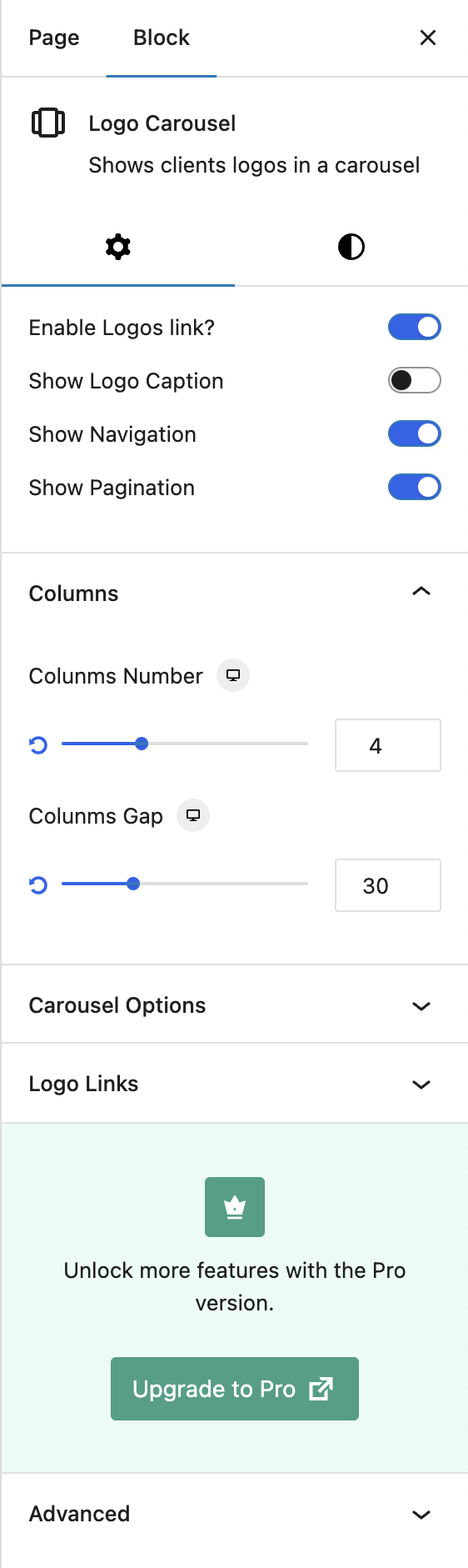
Screenshots

Changelog
2.2.0
- Fixed: Logo link issues
2.1.10
- Fixed: Grid Layout overlay issue
2.1.9
- Fixed: Logo caption issue
2.1.8
- Info: Pro version is released with new features
2.1.7
- Fixed: Dynamic style security issue
- Info: Some pro features are introduced
2.1.6
- Fixed: Logo Grid Layout issue
2.1.5
- Fixed: Grid gap issue
2.1.4
- Added: Logo Grid Layout
- Added: Multiple rows pro feature is introduced
- Fixed: Logo sizing issue
2.1.3
- Fixed: Dynamic Style issue
2.1.2
- Fixed: Logo background issue
2.1.1
- Added: Navigation style options
- Added: Pagination style options
- Fixed: Initial carousel loading issue
- Fixed: depreciated warning issue
- Improved: SCSS codes
2.1.0
- Added: Logo link option
- Added: Padding and background for logo
- Improved: Code quality, UI
- Fixed: Minor bugs