

Awesome Parallax Effects
This plugin use to adds parallax animations on any images/videos. The prallax effect is directly applied to image or video tags and their containers a …
Plugin info
Maintenance & Compatibility
Maintenance score
Possibly abandoned • Last updated 1604 days ago • 1 reviews
Is Awesome Parallax Effects abandoned?
Possibly abandoned (last update 1604 days ago).
Compatibility
Similar & Alternatives
Explore plugins with similar tags, and compare key metrics like downloads, ratings, updates, support, and WP/PHP compatibility.
Description
This plugin is a tiny Vanilla JS library that adds parallax animations on any images and it stands out for its ease and its visual rendering. The parallax effect is directly applied to image tags, there is no need to use background images.
You can find demo after installing the plugin
Installation
Automatic Plugin Installation
Navigate to Plugins > Add New.
Use the search form in the top-right to search by keyword, author or tag.
On the search results that appear, click a plugin’s title to read more about it. This page may contain installation notes, plugin documentation or other useful information.
Click the Install Now button to install the plugin.
Click Activate to activate the plugin.
Top
Manual Upload via WordPress Admin
Navigate to Plugins > Add New.
Click the Upload Plugin button at the top of the screen.
Select the zip file from your local filesystem.
Click the Install Now button.
When the installation is complete, you’ll see “Plugin installed successfully.” Click the Activate Plugin button at the bottom of the page.
Frequently Asked Questions
Q. Can We use this plugin in any page builder?
A. Yes! you can
Review feed
it is unique
Screenshots
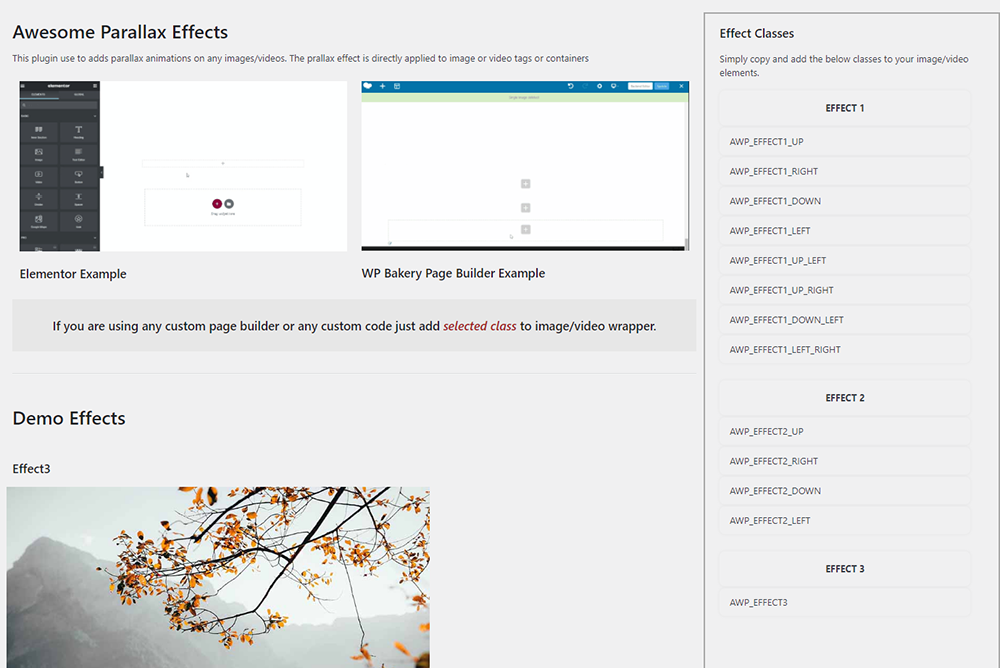
Sample Effects
Changelog
1.0.0
09/11/2021 Initial release.