
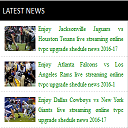
Awesome Wp Widget Newsticker
news Ticker widget is a multi-functional data display plugin.
Plugin info
Maintenance & Compatibility
Maintenance score
Possibly abandoned • Last updated 817 days ago • 1 reviews
Is Awesome Wp Widget Newsticker abandoned?
Possibly abandoned (last update 817 days ago).
Compatibility
Similar & Alternatives
Explore plugins with similar tags, and compare key metrics like downloads, ratings, updates, support, and WP/PHP compatibility.
Description
news Ticker is a multi-functional data display plugin. Easily add custom news tickers to your site either through shortcodes, direct functions, or in a custom Ditty News Ticker Widget.
News Ticker is a free, flat, stylish, modern, easy to use and flexible wordpress jQuery news ticker. If you have a magazine or blogging site then then it’s a highly recommend plugin for your website/blog.
Arbitrary section
You may provide arbitrary sections, in the same format as the ones above. This may be of use for extremely complicated
plugins where more information needs to be conveyed that doesn’t fit into the categories of “description” or
“installation.” Arbitrary sections will be shown below the built-in sections outlined above.
A brief Markdown Example
Ordered list:
- Some feature
- Another feature
- Something else about the plugin
Unordered list:
- something
- something else
- third thing
Here’s a link to WordPress and one to Markdown’s Syntax Documentation.
Titles are optional, naturally.
Markdown uses email style notation for blockquotes and I’ve been told:
Asterisks for emphasis. Double it up for strong.
Installation
This section describes how to install the plugin and get it working.
e.g.
- Upload the plugin files to the
/wp-content/plugins/plugin-namedirectory, or install the plugin through the WordPress plugins screen directly. - Activate the plugin through the ‘Plugins’ screen in WordPress
- Use the Settings->Plugin Name screen to configure the plugin
- (Make your instructions match the desired user flow for activating and installing your plugin. Include any steps that might be needed for explanatory purposes)
Frequently Asked Questions
An answer to that question.
Answer to foo bar dilemma.
Review feed
nice plugin
Screenshots

This is the first screen shot

This is the second screen shot

This is the third screen shot

This is the fourth screen shot
Changelog
1.0
- A change since the previous version.
- Another change.
0.5
- List versions from most recent at top to oldest at bottom.