

Affiliate WP – s2Member Pro Coupon Codes
Track your AffiliateWP referrals using s2Member Pro Coupon Codes
Plugin info
Maintenance & Compatibility
Maintenance score
Possibly abandoned • Last updated 2541 days ago
Is Affiliate WP – s2Member Pro Coupon Codes abandoned?
Possibly abandoned (last update 2541 days ago).
Compatibility
Similar & Alternatives
Explore plugins with similar tags, and compare key metrics like downloads, ratings, updates, support, and WP/PHP compatibility.
Description
When the plugin is activated, navigate to s2Member – Pro Coupon Codes – Pro-Form Coupon Code Configuration. You will see a new column named Affiliate.
In the Legend below, for the above configuration fields, it is mentioned:
s2Member Pro Coupon Codes checks this field to assign this coupon to the affiliate registered on AffiliateWP. You need to input the Affiliate user login (username).
Also, the s2Member integration is selected in AffiliateWP – Integrations screen.
How to find Affiliate User Login?
Affiliates – Affiliates, select the appropriate affiliate and see the Username field.
Paste that username on the Affiliate column of s2Member Pro Coupon Codes.
Apply Coupon
Once that’s done, apply the coupon through s2Member checkout form and happy tracking!
Prerequisites:
Installation
Before installation please make sure you have latest AffiliateWP and s2Member Pro installed.
- Upload the plugin files to the
/wp-content/plugins/directory, or install the plugin through the WordPress plugins screen directly. - Activate the plugin through the ‘Plugins’ screen in WordPress
Frequently Asked Questions
I have a feature request. Where can I contact you?
If you have any idea please shoot us email at [email protected]
Where can I get support?
You can post your questions in the support thread. For priority support, please contact us via https://www.qfnetwork.org
Review feed
Screenshots

Activate plugin
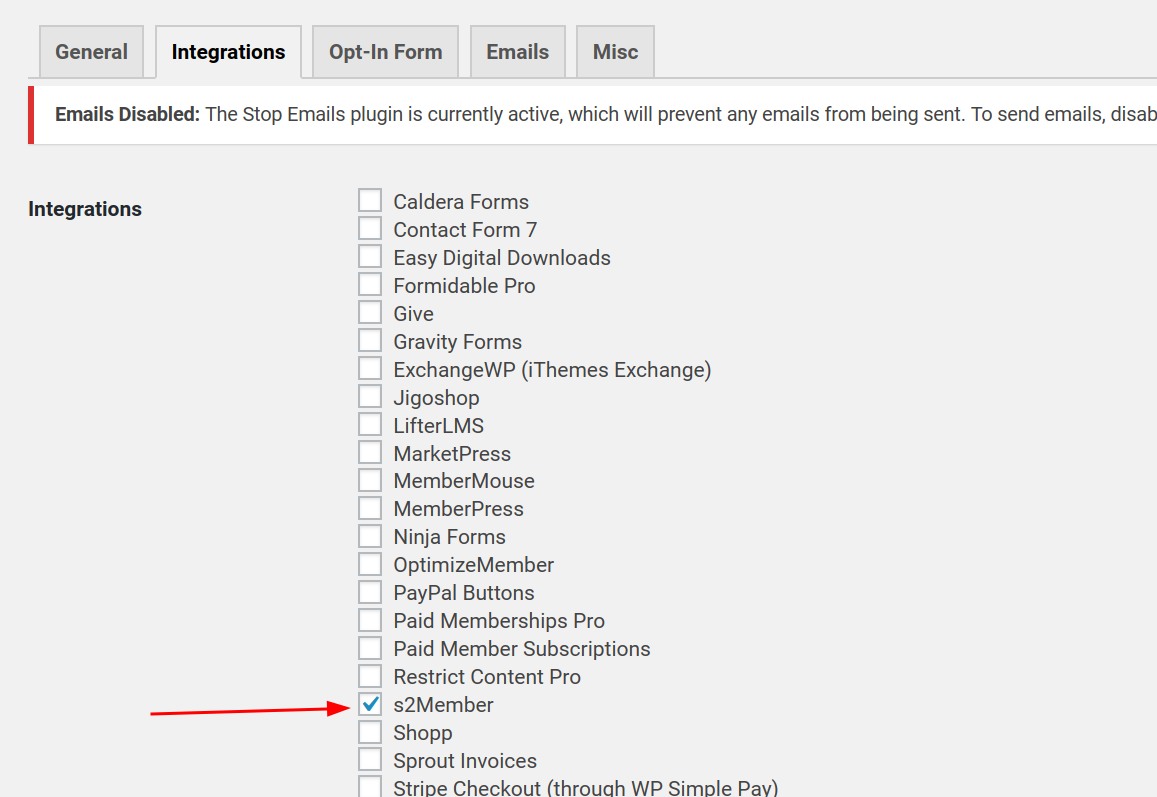
Enable s2Member Integration

Get Affiliate username

Affiliate Column in s2Member Pro Coupon Codes section

Apply Coupon without any referred Affiliate

Admin View of tracked referral

Affiliate View of tracked referral
Changelog
1.0
- Initial