

Badge Management for WooCommerce
This plugin allows you to add badges to products on your ecommerce site. Badges on a product help you highlight special offers of the products.
Plugin info
Maintenance & Compatibility
Maintenance score
Possibly abandoned • Last updated 1392 days ago • 9 reviews
Is Badge Management for WooCommerce abandoned?
Possibly abandoned (last update 1392 days ago).
Compatibility
Similar & Alternatives
Explore plugins with similar tags, and compare key metrics like downloads, ratings, updates, support, and WP/PHP compatibility.
Description
FREE VERSION DEMO LINK | FREE VERSION DOCUMENTATION LINK
Overview
Customers are naturally drawn to see highlighted information when visiting your site. Badge Management Plugin allows you to highlight ‘special’ features and ‘new’ offers on your products, so as to catch your customers’ attention. With this plugin you could customize a badge’s text & its color and could also set its dimension and position. The plugin provides you with some default image-badges as well.
Free features
- Option to have Text Badge or Image Badge
- 4 Default Image-Badge options available to choose from
- Option to customize text badges
- Option to Set Text Options ( Color, Font Size and Line Height)
- Option to Set Badge Position
- Option to Set Badge Dimensions
- Option to Show or Hide ‘On Sale’ Badge, as per your choice
FREE VERSION DEMO LINK | FREE VERSION DOCUMENTATION LINK
Take a look at how to set up Product Badges in Woocommerce.
Premium Features:
PREMIUM VERSION LIVE DEMO | PREMIUM VERSION LINK | DOCUMENTATION LINK
- Option to add the badges on the Product Tags.
- Option to add the Discount Badge on the products which are on sale.
- Option to add the Stock Quantity Badge which shows the stock left on your products.
- Option to Add a particular Badge to recent products.
- Option to Add a particular Badge to ‘On Sale’ products.
- Option to Add a specific Badge to featured products.
- Option to Hide the default WooCommerce ‘On Sale’ Badge.
- Option to Hide Badge in single Product Page.
- Option to Add a particular Badge to each Product Category.
- 9 Badge images available.
- Option to Upload your own images for Badges.
- Option to Set Badge Opacity.
- Option to Set Badge Position.
- Options (Border Radius, Padding, Opacity) for defining Badge Container.
- Option to Set Expiry Date for Badges.
- Option to Set Expiry Date & Time on any of the badges.
PREMIUM VERSION LIVE DEMO | PREMIUM VERSION LINK | DOCUMENTATION LINK
Premium WordPress Themes
Here is our premium wordpress theme
Our Website
Support Email
NOTE
- Our plugin support the Multisite Network.
Installation
- Install WordPress
- Go to your WordPress admin panel, and then to Plugins. Click on “Add New” and then upload the zip file of the plugin using the “Upload Plugin” button you can find on top of the screen.
- For the plugin to work as it should, WooCommerce plugin has to be installed and enabled.
Frequently Asked Questions
Review feed
Screenshots

It shows how Badges will be shown on Product page.

It shows how Badges will be shown on Shop page.
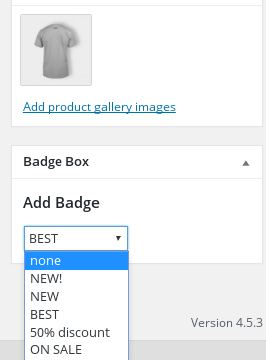
It shows the created Badges on Product page.
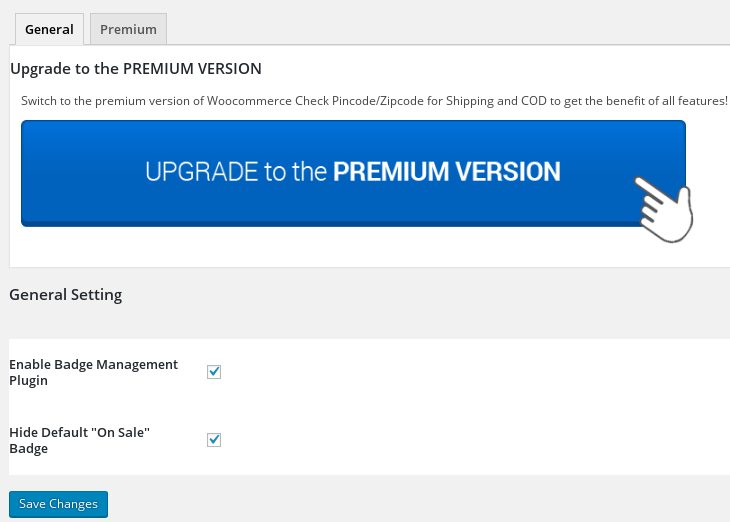
It shows the Admin Settings page.
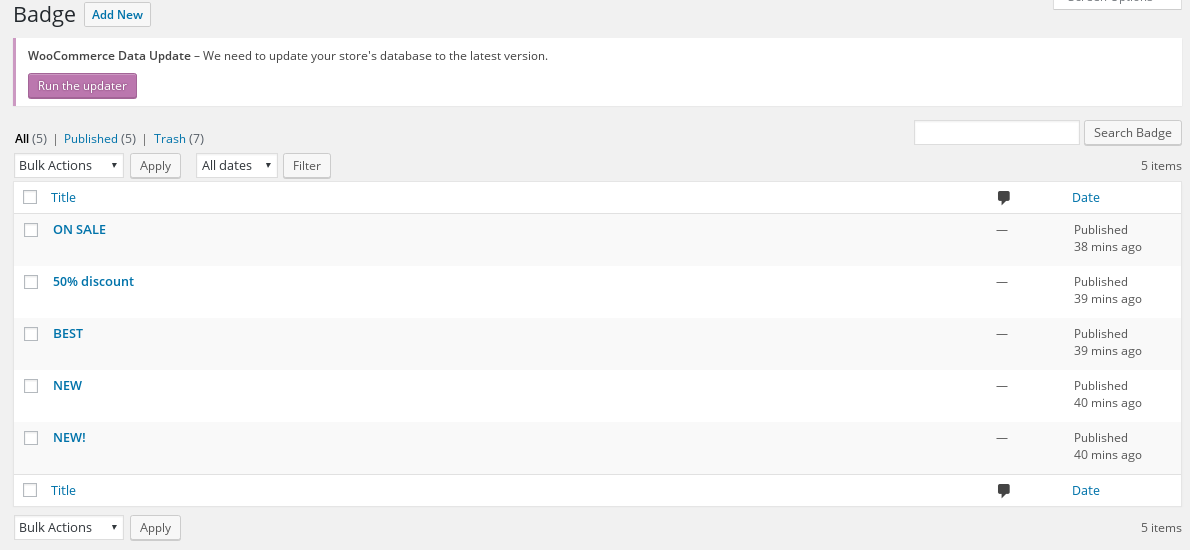
It shows the list of created badges.
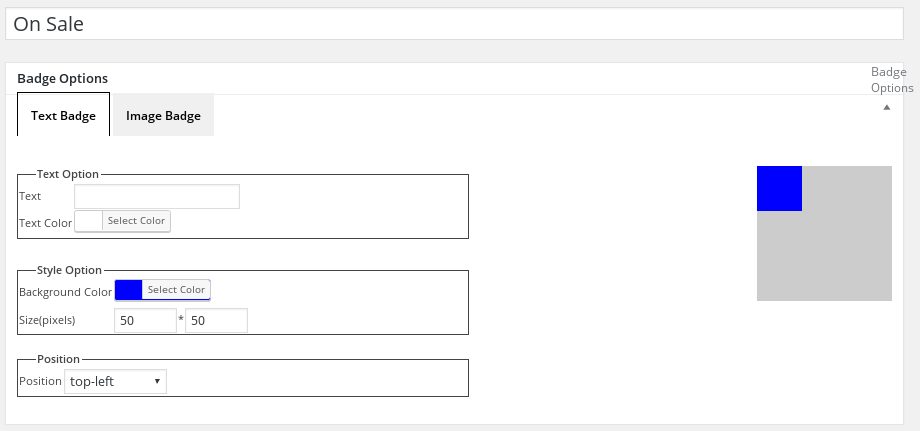
It Shows the Add new badge page in backend when we create Text badge.
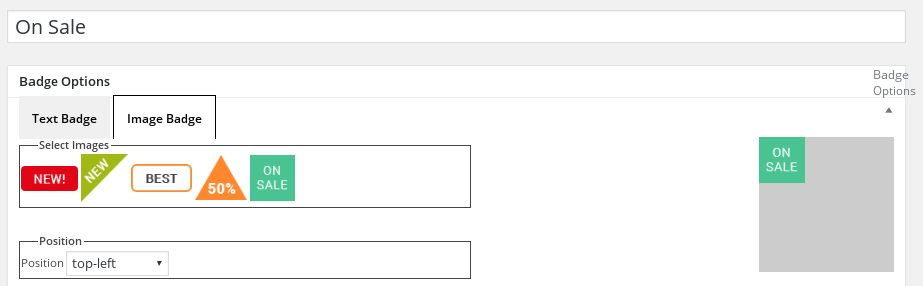
It Shows the Add new badge page in backend when we create Image badge.