

Bangladeshi Bank Payment Method
WooCommerce gateway for Bangladeshi businesses allowing customers to upload bank payment receipts at checkout.
Plugin info
Maintenance & Compatibility
Maintenance score
Maintained • Last updated 140 days ago
Is Bangladeshi Bank Payment Method abandoned?
Likely maintained (last update 140 days ago).
Compatibility
Similar & Alternatives
Explore plugins with similar tags, and compare key metrics like downloads, ratings, updates, support, and WP/PHP compatibility.
Description
This plugin adds a secure Bank Payment with Receipt Upload option to your WooCommerce store, specially designed for merchants and customers in Bangladesh.
Instead of just entering a transaction ID, customers can upload a screenshot or photo of their bank payment receipt (e.g., mobile banking confirmation) directly on the checkout page. The uploaded image is securely stored and displayed in the order details for easy manual verification by the store admin.
Perfect for businesses that require visual proof of payment before processing orders.
Features:
* Accept bank transfer payments from any Bangladeshi bank (City Bank, IFIC BANK, UCB Bank, Islami Bank etc.).
* Customers upload a payment receipt image (PNG/JPG) during checkout.
* Automatic file validation (max 500KB, only images allowed).
* Uploaded receipt is visible in the WooCommerce order details in the admin dashboard.
* Displays your bank account details clearly on the checkout page.
* Fully compatible with WooCommerce emails, order statuses, and cart flow.
* You can change your bank icon, it will make it visually clear and easier for customers to understand.
* No sensitive data stored — secure and lightweight.
Installation
- Upload the
bangladeshi-bank-payment-methodfolder to the/wp-content/plugins/directory. - Activate the plugin through the Plugins menu in WordPress.
- Go to WooCommerce Settings Payments.
- Find “Bangladeshi Bank Payment Method” and click Manage.
- Enable the gateway, enter your bank details, and save changes.
- Customers will now see this option at checkout and can upload their payment proof.
Frequently Asked Questions
Yes! Customers can upload a screenshot of their Bank transaction confirmation as the payment receipt.
Only JPG, JPEG, and PNG images are accepted. Maximum file size: 500KB.
Go to WooCommerce Orders [Order]. The receipt image appears under the billing address section.
No. Payments are marked as “On Hold” until you manually verify the uploaded receipt.
Yes. It works alongside PayPal, Stripe, Cash on Delivery, and other gateways.
Review feed
Screenshots
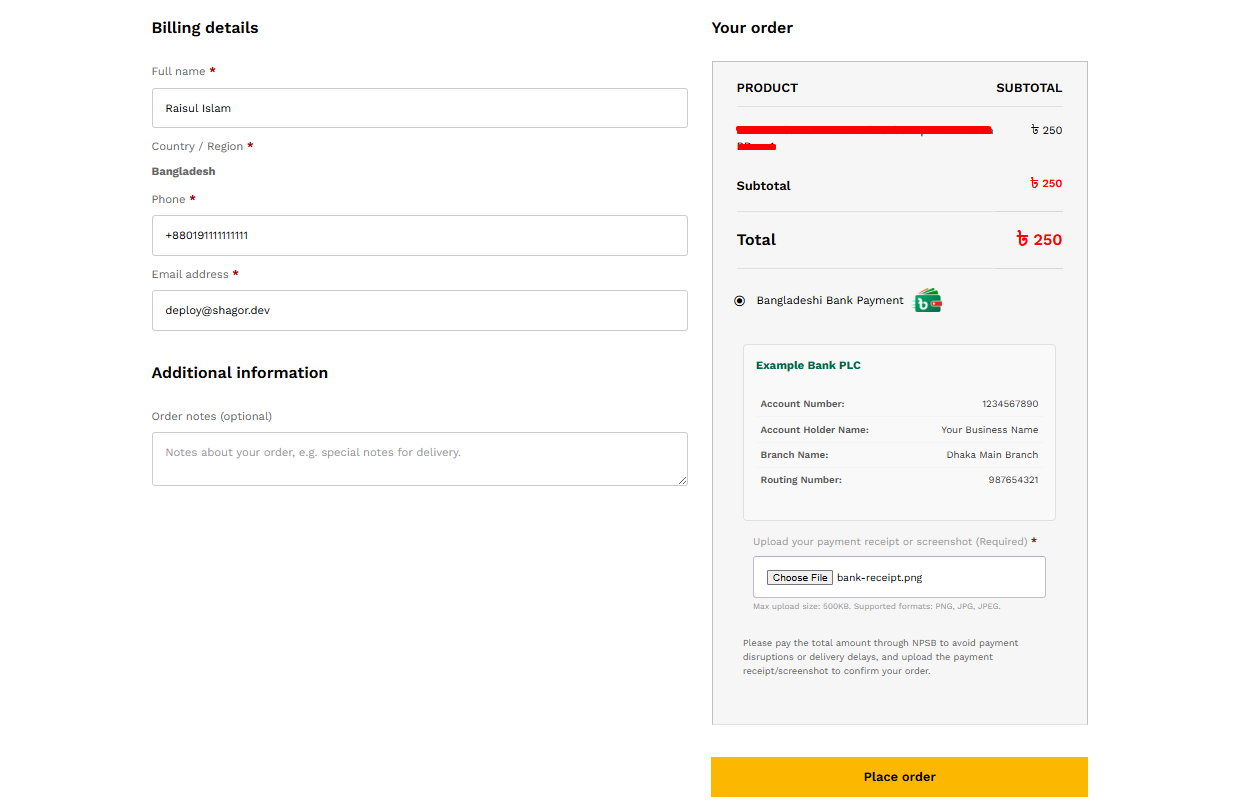
Checkout page overview (customer view).
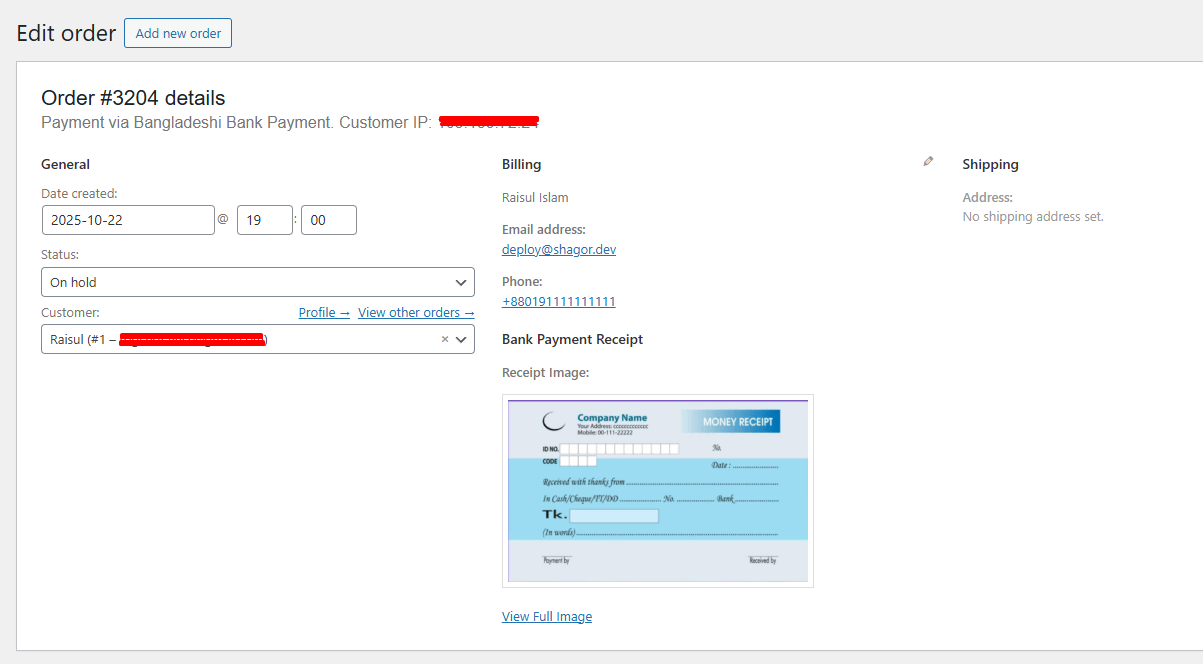
View uploaded payment receipt in order details.
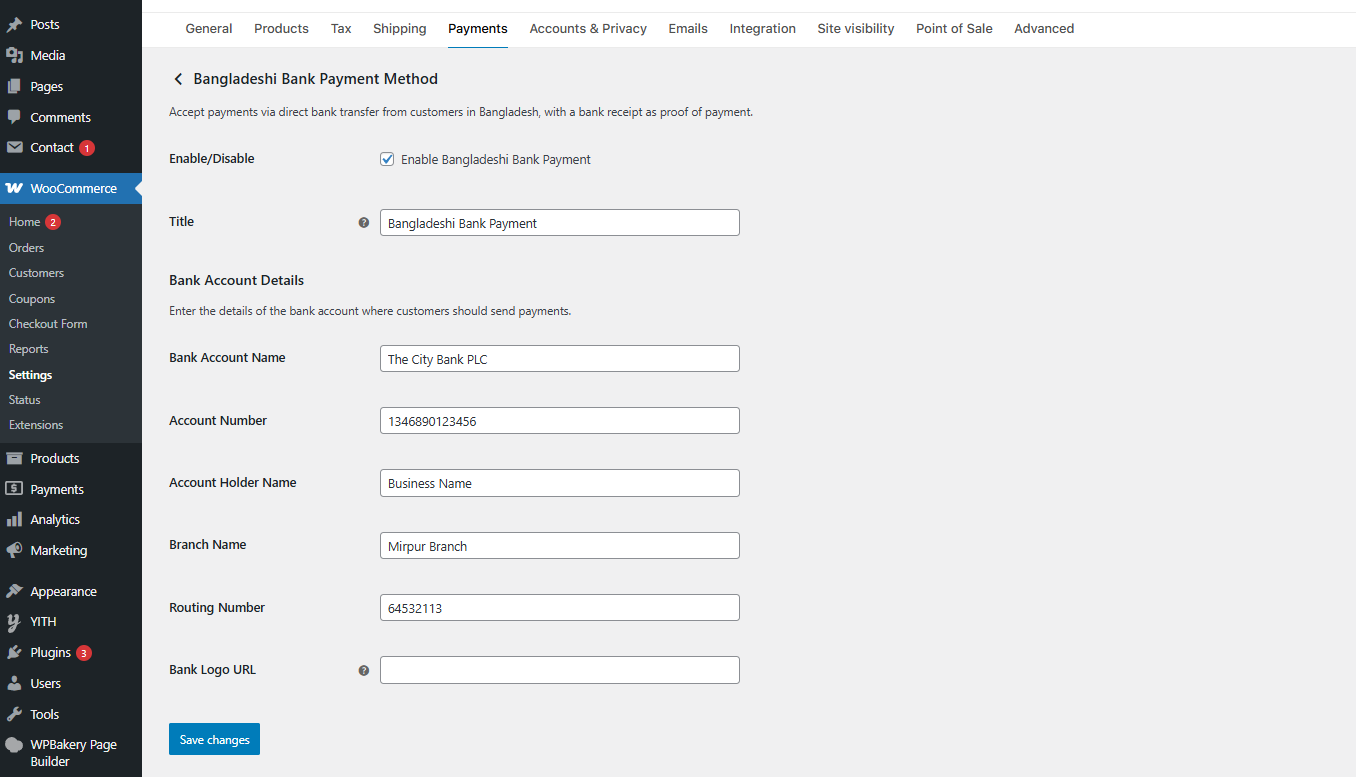
Bank account setup and management in payment settings.
Changelog
1.0.5
- Fix: Missing data.
1.0.4
- Major fix: Resolved critical conflict where inline script usage broke file upload functionality.
- Compliance: Removed direct inline tag to adhere to WordPress plugin submission guidelines.
- Fix: Ensured file size validation and AJAX disable logic now function correctly using standard JS enqueuing methods.
1.0.3
- Disabled WooCommerce AJAX checkout when this gateway is selected to ensure file uploads work reliably.
- Improved JavaScript isolation and form handling.
1.0.2
- Fixed “Please upload a payment receipt” error on checkout.
- Added proper translators comment and PHPCS compliance.
- Enhanced security and file validation.
1.0.1
- Minor CSS and UI improvements.
- Better error handling for file uploads.
1.0.0
- Initial release.