

Basic User Avatars
Add an avatar upload field on frontend pages and Edit Profile screen so users can add a custom profile picture.
Plugin info
Maintenance & Compatibility
Maintenance score
Possibly abandoned • Last updated 502 days ago • Support resolved 0% • 41 reviews
Is Basic User Avatars abandoned?
Possibly abandoned (last update 502 days ago).
Compatibility
Similar & Alternatives
Explore plugins with similar tags, and compare key metrics like downloads, ratings, updates, support, and WP/PHP compatibility.
Description
Add an avatar upload field on frontend pages and Edit Profile screen so users can add a custom profile picture.
Community and Membership sites on WordPress use this plugin as a lightweight solution for custom user avatars. The plugin is compatible with bbPress, as well as many popular plugins with frontend user registration and profile management features.
Admins can upload a user’s avatar on the Edit User admin screen.
Basic User Avatars also supports front-end avatar management for sites that want to keep users out of the dashboard. To use this feature, add the shortcode [basic-user-avatars] to any page in your WordPress site. We recommended placing this shortcode on another logged-in account type page, such as the WooCommerce My Account page, the Membership Account page, or any other front-end profile edit form.
The Avatar Upload form is automatically added to the bbPress User Profile > Edit frontend page.
If you do not want your users to be able to update their avatar, navigate to Settings > Discussion and locate the “Local Avatar Permissions” setting. Check this box to only allow users with file upload capabilities to upload local avatars (Author role and above).
Seamlessly Migrate from WP User Avatar Plugin
Version 1.0.5 includes a feature to automatically convert avatars formerly loaded through the WP User Avatar plugin. This means that you can disable WP User Avatar, activate Basic User Avatars, and have a seamless transition for existing avatars in your site. Be sure to update any avatar upload form that used the [avatar_upload] shortcode to use the shortcode: [basic-user-avatars].
Installation
- Upload
basic-user-avatarsto your/wp-content/plugins/directory or download through the Plugins page. - Activate the plugin through the ‘Plugins’ menu in WordPress.
- If you only want users with file upload capabilities to upload avatars, check the applicable option under Settings > Discussion.
- Navigate to Users > Edit User to upload a custom avatar for your users.
- Add the
[basic-user-avatars]shortcode to a page in your WordPress site to allow front-end avatar upload for your users.
bbPress support is added automatically if bbPress is activated.
Note: This plugin is a fork of Simple Local Avatars v1.3.1 by Jake Goldman and 10up. Check out Simple Local Avatars to compare their latest release to this plugin.
Frequently Asked Questions
While this plugin has been tested with common server setups, some enviroments could cause an issue.
If you are having a problem deactivate all plugins other than this one and then switch your theme to TwentyTweleve (or similar). If things work, then the issue is with a 3rd party theme or plugin.
Review feed
still works with WP4.9.1
Screenshots
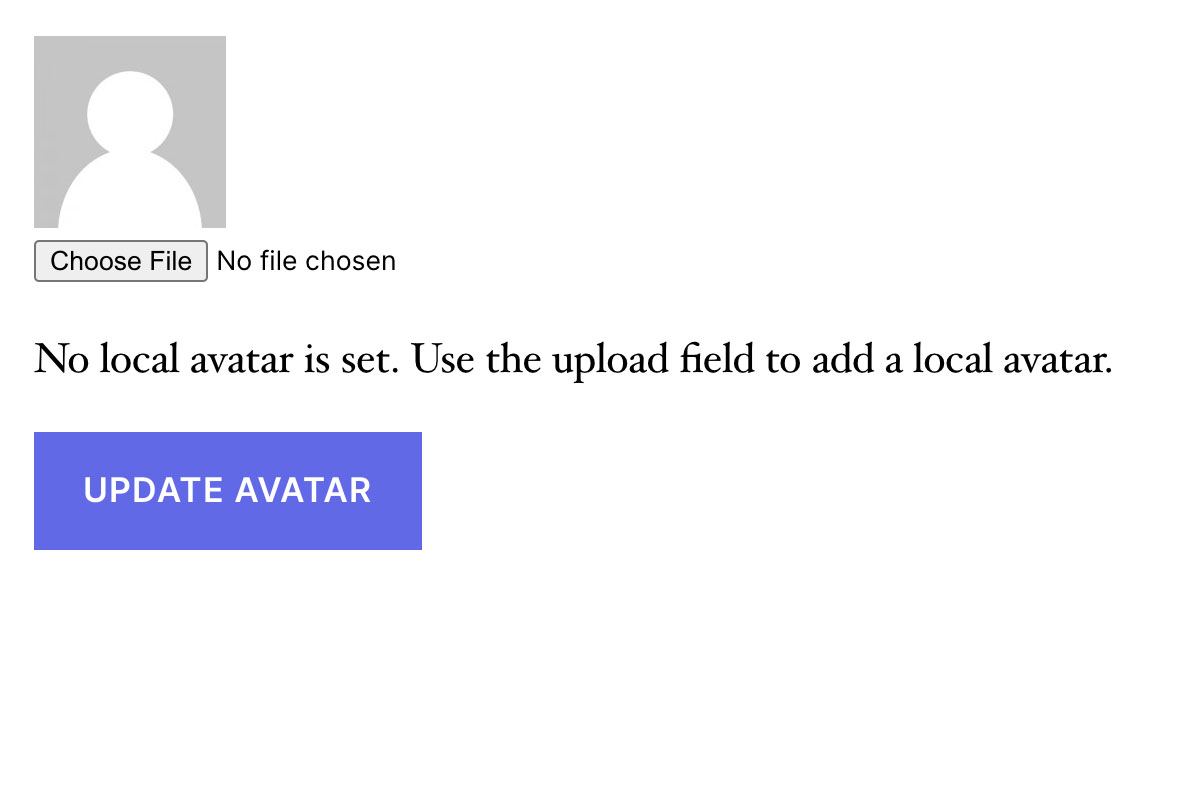
Frontend avatar upload form without a custom profile picture.
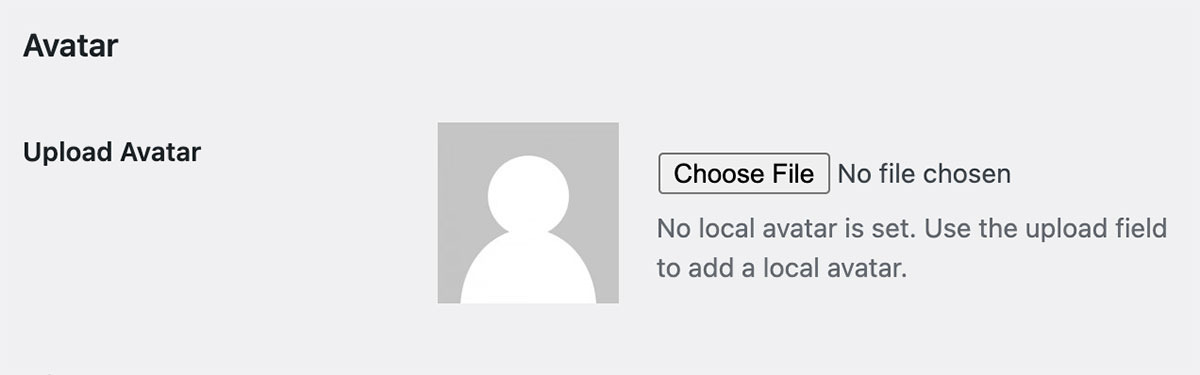
Avatar upload field on the Edit User screen in the WordPress admin.
Changelog
1.0.9 – 2024-11-13
- ENHANCEMENT: Update tested up to WordPress 6.7.
1.0.8 – 2024-01-23
- ENHANCEMENT: Added filter ‘basic_user_avatars_default_size’ to allow changing the default size of the avatar. (Thanks @jarrydlong)
- ENHANCEMENT: Improved functionality on how we load the text domain of the plugin for translations. (@ipokkel)
- BUG FIX: Fixed a fatal issue when the option “Only allow users with file upload capabilities to upload local avatars (Authors and above)” wasn’t set on new installations. (@JarrydLong)
1.0.7
- ENHANCEMENT: Made “Delete Local Avatar” checkbox text clickable for frontend. (Thanks @pinguluk )
- BUG FIX: Fixed an issue where Avatars weren’t saving correctly when changing an existing uploaded avatar. (Thanks @jarrydlong)
- BUG FIX: Fixed an issue where Avatars weren’t saving on the frontend in certain cases. (Thanks @amatzin)
- BUG FIX: Fixed deprecation warnings when getting the Avatar for PHP 8+ (Thanks @ZebulanStanphill)
1.0.6
- ENHANCEMENT: Added translation for German locale. Thanks @olpo24
- ENHANCEMENT: Added translation for Italian locale. Thanks @domegang
- ENHANCEMENT: Now filtering the get_avatar_data WordPress hook to allow more flexibility in customizing avatars via other filters.
- ENHANCEMENT: Added filter
basic_user_avatar_datato allow filtering on the avatar data that we are overriding. - BUG FIX: Fixed issue with saving the Discussion setting limiting avatar upload to users with file upload capabilities.
- BUG FIX: Fixed an issue when user display names were interfering and causing 404 errors. Thanks @semanio.
1.0.5 – 2021-05-19
- ENHANCEMENT: Now pulling avatar from WP User Avatar if we don’t have one yet
1.0.4 – 2020-01-12
- BUG FIX: Fixed typos on readme.txt – Thanks @fred-pedro
- ENHANCEMENT: Added translation for Spanish – Thanks @ricardpriet
- ENHANCEMENT: Added translation for Brazilian Portuguese – Thanks @allysonsouza
- ENHANCEMENT: Added translation for Catalan – Thanks @alvaromartinezmajado
- ENHANCEMENT: Added proper SSL support – Thanks @zachwills
- ENHANCEMENT: Escaped strings.
1.0.3 – 2015-08-05
- ENHANCEMENT: Added Swedish and Finnish translations – Thanks @dmaester
1.0.2 – 2015-04-17
- ENHANCEMENT: Added POT file for translation
1.0.1 – 2015-03-17
- BUG FIX: Updated textdomain for better support
- ENHANCEMENT: Added plugin to GitHub for better collaboration
1.0.0
- Initial launch, should be considered beta. Use with caution.