

BB AI Content Generator
Simplify writing in WordPress with BB AI Content Generator, leveraging OpenAI to turn your topics into complete articles.
Plugin info
Maintenance & Compatibility
Maintenance score
Possibly abandoned • Last updated 522 days ago
Is BB AI Content Generator abandoned?
Possibly abandoned (last update 522 days ago).
Compatibility
Similar & Alternatives
Explore plugins with similar tags, and compare key metrics like downloads, ratings, updates, support, and WP/PHP compatibility.
Description
BB AI Content Generator is a WordPress plugin that leverages the power of the OpenAI API to generate titles, sections, and paragraphs for your posts and pages. It helps you create high-quality, engaging content by generating ideas and text based on the topics you provide.
Elevate your WordPress content creation to new heights with BB AI Content Generator—a groundbreaking plugin that unleashes the full potential of the OpenAI API. Imagine effortlessly generating captivating titles, well-structured sections, and engaging paragraphs for your posts and pages, all tailored to your specified topics. This plugin doesn’t just save you time; it transforms your entire writing process.
Say goodbye to writer’s block and hello to a streamlined workflow. BB AI Content Generator empowers you to produce high-quality, SEO-friendly content that resonates with your audience. Whether you’re a blogger, marketer, or website owner, this tool adapts to your needs by generating ideas and text that are both relevant and compelling.
Transform your WordPress site into a content powerhouse with BB AI Content Generator. Embrace the future of content creation and leave the heavy lifting to artificial intelligence—all while maintaining full control and customization over your final output. Your journey to effortless, high-quality content starts here.
External Services
This plugin connects to the OpenAI API to generate content based on user inputs. When a content generation request is made, the user’s inputs are sent to the API. This service is provided by OpenAI: Terms of Use, Privacy Policy.
Key Features:
Title Generation: Create multiple engaging titles based on a single topic.
Section Generation: Generate subheadings or sections for your chosen title.
Paragraph Generation: Produce detailed paragraphs for each section.
API Key Encryption: Securely store and encrypt your OpenAI API key within WordPress.
API Usage Statistics: Monitor your total requests and tokens used via the API.
Logging: Access detailed logs for debugging and performance monitoring.
Draft Creation: Instantly create draft posts from the generated content.
License
This plugin is licensed under the GPLv2 or later.
Installation
-
Upload the Plugin:
- Upload the
bb-ai-content-generatorfolder to the/wp-content/plugins/directory.
- Upload the
-
Activate the Plugin:
- Activate the plugin through the ‘Plugins’ menu in WordPress.
-
Configure API Settings:
- Navigate to ‘Content Generator’ > ‘API Settings’ in the WordPress admin dashboard.
- Enter your OpenAI API key. The key is securely encrypted and stored.
-
Start Generating Content:
- Go to ‘Content Generator’ in the admin menu.
- Enter a topic and select the number of titles to generate.
- Follow the prompts to generate sections and paragraphs.
Frequently Asked Questions
Yes, a valid OpenAI API key is required to access the content generation features.
Your API key is encrypted using AES-256-CBC encryption and securely stored in the WordPress database.
Yes, you can view your total API requests and token usage on the ‘API Statistics’ page within the plugin.
Absolutely, the ‘Logs’ page provides detailed logs for debugging and monitoring purposes.
Review feed
Screenshots
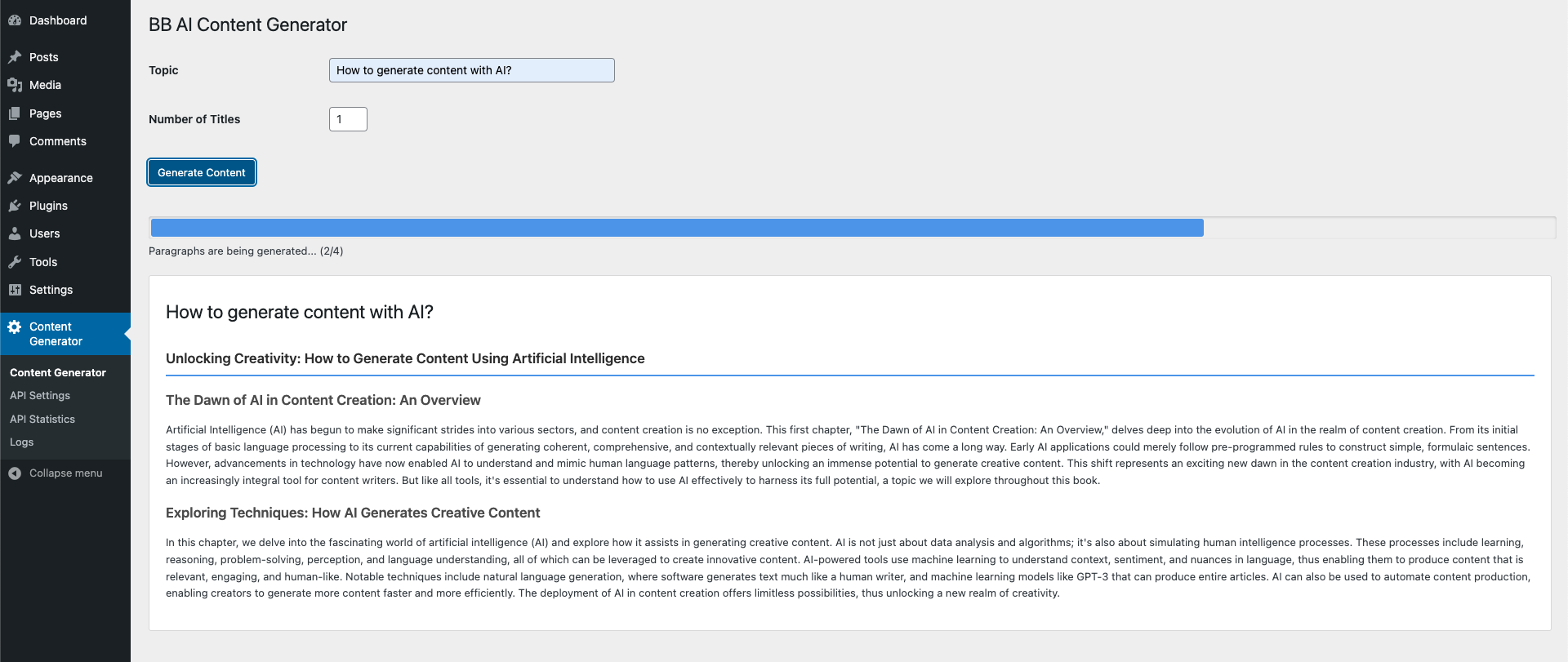
Content Generator Interface: Enter your topic and generate titles.
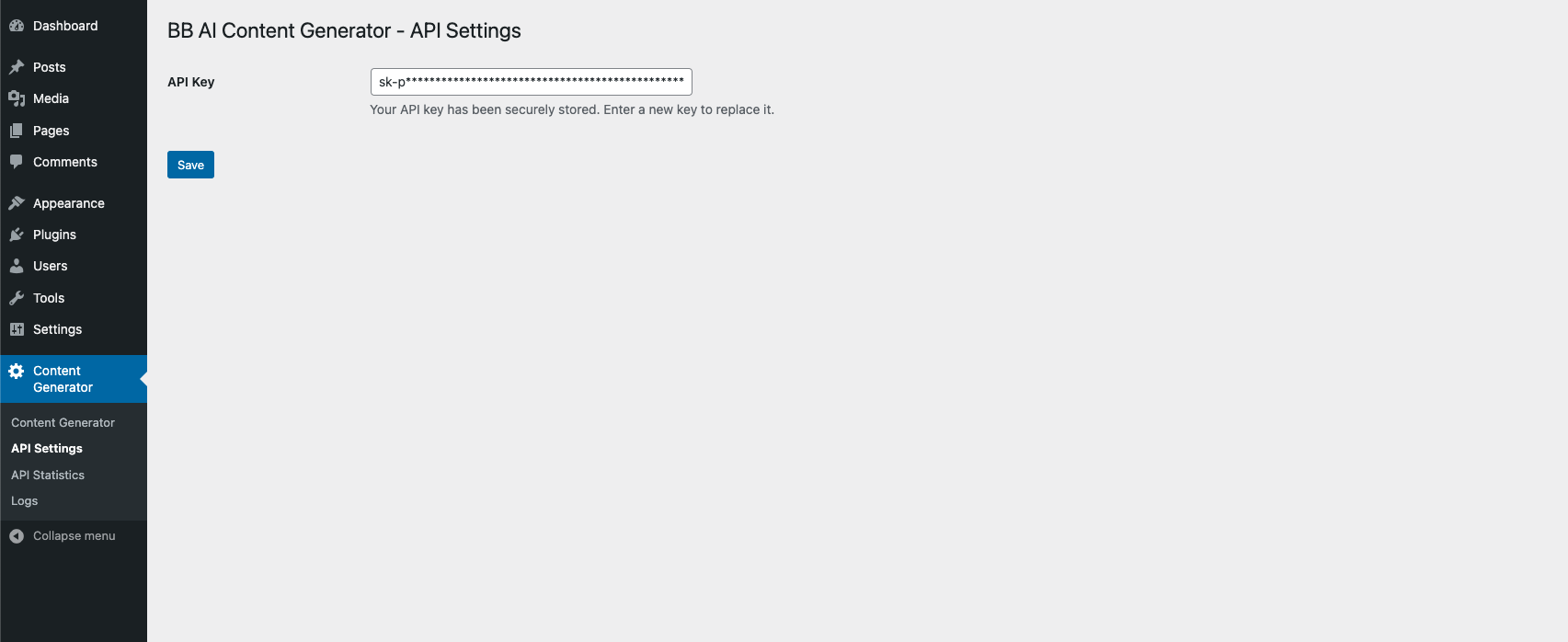
API Settings Page: Securely input and manage your OpenAI API key.
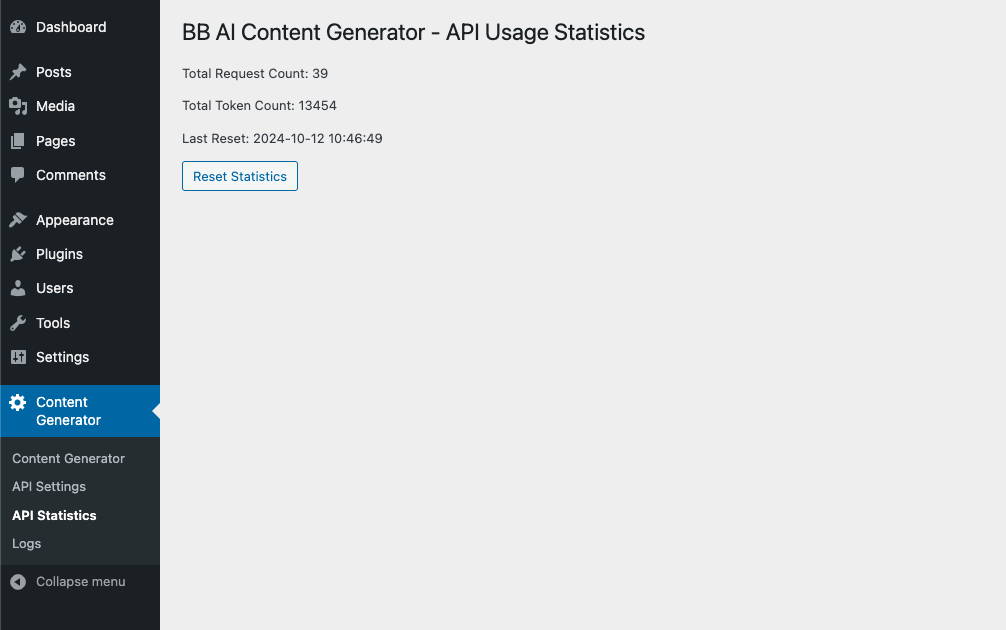
API Usage Statistics: Monitor your API requests and token usage.
Changelog
1.3
- Bug Fix: Some errors have been fixed.
1.2
- New Feature: Added a warning message when the API key is not entered.
1.1
- Language fixes
1.0
- Initial release with title, section, and paragraph generation features.