

J2W Migration
Joomla to WordPress migration made easy move users, articles, and VirtueMart/HikaShop products to WooCommerce with passwords preserved.
Plugin info
Maintenance & Compatibility
Maintenance score
Maintained • Last updated 150 days ago
Is J2W Migration abandoned?
Likely maintained (last update 150 days ago).
Compatibility
Similar & Alternatives
Explore plugins with similar tags, and compare key metrics like downloads, ratings, updates, support, and WP/PHP compatibility.
Description
The J2W Migration plugin provides a comprehensive solution for migrating your Joomla website content to WordPress. This plugin specializes in migrating data from Joomla Extensions including VirtueMart and HikaShop e-commerce components to WordPress with WooCommerce.
Key Features
-
Database Connection Testing – Test and validate your Joomla database connection before migration
-
User Migration – Import Joomla users to WordPress with Same Password
-
Article Migration – Convert Joomla articles to WordPress posts with full support for categories, tags, and Elementor plugin integration.
-
VirtueMart Product Migration – Import VirtueMart products to WooCommerce with images, categories, and attributes
-
HikaShop Product Migration – Import HikaShop products to WooCommerce with full product data
-
Review Migration – Import product reviews from both VirtueMart and HikaShop
-
Order Migration – Import order history from VirtueMart and HikaShop to WooCommerce
-
Progress Tracking – Real-time progress bars and status updates during migration
-
CSV Export/Import – Generate CSV files for data verification and custom processing
-
Error Logging – Detailed error tracking and reporting for troubleshooting
Migration Process
-
Database Setup – Configure your Joomla database connection details
-
Data Preparation – Generate CSV files with your Joomla data for review
-
Migration Execution – Import data in batches with real-time progress tracking
-
Verification – Review imported data and handle any errors or conflicts
Supported Joomla Components
-
Joomla Core – Users, Articles, Categories, Tags
-
VirtueMart – Products, Categories, Reviews, Orders, Custom Fields
-
HikaShop – Products, Categories, Reviews, Orders, Variants, Custom Fields
WordPress Integration
-
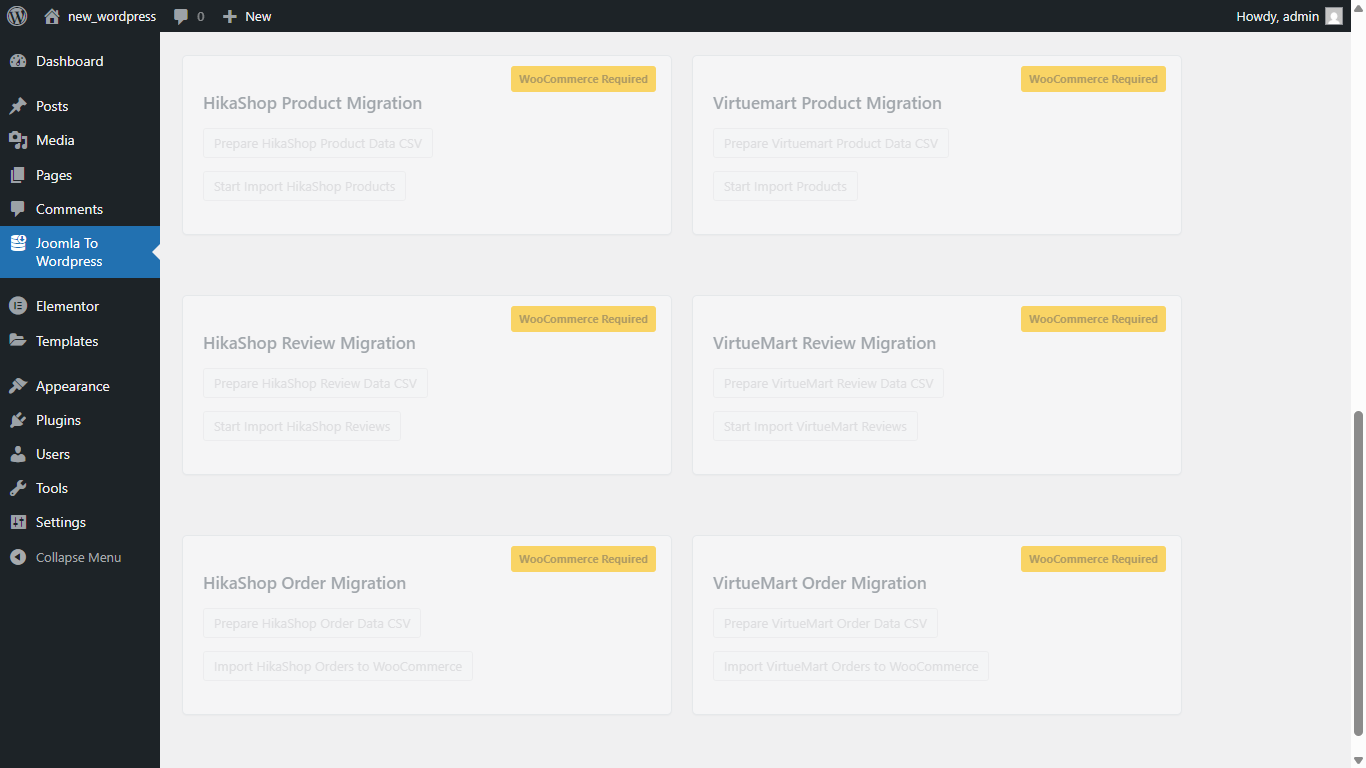
WooCommerce – Complete e-commerce migration with products, orders, and reviews
-
WordPress Posts – Article migration with proper SEO and content structure
-
User Management – user migration with password preservation
-
Media Handling – Automatic image download and WordPress media library integration
Installation
-
Upload the
joomla-to-cmsfolder to the/wp-content/plugins/directory -
Activate the plugin through the ‘Plugins’ menu in WordPress
-
Navigate to ‘Joomla To WordPress’ in your WordPress admin menu
-
Configure your Joomla database connection and start migrating
Frequently Asked Questions
The plugin supports Joomla 5.x installations with standard database structures.
Yes, you need MySQL database connection details (host, username, password, database name) for your Joomla site.
Yes, the plugin automatically downloads and imports images to your WordPress media library during the migration process.
Yes, you can choose to migrate users, articles, products, reviews, or orders independently.
Yes, VirtueMart and HikaShop custom fields are migrated as WooCommerce product attributes and meta fields.
Review feed
Screenshots
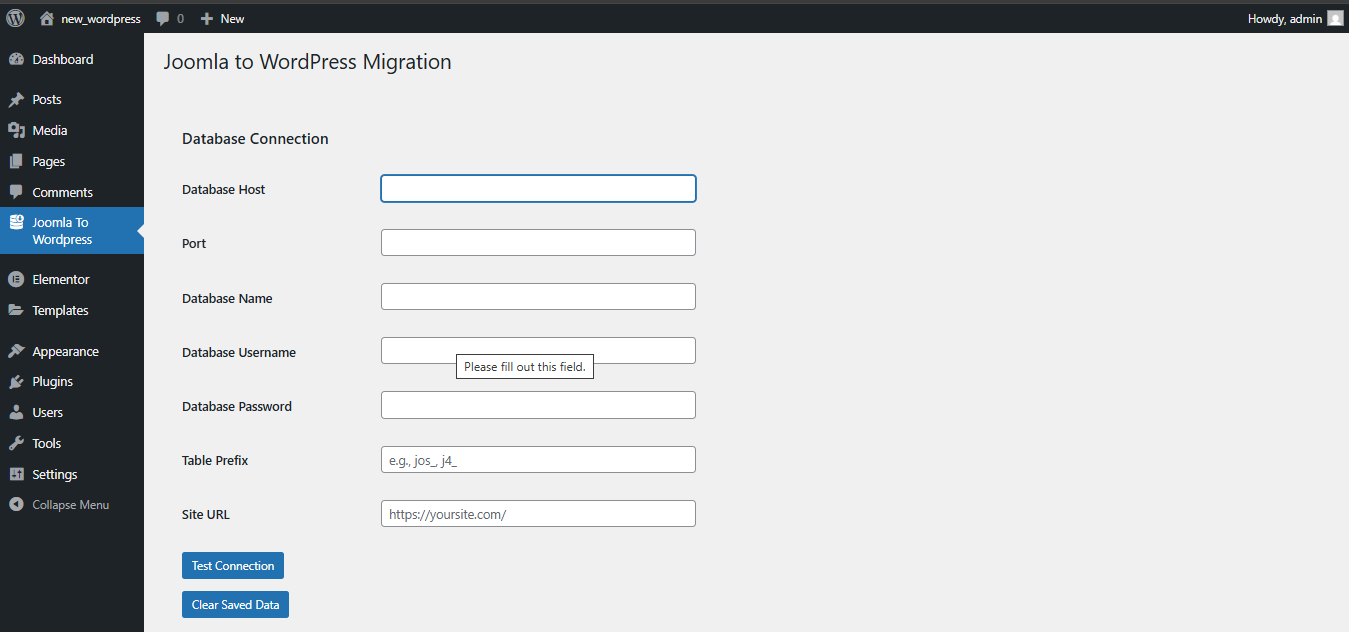
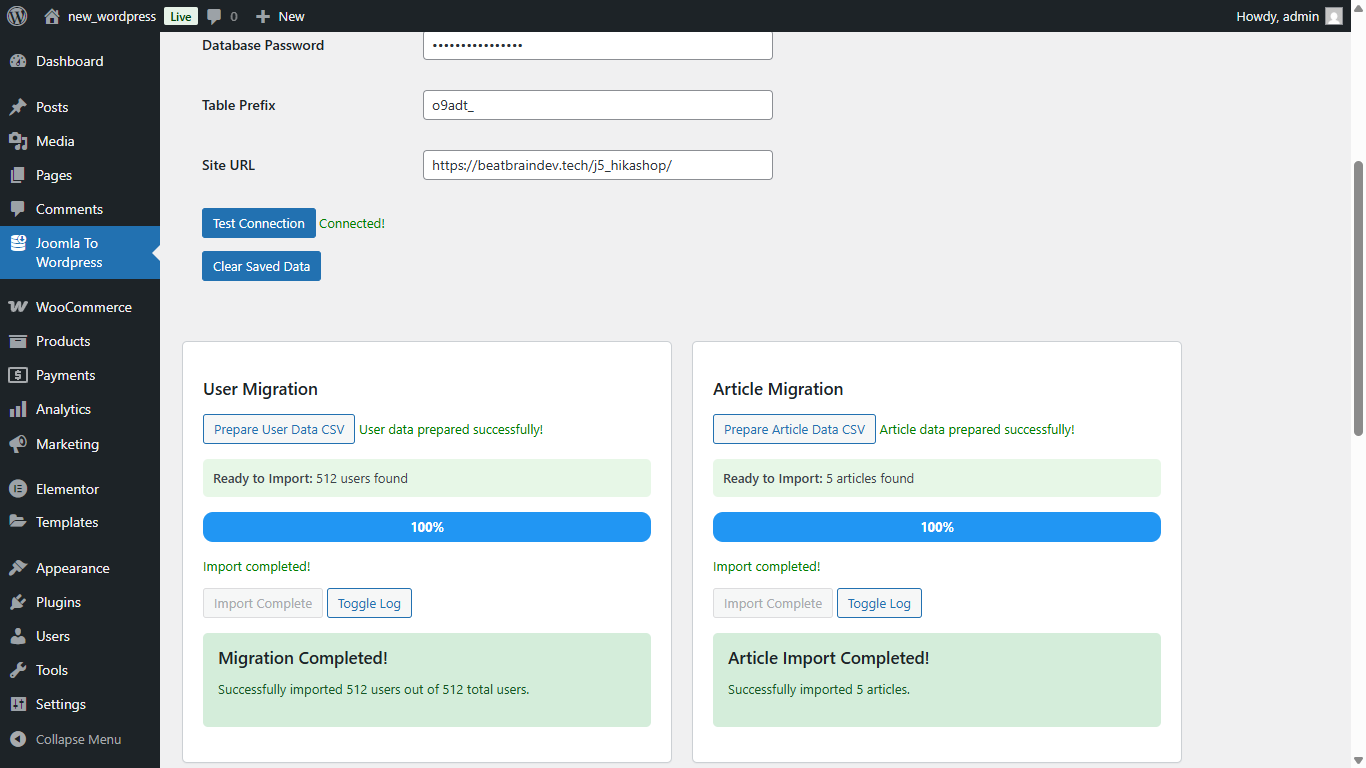
Database connection configuration and testing interface
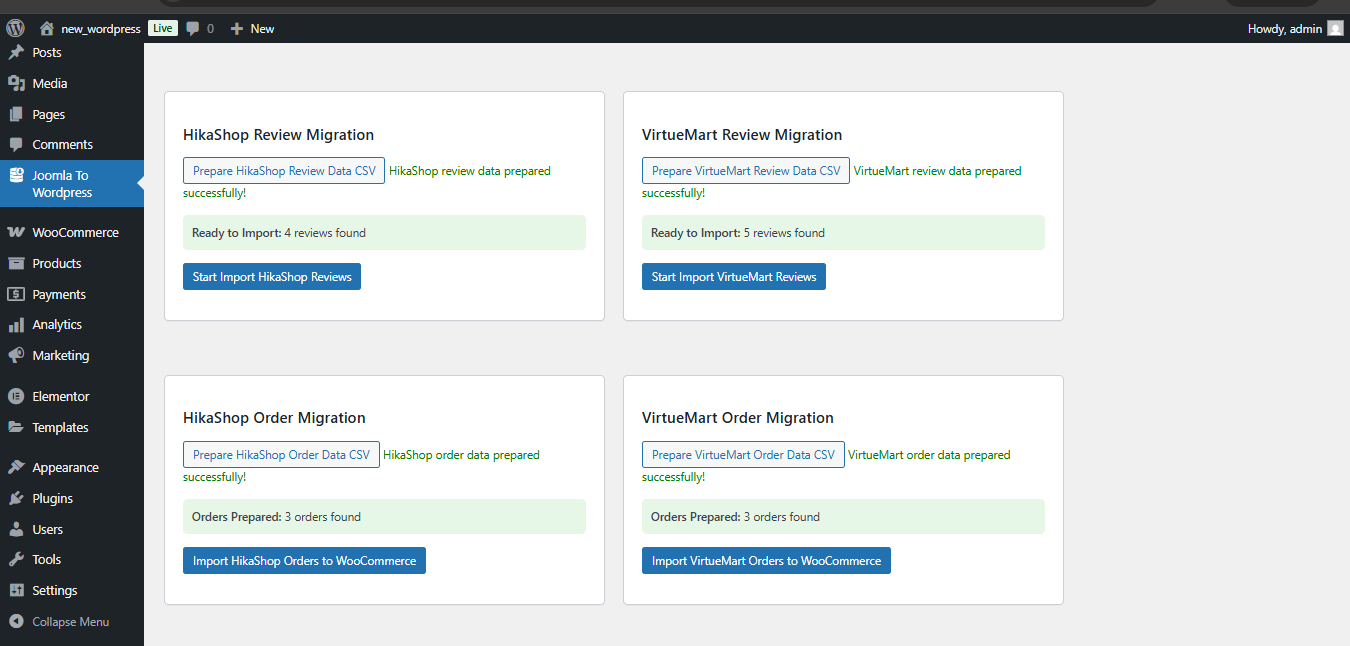
User migration with batch processing and progress tracking
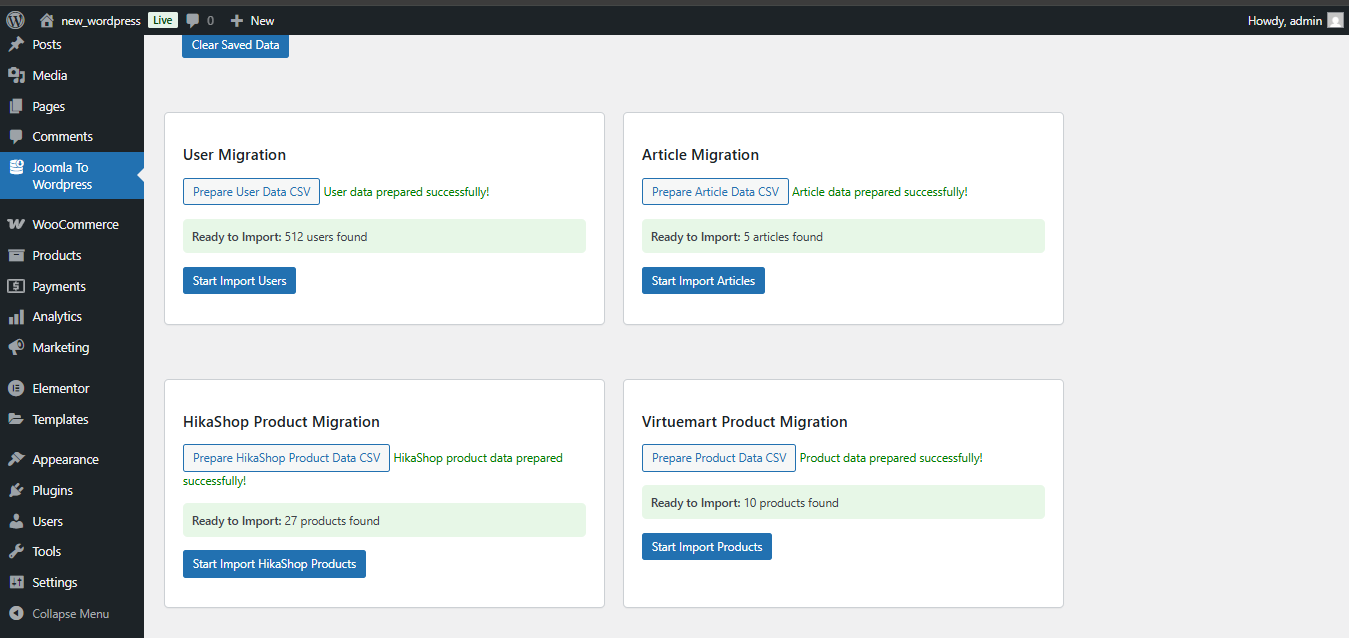
Article migration with category and tag mapping
VirtueMart product migration with image handling
HikaShop product migration interface
Changelog
1.0
-
Initial release
-
Joomla user migration with password support
-
Article migration from Joomla 5 to WordPress
-
Product migration from VirtueMart / HikaShop to WooCommerce