

Bioscore Dashboard Pro
Connect your WordPress site to Bioscore to measure and improve site speed and digital carbon footprint. Automatically adds required tracking scripts.
Plugin info
Maintenance & Compatibility
Maintenance score
Maintained • Last updated 106 days ago
Is Bioscore Dashboard Pro abandoned?
Likely maintained (last update 106 days ago).
Compatibility
Similar & Alternatives
Explore plugins with similar tags, and compare key metrics like downloads, ratings, updates, support, and WP/PHP compatibility.
Description
The Bioscore Dashboard Pro plugin provides a seamless, secure, dark-mode administrative interface to integrate your WordPress website with your Bioscore account. Instead of manually editing your theme files or relying on custom code snippets, this plugin handles the entire process automatically and securely:
Secure Authentication: Log in using your Bioscore credentials or API token. Credentials are saved encrypted.
Automatic Script Injection: reliably injects the necessary Bioscore optimization and tracking scripts directly into your site’s section on all pages (using the wp_head hook with high priority).
Connection Management: Provides a central toggle to instantly enable or disable script injection without deleting any settings.
Verification Tool: Includes an integrated button to verify that the Bioscore scripts are successfully present in your site’s live front-end source code.
Account Control: Easy access to your logged-in status and a secure Logout / Clear Credentials feature.
How It Works
1. Install & Activate: Add the Bioscore plugin to your WordPress site and activate it.
2. Login to Bioscore: Securely log in with your Bioscore account directly from your WordPress admin dashboard.
3. Auto Domain Detection: The plugin automatically detects your WordPress domain and connects it to your Bioscore account.
4. Automatic Header Setup: The required tracking headers are automatically added to your website, no coding or manual edits needed.
5. Manage Headers Anytime: From your WordPress admin, you can review and manage the tracking headers added by Bioscore, ensuring full control and flexibility.
6. Start Tracking: Once connected, your website’s speed, sustainability, and carbon data begin flowing into your Bioscore dashboard in real time.
Configuration
- Go to Bioscore -> Integration Dashboard.
- Navigate to the Authentication & Login tab.
- Enter your Bioscore Email and Password or paste your API Token.
- Click “Save Credentials & Login”. The plugin will fetch your site list and attempt to auto-connect.
- Go to the Connection & Scripts tab.
- Use the main toggle to ensure the connection is Scripts ENABLED (green badge).
- Click “Verify Scripts Injection” to confirm the scripts are correctly appearing on your live website.
External Services
This plugin is the official connector for Bioscore.com and requires a connection to its external API to function. This is necessary to authenticate your account, manage your websites, and fetch the required optimization scripts.
- Service: Bioscore API (https://bioscore.com/api/)
- Data Sent: When you log in, your email and password (or API token) are sent to the Bioscore authentication endpoint to verify your account. When connecting a site, the current WordPress site URL is sent to associate it with your Bioscore profile.
- Terms of Service: https://www.bioscore.com/terms
- Privacy Policy: https://www.bioscore.com/privacy
Installation
- Download the plugin package (bioscore-dashboard-pro.zip).
- In your WordPress Admin, go to Plugins -> Add New -> Upload Plugin.
- Upload the zip file and click “Install Now”.
- Once installed, click “Activate Plugin”.
- Navigate to Bioscore in your main Admin menu (positioned below “Plugins”).
Frequently Asked Questions
Review feed
Screenshots
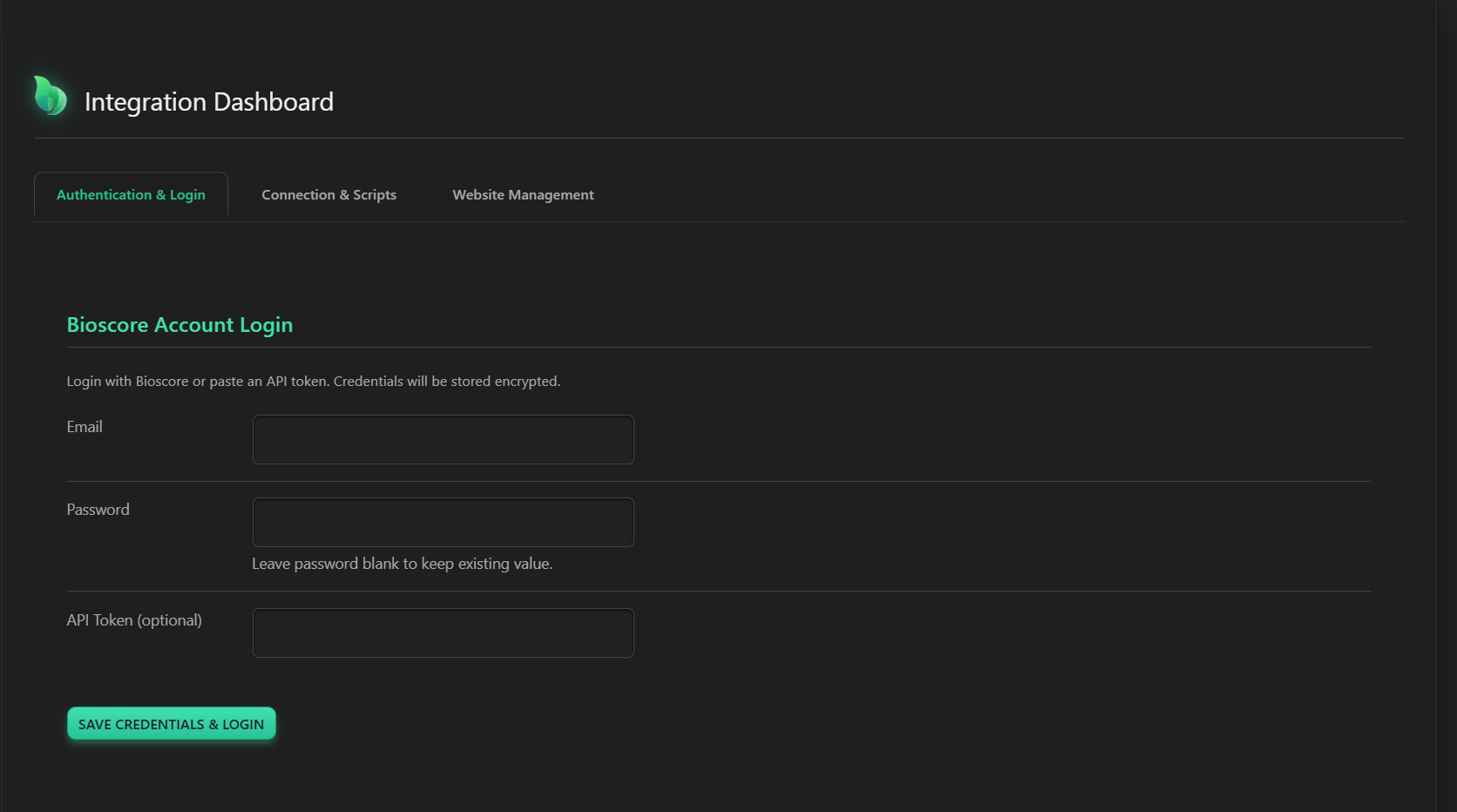
Authentication & Login: Securely log in with your Bioscore account credentials or API token.
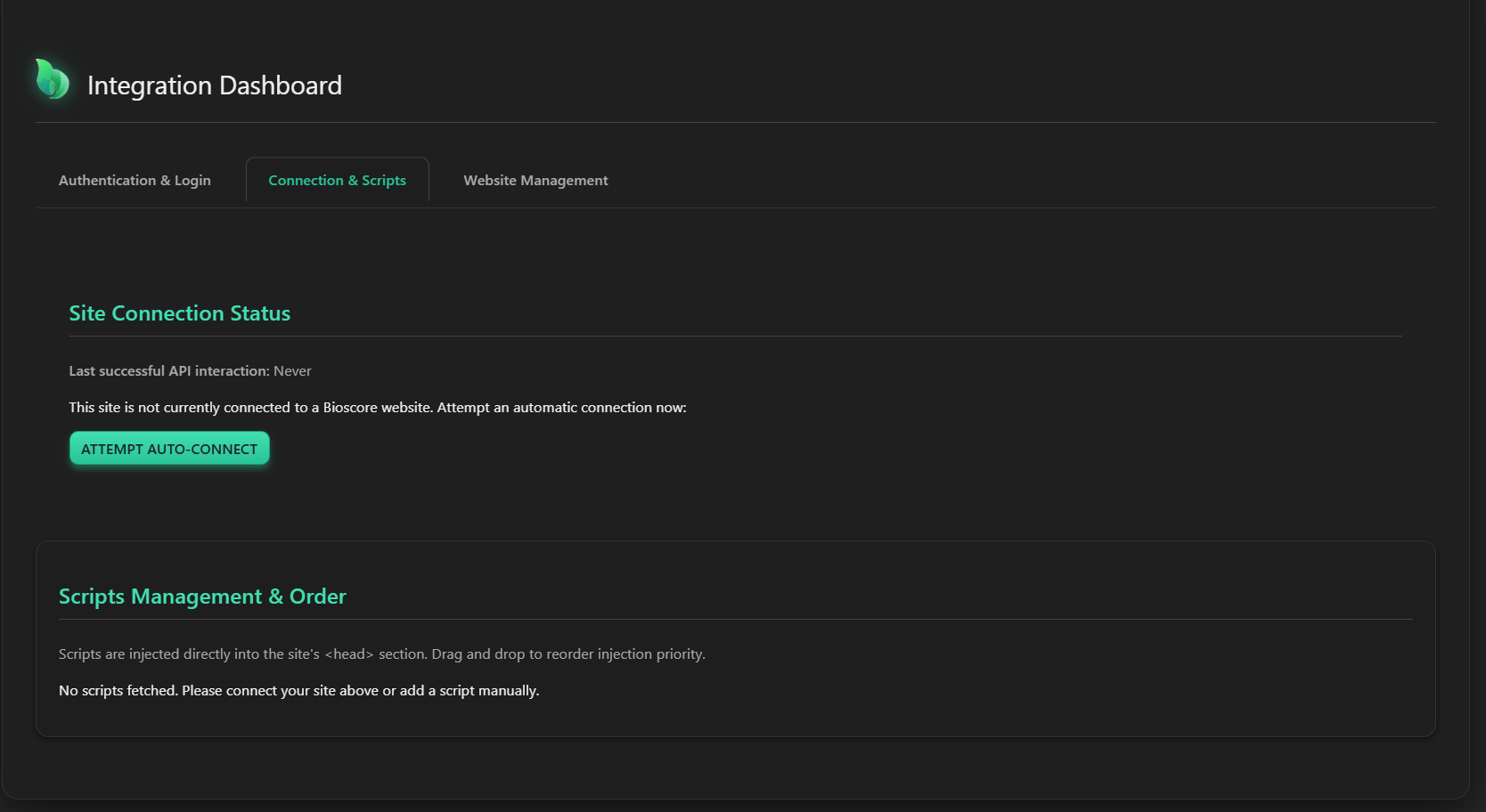
Connection & Scripts: The main status dashboard showing connection toggle and script management.
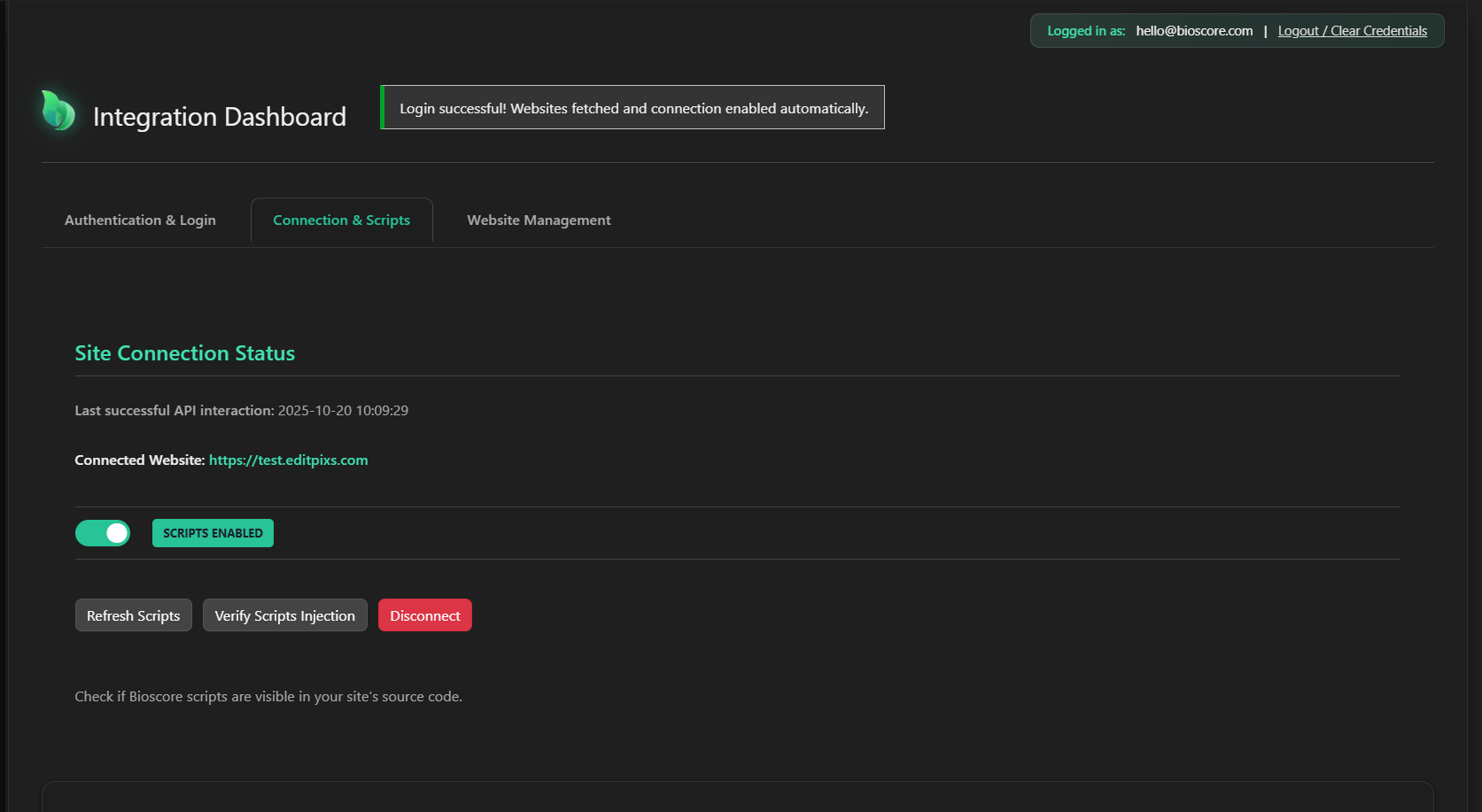
Scripts Injection Verification: Successfully verify that the tracking scripts are live on your front-end site.
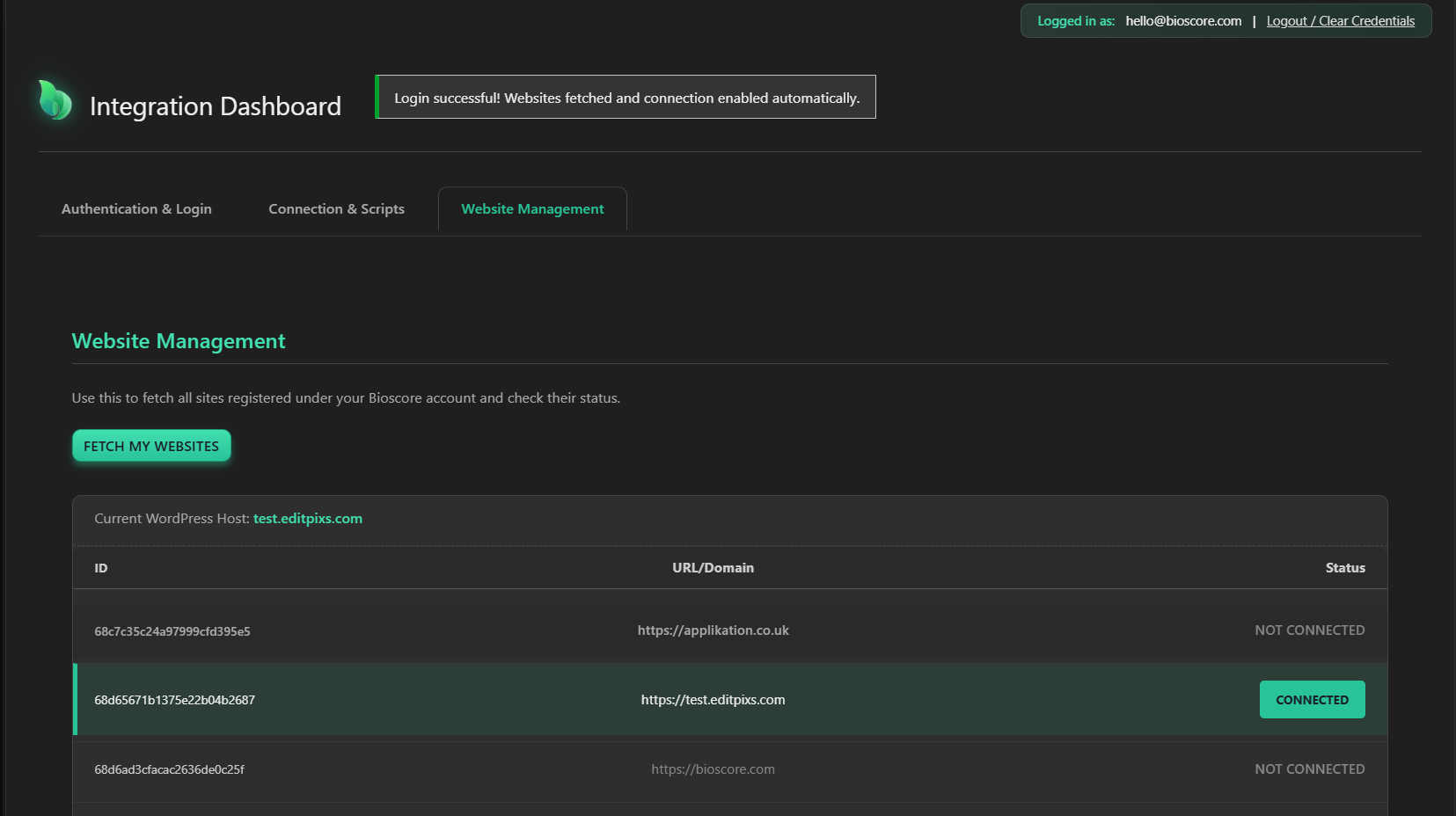
Website Management: Fetch and manage all sites registered under your Bioscore account.
Changelog
1.6.9
- Security: Hardened nonce verification by adding sanitization, as recommended by WordPress.org plugin review team.
- Fix: Refactored front-end script injection to use
wp_add_inline_scriptinstead of direct output, adhering to WordPress standards. - Tweak: Updated
readme.txtto include an “External Services” disclosure for API usage, as required by plugin guidelines.
1.6.8
- Fix: Corrected internal PHP logic to resolve silent failures in AJAX endpoints (Logout, Toggle, etc.).
- Fix: Implemented reliable fixed positioning for AJAX success/error notifications to prevent visual overlap on the header.
- Fix: Finalized UI/UX alignment for the login status bar and adjusted dark theme styling.
- Fix: Ensured full, wrapping display of long IDs in the Website Management table.
- Refactor: Removed the unnecessary manual script addition feature to adhere to core brief requirements.
1.6.7 (2025-09-29)
- New Feature: Implemented robust Logout / Clear Credentials functionality.
- Restructure: Consolidated Connection Status and Scripts Management into a single “Connection & Scripts” tab.
1.6.5
- Implemented reliable global script injection using high priority wp_head(…, 1).
- Added Script Verification Tool to check for injection success on the live front end.
1.5.9 (Initial Stable Release)
- Initial development and integration with Bioscore API.
- Includes authentication, website fetching, and basic script injection.