

Block Editor Disabler
This plugin for disable gutenberg editor for specific role.
Plugin info
Maintenance & Compatibility
Maintenance score
Possibly abandoned • Last updated 447 days ago
Is Block Editor Disabler abandoned?
Possibly abandoned (last update 447 days ago).
Compatibility
Similar & Alternatives
Explore plugins with similar tags, and compare key metrics like downloads, ratings, updates, support, and WP/PHP compatibility.
Description
The Block Editor Disabler Plugin allows you to easily disable the Gutenberg block editor on your WordPress site.
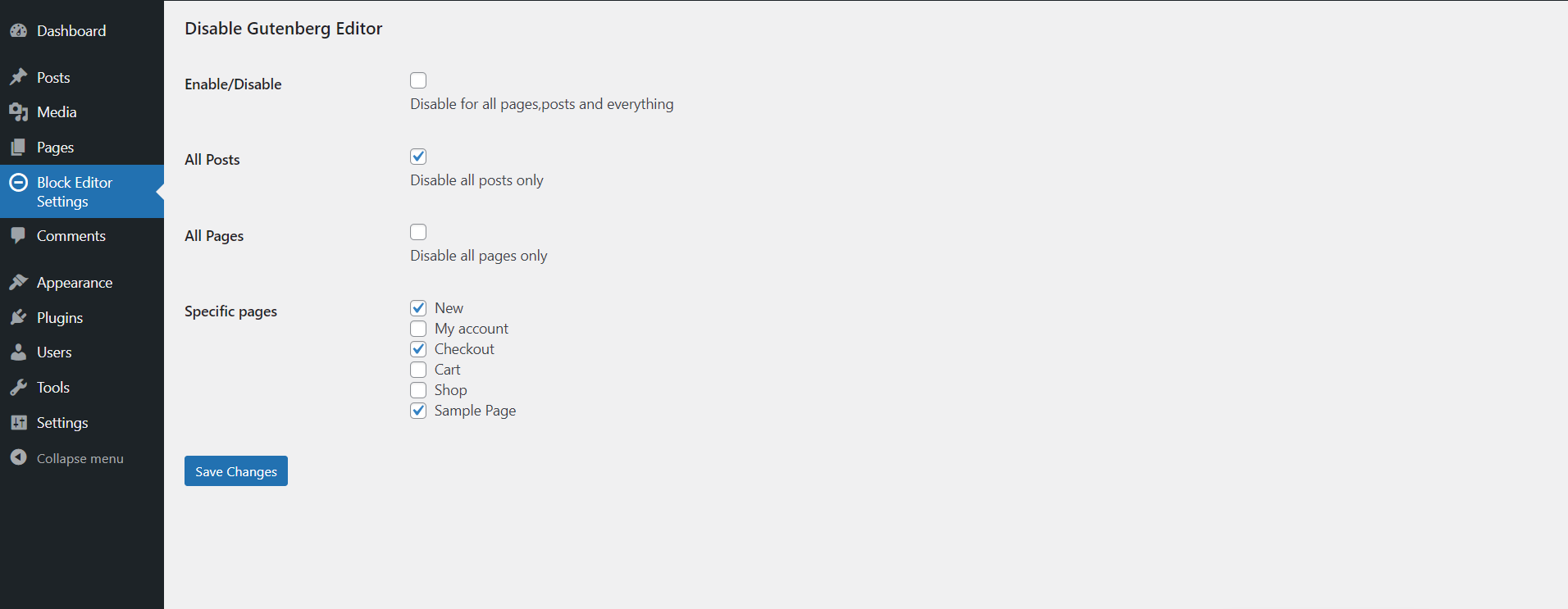
With this plugin, you can choose to disable the editor for specific pages, all pages, or even all posts, giving you complete control over your editing experience.
Features
- Giving you complete control over your editing experience.
- Show all control on Block Editor Settings admin menu page.
Video Tutorial
Include Soon!
Installation
- Upload Block Editor Disabler to the /wp-content/plugins/ directory.
- Activate the plugin through the Plugins menu in WordPress.
Frequently Asked Questions
This plugin allows you to disable the Gutenberg block editor for your entire WordPress site, specific post types (posts and pages), or individual pages.
Yes, you can disable the block editor for specific pages by selecting them in the plugin’s settings.
No, this plugin is specifically designed to target posts and pages. Custom post types are not affected.
Yes, the plugin restores the Classic Editor for the areas where the block editor is disabled.
Simply go to the plugin settings and uncheck the options where you’ve disabled the block editor.
Review feed
Screenshots
screenshot-1

screenshot-2
Changelog
1.0.2 – 27/12/2024
- Fix some major issues.
1.0.1 – 16/11/2024
- WordPress tested up to version is updated to 6.7 and Fix some major issues.
1.0.0
- 01-11-2024 – NEW – This is the initial release of the plugin.