

Blacklist Unwanted Email – Formidable Forms
This is a free add-on plugin for Formidable Forms , which validates the email field and restrict unwanted email submission as well as allowed only bus …
Plugin info
Maintenance & Compatibility
Maintenance score
Possibly abandoned • Last updated 2315 days ago • 1 reviews
Is Blacklist Unwanted Email – Formidable Forms abandoned?
Possibly abandoned (last update 2315 days ago).
Compatibility
Similar & Alternatives
Explore plugins with similar tags, and compare key metrics like downloads, ratings, updates, support, and WP/PHP compatibility.
Description
Description
Blacklist Unwanted Email – Formidable Forms plugin is designed to restrict Blacklisted, Spam, Generic and Competitor Email domains preventing your valuable downloadable resources or limiting registrations on your website blogs. It’s allow you to allow only business email for form submissions. The plugin is Free and allows blacklisting of around 4750+ free and unwanted domains. Whether you have a small startup or an established online portal you can use our plugin to restrict your undesired subscribers.
Through Formidable Form – Blacklist unwanted emails plugin, site admin can manage email field validation. Create a list of unwanted email domains that could cause a validation error and block them e.g. Gmail.com, Yahoo.com, Live.com or YourCompetitorsDomain.com, etc.
Default settings can be added in the ‘Blacklist Unwanted Email – Formidable Forms plugin’ > Enter ‘Email field ID list to validate’ > Enter ‘Error message text’ > Enter ‘Domains list to be blacklist’ followed by a comma.
Features
- Restrict free domains (e.g. gmail.com, yahoo.com, etc.) from registrations and submissions.
- Block to registrations and submissions from a specific form.
- Block a specific email field in case there are multiple email fields in the form.
- Inbuilt plugin functionalities offers blacklisting around 4750+ free and spam domains.
- Restrict your competitors from access & spying to your valuable resources.
For more details please visit [Official website:] ( http://wpstudio.org )
Demo
Here is a demo link for this plugin:DEMO
Enjoy! And please don’t forget to rate us and ask for support if you face any troubles.
Installation
This section describes how to install the plugin and get it working.
Please be sure you must have installed and activated the formidable form plugin
e.g.
Using The WordPress Dashboard
- Navigate to the ‘Add New’ in the plugins dashboard
- Search for ‘Blacklist Unwanted Email – Formidable Forms’
- Click ‘Install Now’
- Activate the plugin on the Plugin dashboard
Uploading in WordPress Dashboard
- Search for ‘Blacklist Unwanted Email – Formidable Forms’ and download plugin
- Navigate to the ‘Add New’ in the plugins dashboard
- Navigate to the ‘Upload’ area
- Select
block-email-formidable-forms.zipfrom your computer - Click ‘Install Now’
- Activate the Blacklist Unwanted Email – Formidable Forms plugin in the Plugin dashboard
Using FTP
- Download ‘Blacklist Unwanted Email – Formidable Forms’ plugin
- Extract the
block-email-formidable-formszip directory to your computer - Upload the
block-email-formidable-formsdirectory to the/wp-content/plugins/directory - Activate the Blacklist Unwanted Email – Formidable Forms plugin in the Plugin dashboard
Plugin Setting
- Then move to Blacklist Unwanted Email – Formidable Forms plugin settings
- Add the list of email field id with a comma (Like 3, 12)
- Insert error message when user validate restrictions (This is optional otherwise will show a system error message)
- Insert comma separated domain name list without ‘@’ which you want to restrict for submission (e.g. gmail.com, yahoo.com, xyz.com)
Frequently Asked Questions
Please ask for any question, issues.
Review feed
Screenshots

Formidable Form Email Field ID
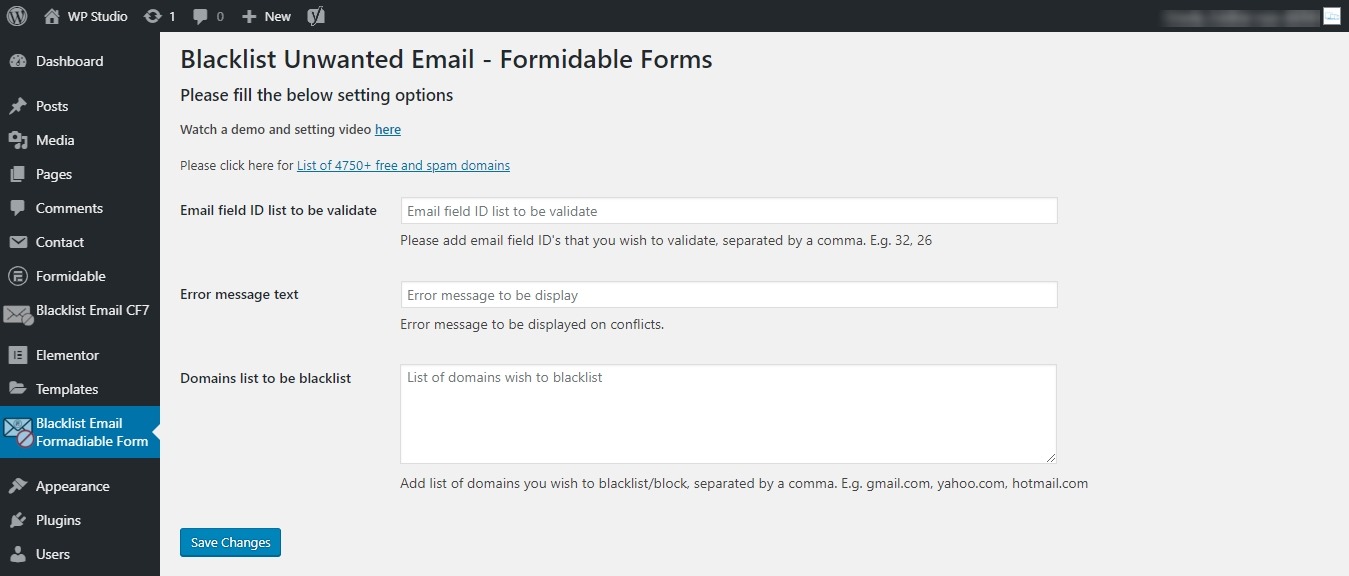
Blacklist Unwanted Email - Formidable Forms Setting Page

Sample data filled
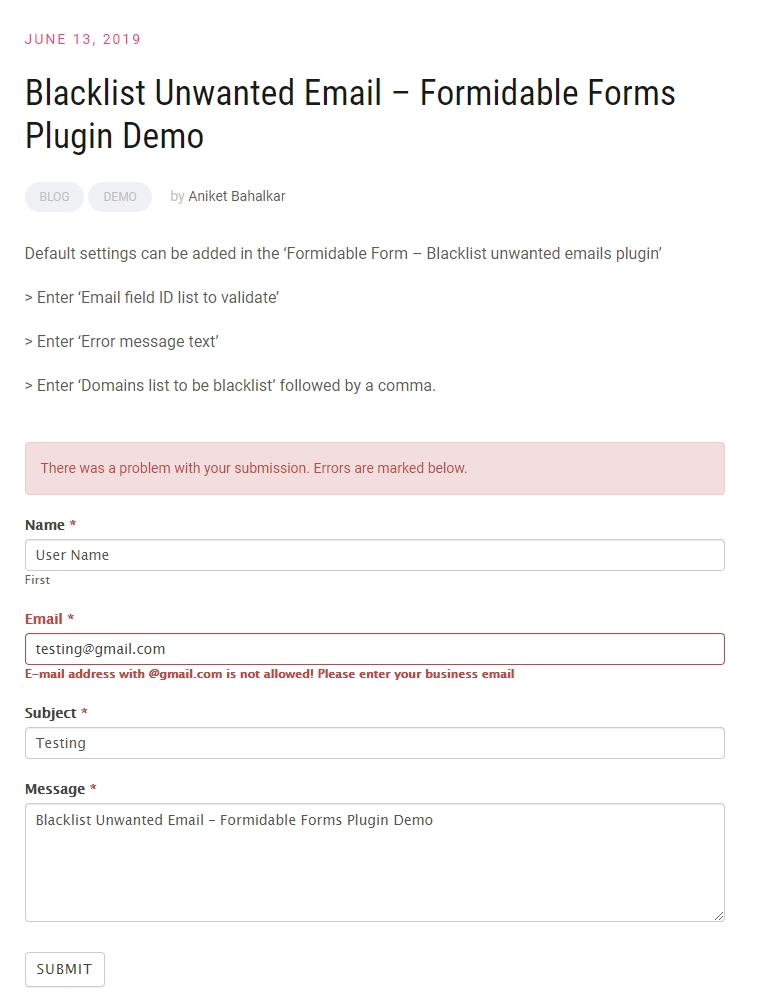
Testing of plugin
Changelog
Nothing right now