

Maintenance 61/10090d since update
Active installs
10
Downloads
1,069
Reviews
1
Age
1.5y
Plugin info
Total downloads: 1,069
Active installs: 10
Total reviews: 1
Average rating: 5
Support threads opened: 0
Support threads resolved: 0 (0%)
Available in: 2 language(s)
Contributors: 1
Last updated: 11/20/2025 (90 days ago)
Added to WordPress: 9/2/2024 (1 years old)
Minimum WordPress version: 6.3
Tested up to WordPress version: 6.9
Minimum PHP version: 7.0
Maintenance & Compatibility
Maintenance score
Actively maintained • Last updated 90 days ago • 1 reviews
61/100
Is Block Finder abandoned?
Likely maintained (last update 90 days ago).
Compatibility
Requires WordPress: 6.3
Tested up to: 6.9
Requires PHP: 7.0
Similar & Alternatives
Explore plugins with similar tags, and compare key metrics like downloads, ratings, updates, support, and WP/PHP compatibility.
Hostinger Tools
Rating 2.9/5 (22 reviews) • Active installs 2,000,000
Ally – Web Accessibility & Usability
Rating 2.9/5 (141 reviews) • Active installs 400,000
Admin and Site Enhancements (ASE)
Rating 5.0/5 (383 reviews) • Active installs 200,000
Go Live Update Urls
Rating 4.5/5 (59 reviews) • Active installs 80,000
PW WooCommerce Bulk Edit
Rating 4.9/5 (233 reviews) • Active installs 20,000
Yandex Metrica
Rating 3.8/5 (33 reviews) • Active installs 20,000
Description
Adds a dashboard metabox that allows a user to quickly find and edit specific core or custom blocks across all post types on a site.
Installation
- Upload the plugin folder to your /wp-content/plugins/ folder.
- Go to the Plugins page and activate the plugin.
Frequently Asked Questions
- Once activated head to the dashboard
- Look for the “Block Finder” item
- Select your post type and block
- Click “Find Block”
Simply deactivate and delete the plugin.
Review feed
No reviews available
Screenshots
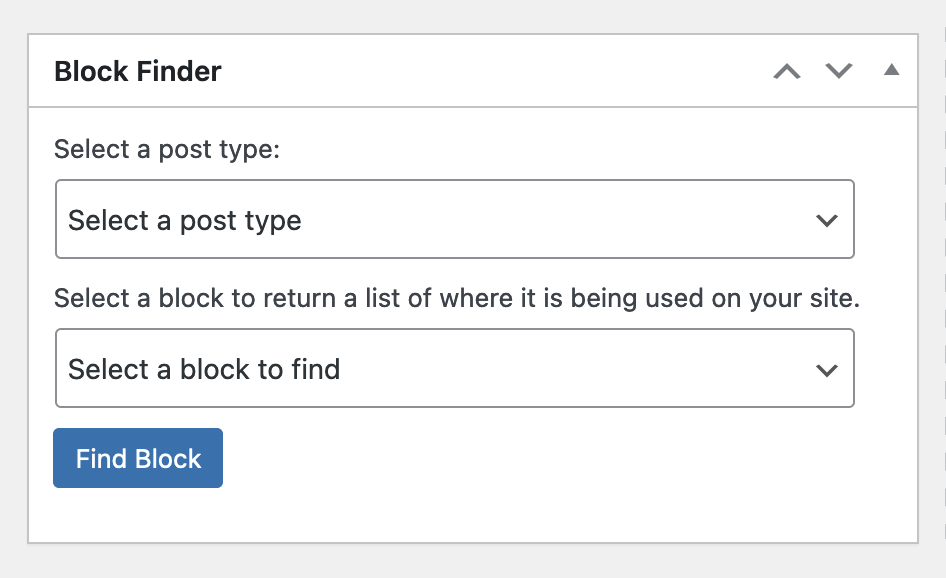
Basic dashboard view on first load

Filtering results by pages and core paragraph blocks

Filtering results by all post types and core heading blocks
Changelog
View the changelog in the Github repo.