

Block for Font Awesome
Display a Font Awesome 5, Font Awesome 6, Font Awesome 7 or Font Awesome kit icon in a Gutenberg block or a custom HTML block.
Maintenance 40/100200d since update
Active installs
1,000
Downloads
29,715
Reviews
5
Age
6.8y
Plugin info
Total downloads: 29,715
Active installs: 1,000
Total reviews: 5
Average rating: 4.2
Support threads opened: 0
Support threads resolved: 0 (0%)
Available in: 2 language(s)
Contributors: 2
Last updated: 9/17/2025 (200 days ago)
Added to WordPress: 7/6/2019 (6 years old)
Minimum WordPress version: 6.4
Tested up to WordPress version: 6.8.3
Minimum PHP version: 7.1
Maintenance & Compatibility
Maintenance score
Stale • Last updated 200 days ago • 5 reviews
40/100
Is Block for Font Awesome abandoned?
Likely maintained (last update 200 days ago).
Compatibility
Requires WordPress: 6.4
Tested up to: 6.8.3
Requires PHP: 7.1
Similar & Alternatives
Explore plugins with similar tags, and compare key metrics like downloads, ratings, updates, support, and WP/PHP compatibility.
No similar plugins found yet.
Description
This plugin allows you to display any Font Awesome 5, Font Awesome 6, Font Awesome 7 or Font Awesome kit icon as an editor block (Gutenberg) or a custom HTML block.
You can also add the icon as HTML code or, inline, by using the [fa class="fas fa-fw fa-phone"] shortcode.
Read more about the Block for Font Awesome plugin here.
Installation
- Log into your WordPress site
- Install and activate plugin
- Add a Font Awesome Icon block
Frequently Asked Questions
No FAQ available
Review feed
Ciprian Popescu
Great time-saving plugin!
We have installed this plugin on our 400+ agency websites and couldn't be happier.
Adding icons is a breeze, and the HTML and shortcode support extends into our theme development process.
Screenshots
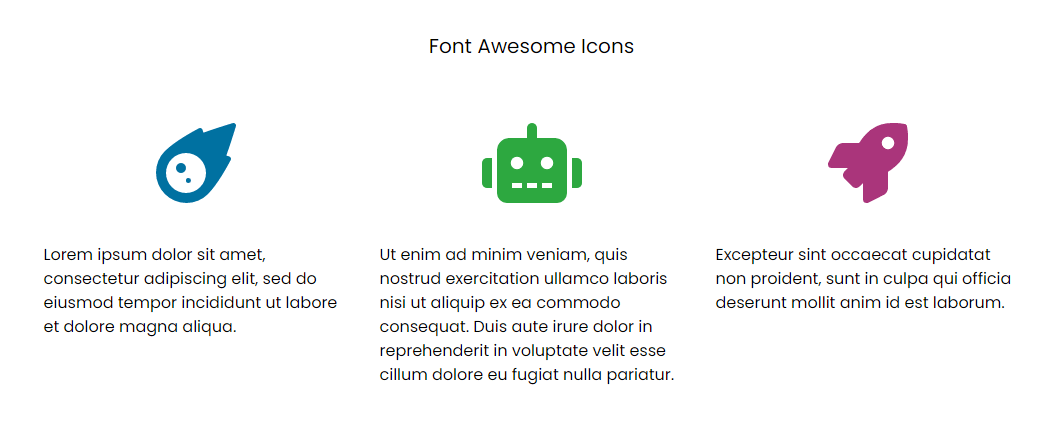
Front-end icon blocks

Back-end icon blocks
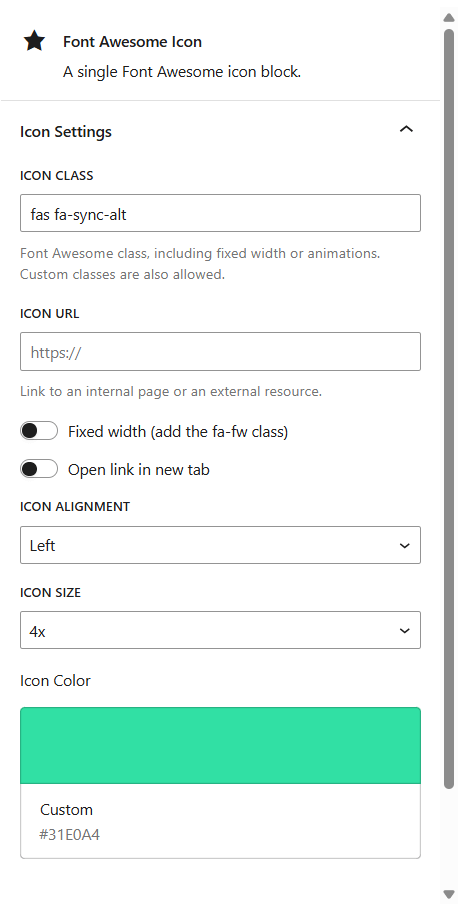
Icon settings
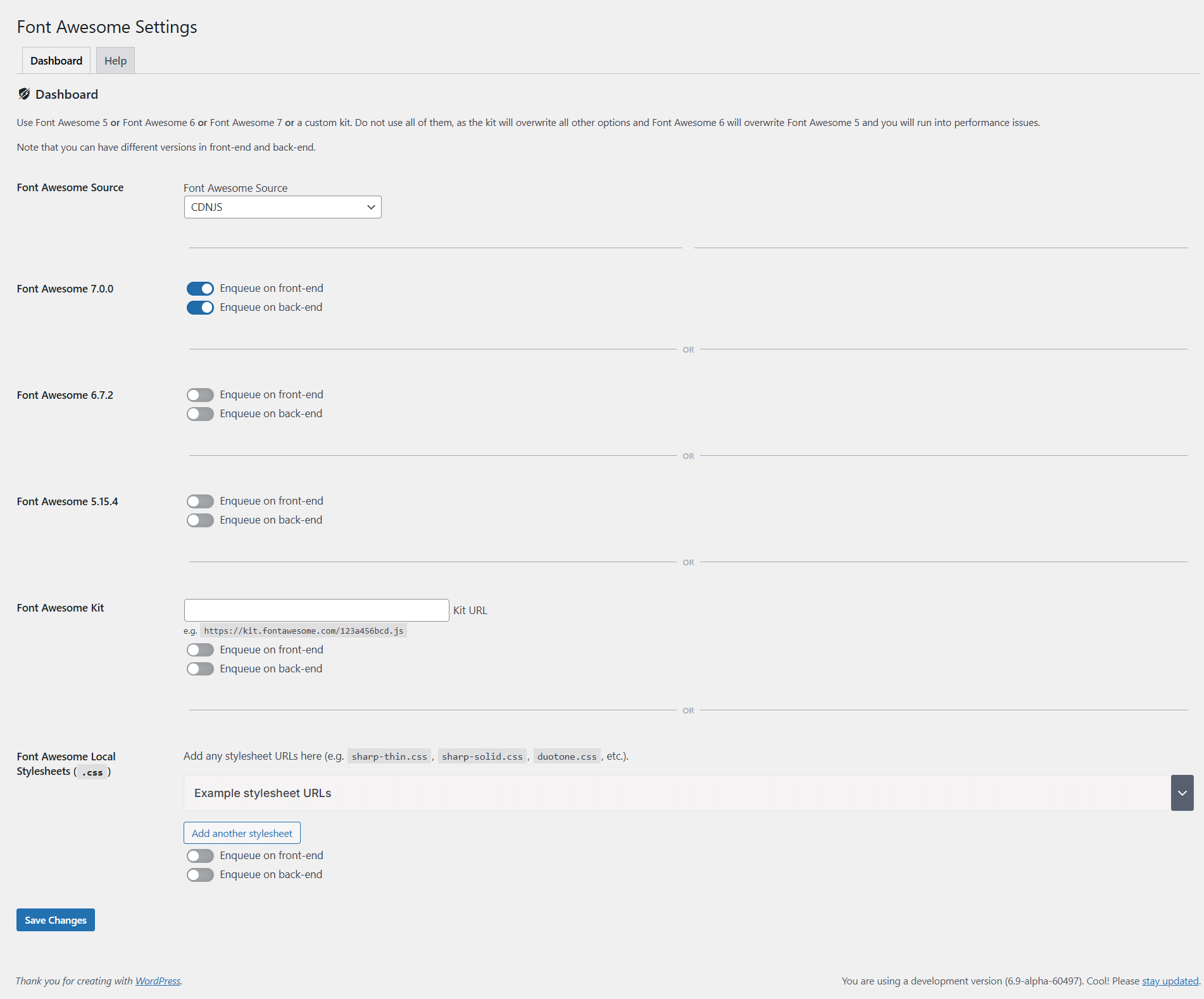
Plugin settings
Changelog
1.7.3
- UPDATE: Update Font Awesome 7 to 7.0.1 (from 7.0.0)
1.7.2
- FIX: Fix block control types for latest block editor versions
- FEATURE: Add better support for “icon” shortcodes
1.7.1
- FEATURE: Refactor resource loading and CDN source
1.7.0
- FEATURE: Add support for Font Awesome 7
- UPDATE: Update WordPress compatibility
1.6.1
- UPDATE: Add support for “icon” shortcode for easier migration from Font Awesome 5 to Font Awesome 6+
1.6.0
- FEATURE: Add icon size
- UPDATE: Add a default icon class so the icon is visible in the editor
- UPDATE: Update Font Awesome 6 to 6.7.2 (from 6.6.0)
- UPDATE: Update color picker to use ColorPalette
- UPDATE: Update WordPress compatibility
1.5.0
- SECURITY: Further sanitize and escape all settings
- UPDATE: Update Font Awesome 6 to 6.6.0 (from 6.5.2)
- UPDATE: Add useBlockProps from wp.blockEditor
- UPDATE: Add PanelBody to the variable declarations at the top
- UPDATE: Change wp.editor.InspectorControls to wp.blockEditor.InspectorControls since wp.editor is deprecated
1.4.6
- FIX: Fix external CSS array not being initialized when saving settings
1.4.5
- FIX: Fix XSS vulnerability
1.4.4
- FIX: Fix XSS vulnerability
- UPDATE: Update Font Awesome 6 to 6.5.2 (from 6.5.1)
1.4.3
- FIX: Add extra condition for loading Font Awesome 6 + Local stylesheets
1.4.2
- FEATURE: Add option to add an array of external (or local) stylesheets
- UPDATE: Update WordPress compatibility
1.4.1
- FIX: Add nonce to settings page
1.4.0
- FIX: Fix CSRF vulnerability
- SECURITY: Restrict directory indexing
- SECURITY: Make sure all options are sanitized before casting to integer
- UPDATE: Update WordPress compatibility
- UPDATE: Update Font Awesome 6 to 6.5.1 (from 6.4.2)
1.3.3
- UPDATE: Updated WordPress compatibility
- UPDATE: Updated Font Awesome 6 to 6.4.2 (from 6.4.0)
1.3.2
- UPDATE: Updated WordPress compatibility
1.3.1
- UPDATE: Updated WordPress compatibility
- UPDATE: Updated Font Awesome 6 to 6.4.0 (from 6.2.1)
1.3.0
- FIX: Fixed Font Awesome kit not being loaded in the back-end
- UPDATE: Updated WordPress compatibility
- UPDATE: Updated Font Awesome 6 to 6.2.1 (from 6.2.0)
1.2.6
- FIX: Fixed color picker for new Gutenberg versions (replaced ColorPalette with ColorPicker)
- UPDATE: Updated WordPress compatibility
- UPDATE: Updated Font Awesome 6 to 6.2.0 (from 6.1.2)
1.2.5
- UPDATE: Updated WordPress compatibility
- UPDATE: Updated description to include Font Awesome 6 and Font Awesome kit icons
- UPDATE: Updated Font Awesome 6 to 6.1.2 (from 6.1.1)
1.2.4
- UPDATE: Updated block editor filter to support WordPress 5.8+
- UPDATE: Updated WordPress requirements to support WordPress 5.8+
1.2.3
- FIX: Fixed Font Awesome 6 source being hardcoded to a local path
1.2.2
- FIX: Fixed Font Awesome 6 source option not being selected
1.2.1
- UPDATE: Removed hardcoded Font Awesome 6 source files and replaced with CDN versions
1.2.0
- FEATURE: Added Font Awesome 6 (6.1.1) support
- FEATURE: Added Font Awesome Kit support
- FEATURE: Added link target (self or new tab)
- UPDATE: Updated Font Awesome to 5.15.4 (from 5.15.3)
- UPDATE: Updated WordPress compatibility
- UPDATE: Updated codebase to conform to latest WordPress Coding Standards (WPCS) ruleset
- UPDATE: Added plugin version parameter to admin.css to fix caching issues
1.1.10
- UPDATE: Updated Font Awesome to 5.15.3 (from 5.15.2)
- UPDATE: Updated WordPress compatibility
1.1.9
- FIX: Fixed array and string offset access syntax with curly braces in PHP 8
1.1.8
- UPDATE: Updated Font Awesome to 5.15.2 (from 5.15.1)
1.1.7
- FEATURE: Added option to enqueue Font Awesome on front-end
- FEATURE: Added option to enqueue Font Awesome on back-end
- UPDATE: Updated WordPress compatibility
1.1.6
- FEATURE: Added icon URL (link)
- FEATURE: Added icon alignment
- UPDATE: Updated Font Awesome to 5.15.1 (from 5.15.0)
- FIX: Added missing translations
1.1.5
- UPDATE: Updated Font Awesome to 5.15.0 (from 5.14.0)
- UPDATE: Updated WordPress compatibility
1.1.4
- UPDATE: Updated Font Awesome to 5.14.0 (from 5.13.0)
- UPDATE: Updated WordPress compatibility
- UPDATE: Tested with the latest Gutenberg plugin version
1.1.3
- UPDATE: Updated Font Awesome to 5.13.0 (from 5.12.1) to include the new COVID-19 icons
- UPDATE: Tested with the latest Gutenberg plugin version
1.1.2
- UPDATE: Updated Font Awesome to 5.12.1 (from 5.10.1)
- UPDATE: Updated WordPress compatibility
1.1.1
- FIX: Fixed SVN import
- UPDATE: Updated plugin assets
1.1.0
- FIX: Enqueued Font Awesome 5 in admin section (do not depend on other themes and plugins)
- FIX: Fixed wrong inspector panel label
- UPDATE: Updated Font Awesome to 5.10.1 (from 5.9.0)
- UPDATE: Updated description to include the shortcode
1.0.2
- UPDATE: Added fixed-width parameter
- UPDATE: Added custom colour picker
1.0.1
- FIX: Changed plugin initialization to avoid a console error
- UPDATE: Changed name and slug
- UPDATE: Updated Font Awesome to 5.9.0 (from 5.8.2)
- UPDATE: General cleanup
1.0.0
- Initial release