

Block Gallery to Carousel Lightbox
A simple carousel lightbox gallery plugin for WordPress Block Editor.
Plugin info
Maintenance & Compatibility
Maintenance score
Stale • Last updated 359 days ago
Is Block Gallery to Carousel Lightbox abandoned?
Likely maintained (last update 359 days ago).
Compatibility
Developers
Similar & Alternatives
Explore plugins with similar tags, and compare key metrics like downloads, ratings, updates, support, and WP/PHP compatibility.
Description
Block Gallery to Carousel Lightbox is a user-friendly plugin for the WordPress Block Editor that seamlessly converts your default Block Gallery into a beautiful Image Carousel Lightbox featuring attractive thumbnail displays. Perfect for beginners, this plugin requires no coding skills and easily integrates with your existing WordPress setup. For more information, visit blog page!
Installation
- Upload the
block-gallery-to-carousel-lightboxfolder to the/wp-content/plugins/directory. - Activate the plugin through the ‘Plugins’ menu in WordPress.
Frequently Asked Questions
- Add a Gallery block to your post or page.
- Set Gallery images to Thumbnail resolution.
- Add CSS class “atakanau_bgtcl_auto_container” in the Advanced section.
- Link images to Media File.
Review feed
Screenshots
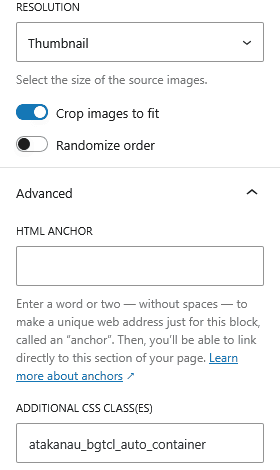
Set Gallery images to Thumbnail resolution, add CSS class "atakanau_bgtcl_auto_container".
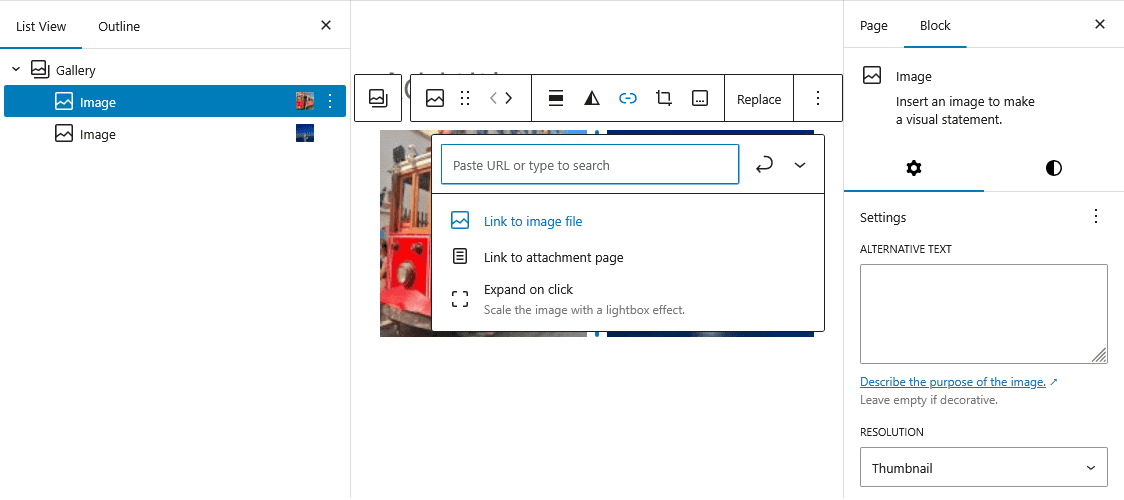
Link Gallery images to Media File.
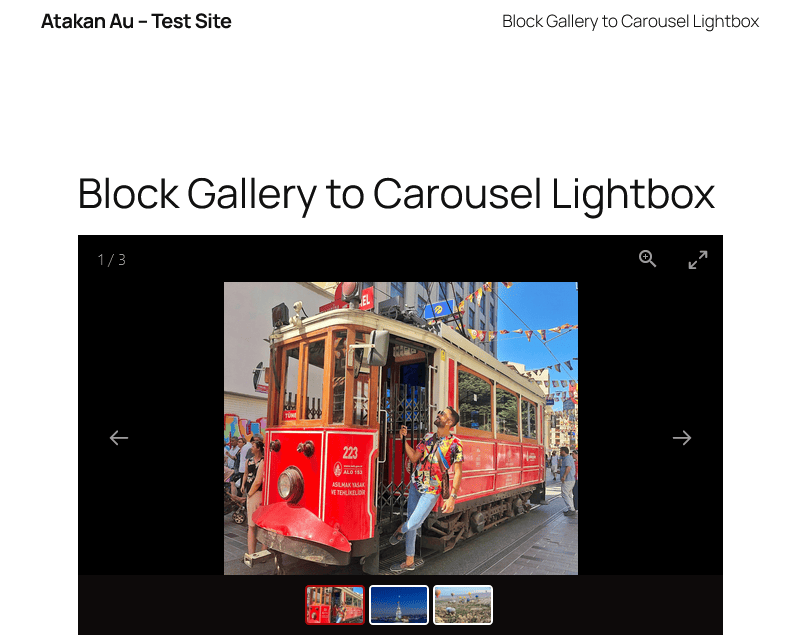
Sample preview.
Changelog
1.0.1
- Minor bug fixed
1.0.0
- Initial release of Block Gallery to Carousel Lightbox.