

Plugin info
Maintenance & Compatibility
Maintenance score
Possibly abandoned • Last updated 1413 days ago • 33 reviews
Is Block Navigation abandoned?
Possibly abandoned (last update 1413 days ago).
Compatibility
Developers
Similar & Alternatives
Explore plugins with similar tags, and compare key metrics like downloads, ratings, updates, support, and WP/PHP compatibility.
Description
Demo – Documentation – GitHub
Block Navigation provides a sidebar with the current post/page’s blocks and some tools to facilitate the editing process in the new Gutenberg editor.
Features
The features are especially useful for nested blocks – blocks that are inside parent blocks which are difficult to select or move in the editor.
Inside the panel several utilities are included to enhance the UX, such as:
- Dragging blocks to a different location
- Moving blocks by click
- Selecting blocks
- Easily recognising the block from a small snippet of the block’s content
The user can select a dark or light color scheme, from the multiple included.
Plugin and Theme developers
The plugin also provides some features for Plugin and Theme developers, such as:
- Click and Copy the block’s clientId
- Click to console.log helpful data from the block
Usage
Inside the Post editor on the right side of the top Block’s Toolbar the plugin icon/button should appear (if not, please read the FAQ below).
Click the icon/button to open the plugin sidebar.
Credits
Images from the readme banner and screenshots belong to Charles Postiaux.
Installation
Installation from the WordPress admin.
- Log in to the WordPress admin and navigate to Plugins > Add New.
- Type “Block Navigation” in the Search field.
- In the results list Block Navigation plugin should appear, click Install Now button.
- Once it finished installing, click the Activate button.
- That’s it, now you can go to any post where Gutenberg is enabled and start using the plugin.
Frequently Asked Questions
Alternatively the Plugin can be opened from the Show More button (the 3 dots on the right side of the Editor Top Bar).
Click the More button and inside the menu list click on the plugin name “Block Navigation”.
Review feed
Great plugin
So handy
Screenshots

Main view, dark scheme.

Dragging a block to a different position.
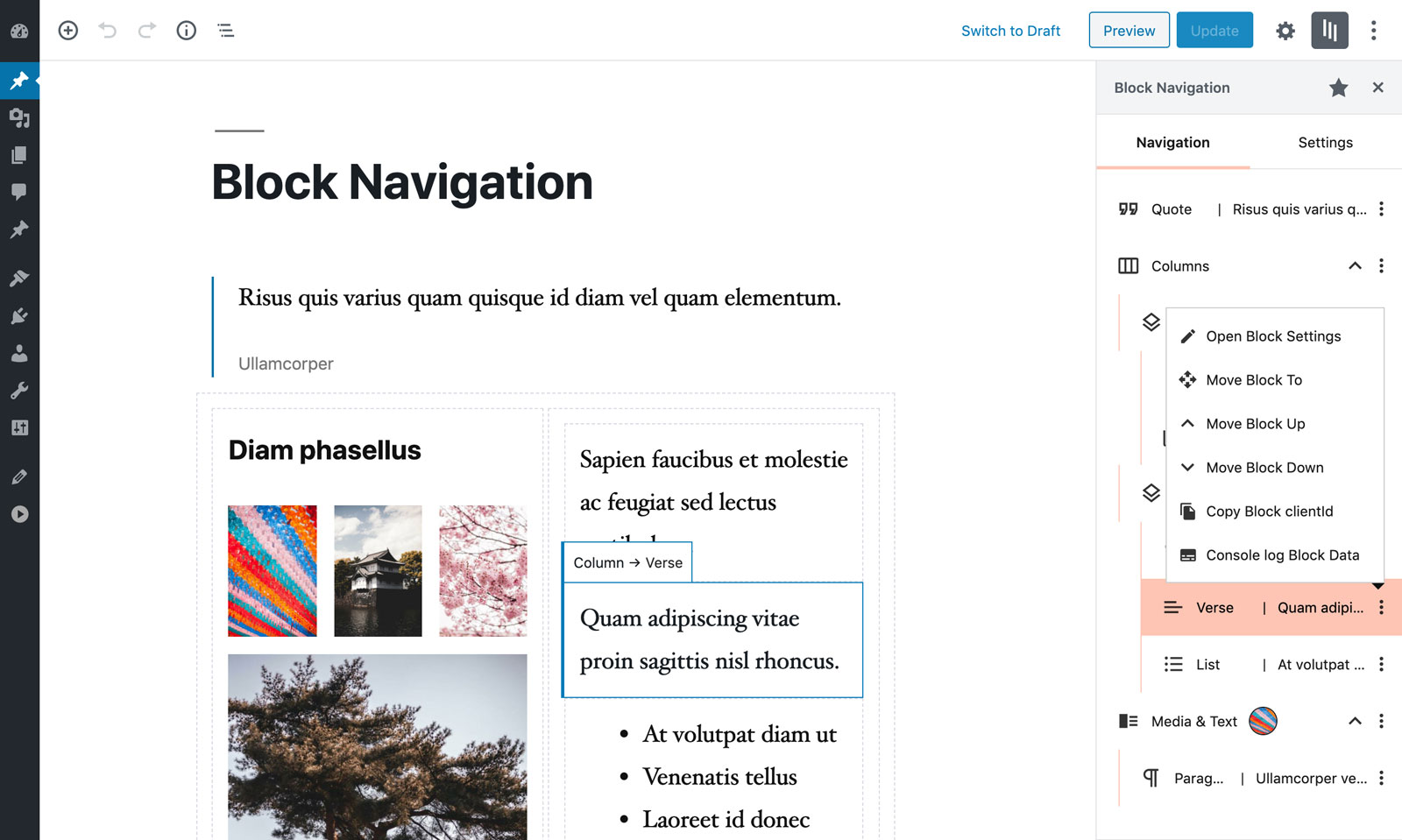
Block menu.
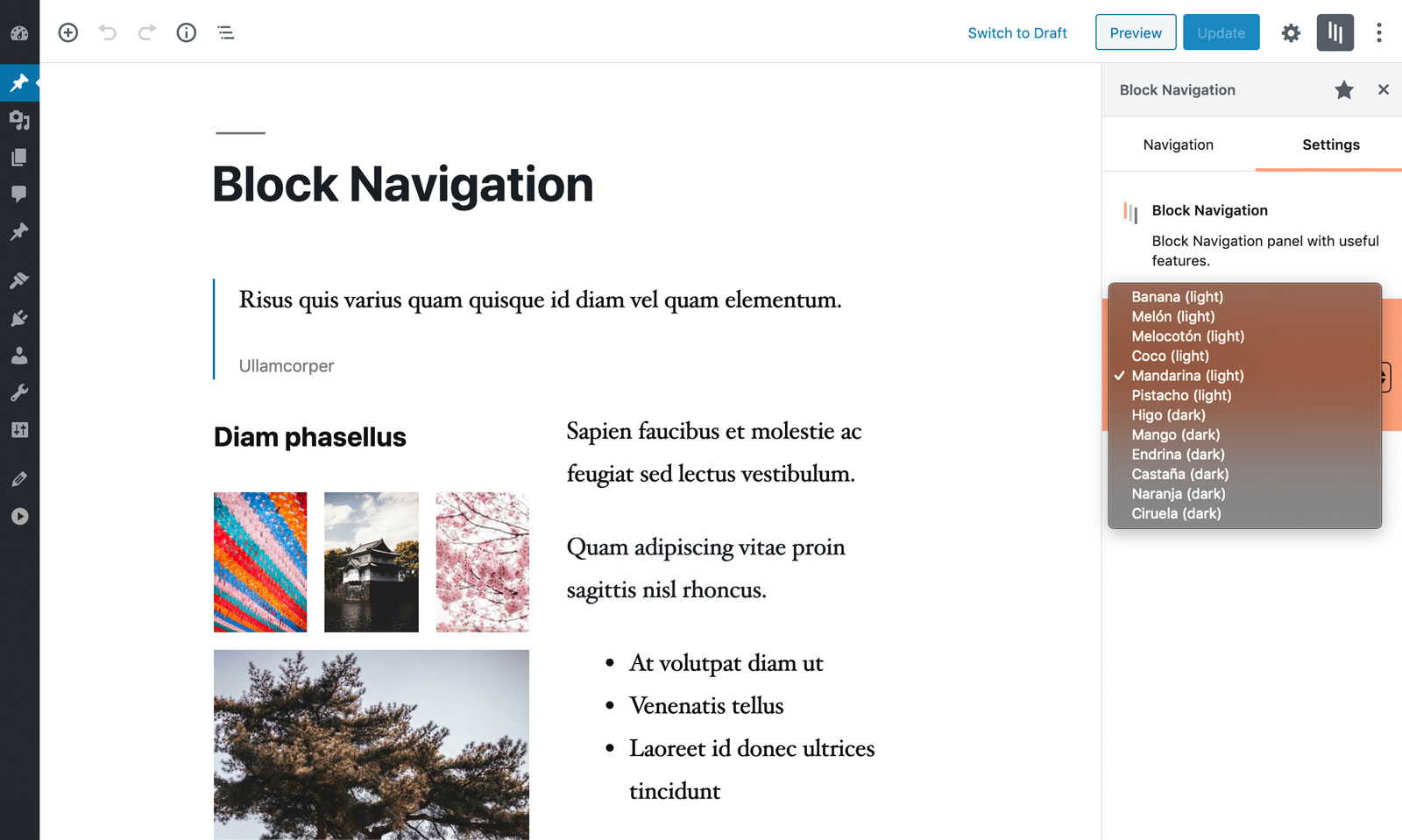
List of available color schemes, light and dark.
Changelog
4.1.1
- Fixed incompatibility with some custom blocks
4.1.0
- Minor fixes for WP 5.9
- Updated dependencies
4.0.1
- Minor style fixes
4.0.0
- Code base refactor for improved performance
- Fixed WP 5.8 incompatibility of the drag-and-drop functionality
- Added duplicate button in block menu
- Display block variant icon and name when there is no block content
- Added toggle all blocks button
- Small style improvements
3.4.1
- Added a temporary patch for WP 5.8 drop event
3.4.0
- Fixed bug in WP 5.7, drop events not being triggered
- Updated dependencies
3.3.3
- Fixed a style bug with Gutenberg 9.8
- Updated dependencies
3.3.2
- Updated dependencies
3.3.1
- Fixed bug in icon used to register the plugin
3.3.0
- Added “Detached position” setting
- Added “Block info displayed” setting
- Added “Developer mode” setting
- Extended the list of blocks that display content
- CSS and JS small fixes and improvements
3.2.0
- Added detach mode
- Added WordPress admin color scheme
- Updated dependencies
3.1.0
- Added “Remove Block” button in block menu
- Updated dependencies
3.0.0
- Major refactor
- Updated dependencies
2.0.1
- Fixed text being selected on drag
- Fixed images being able to be dragged
- Updated dependencies
2.0.0
- Major refactor. Use of react hooks, load an old version of the plugin for WP 5.2
- Use of a virtual list to improve performance (specially when dragging)
- Blocks can be dropped as a children of an empty nestable block
- Overall improvement in the UX
- The scrollTop position will update based on the current selected block
1.3.0
- Blocks that are nestable (like columns) now retain their collapsed/expanded state, after closing and re-opening the plugin sidebar or after collapsing an ancestor block.
- Reusable blocks now show their title, so they are more easy to identify.
1.2.1
- Minor bugfixes.
1.2.0
- Improved moving blocks UX (both by drag and by click).
- Added the filter “blockNavigation.addBlockContentAttributePath” for developers to include their own block type content.
- Updated the UI.
- Rebuilt code, migrated JavaScript to TypeScript.
- Raised minimum WordPress version to 5.2 to make use of block-editor package.
1.1.2
- Cleaned console log output and added “attributes-available”.
- Fixed castaña scheme dark color.
- Updated cover block and added media-text block.
- Small typo and bug fixes.
1.1.1
- Make use of Rich Text WordPress package.
- Small typo and bug fixes.
1.1.0
- Added Development Mode. Currently it adds two extra actions inside each Block’s menu: Copy the Block clientId to the Clipboard and Log to the browser’s console some helpful Block related data.
- Clicking on an already selected block deselects it.
1.0.1
- Fix bug with jQuery variable
- Upgrade logo to SVG
- Schemes naming fix
1.0.0
- Initial release.