

Block Responsive – Make Editor Blocks Responsive Easily
Transform any WordPress block into a fully responsive element with device-specific controls for mobile, tablet, and desktop optimization.
Plugin info
Maintenance & Compatibility
Maintenance score
Stale • Last updated 188 days ago • 1 reviews
Is Block Responsive – Make Editor Blocks Responsive Easily abandoned?
Likely maintained (last update 188 days ago).
Compatibility
Similar & Alternatives
Explore plugins with similar tags, and compare key metrics like downloads, ratings, updates, support, and WP/PHP compatibility.
Description
Block Responsive is the ultimate WordPress plugin for creating mobile-friendly, responsive websites with Gutenberg blocks. This comprehensive responsive design tool gives you complete control over how your content appears across all devices, making it easy to build responsive layouts without any coding knowledge.
Perfect for creating mobile-responsive websites, this plugin automatically adds responsive breakpoints and device-specific styling options to every core WordPress block. Whether you’re optimizing for mobile SEO, improving tablet user experience, or fine-tuning desktop layouts, Block Responsive provides the responsive web design tools you need.
Key Features
📱 Display Controls
Hide/show blocks on specific devices (mobile, tablet, desktop)
Simple toggle controls with device-specific icons
Visual feedback for hidden blocks
🎨 Responsive Styling Options
Alignment Controls: Block alignment settings for different screen sizes
Colors Controls: Text color, background color, and link color with device-specific settings
Background Image Controls: Responsive background image settings
Typography Controls: Font size, line height, letter spacing, and text transform for each device
Dimensions Controls: Padding, margin, width, and height controls for responsive layouts
Border & Shadow Controls: Border radius, border width, and shadow effects per device
How It Works
- Block Inspector Integration: Responsive controls appear in the block inspector panel
- Device-Specific Settings: Configure different styles for mobile, tablet, and desktop
- Real-time Preview: See changes immediately in the editor
- Frontend Rendering: Automatically generates and applies responsive CSS
Have feedback, suggestions, or feature ideas?
Feel free to share them with me at [email protected]. I’d love to hear your thoughts!
Installation
Method 1: WordPress Admin (Recommended)
- Go to Plugins > Add New in your WordPress admin
- Search for “Block Responsive”
- Click Install Now and then Activate
Frequently Asked Questions
After activating the plugin, open any post or page in the Gutenberg editor. Select any block and look for the “Block Responsive” panel in the block inspector (right sidebar). You’ll see various responsive controls organized by category.
The plugin works with all core Gutenberg blocks (blocks that start with “core/”). This includes paragraphs, headings, images, buttons, columns, and many more.
Currently, the plugin is designed to work with core WordPress blocks. Custom blocks may not have the responsive controls unless they follow the same structure as core blocks.
No, the plugin only adds controls to blocks. It doesn’t modify existing content unless you specifically use the responsive controls on blocks.
The plugin is optimized for performance. It only loads the necessary scripts and styles in the editor and generates minimal CSS for the frontend.
Currently, all core blocks will have the responsive controls available. Future versions may include options to disable controls for specific blocks.
Your content will remain intact, but any responsive styling applied through the plugin will no longer be visible. The blocks will display with their default styling.
Review feed
This should be in the core.
Screenshots
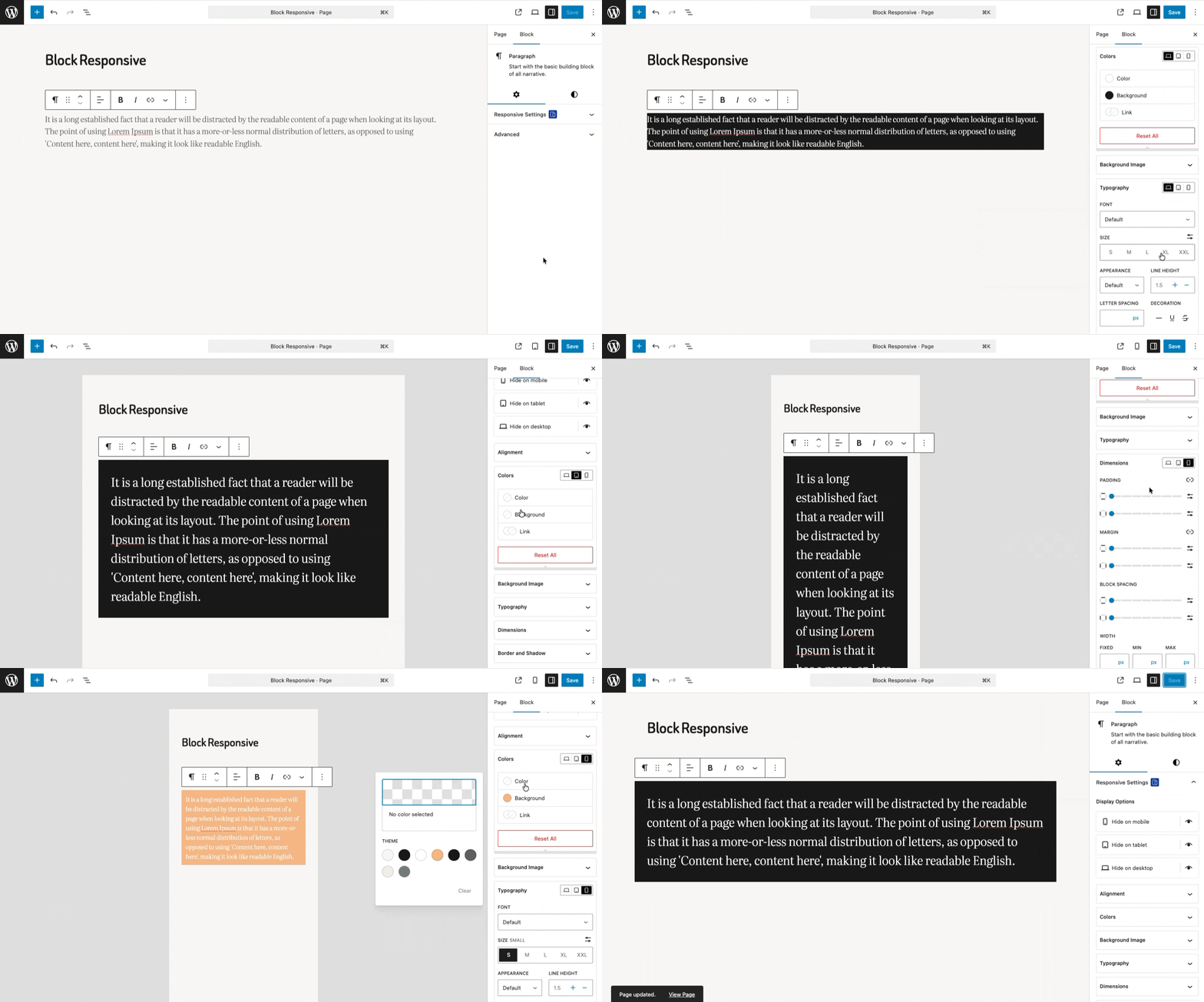
Real-Time Preview of Block Responsive Settings
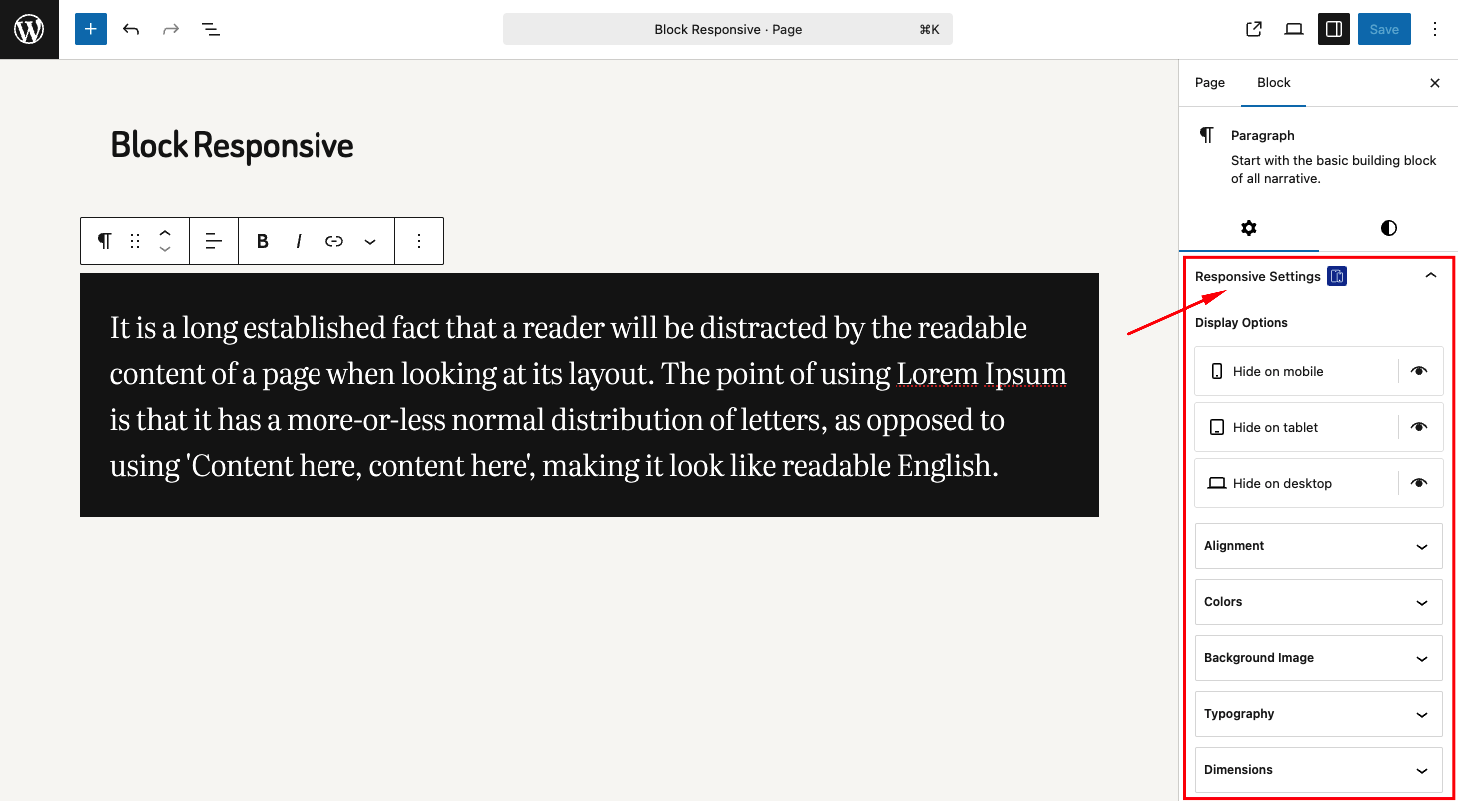
Responsive Settings Panel in Block Editor
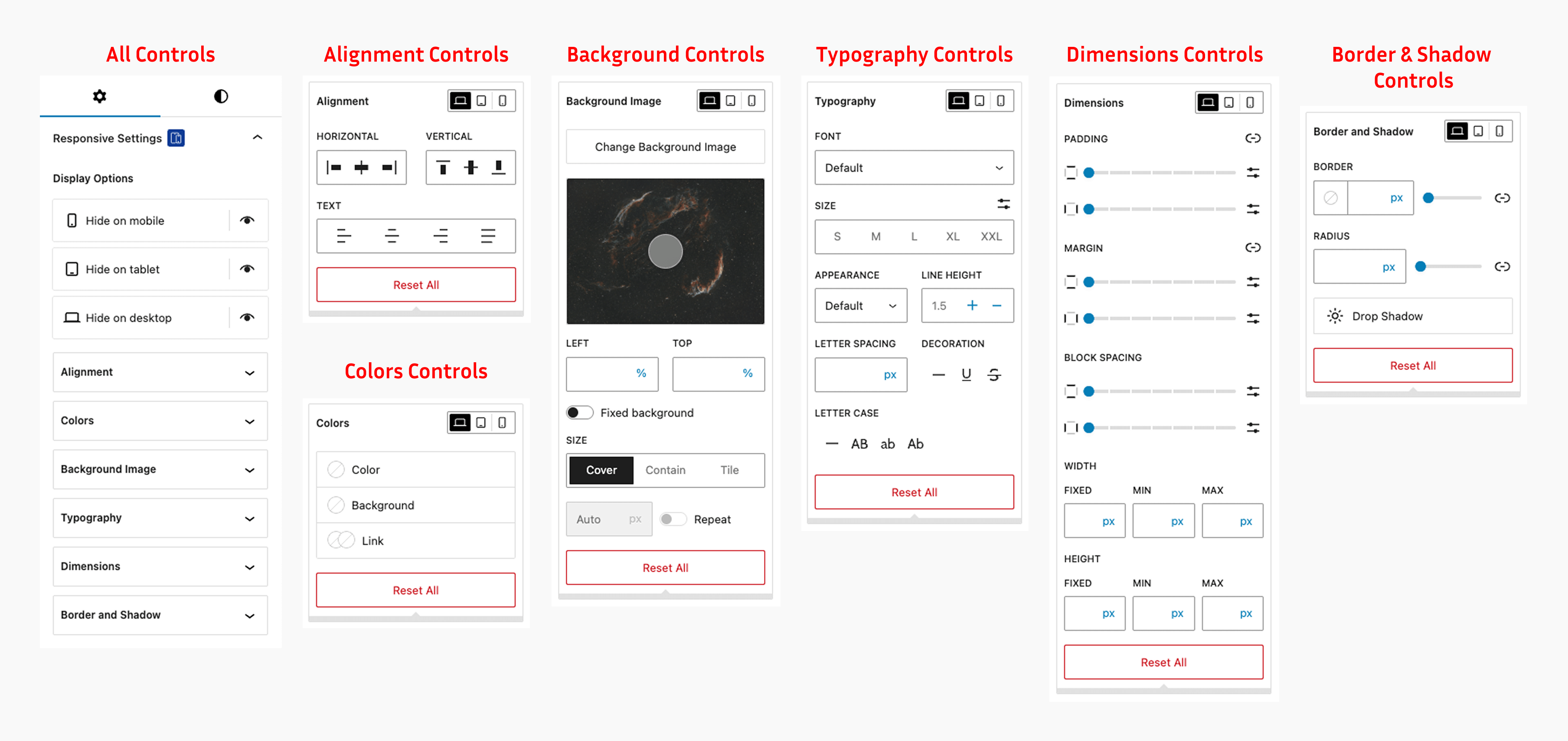
Block inspector showing responsive controls panel with display, typography, and color options
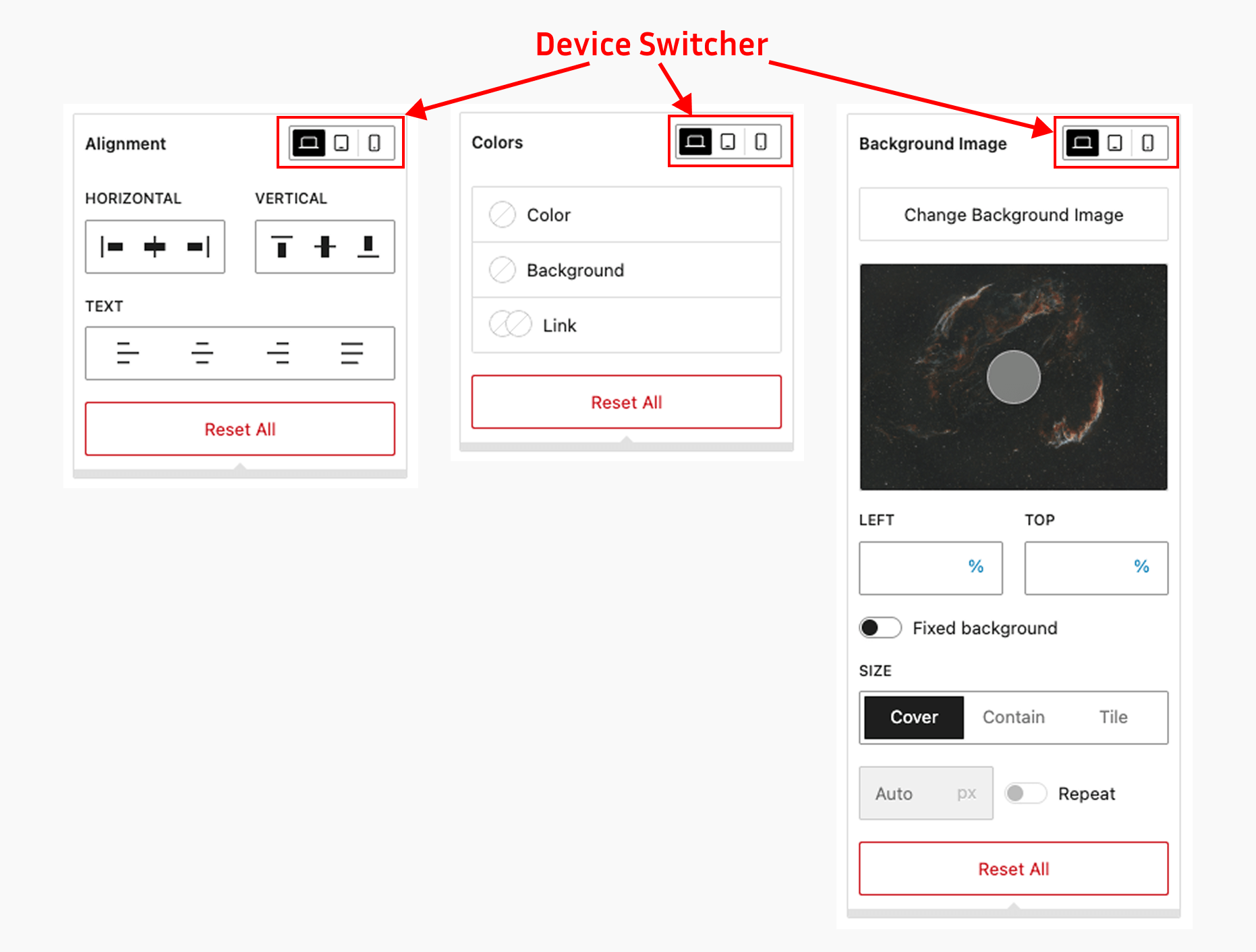
Device-specific controls for mobile, tablet, and desktop
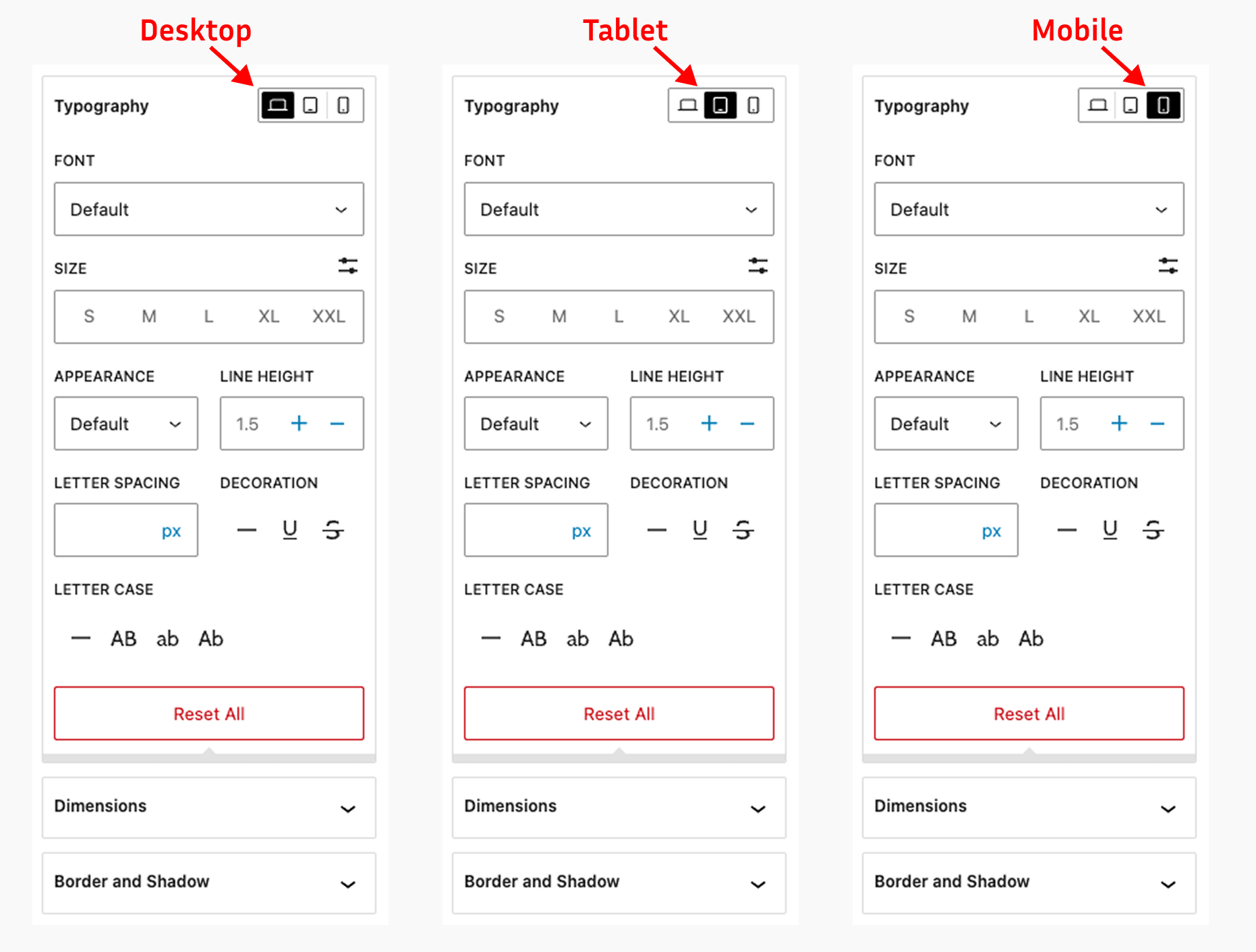
Responsive typography controls with device-specific font size settings
Changelog
1.0.2
- Add: Compatibility with WooCommerce blocks
- Fix: Reset issue with flex direction settings
- Update: The language (.pot) file
1.0.1
- Add: Flex direction control in the alignment settings
- Add: Support for negative margin values in the spacing controls
- Update: The language (.pot) file
1.0.0
- Initial release
- Added display controls for mobile, tablet, and desktop
- Added responsive typography controls
- Added responsive color controls
- Added responsive dimensions controls
- Added responsive alignment controls
- Added responsive background image controls
- Added responsive border and shadow controls
- Integrated with Gutenberg block inspector