

Blogpatcher SEO
Blogpatcher SEO: The #1 WordPress SEO and content optimization plugin. Make sure your pages and post have optimized content and follow all SEO best pr …
Plugin info
Maintenance & Compatibility
Maintenance score
Possibly abandoned • Last updated 2416 days ago
Is Blogpatcher SEO abandoned?
Possibly abandoned (last update 2416 days ago).
Compatibility
Similar & Alternatives
Explore plugins with similar tags, and compare key metrics like downloads, ratings, updates, support, and WP/PHP compatibility.
Description
Blogpatcher SEO: The #1 WordPress SEO and content optimization plugin.
Make sure your pages and post have optimized content and follow all SEO best practices.
Blogpatcher SEO is the easiest, fastest and most in-depth plugin to achieve these goals.
Why do we say Blogpatcher is #1? The four main reasons are:
- Unmatched depth when it comes to SEO content analysis.
- Speed and responsiveness, our SEO analysis updates immediately unlike most other SEO plugins.
- Competitor analysis, we do not only analyse your webpage, we also analyse your top 10 competitors to give invaluable insights.
- LSI keywords, you will get related keywords, searches and ideas. All displayed in your WordPress editor and Blogpatcher-SEO will track them automatically in your text.
Installation
Installation through WordPress
- Sign in to WordPress with your admin account.
- Navigate to “Plugins –> Add New” in your menu.
- In the “Search plugins…” field type “blogpatcher” and hit Enter.
- Clicking the install button starts the WordPress installation of your plugin.
- After the installation you can activate your new software by clicking the activate now button. You also can activate the plugin afterwards by navigating to “Plugins –> Installed Plugins”.
Installation through FTP
- Click the “Download” button to download blogpatcher-seo.zip to your hard drive.
- Unpack the zip-file with e.g. WinZip or WinRar.
- Upload the entire blogpatcher-seo folder to the /wp-content/plugins/ directory.
- Activate the plugin through the “Plugins” menu in WordPress.
For basic usage, you can also have a look at the plugin web site https://blogpatcher.com/wordpress-seo-plugin/.
Frequently Asked Questions
Is this plugin free to use?
Yes, it is totally free.
Can I use it without a Blogpatcher account?
Yes, all the SEO lite functionality still works. If you want competitor analysis and LSI keywords you need to link a Blogpatcher account.
Does this plugin rely on any 3rd part service
Yes, if you want to get Competitor analyis and LSI keywords you need to connect to our API endpoint at https://www.blogpatcher.com
This endpoint is called when a user press the “Fetch Page Analysis” or “Fetch Keyword Analysis” button. You can still use the SEO lite functions without pressing any of those buttons. For Blogpatcher terms of service and privacy policy please see: https://blogpatcher.com/tos and https://blogpatcher.com/privacy
Review feed
Screenshots
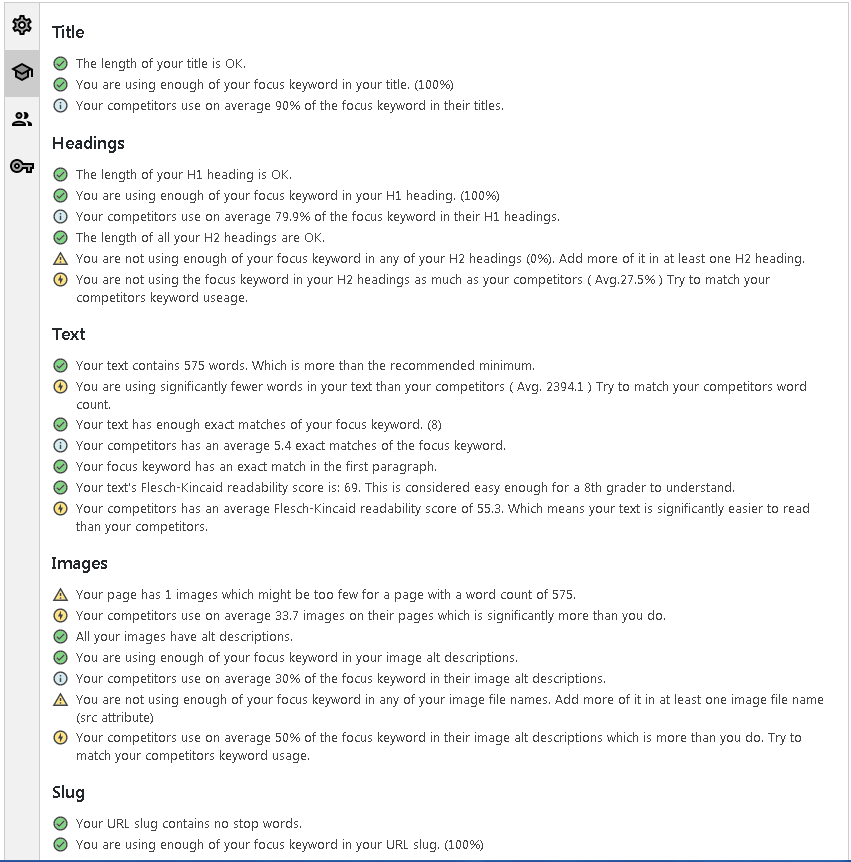
Blogpatcher SEO and Competitor analysis
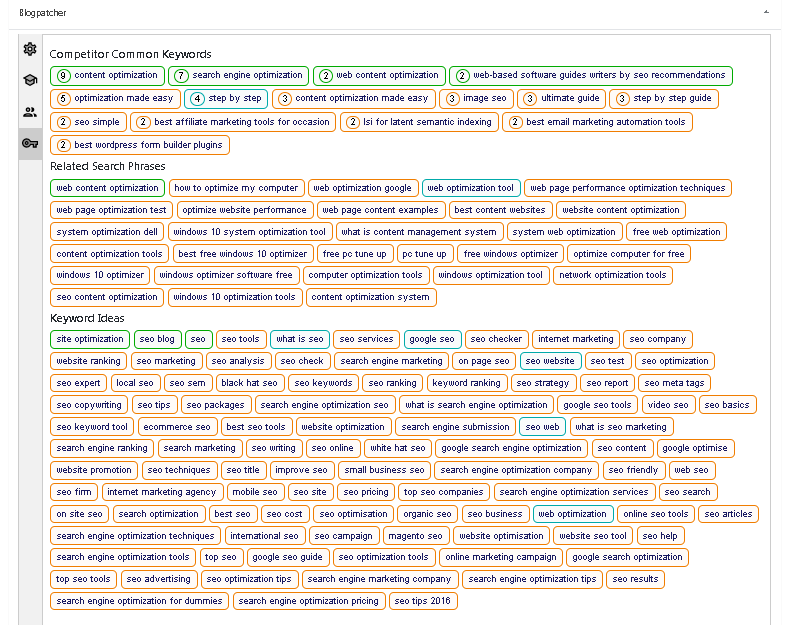
Blogpatcher LSI keywords
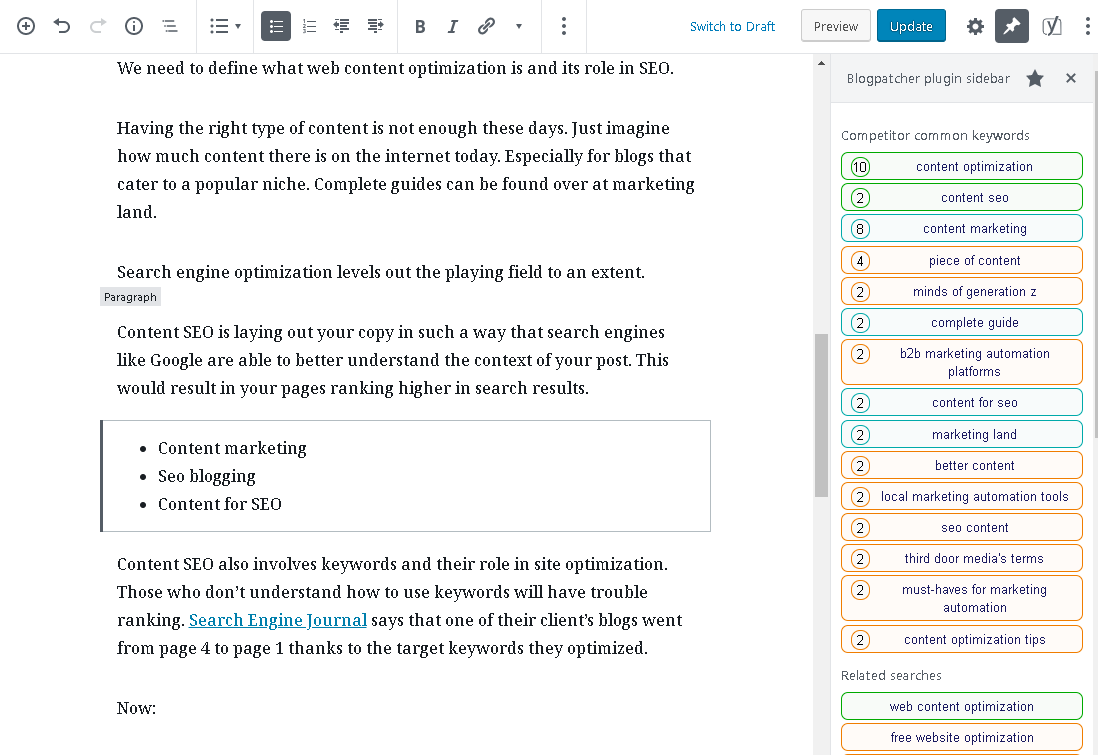
Sidebar with tracking of LSI Keywords
Changelog
0.1.0
- Initial release.
0.2.0
- Beta support for the Classic Editor.
- Added SERP and Keyword usage to the competitors tab.
0.2.1
- Added a toggle for real-time updating of SEO and LSI tracking