

Blogsqode – Blog Layouts and News Post Design
Blogsqode is an effective and user-friendly way to beautify your blog pages on your websites.
Plugin info
Maintenance & Compatibility
Maintenance score
Maintained • Last updated 121 days ago • 3 reviews
Is Blogsqode – Blog Layouts and News Post Design abandoned?
Likely maintained (last update 121 days ago).
Compatibility
Similar & Alternatives
Explore plugins with similar tags, and compare key metrics like downloads, ratings, updates, support, and WP/PHP compatibility.
Description
Blogsqode is an effective and user-friendly way to enhance the appearance of your blog pages on your website. It’s a very popular blog plugin for the WordPress website’s blog section, designed to attract more clients and blog visitors. Blog Designer makes your blog section more intuitive with no coding skills. It’s straightforward to manage for beginners and website developers.
Blogsqode is a good, handy solution for anyone looking for a responsive blog page for the website. Blogsqode provides you with a variety of blog templates to set up your blog page for any WordPress website.
If you are looking for an eye-catching blog section to be integrated into your WordPress website, then our multi-layout blog plugin for WordPress will help you out.
PRO Version | Plugin Preview 💎
⚡️ FEATURES
- Custom Post Type Support
- 5+ Type Blog List Page Layout
- 5+ Type Paginations
- 5+ Type Read More Button
- Single Blog Detail Layout
- Animation Effect
- Social Share with Custom Icon
⛩️ COMPATIBILITY
THEMES
- Avada
- Divi
- Enfold
- Uncode
- Jupiter
- Flatsome
- Salient
- XStore
- KLEO
- And a lot more…
COMPATIBLE WITH
- Elementor
- Gutenberg
- Visual Composer
- WPBakery Page Builder
- WPML
- Beaver Builder
- Divi Builder
- WP Page Builder
⚡️ INSTALLATION
- Upload the ‘blogsqode-posts’ folder to the ‘/wp-content/plugins/’ directory.
- Activate the Blogsqode plugin through the ‘Plugins’ menu in WordPress.
- Add and manage blog post items on your site by clicking on the ‘Post’ tab that appears in your admin menu.
⛩️ COMPATIBILITY
Blogsqode Pro offers additional features for premium members, making it even easier to integrate and explore a wider range of blog layouts and customization. Explore some of our extensive features included in our premium package.
⚡️ PRO FEATURES
- Custom Post Type Support
- 30+ Type Blog List Page Layout (General + Slider)
- 20+ Type Paginations
- 50+ Animation Effects
- 10+ Type Read More Button
- 5+ Single Blog Detail Layout
- Works with WP Bakery, Elementor & More…
- Social Share with Custom Icon
Where Blog Designer Pack plugin useful?
- Blog section or blog page of the website.
- Blogging website.
- News section or news page of the website.
- News magazine website.
- Business & Technology idea sharing.
- Your company story timeline.
- My achievements (timeline).
- Fashion blog website.
- Latest blog trending posts.
- Latest blog featured posts.
- NGO website to share news/updates.
- Personal blog site.
Contributors & Developers
- Blogsqode is a powerful WordPress plugin that allows business owners to add customizable blog sections without any need of a WP Developer. One can choose the best blog layout design from our variety of options. In order to make the website more beautiful and to provide more information blog layout plugin can be used.
Installation
Frequently Asked Questions
Definitely yes, anyone who has a WordPress website can add a blog layout plugin to their website to display the blog section.
You should go with blog layout plugins, as one can purchase and easily add the plugin to the website with different layouts and color schemes, so why should they spend hundreds of dollars on custom-coded blog sections?
Of course, Blogsqode supports all the themes and page builders, so anyone can set up blog layout plugins for their website at a low cost.
Not at all, one can easily add a customizable blog section to their website by purchasing the Blogsqode plugin from Envato market at an affordable rate of $40 with long-term 24/7 support from The_krishna.
Yes, you can easily disable the old plugin and add a new Blogsqode plugin to your website to leverage new layouts and paginations to gain the maximum trust of your blog visitors.
Yes, by using Blogsqode, one can get access to numerous blog layout designs and can customize their blog section accordingly.
Of course not, one can easily set up a WordPress blog layout plugin on their existing WordPress website. They just have to follow a few steps according to our documentation, and still, you are not able to set it up. You can contact us and get it done easily.
Yes, you must have to disable your current blog plugin, and then only you can set up a new WordPress blog layout plugin, “Blogsqode” that gives you access to several customizable blog layouts for your website.
Yes, Blogsqode allows users to customize the call-to-action button, like Read more. You can add any text you want to bring maximum user engagement.
Yes, for all non-techies who do not know much about WordPress and blog layout plugins, Blogsqode allows them to generate Short codes to build their desired blog layout section easily.
Review feed
Screenshots
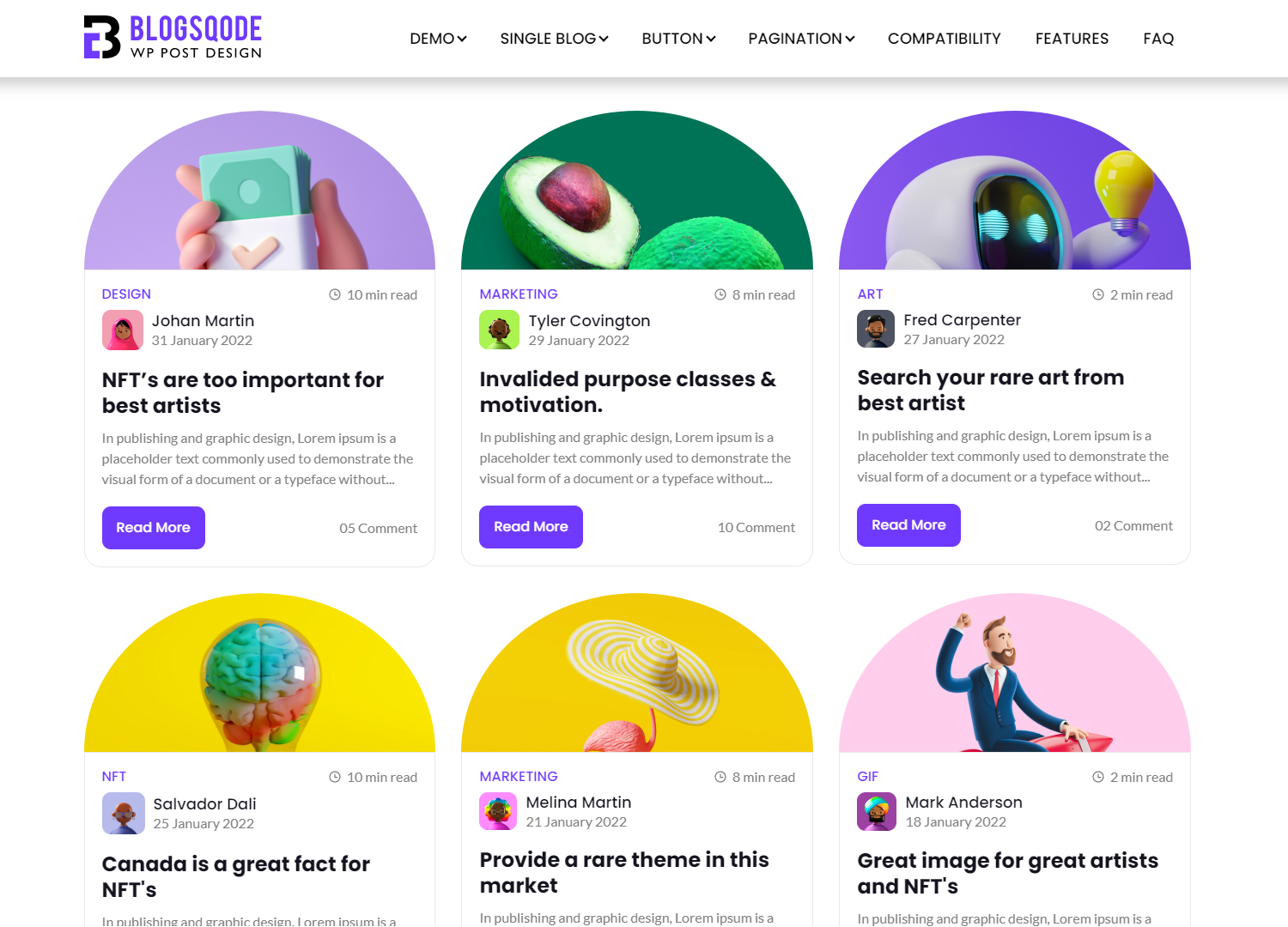
screenshot-1

screenshot-2

screenshot-3

screenshot-4

screenshot-5

screenshot-6
Changelog
2.0
- Updated the Admin Panel with some features
1.0
- Launched