

BotShield CAPTCHA for Contact Form 7
Add simple CAPTCHA protection to Contact Form 7 forms. No API keys required! Prevent spam with arithmetic or image-based challenges.
Plugin info
Maintenance & Compatibility
Maintenance score
Actively maintained • Last updated 89 days ago
Is BotShield CAPTCHA for Contact Form 7 abandoned?
Likely maintained (last update 89 days ago).
Compatibility
Similar & Alternatives
Explore plugins with similar tags, and compare key metrics like downloads, ratings, updates, support, and WP/PHP compatibility.
Description
BotShield CAPTCHA adds powerful yet simple CAPTCHA protection to your Contact Form 7 forms without requiring any third-party API keys or services. Keep your forms spam-free while maintaining complete user privacy.
Features
- Multiple CAPTCHA Types: Arithmetic challenges and alphanumeric image CAPTCHAs
- Three Difficulty Levels: Easy, Medium, and Hard options to balance security and usability
- No API Keys Required: Fully self-hosted solution with no external dependencies
- WCAG 2.1 Accessible: Screen reader support and keyboard navigation included
- Mobile Responsive: Perfect display on all devices and screen sizes
- Three Built-in Themes: Default, Minimal, and Modern styles
- GDPR Compliant: No data collection or third-party transmission
- Lightweight: Minimal performance impact on your site
- Auto-Refresh Option: Optional automatic CAPTCHA regeneration
- Translation Ready: Full internationalization support with RTL language support
CAPTCHA Types
Arithmetic CAPTCHA
Simple math problems that are easy for humans but difficult for bots.
* Easy: Addition/subtraction with numbers 1-10
* Medium: Addition/subtraction with numbers 1-20
* Hard: Addition, subtraction, and multiplication with numbers 1-50
Alphanumeric Image CAPTCHA
Distorted text images with case-sensitive characters.
* Easy: 4 character challenge
* Medium: 5 character challenge
* Hard: 7 character challenge
Perfect For
- Contact forms
- Registration forms
- Quote request forms
- Newsletter signups
- Any form needing spam protection
Security & Privacy
- Token-based validation with HMAC signatures
- Time-based expiration (5 minutes)
- No external API calls
- No data collection or storage
- GDPR compliant
- Fully self-hosted on your server
Requirements
- WordPress 5.0 or higher
- Contact Form 7 plugin (must be active)
- PHP 7.4 or higher
- GD PHP extension for image CAPTCHAs
Privacy Policy
BotShield CAPTCHA does not:
* Collect any personal data
* Store user information
* Transmit data to external servers
* Use cookies or tracking
* Share information with third parties
All CAPTCHA processing happens locally on your WordPress server. The plugin is fully GDPR compliant.
Support & Documentation
- Support Forum: https://wordpress.org/support/plugin/botshield-captcha/
- Developer Website: https://www.rsabbir.com/
Contributing
Contributions are welcome! Contact the developer or visit the GitHub repository to contribute to this plugin’s development.
Credits
- Developed by R. Sabbir (https://www.rsabbir.com/)
- SVG icons included (no external icon dependencies)
- Tested with Contact Form 7 5.8 and later
Technical Specifications
Server Requirements
- WordPress 5.0 or higher
- PHP 7.4 or higher
- Contact Form 7 plugin (active)
- GD PHP extension (for image CAPTCHAs)
Browser Support
- Chrome (latest versions)
- Firefox (latest versions)
- Safari (latest versions)
- Microsoft Edge (latest versions)
- Mobile browsers (iOS Safari, Chrome Mobile)
Security Features
- Token-based validation system
- HMAC-SHA256 signature verification
- Automatic token expiration (5 minutes)
- XSS protection
- CSRF token protection
- No session storage required
Performance
- Code: ~50KB total size
- Assets: Minified and optimized
- Loading: Conditional asset loading on relevant pages
- HTTP Requests: Zero external requests
- Caching: Compatible with all major WordPress cache plugins
Installation
Automatic Installation
- Go to Plugins > Add New
- Search for “BotShield CAPTCHA”
- Click “Install Now”
- Click “Activate”
Manual Installation
- Download the plugin ZIP file
- Go to Plugins > Add New > Upload Plugin
- Select the downloaded ZIP file
- Click “Install Now”
- Click “Activate Plugin”
Quick Setup
- Verify Contact Form 7 is installed and activated
- Go to Contact Form 7 > BotShield CAPTCHA in your admin dashboard
- Configure your preferred CAPTCHA settings
- Edit your Contact Form 7 form
- Add the shortcode: [captcha* captcha-answer]
- Save your form and test it
Frequently Asked Questions
No! BotShield CAPTCHA is completely self-hosted with no API keys, third-party services, or external data transmission required.
Yes! The plugin works seamlessly with WP Super Cache, W3 Total Cache, WP Rocket, and other major caching solutions.
Absolutely! The CAPTCHA is fully responsive and works perfectly on all devices including smartphones and tablets.
Yes! The plugin includes proper ARIA labels, keyboard navigation, and screen reader compatibility following WCAG 2.1 guidelines.
Yes! Choose from three built-in themes (Default, Minimal, Modern) or add custom CSS for further customization.
Two types are available: Arithmetic (math problems) and Alphanumeric (image-based text). Each has Easy, Medium, and Hard difficulty levels.
Yes! The plugin doesn’t collect, store, or transmit any personal data. All processing happens locally on your server.
Yes! Each Contact Form 7 form can have its own independent CAPTCHA configuration.
Use this shortcode syntax: [captcha* captcha-answer type:alphanumeric] or [captcha* captcha-answer type:arithmetic]
Yes! Remove the asterisk from the shortcode: [captcha captcha-answer] (optional instead of required)
No! The plugin is lightweight and only loads assets on pages containing Contact Form 7. Minimal performance impact.
The image CAPTCHA requires GD. If unavailable, use the arithmetic CAPTCHA type instead. Most hosts have GD enabled by default.
Generated CAPTCHAs are valid for 5 minutes. Users must refresh to get a new challenge after expiration.
This feature is planned for a future release. Currently, all users must complete the CAPTCHA.
The plugin works with all modern browsers: Chrome, Firefox, Safari, Edge, and mobile browsers (iOS Safari, Chrome Mobile).
Review feed
Screenshots
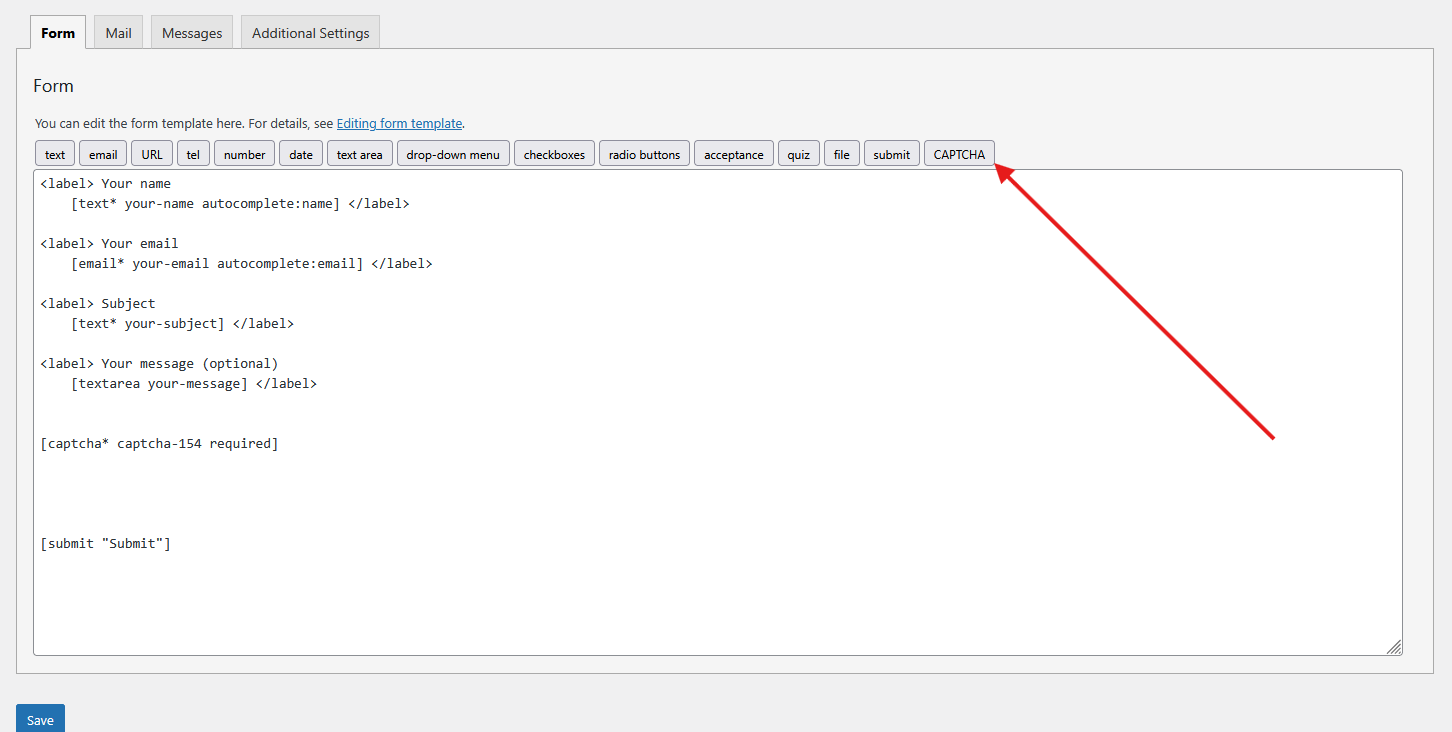
Contact Form 7 tag generator interface for easy CAPTCHA shortcode creation
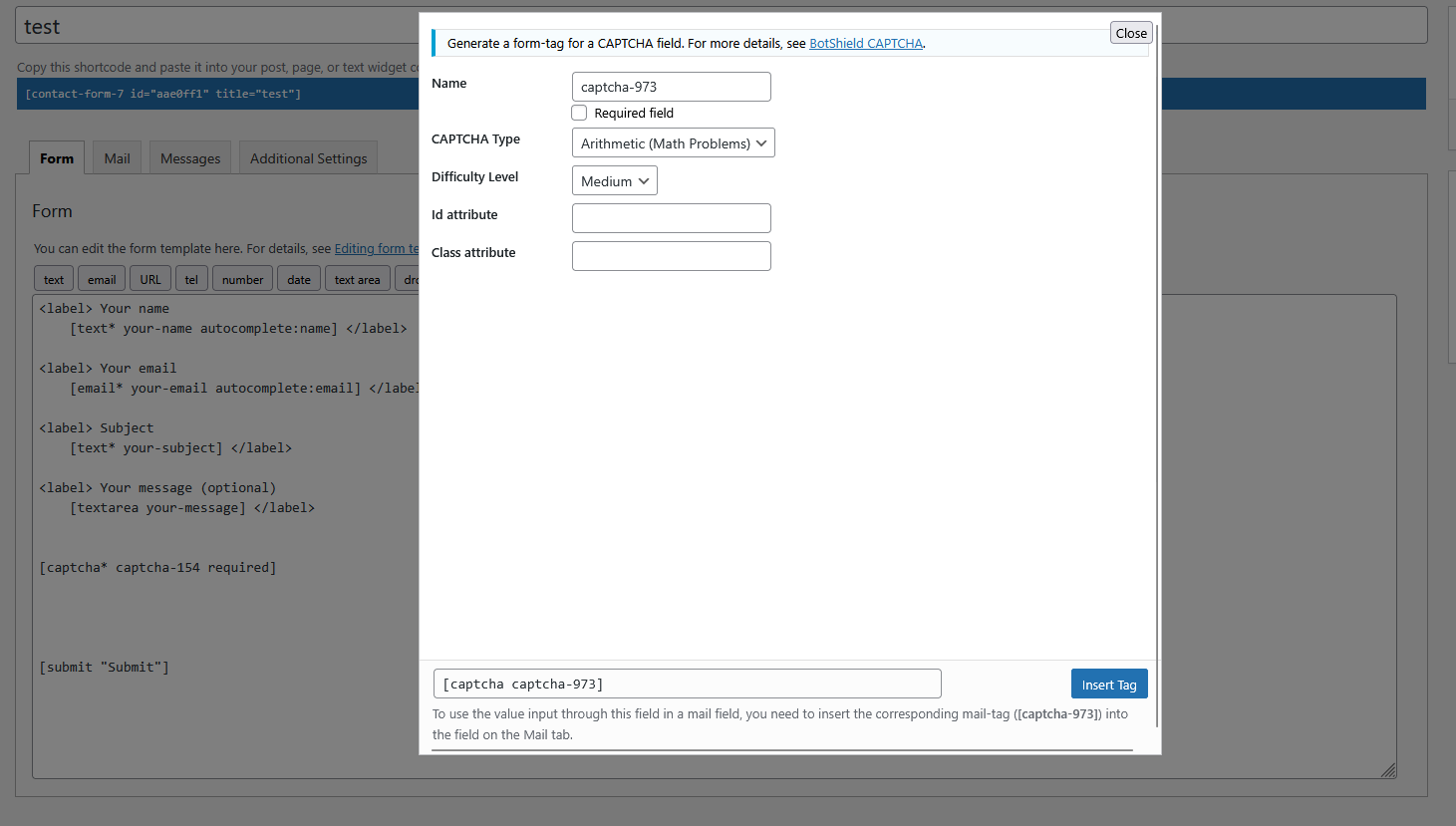
Contact Form 7 tag generator CAPTCHA settings with type and difficulty options
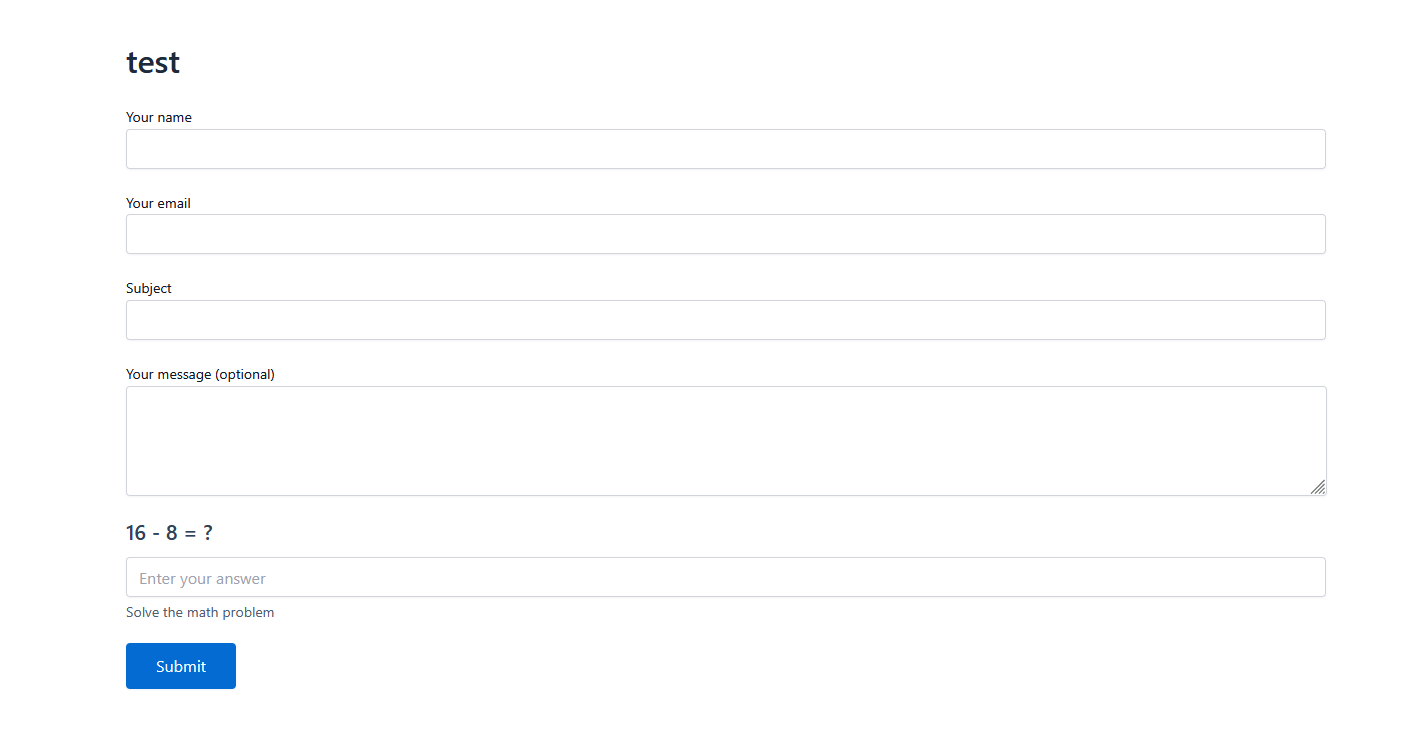
Arithmetic CAPTCHA displaying a math challenge on the contact form
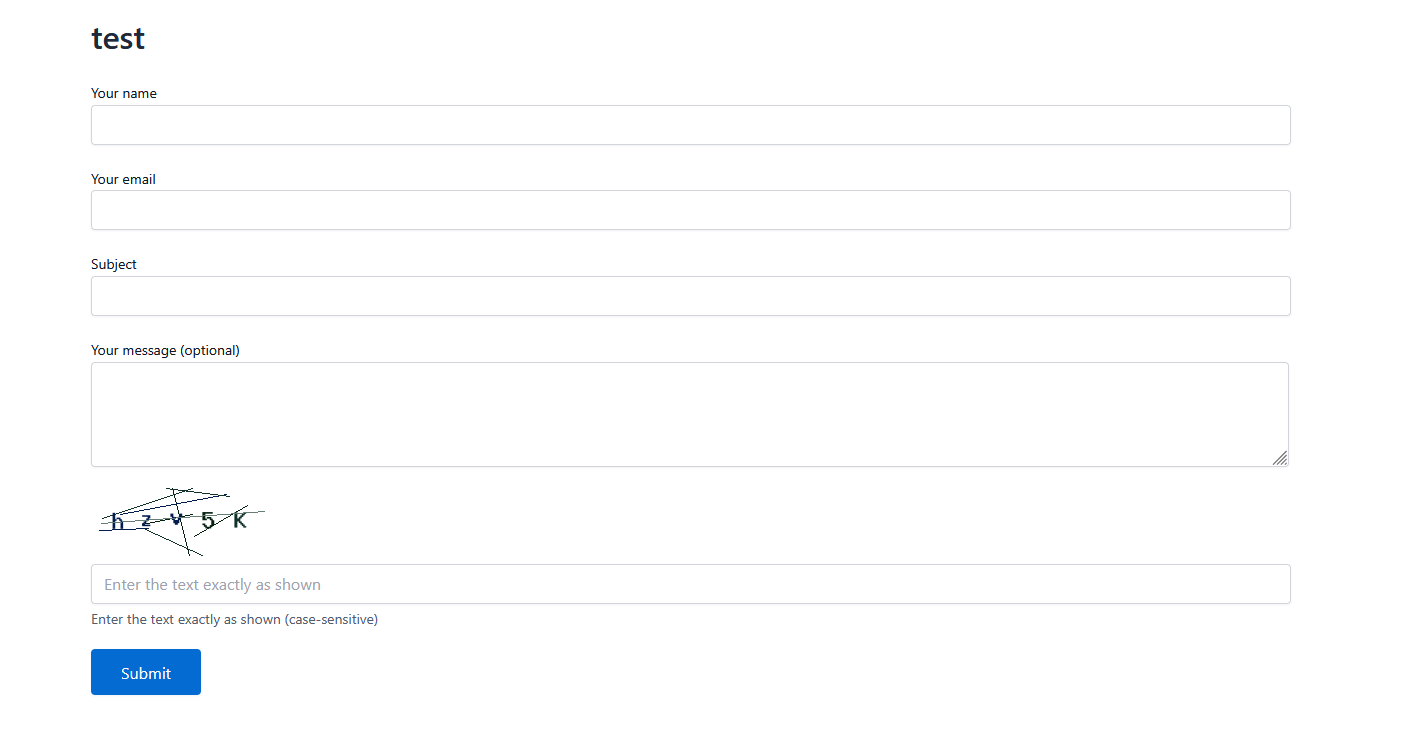
Alphanumeric image CAPTCHA showing distorted text characters for security
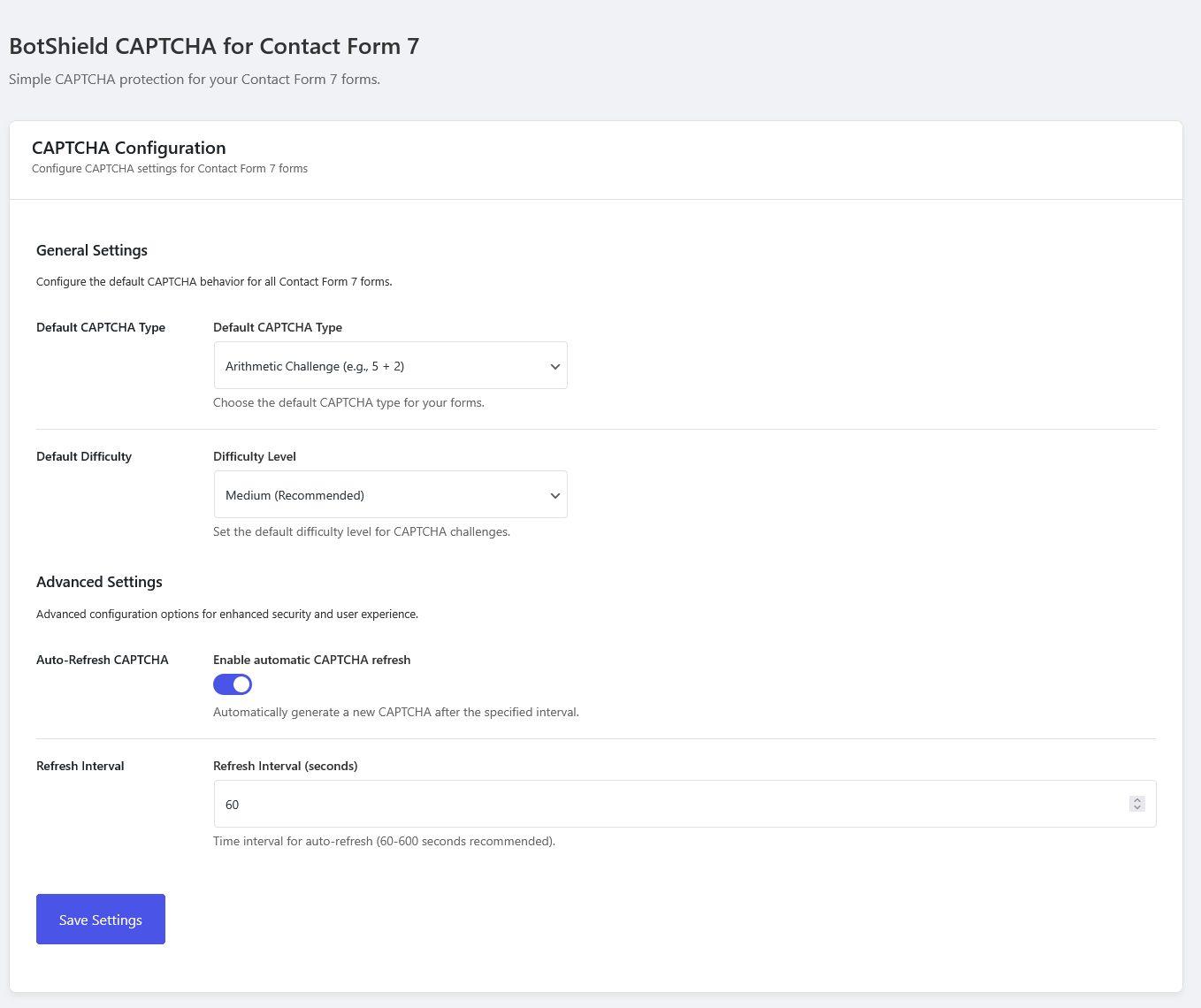
Admin settings page with intuitive controls for configuring all CAPTCHA options
Changelog
1.0.0 – January 15, 2025
- Initial plugin release
- Arithmetic CAPTCHA with math problems
- Alphanumeric image CAPTCHA with distorted text
- Three difficulty levels (Easy, Medium, Hard)
- Three visual themes (Default, Minimal, Modern)
- Auto-refresh functionality
- WCAG 2.1 accessibility compliance
- Mobile responsive design
- Contact Form 7 tag generator
- Comprehensive admin settings
- Translation ready with RTL support
- Token-based HMAC security
- 5-minute token expiration
- No external dependencies