
BP Distance Search
Adds a Google Place Autocomplete profile field type for BuddyPress, and enables search by distance with BP Profile Search.
Plugin info
Maintenance & Compatibility
Maintenance score
Stale • Last updated 343 days ago • 6 reviews
Is BP Distance Search abandoned?
Likely maintained (last update 343 days ago).
Compatibility
Similar & Alternatives
Explore plugins with similar tags, and compare key metrics like downloads, ratings, updates, support, and WP/PHP compatibility.
Description
BP Distance Search adds a new Google Place Autocomplete field type to your BuddyPress extended profiles, and registers this field type with BP Profile Search.
After installing this plugin:
- Admin can create new profile field(s) with type Google Place Autocomplete
- Members can fill in the new profile field(s) on their Profile Edit page
- Admin can add the new profile field(s) to a BP Profile Search form, selecting either the distance search mode or one of the usual text search modes contains, is, or is like
- Visitors can use the search form with the new profile field(s)
See the screenshots below depicting the above steps.
Installation
- Get a Google API key
Get a Maps JavaScript API key, and enable the Geocoding API and the Places API.
- Follow the standard plugin installation procedure, see Installing Plugins
This plugin doesn’t require any configuration, you’ll need your API key when you create your first Google Place Autocomplete profile field.
Frequently Asked Questions
Review feed
Simple to use and effective
Screenshots
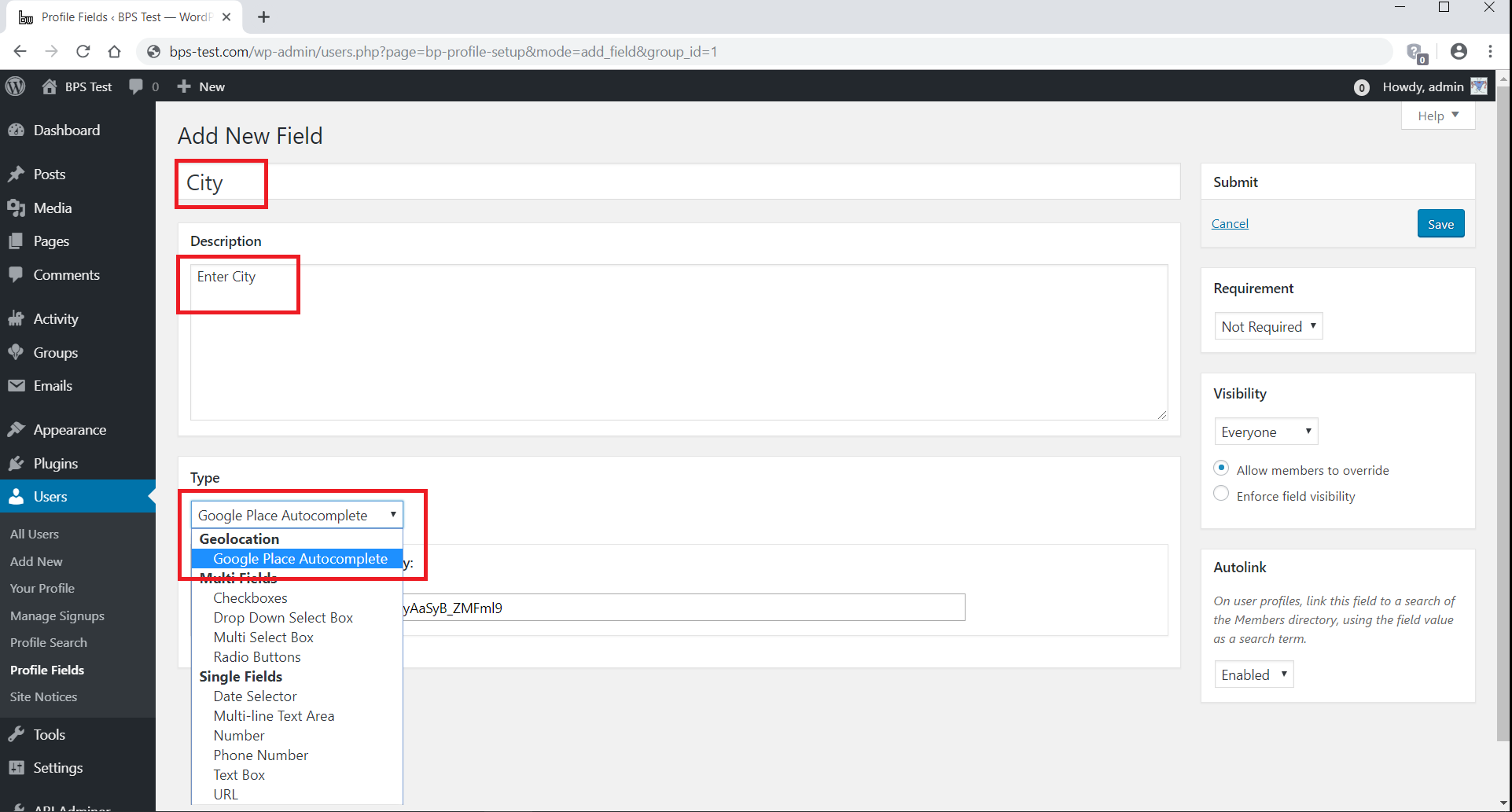
Admin creates a new profile field with type Google Place Autocomplete
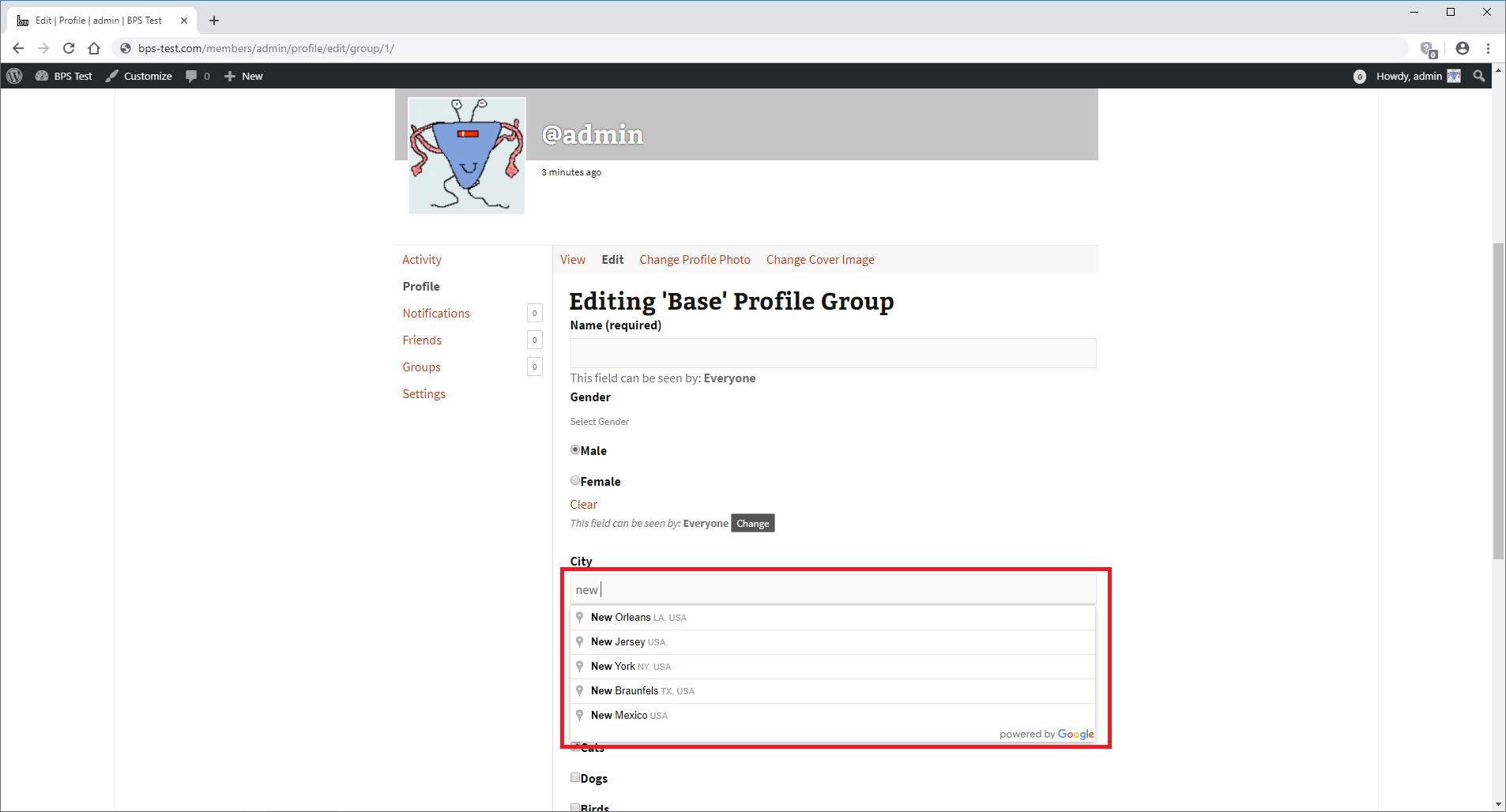
Members fill in the new profile field on their Profile Edit page

Admin adds the new profile field to a BP Profile Search form

Visitors use the search form with the new profile field
Changelog
1.4.4
- Removed loading=async as it doesn’t work with WordPress 6.6
1.4.3
- Fixed old bug that prevented Loco Translate from working properly
1.4.2
- Added loading=async when loading the Maps JavaScript API
1.4.1
- Added code to help users select a location from the dropdown list
1.4
- Added message reminding users to select a location from the dropdown list
1.3
- Added support for the BuddyBoss Platform built-in profile search
1.2
- Added ability to sort the search results by distance
- Added ability to show the distance in the member details area
- Updated for BP Profile Search 5.1
1.1
- Added location pin to get the current location
1.0.3
- Fixed bug in back-end profile editing
1.0.2
- Fixed conflict with the BuddyPress Date Selector field type
1.0.1
- Added call to load_plugin_textdomain
1.0
- Initial version released to the WordPress Plugin Directory