

Plugin info
Maintenance & Compatibility
Maintenance score
Possibly abandoned • Last updated 2935 days ago
Is Bringhub abandoned?
Possibly abandoned (last update 2935 days ago).
Compatibility
Similar & Alternatives
Explore plugins with similar tags, and compare key metrics like downloads, ratings, updates, support, and WP/PHP compatibility.
Description
The Bringhub Native Commerce Unit (NCU) is an all-in-one context analysis and ad display widget that blends seamlessly with your content.
Powered by Bringhub’s propriety Sweeten process, the NCU analyzes each post to decipher context, then finds and displays the most relevant product ads — helping you monetize your site while serving visitors ads they actually want to see.
Machine learning algorithms monitor each unique placement to continuously improve performance — and continuously increase your ad earnings.
Bringhub Highlights:
* Built with AI technology, Sweeten analyzes the text and images of every post to match highly relevant product ads.
* The NCU is automatically inserted at the bottom of each post.
* Fully responsive widget renders perfectly on any device.
* Choose your own custom headline and layout of up to 20 tiles (ads) per placement.
* Style with native CSS to flawlessly fit your site’s look and feel.
* Insert additional units (or hide the unit) on any post with the click of a button.
* Product discovery for your visitors + Revenue for you = Win/Win
For FAQs and help, visit Bringhub’s knowledge base @ (help.bringhub.com).
Installation
- Upload the plugin zip file to the /wp-content/plugins/plugin-name directory, or install the plugin directly through the WordPress plugins screen.
- Activate the plugin on the ‘Plugins’ screen of your WordPress dashboard.
- On the left menu, select Settings >> Bringhub
- Set the default headline, number of tiles (ads), and layout for your NCU.
Frequently Asked Questions
Please visit the (help.bringhub.com) Knowledge Base for FAQ’s and support.
Installation Instructions
- Upload the plugin zip file to the /wp-content/plugins/plugin-name directory, or install the plugin directly through the WordPress plugins screen.
- Activate the plugin on the ‘Plugins’ screen of your WordPress dashboard.
- On the left menu, select Settings >> Bringhub
- Set the default headline, number of tiles (ads), and layout for your NCU.
Review feed
Screenshots
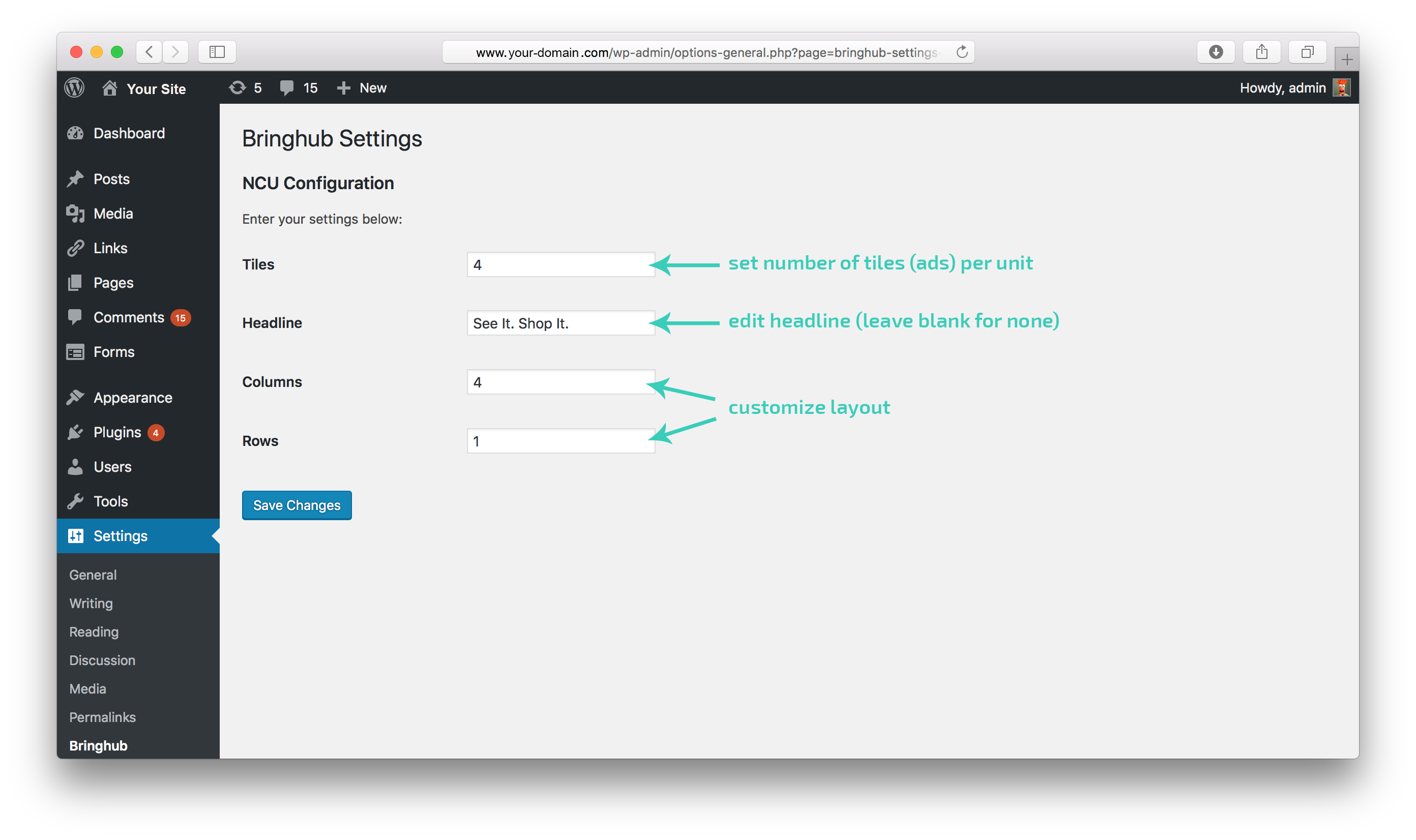
You can customize the layout via the Bringhub page under Settings.

Manually place or disable the Bringhub NCU on a specific post.

Your NCU will be rendered at the end of your post automatically.
Changelog
2018.02.01
- Upgraded to the new Bringhub NCU, with contextual awesomeness!
1.0
- Very first version of this plugin.