

BulletProof Security
WordPress Security Protection: Malware scanner, Firewall, Login Security, DB Backup, Anti-Spam...
Plugin info
Maintenance & Compatibility
Maintenance score
Maintained • Last updated 116 days ago • Support resolved 75% • 673 reviews
Is BulletProof Security abandoned?
Likely maintained (last update 116 days ago).
Compatibility
Similar & Alternatives
Explore plugins with similar tags, and compare key metrics like downloads, ratings, updates, support, and WP/PHP compatibility.
Description
WordPress Security Protection: Malware scanner, Firewall, Login Security, DB Backup, Anti-Spam… View Security feature highlights below. View BulletProof Security feature details under the FAQ help section below. Effective, Reliable & Easy to use WordPress Security Plugin.
BulletProof Security is a proactive security plugin that automatically fixes 100+ known issues/conflicts with other plugins.
* BPS Setup Wizard AutoFix
BulletProof Security Installation and Setup Video Tutorial
BulletProof Security Feature Highlights
- One-Click Setup Wizard
- Setup Wizard AutoFix (AutoWhitelist|AutoSetup|AutoCleanup)
- MScan Malware Scanner
- .htaccess Website Security Protection (Firewalls)
- Hidden Plugin Folders|Files Cron (HPF)
- Login Security & Monitoring
- JTC-Lite (Limited version of BPS Pro JTC Anti-Spam|Anti-Hacker)
- Idle Session Logout (ISL)
- Auth Cookie Expiration (ACE)
- DB Backup: Full|Partial DB Backups | Manual|Scheduled DB Backups | Email Zip Backups | Cron Delete Old Backups
- DB Table Prefix Changer
- Security Logging
- HTTP Error Logging
- FrontEnd|BackEnd Maintenance Mode
- Extensive System Info (System Info page)
- WordPress Automatic Update Options
- Force Strong Passwords (FSP)
- Send email alerts when new Plugin & Theme updates are available
BulletProof Security Pro Feature Highlights
- One-Click Setup Wizard
- Setup Wizard AutoFix (AutoWhitelist|AutoSetup|AutoCleanup)
- AutoRestore Intrusion Detection & Prevention System (ARQ IDPS)
- Quarantine Intrusion Detection & Prevention System (ARQ IDPS)
- Real-time File Monitor (IDPS)
- MScan Malware Scanner
- DB Monitor Intrusion Detection System (IDS)
- DB Diff Tool: data comparison tool
- DB Backup: Full|Partial DB Backups | Manual|Scheduled DB Backups | Email Zip Backups | Cron Delete Old Backups
- DB Status & Info: extensive database status & info
- Plugin Firewall (IP Firewall): Automated Whitelisting & IP Address Updated in Real-time
- JTC Anti-Spam|Anti-Hacker
- Uploads Folder Anti-Exploit Guard (UAEG)
- .htaccess Website Security Protection (Firewalls)
- Hidden Plugin Folders|Files Cron (HPF)
- Custom php.ini Website Security
- Login Security & Monitoring w/Dashboard Alerting|Status Display & additional options/features
- Idle Session Logout (ISL)
- Auth Cookie Expiration (ACE)
- File|Folder Lock: File Locking | Detect & Lock Folders that were not created by you
- FrontEnd|BackEnd Maintenance Mode
- Security Logging
- HTTP Error Logging
- PHP Error Logging
- DB Table Prefix Changer
- Pro-Tools: 16 mini-plugins
- Heads Up Dashboard Status Display
- Extensive System Info (System Info page)
- WordPress Automatic Update Options
- Force Strong Passwords (FSP)
- Send email alerts when new Plugin & Theme updates are available
- View All BulletProof Security Pro Feature Details
BulletProof Security Recommended Video Tutorials
Help Info
For details about BulletProof Security plugin features and frequently asked questions see the BulletProof Security Plugin Frequently Asked Questions forum topic. Extensive Help Info can be found on the AIT-pro.com Forum website and by clicking the Question Mark Help buttons on BulletProof Security plugin pages.
Installation
Frequently Asked Questions
-
Click the Setup Wizard button.
-
Optional Features:
- Idle Session Logout (ISL)
- Auth Cookie Expiration (ACE)
- DB Table Prefix Changer
- Maintenance Mode
- UI|UX Options: Choose UI|UX visual preferences & functionality.
- MScan Malware Scanner
- Uninstall Options
- An Uninstall Options link is located on the WordPress Plugins page under the BulletProof Security plugin.
- Clicking the Uninstall Options link loads a jQuery UI Dialog Form with 2 uninstall options.
- If you are upgrading to BPS Pro, select the BPS Pro Upgrade Uninstall option and click the Save Option button or just click the Close button and do a normal plugin uninstall.
- If you want to completely delete the BPS plugin, all files, Custom Code and BPS database settings, select the Complete BPS Plugin Uninstall option, click the Save Option button, click the Close button and do a normal plugin uninstall.
- Language Packs: Translate BulletProof Security
- Bonus Tip: If you use the Google Chrome Browser you can right mouse click in plugin pages and then click on Translate to… To translate plugin text into your Language.
- BPS has a GDPR Compliance Setup Wizard Options setting, which allows someone to turn IP address logging On or Off throughout all BPS plugin features by choosing the GDPR Compliance On option setting on the Setup Wizard Options page: BPS Features affected: Security Logging, Login Security Logging, and Maintenance Mode Logging. Note: For simplicity and ease of use there is only one option setting that needs to be set instead of creating individual option settings in all BPS features that perform IP address logging.
- BPS GDPR Compliance Forum Topic
The BPS plugin comes with a must-use plugin called BPS MU Tools. The BPS MU Tools must-use plugin is located on the WordPress Plugins page under the Must-Use link at the top of the WordPress Plugins page. The BPS MU Tools plugin has 6 WP Automatic Update option settings: Disable all Updates: On = All WordPress Automatic Updates: Core, Plugins, Themes and Translations will be disabled | Disable all Core Updates: On = All WordPress Core Automatic Updates: Development, Minor and Major versions are disabled | Enable all Core Updates: On = All WordPress Core Automatic Updates: Development, Minor and Major versions are enabled | Enable Development Updates: On = WordPress Core Automatic Updates are enabled for Development WP versions | Enable Minor Updates: On = WordPress Core Automatic Updates are enabled for Minor WP versions | Enable Major Updates: On = WordPress Core Automatic Updates are enabled for Major WP versions. For more extensive help information click the WordPress Automatic Update Help Forum Topic link below.
* WordPress Automatic Update Help Forum Topic
- Brute Force Login Protection .htaccess Code
- Speed Boost Cache .htaccess Code
- HotLink Protection .htaccess Code – Google, Yahoo, Bing safe
- Author ID|Username Bot Probe Protection .htaccess Code
- XML-RPC DDoS Protection .htaccess Code (Double Bonus: Trackback|Pingback Protection)
- Referer Spammers|Phishing Protection .htaccess Code
- Mime Sniffing|Drive-by Download Attack Protection .htaccess Code
- External iFrame and Clickjacking Protection .htaccess Code
- POST Request Attack Protection .htaccess Code
Please see the BulletProof Security Forum.
- You may see a 403, 404 or 500 error or no errors and nothing works/happens.
- This common problem is caused by ModSecurity. Please see this Common Known ModSecurity problems forum topic.
- You may see a 403, 404 or 500 error or no errors and nothing works/happens.
- This common problem is caused by ModSecurity. Please see this Common Known ModSecurity problems forum topic.
- You may see a 403, 404 or 500 error or no errors and nothing works/happens.
- This common problem is caused by ModSecurity. Please see this Common Known ModSecurity problems forum topic.
- You may see a 403, 404 or 500 error or no errors and nothing works/happens.
- This common problem is caused by ModSecurity. Please see this Common Known ModSecurity problems forum topic.
- Types: Shared, VPS, Dedicated, Managed, Colocation, In-house
- Types: Apache, Linux, Nginx, LiteSpeed, Windows (Windows IIS)
- Types: Standard|Single, Network|Multisite, “Giving WordPress Its Own Directory” (GWIOD), BuddyPress|bbPress, subdomain, subdirectory, HTTPS/SSL
- Note: The Setup Wizard Pre-Installation Check displays compatibility information.
- Note: The Setup Wizard Pre-Installation Check tests if htaccess files can or cannot be used on your website and will automatically disable BPS htaccess features and files if your server/website cannot use htaccess files. You will see the “htaccess Files Disabled Notice” on the Setup Wizard page with a link to a Help Forum Topic.
- Note: BulletProof Security works on all web hosts except for these 3 web hosts: Incompatible Hosts.
Setup Wizard AutoFix checks which plugins and themes you currently have installed and will display a BPS Setup Wizard AutoFix Notice to run the BPS Setup Wizard if any currently installed plugins or themes require Custom Code whitelist rules or AutoSetup. The BPS Setup Wizard automatically creates BPS Custom Code whitelist rules for known issues with any plugins and themes that need Custom Code whitelist rules. Setup Wizard AutoFix also automatically sets up and cleans up caching plugin’s htaccess code for these WordPress caching plugins: WP Super Cache, W3 Total Cache, Comet Cache Plugin (free & Pro), WP Fastest Cache Plugin (free & Premium), LiteSpeed Cache and WP Rocket. For more detailed help information and a list of all plugins and themes that have AutoFixes click this link: Setup Wizard AutoFix Forum Topic.
Description: WordPress Website Security Protection: .htaccess files (distributed Server configuration files) are processed by your server first before any other code on your website. In other words, hackers malicious scripts are stopped by BulletProof Security .htaccess files/Firewalls before those scripts even have a chance to reach the php code in WordPress. BulletProof Security protects your website against 100,000’s of different hacking attempts/attacks. The .htaccess security filters in BulletProof Security are designed to match malicious and nuisance attack patterns. The most important benefits of using a finite pattern matching method vs infinite banning/blocking individual IP’s, Host’s, Referer’s, etc. is that your website performance and Server resources are not negatively impacted. In general, BulletProof Security takes an “Action Approach” to website security. Hacker X, Spammer X, Bad Bot X does bad Action Y = Forbidden/Blocked. An “Action Approach” is a much more effective and performance optimized approach to website security since the bad action itself is being blocked/forbidden instead of attempting to block an individual hacker/spammer that performed a bad action. Example: BulletProof Security blocks all SQL Injection hacking attempts/attacks no matter who (IP Address, hostname, Bot name, etc.) performed the SQL Injection hacking attempt/attack. See the BulletProof Security Login Security & Monitoring Features section for additional features and options. See the BulletProof Security htaccess File Options (Firewalls, etc.) Features section for additional features and options.
- Root Folder BulletProof Mode|Firewall
- wp-admin Folder BulletProof Mode|Firewall
- Built-in .htaccess File Editor & File Manager
- Built-in .htaccess Backup and Restore
- One-click .htaccess website security protection from within the WP Dashboard
- .htaccess security protection against hacking attempts: XSS|RFI|CRLF|CSRF|Base64|Code Injection|SQL Injection
- TimThumb Vulnerability|Exploit .htaccess security protection (Firewall)
- .htaccess Lock|Unlock (404 Read-Only)
- .htaccess AutoLock On|Off
- Security|HTTP Error Logging: 400|403|404|405|410 HTTP Status Codes
- Security Log: Add|Remove User Agents|Bots to Ignore|Not Log or Allow|Log
- Security Log: Turn On|Turn Off|Delete Log
- Security Log: Limit POST Request Body Data – capture or do not capture hacker scripts used in attacks. Note: See BPS POST Request Attack Protection Bonus Custom Code
- Security Log Automation: Automatically zipped, emailed and replaced based on file size
- Automatic .htaccess file updating on BPS upgrade installation
- New .htaccess security filters automatically added during upgrade
- WP Dashboard Alerts|WP Dashboard Dismiss Notices
- Anti Comment Spam .htaccess code – works together with Akismet or other Spam plugins to keep Comment Spam at a minimum
- Anti Comment Spambot .htaccess code – Forbid Empty Referrer Spambots
- Author ID|User ID|Username Bot Probe Protection
- Custom Code feature: Add|Edit|Modify|Save|Export|Import additional Bonus or personal custom .htaccess code
- WordPress and other files protected with .htaccess security protection: readme.html, /wp-admin/install.php, wp-config.php, bb-config.php, php.ini and php5.ini files
- Help & FAQ page: links to BPS Guide and other detailed Help & Info pages
- Extensive jQuery UI Dialog Question Mark Help buttons throughout the BulletProof Security plugin pages
- HUD Success|Error message display
Description: MScan is a malware scanner that scans website files for hacker files or code and scans the WP database for hacker code. MScan Scheduled
scanning is available in BPS Pro only.
* MScan uses file hash comparisons for all WP files (WP Core, Plugins and Themes). File hash comparisons are 100% accurate, which means no false positives will occur for any WP files. All other non-WP files are scanned using standard conventional pattern matching. Now that WP Files are all scanned with file hash comparisons this allowed increasing the detection sensitivity for pattern matching scanning. Additional pattern matching rules have been added to MScan.
* For more details see the MScan Malware Scanner Guide.
- PHP|MySQL|MySQLi|OS|Server|Memory Usage and Limits|IP|SAPI|WP Filesystem API Method|DNS|Apache Modules|Directives Compatibility Checks|Mod Security|Max Upload|Zend Engine Version|Zend Guard|Loader|Optimizer|ionCube Loader|Suhosin|APC|eAccelerator|XCache|Varnish|cURL|OpenSSL Library|cURL OpenSSL Version|Memcache|Memcached|Plugins|Versions Installed|Activated|Get Plugins List|Browser Compression|GD Library|ImageMagick|WP Temp Dir|PHP Temp Dir|PHP Upload Temp Dir|Session Save Path|WP_TEMP_DIR constant|php.ini file path, etc.
- File|Folder Permissions (CGI or DSO)|Script Owner User ID (UID)|File Owner User ID
- PHP Server|PHP.ini|PHP directives Info
- Website Headers Check Tool: Check your website Headers or another website’s Headers remotely.
Review feed
Great plugin
Frustrating
Screenshots
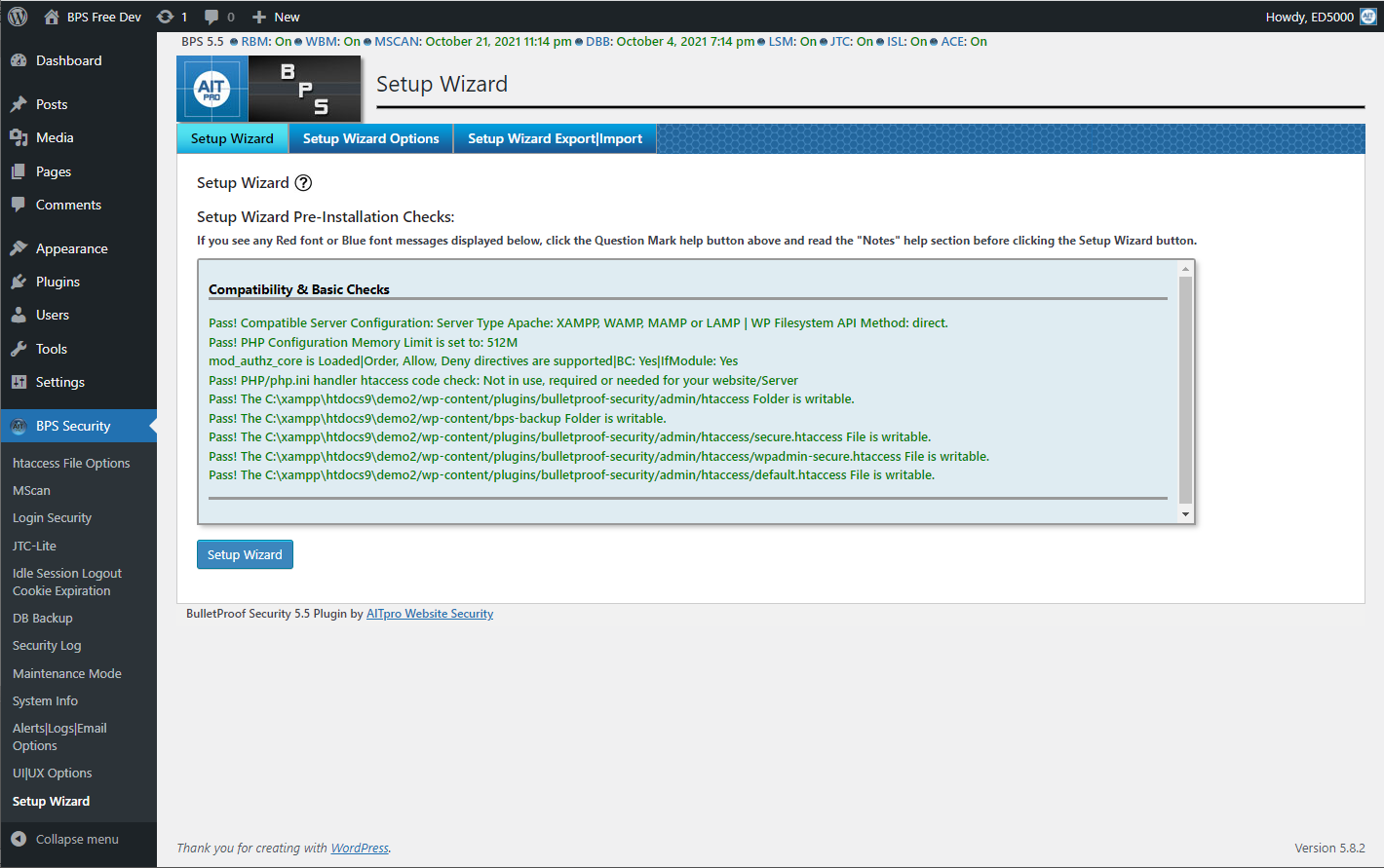
BulletProof Security - Setup Wizard: One-click setup

BulletProof Security - MScan Malware Scanner: File Hash & Pattern Matching scans
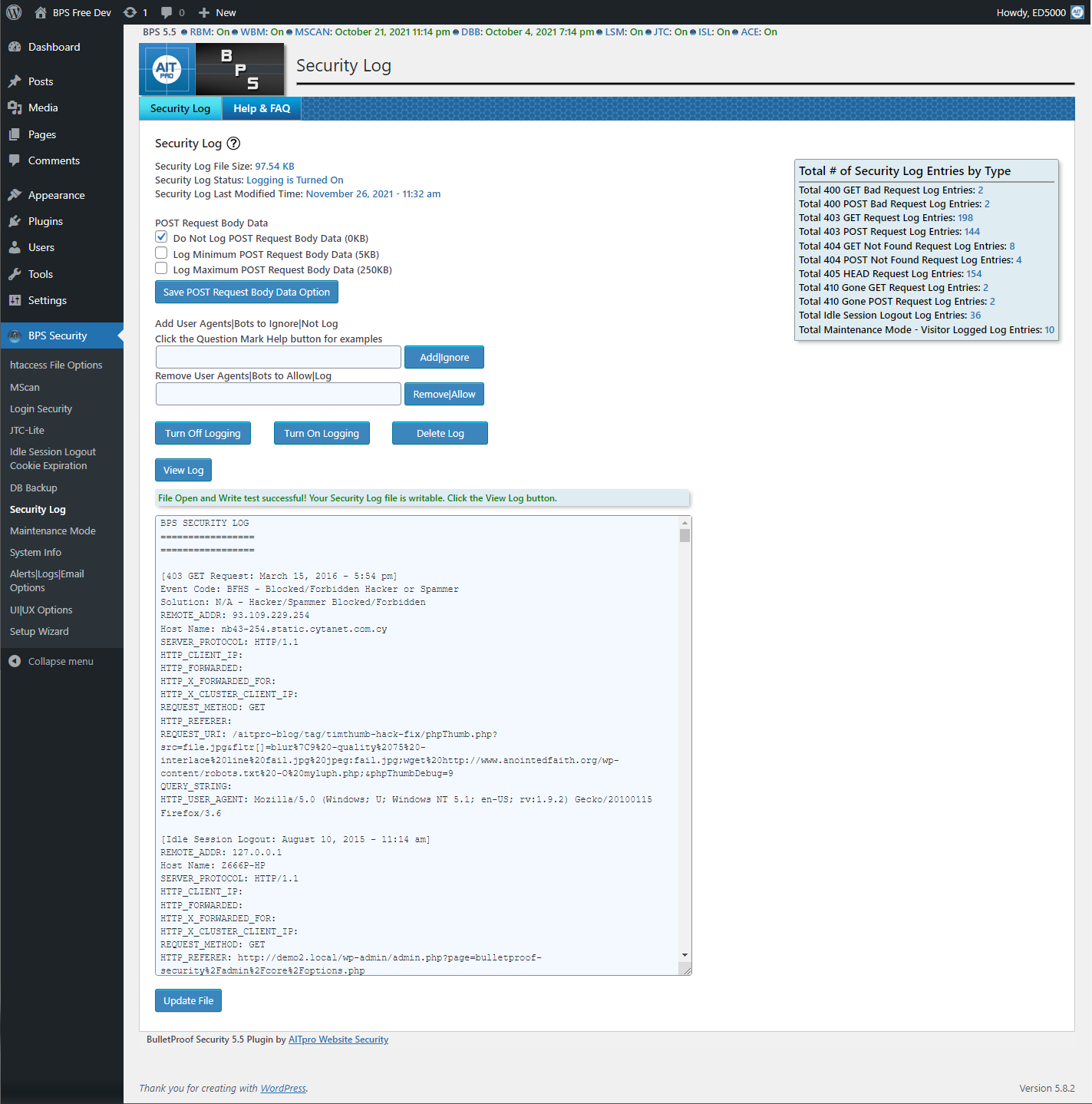
BulletProof Security - Security Log: Logs blocked hackers/spammers & troubleshooting tool
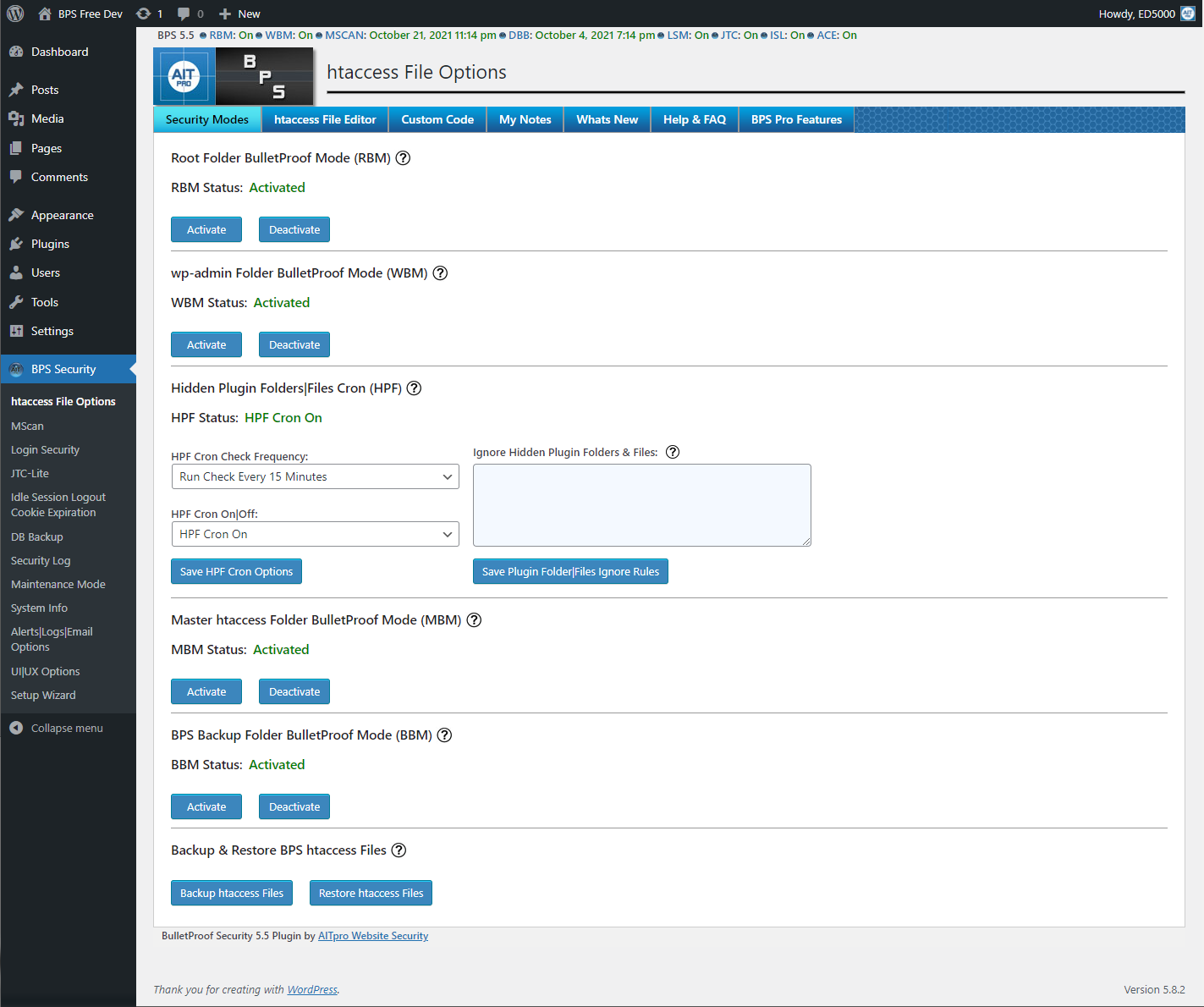
BulletProof Security - htaccess File Options: Security Modes (Firewalls)
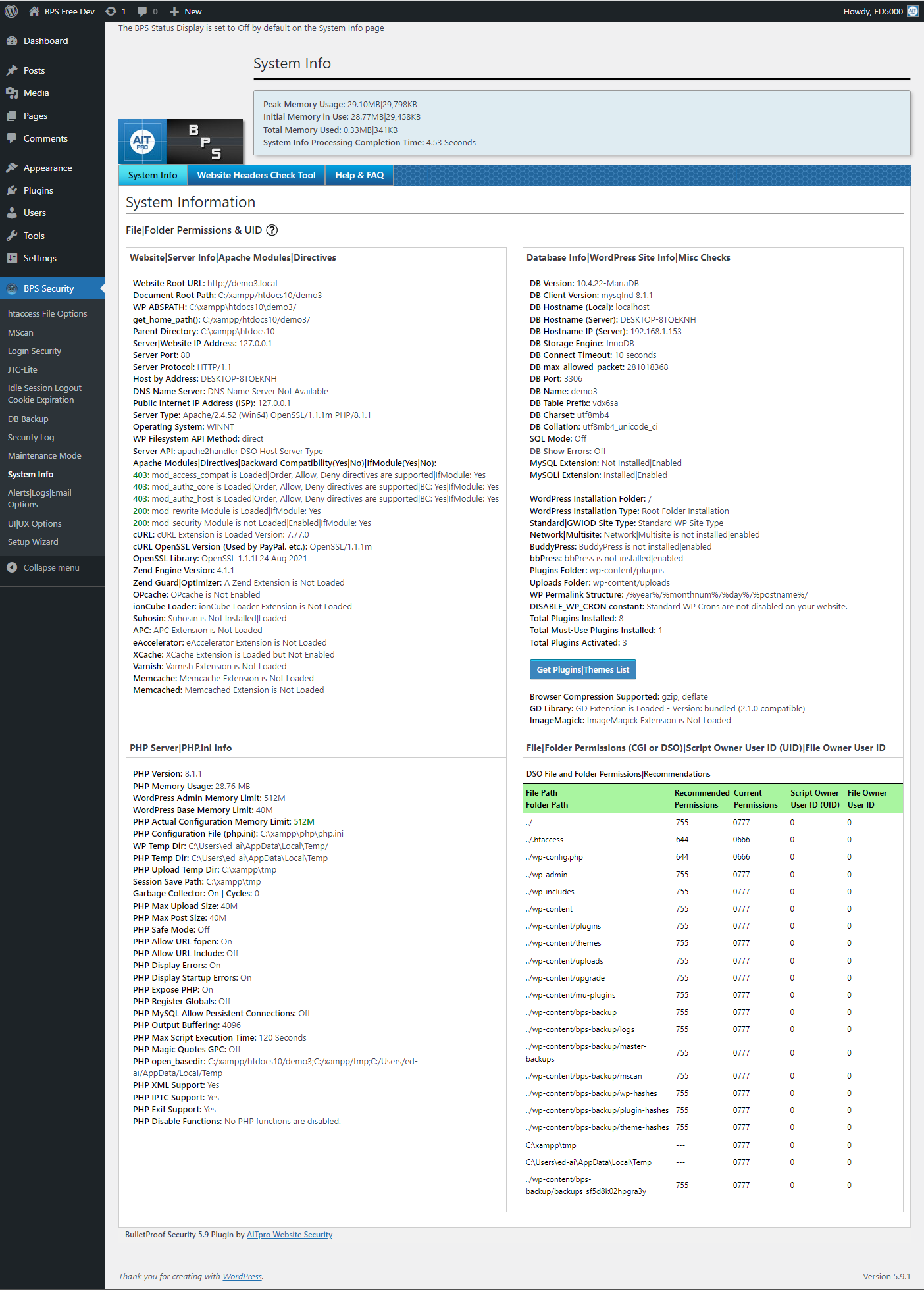
BulletProof Security - System Info: Extensive website/server information
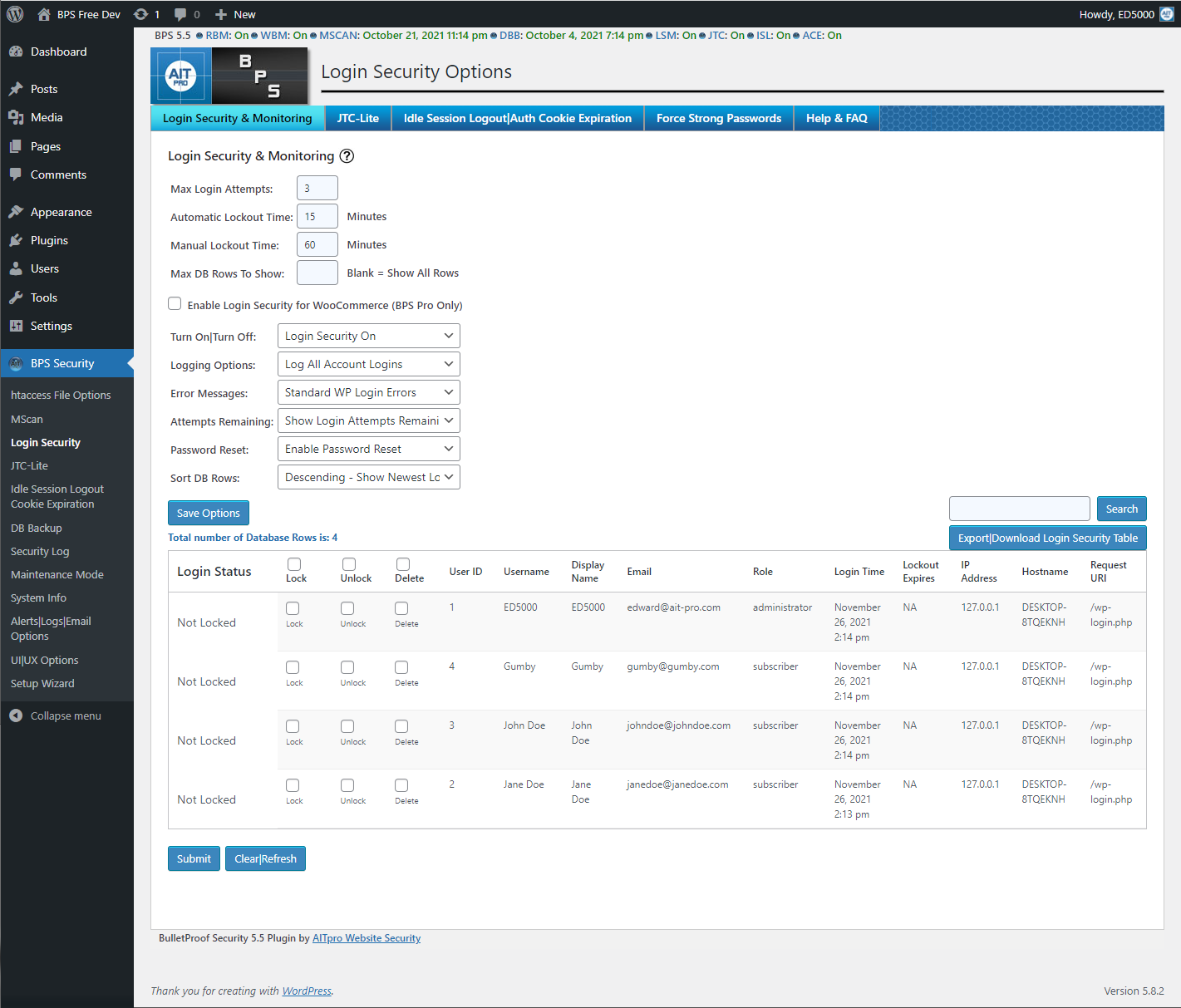
BulletProof Security - Login Security and Monitoring: Log all logins or only locked accounts
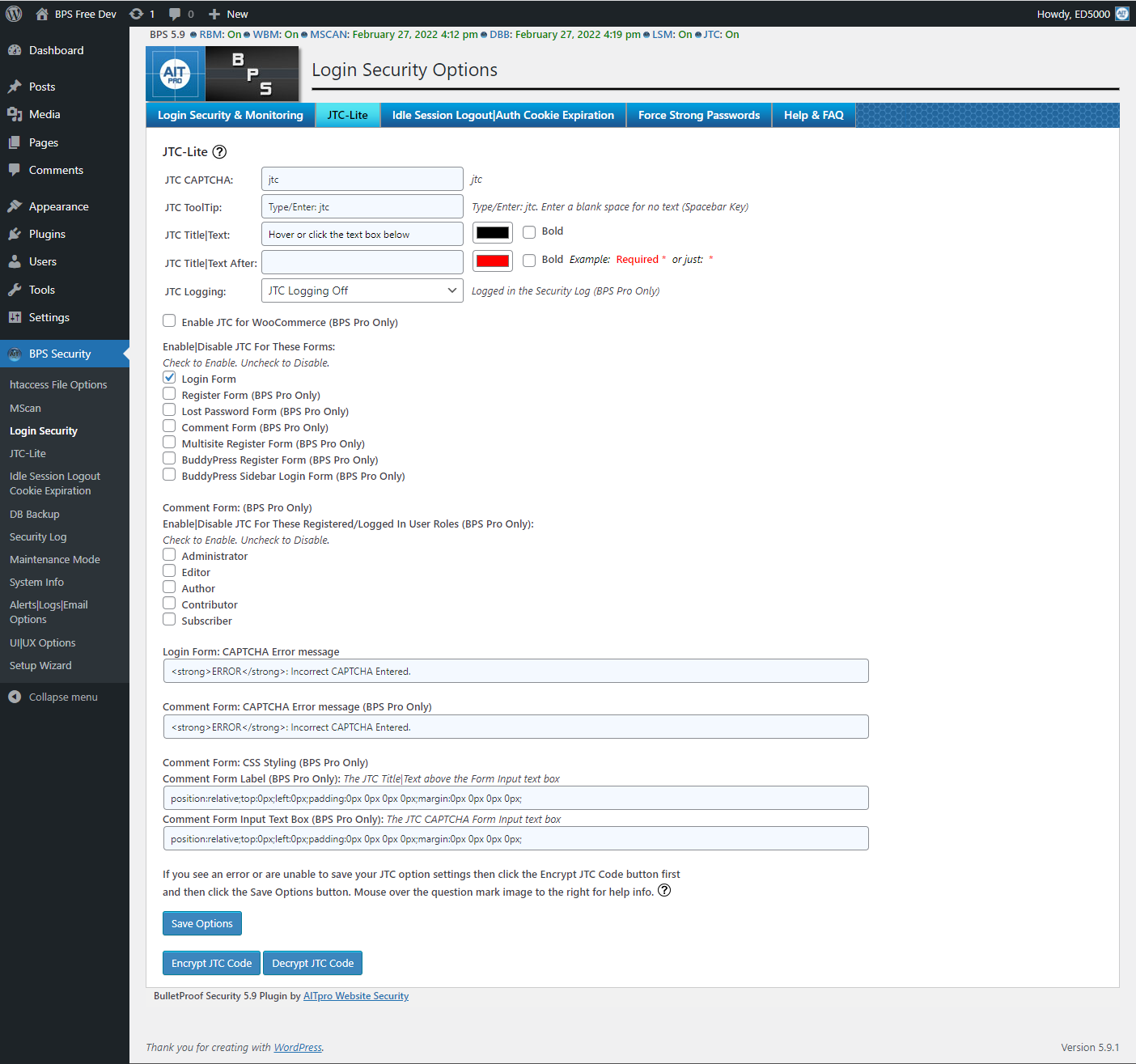
BulletProof Security – JTC-Lite: CAPTCHA & SpamBot Trap
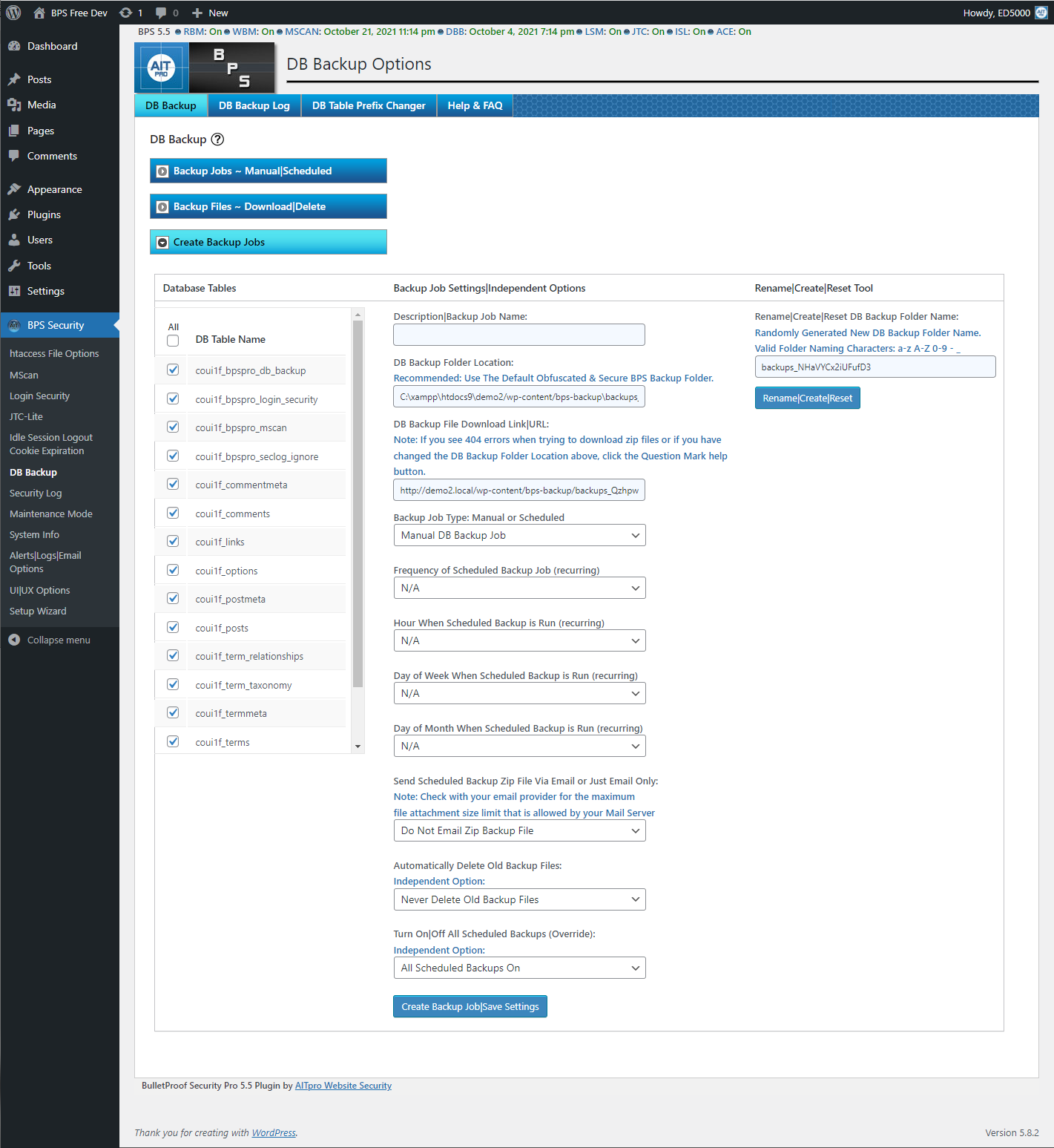
BulletProof Security - DB Backup: Scheduled/manual DB Backups
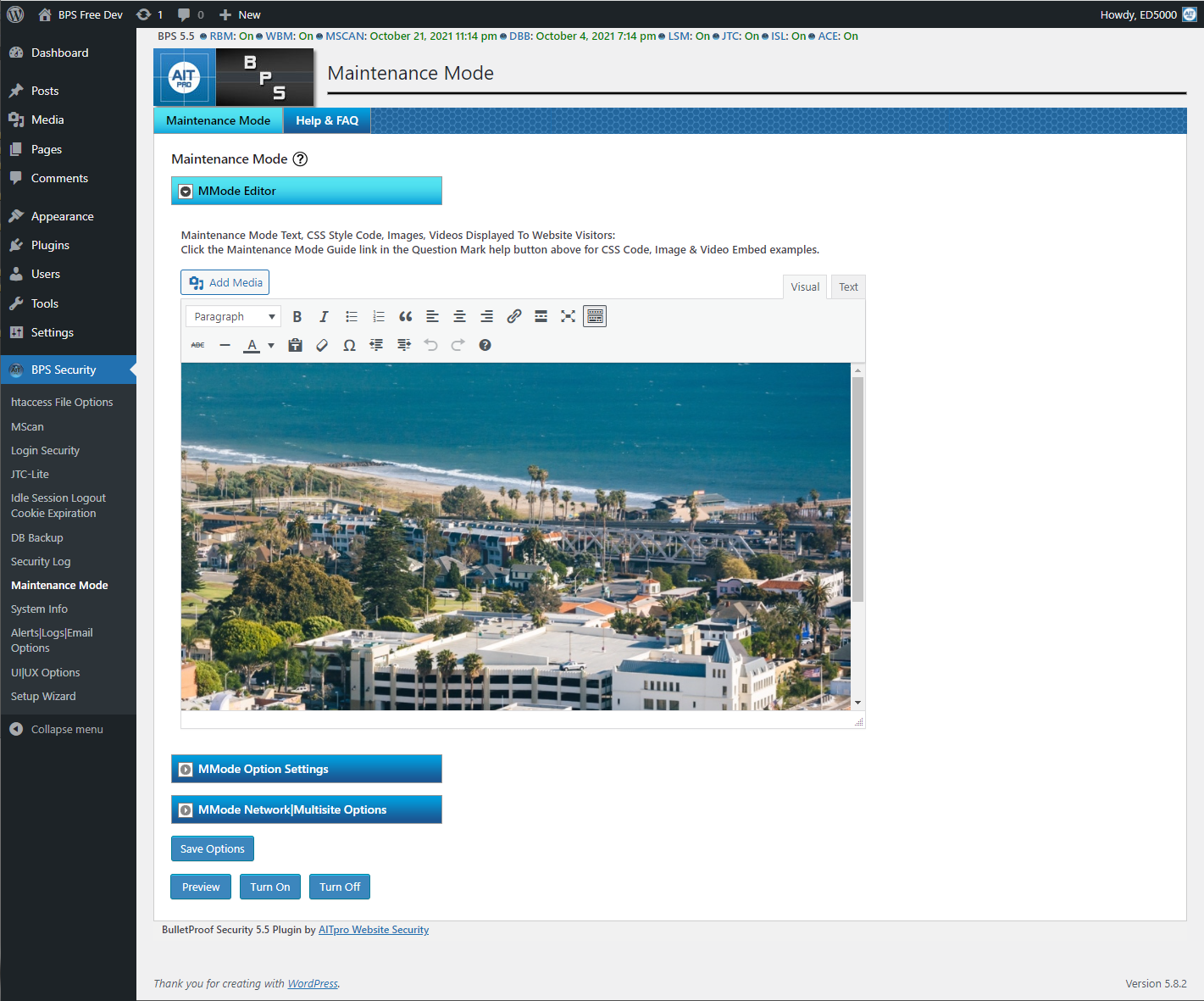
BulletProof Security - Maintenance Mode: Create a custom Maintenance Mode page.
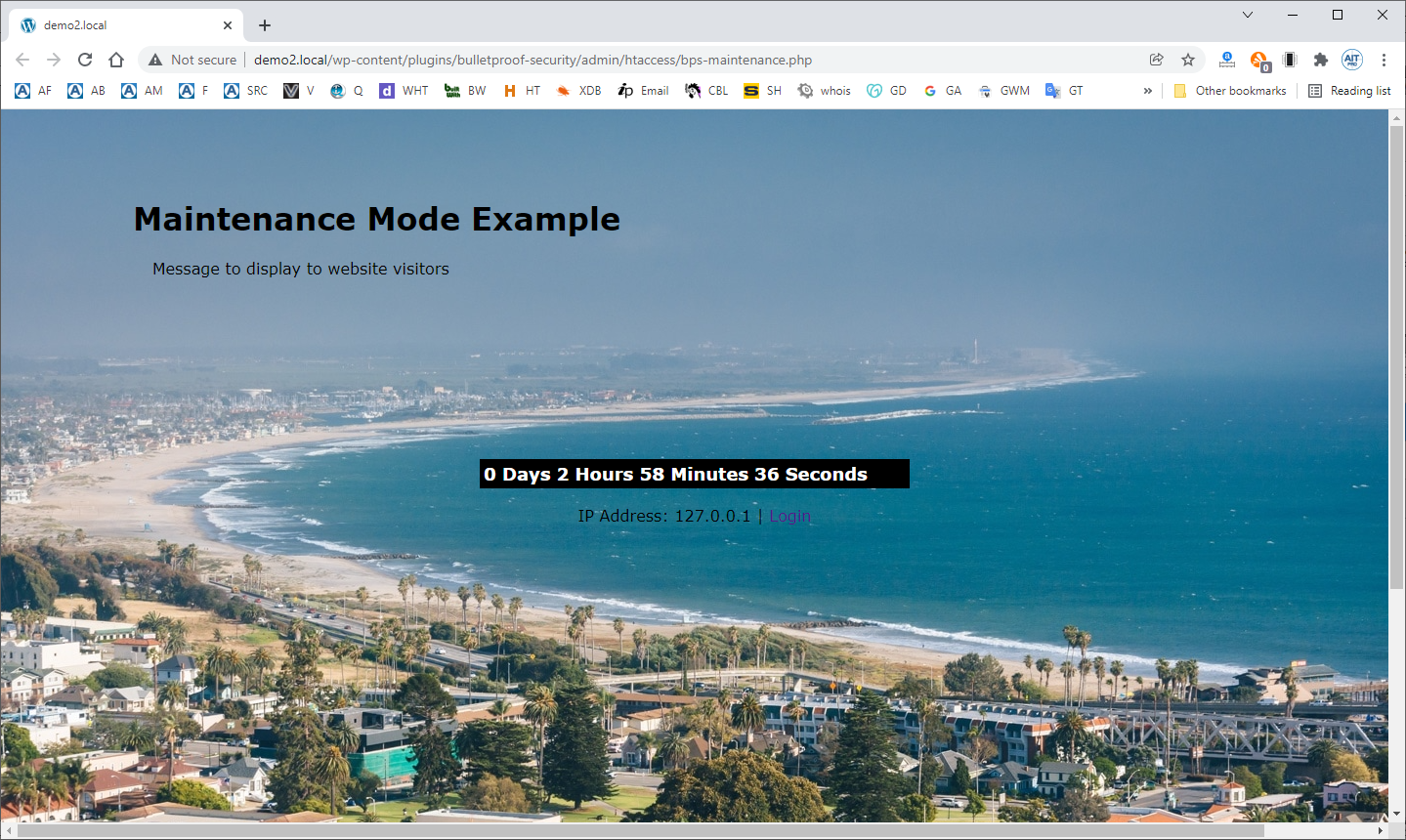
BulletProof Security - Maintenance Mode page example