

Button Generator – Easily Create Custom Buttons with Icons and Analytics
Design and display custom buttons anywhere on your site. Add floating or inline buttons with icons, advanced targeting, and built-in analytics.
Plugin info
Maintenance & Compatibility
Maintenance score
Maintained • Last updated 121 days ago • 18 reviews
Is Button Generator – Easily Create Custom Buttons with Icons and Analytics abandoned?
Likely maintained (last update 121 days ago).
Compatibility
Similar & Alternatives
Explore plugins with similar tags, and compare key metrics like downloads, ratings, updates, support, and WP/PHP compatibility.
Description
Button Generator is a lightweight and powerful WordPress plugin that lets you create fully customizable buttons with icons, styles, and built-in analytics — without writing a single line of code.
Add floating buttons, inline buttons, or call-to-action buttons anywhere on your website. Each button can be customized with full control over size, colors, fonts, borders, and effects. You can also add icons, define button placement, and track performance with detailed analytics.
With Button Generator, you can design contact buttons, floating buttons, sticky action buttons, or button with any link.
🎨 Boost engagement. 💡 Improve navigation. 📈 Track results.
Features
🛠️ Intuitive Button Builder
- Visual live preview while editing your buttons
- Choose between text buttons, icon buttons, or a mix of both
- Add links and attributes (ID, class, aria-label) for accessible buttons
🎨 Style Control
- Set button width, height, and z-index
- Customize colors for button text, background, icons, and hover states
- Border settings: style, radius, thickness
- Drop shadow options for standout buttons
- Font settings: family, weight, size, style
💫 Effects
- Smooth button animations with custom transition duration
- Choose easing functions (ease, linear, etc.)
🎯 Display & Targeting
- Floating or inline button types
- Position buttons anywhere on the screen
- Display buttons via shortcode or advanced targeting rules (posts, pages, categories, tags, authors, archives)
- Responsive visibility: show or hide buttons on mobile or desktop
- Option to disable Font Awesome loading if not needed
📊 Analytics & Controls
- Built-in tracking for button views, clicks, and conversion rates
- Enable/disable specific buttons or use test mode for admin-only preview
🎥 Video Preview
Types of Buttons You Can Create
With Button Generator, you can design any type of button your website needs:
- Call Button – let visitors contact you in one click.
- Chat Button – open a live chat or messaging app.
- Email Button – instantly launch an email client.
- Link Button – redirect to internal pages or external websites.
- Floating Button – keep important actions visible while scrolling.
- Sticky Button – fixed at the top or bottom of the page.
- Inline Button – placed directly inside your content.
- Icon Button – lightweight buttons with FontAwesome icons.
Support
Need help? Visit the Support Forum
Installation Instructions
📌 Option 1: Install via WordPress Dashboard
- Log into your WordPress admin (
wp-admin). - Navigate to
PluginsAdd New. - Search for “Button Generator” and click “Install Now”.
- Once installed, click “Activate”.
📌 Option 2: Manual Installation (Upload)
- Download the Button Generator plugin ZIP file.
- In your WordPress admin, go to
PluginsAdd NewUpload Plugin. - Select the downloaded ZIP file and click “Install Now”.
- Click “Activate” after installation.
📌 Option 3: Installation via FTP
- Download and unzip the Button Generator plugin.
- Upload the extracted
button-generationfolder to the/wp-content/plugins/directory on your server using FTP. - Log in to WordPress admin, navigate to
Plugins, and click “Activate” next to Button Generator.
🚀 Getting Started
- After activation, navigate to the new
Button Generatormenu in your WordPress admin. - Click “Add New” to create your first button set.
- Customize button settings as desired.
- Click “Save” to display your custom buttons on your website.
Installation
📌 Option 1: Install via WordPress Dashboard
- Log into your WordPress admin (
wp-admin). - Navigate to
PluginsAdd New. - Search for “Button Generator” and click “Install Now”.
- Once installed, click “Activate”.
📌 Option 2: Manual Installation (Upload)
- Download the Button Generator plugin ZIP file.
- In your WordPress admin, go to
PluginsAdd NewUpload Plugin. - Select the downloaded ZIP file and click “Install Now”.
- Click “Activate” after installation.
📌 Option 3: Installation via FTP
- Download and unzip the Button Generator plugin.
- Upload the extracted
button-generationfolder to the/wp-content/plugins/directory on your server using FTP. - Log in to WordPress admin, navigate to
Plugins, and click “Activate” next to Button Generator.
🚀 Getting Started
- After activation, navigate to the new
Button Generatormenu in your WordPress admin. - Click “Add New” to create your first button set.
- Customize button settings as desired.
- Click “Save” to display your custom buttons on your website.
Frequently Asked Questions
This is usually caused by caching. Please:
1. Clear your browser cache (Ctrl/Cmd + Shift + R)
2. Clear WordPress caching plugin cache
3. Purge hosting-level cache (e.g., Cloudflare)
4. Disable caching temporarily to test
Make sure Test Mode is disabled in plugin settings.
Absolutely! You can create and display multiple unique sets on the same page.
Yes, but avoid network-wide activation. Activate it per site.
No. It’s lightweight and optimized for performance.
Review feed
The best button generation plugin
Screenshots
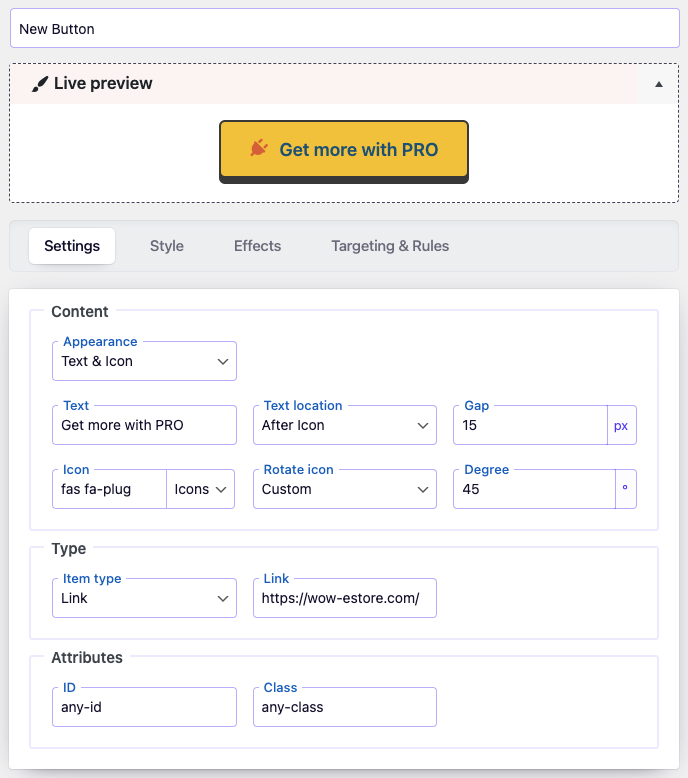
Button Dashboard Content
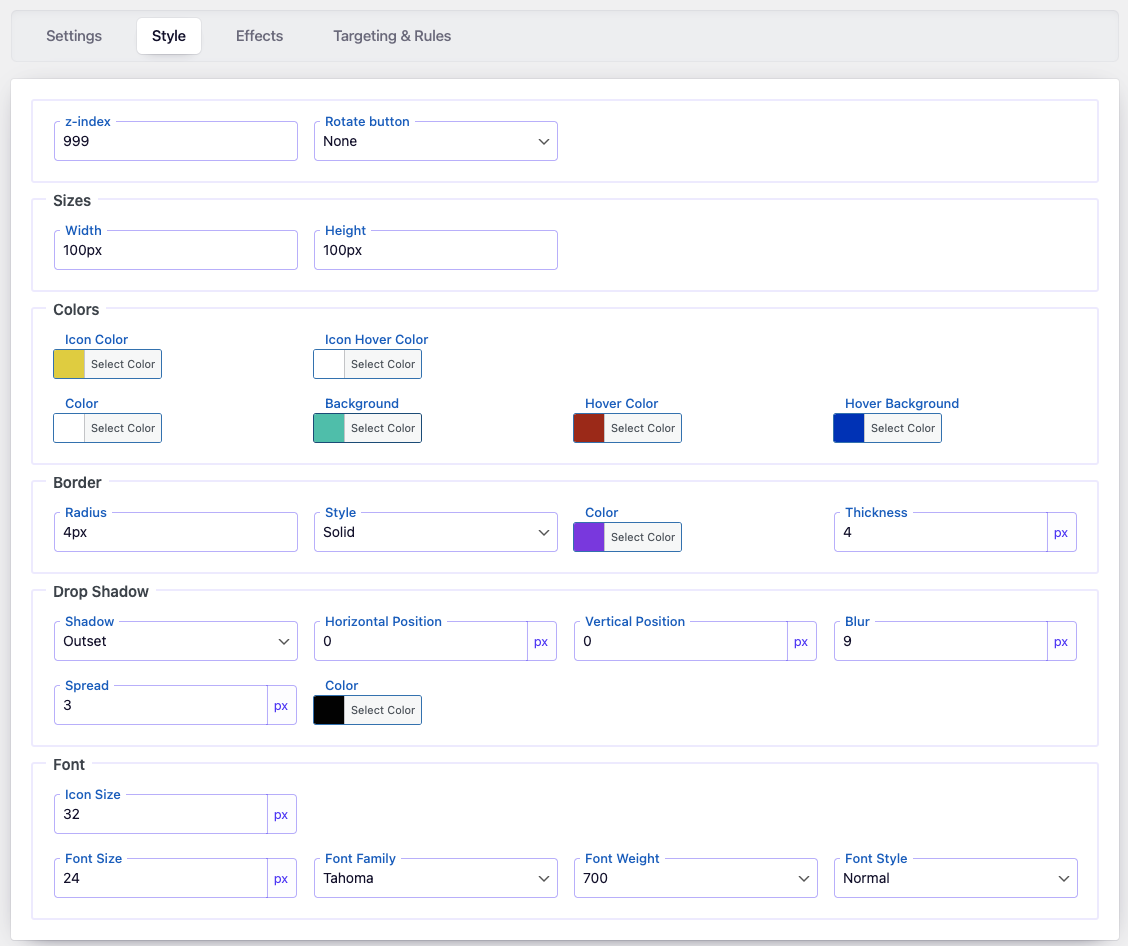
Button Style Settings
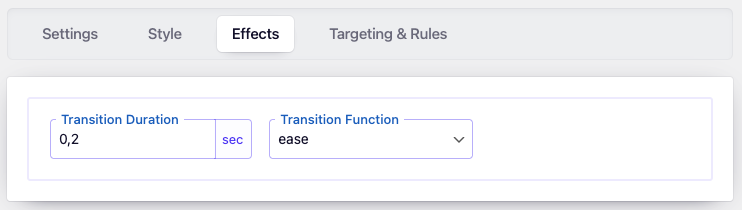
Button Effects Settings
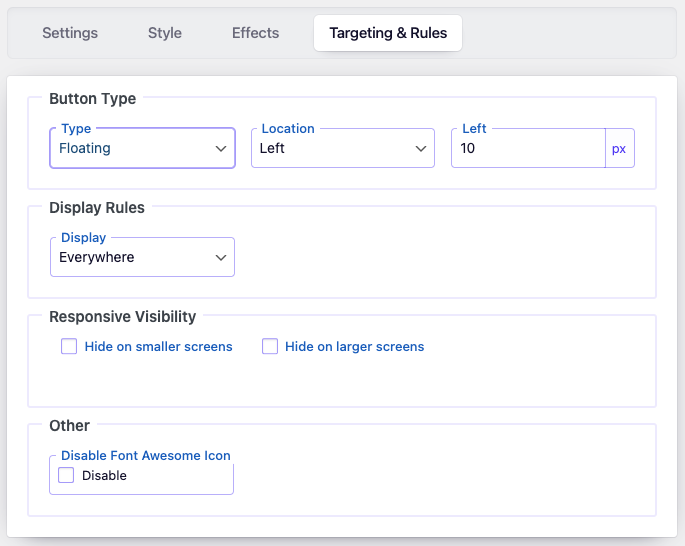
Button Targeting and Rules Settings
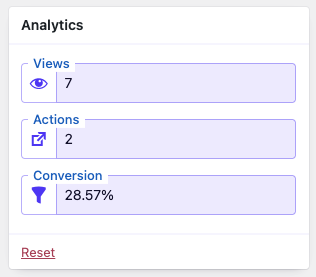
Button Analytics
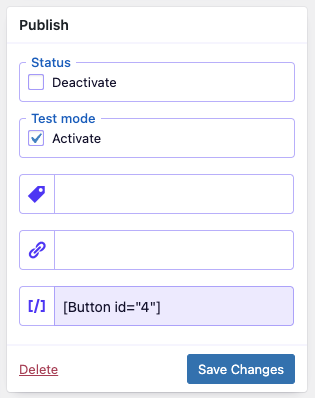
Button Publish Settings
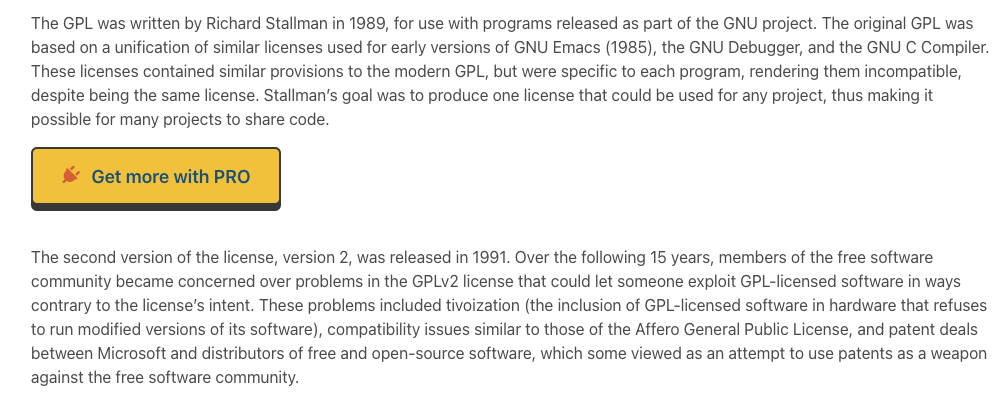
Button appearance on Front-end
Changelog
3.2.5
- Updated: FontAwesome icons to version 7.1.
- Update: purify.js to version 3.3.0.
- Fixed: minor bugs.
3.2.4
- Fixed: issue with saving the option block status
- Fixed: improved sanitization and escaping in the builder
3.2.3
- Improved: Refactored AdminActions class for better performance and readability
- Improved: Reordered condition checks for better execution performance
- Updated: Added strict type hinting for method arguments in AdminActions
3.2.2
- Improved: Reorganized method order in DBManager class for better readability and maintenance
- Improved: Minor SQL formatting for consistency
- Cleaned: Minor code style improvements according to WordPress Coding Standards (WPCS)
3.2.1
- Fixed: when update the button settings, create a new button.
3.2
- Updated: Added helpful links to the settings page for easier navigation.
- Updated: Upgraded
wp-color-picker-alphato version 3.0.4 for improved compatibility.
3.1.3
- Updated: Translation files.
- Fixed: Minor visual and logic bugs.
3.1.2
- Fixed: Enhanced nonce verification logic to improve security.
3.1.1
- Fixed: Button rendering issue in the footer.
3.1
- Added: ARIA label support for accessibility.
- Added: Link to changelog directly in plugin settings.
- Updated: Admin menu icon.
3.0.3
- Fixed: Escaping-related issues for improved output security.
3.0.2
- Updated: FontAwesome icons to version 6.6.
3.0.1
- Improved: Optimized downloading of styles and JavaScript files.
- Improved: Admin dashboard layout and usability.
3.0
- Added: New Display Rules – show buttons by category, tag, or archive pages.
- Added: Transition Duration and Easing Function controls for smooth animations.
- Added: User account buttons – login, logout, register, and password reset.
- Added: Icon font size, icon color, and hover color options.
- Added: Icon and text gap setting, with support for “Above” and “Under” text positions.
- Added: Button import/export tool for transferring between sites.
- Added: Button tags for easier organization and searching.
- Added: Button-to-page linking for internal navigation.
- Updated: FontAwesome library to version 6.5.
- Improved: Replaced jQuery with vanilla JavaScript for performance.
- Improved: Plugin dashboard and button builder UI.
- Fixed: Various minor bugs.
2.3.9
- Fixed: Security vulnerability in the counter reset function.
2.3.8
- Fixed: Compatibility issue with dynamic properties in PHP 8.2.
2.3.7
- Fixed: Styling bug affecting button appearance.
2.3.6
- Fixed: General bug fixes.
2.3.5
- Fixed: Escaping of user input in the page list feature.
2.3.4
- Fixed: Minor UI bugs and inconsistencies.
2.3.3
- Fixed: Typo and rendering bug on the main plugin page.
2.3.2
- Fixed: Display bug in the admin area.
2.3.1
- Fixed: Issue with saving data to the database.
2.3
- Updated: FontAwesome icons to version 5.14.
- Fixed: Bug in alpha channel of color picker.
2.2
- Updated: FontAwesome icon set.
- Fixed: Frontend visibility issue for buttons.
2.1
- Fixed: Button visibility on certain devices.
2.0
- Changed: Refactored plugin database structure.
- Added: Option to disable FontAwesome loading.
- Fixed: Admin menu logic and link issues.
1.0
- Initial release.