

Calculate Prices based on Distance For WooCommerce
Easily automate WooCommerce shipping costs by calculating delivery prices based on real-world driving distance using the Google Maps API.
Plugin info
Maintenance & Compatibility
Maintenance score
Maintained • Last updated 140 days ago • 18 reviews
Is Calculate Prices based on Distance For WooCommerce abandoned?
Likely maintained (last update 140 days ago).
Compatibility
Similar & Alternatives
Explore plugins with similar tags, and compare key metrics like downloads, ratings, updates, support, and WP/PHP compatibility.
Description
Easily automate WooCommerce shipping costs by calculating delivery prices based on real-world driving distance using the Google Maps API.
This plugin ensures dynamic, accurate pricing, helping reduce cart abandonment and boost conversions.
Perfect for local delivery businesses and eCommerce stores using WooCommerce.
💡 Now compatible with both WooCommerce Classic Checkout and the new Block-Based Checkout (Cart and Checkout Blocks).
📌 Need help setting up the plugin?
👉 Follow this Step-by-Step Guide
🚀 Test the Plugin Live (FREE + PRO)
Short Description
Automatically calculate WooCommerce delivery fees based on real-world distance using Google Maps API.
Requirements
✔ Google Maps API Key Required
– Geocoding API
– Distance Matrix API
– Places API
– Maps JavaScript API
– Directions API
📌 Google requires billing details for API activation, but standard API usage is FREE!
👉 Need help? Follow this guide:
📌 How to Get a Google Maps API Key
🔥 Features in Free Version
✅ Distance-Based Pricing – Automatically calculate delivery charges based on the distance between your store and the customer’s address.
✅ Google Maps Address Autocomplete – Provides address suggestions in real time, improving checkout speed and accuracy.
✅ Charge Per Kilometer or Mile – Fully customizable delivery charges based on preferred unit.
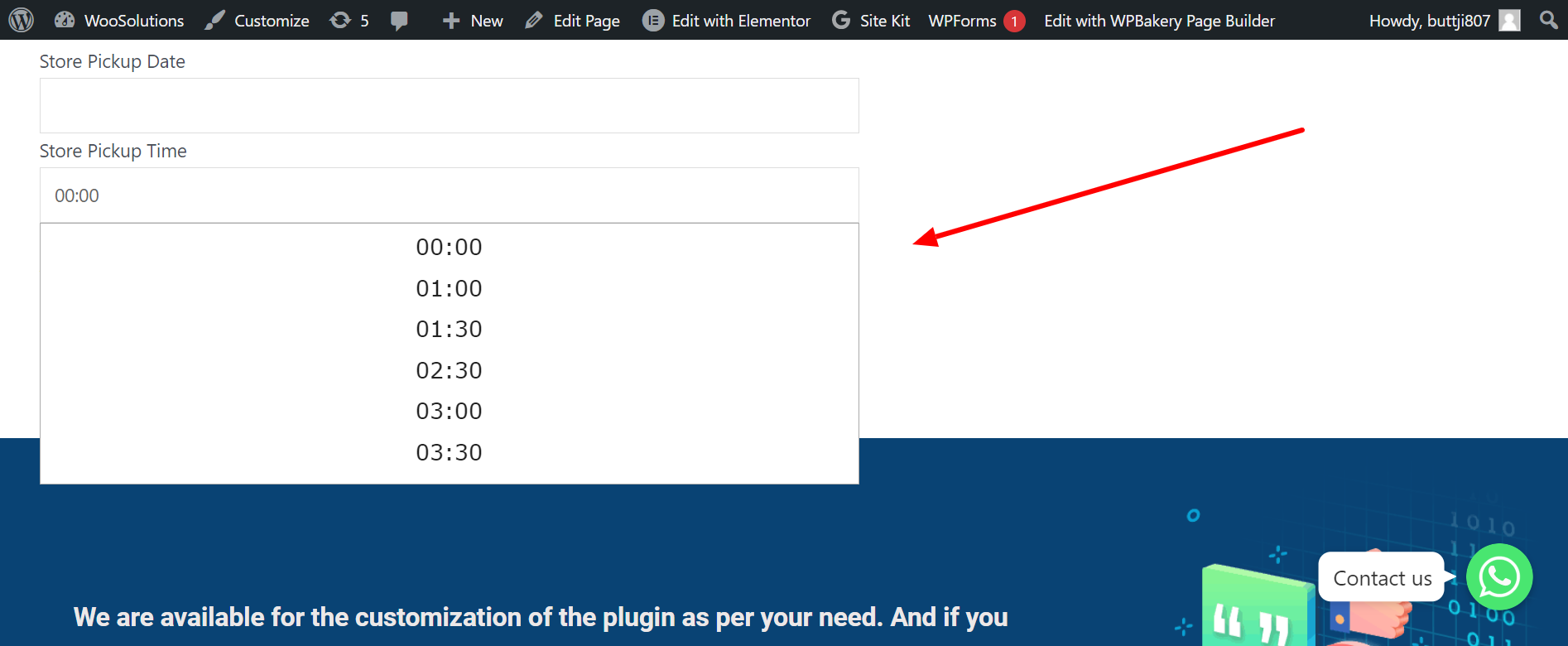
✅ Delivery Datepicker & Timepicker – Allow customers to choose preferred delivery date and time.
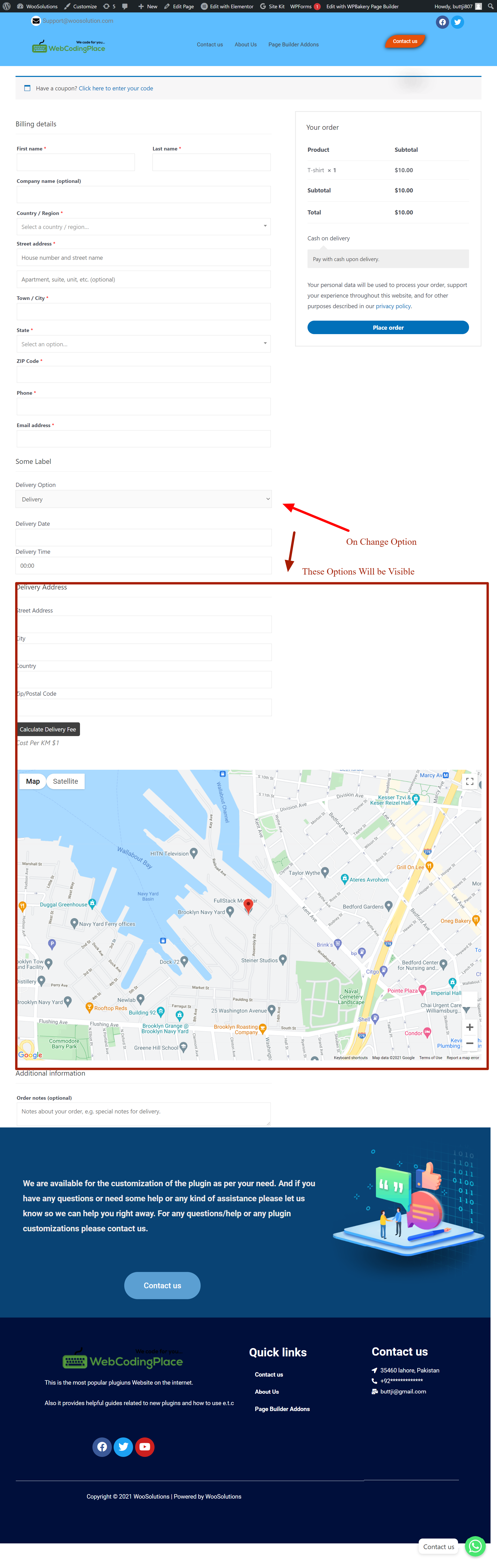
✅ Live Calculation Display at Checkout – Customers see calculated delivery charges instantly.
✅ Works Seamlessly with WooCommerce Classic & Block Checkout – Full compatibility with both checkout types.
✅ Lightweight & Easy to Set Up – Designed for store owners and non-developers.
🚀 Features in PRO Version
✔ Advanced Pricing Rules – Create tiered pricing brackets (e.g., $5 for 0–5 KM, $10 for 5–15 KM).
✔ Maximum Delivery Distance – Restrict deliveries beyond a certain radius.
✔ Dual Address Fields – Allow pricing between two locations (e.g., pickup & drop-off).
✔ Priority Handling & Advanced Scheduling – Set time slot limits, preparation times, and lead times.
✔ Admin Label Customization – Rename plugin labels for better customer UI experience.
📌 Upgrade to PRO for full control over WooCommerce delivery pricing!
👉 Get PRO
📽️ How It Works
🎬 Watch our 3D Animated Video to See the Plugin in Action:
📺 Watch Now
Ideal For
- Restaurants
- Grocery stores
- Florists
- Bakeries
- Furniture stores
- Pharmacies
- Laundry and dry-cleaning services
- Alcohol and beverage delivery
- Courier and parcel dispatch businesses
- Catering services
- Appliance delivery and setup companies
- Cake & dessert delivery shops
- Food trucks
- On-demand delivery services
- Medical supply vendors
Installation
- Download & upload “calculate-prices-based-on-distance-for-woocommerce.php” to
/wp-content/plugins/. - Activate the plugin via Plugins > Installed Plugins in WordPress.
- Go to WooCommerce > WC Distance Calculator to configure your settings.
- Set your Google Maps API Key and define your distance-based pricing rules.
👉 Need help? Follow this guide:
📌 Set up Guide
Frequently Asked Questions
No! It’s 100% beginner-friendly. Just install, add your Google Maps API key, set pricing rules, and you’re ready to go.
Yes. The plugin is compatible with both Classic and Block-based (Cart & Checkout Blocks) checkout flows.
Yes, the PRO version supports tiered pricing rules.
Yes, Google Maps API is required for distance calculation and autocomplete features. API billing is required but Google offers free monthly credits (enough for most stores).
Yes, you can choose your preferred distance unit in the plugin settings (km or miles).
Yes! The plugin is designed to be compatible with all major WooCommerce-compatible themes and page builders like Elementor, Divi, and Gutenberg.
No sensitive data is stored by the plugin. It uses the Google Maps API for address detection only during checkout.
Currently the plugin applies to all products. Per-product delivery settings are planned for future updates.
You can get support via the WordPress.org support forum or visit our Support Page.
Yes! For custom feature development or plugin integrations, please reach out via:
📌 Custom Plugin Modifications
Review feed
Screenshots
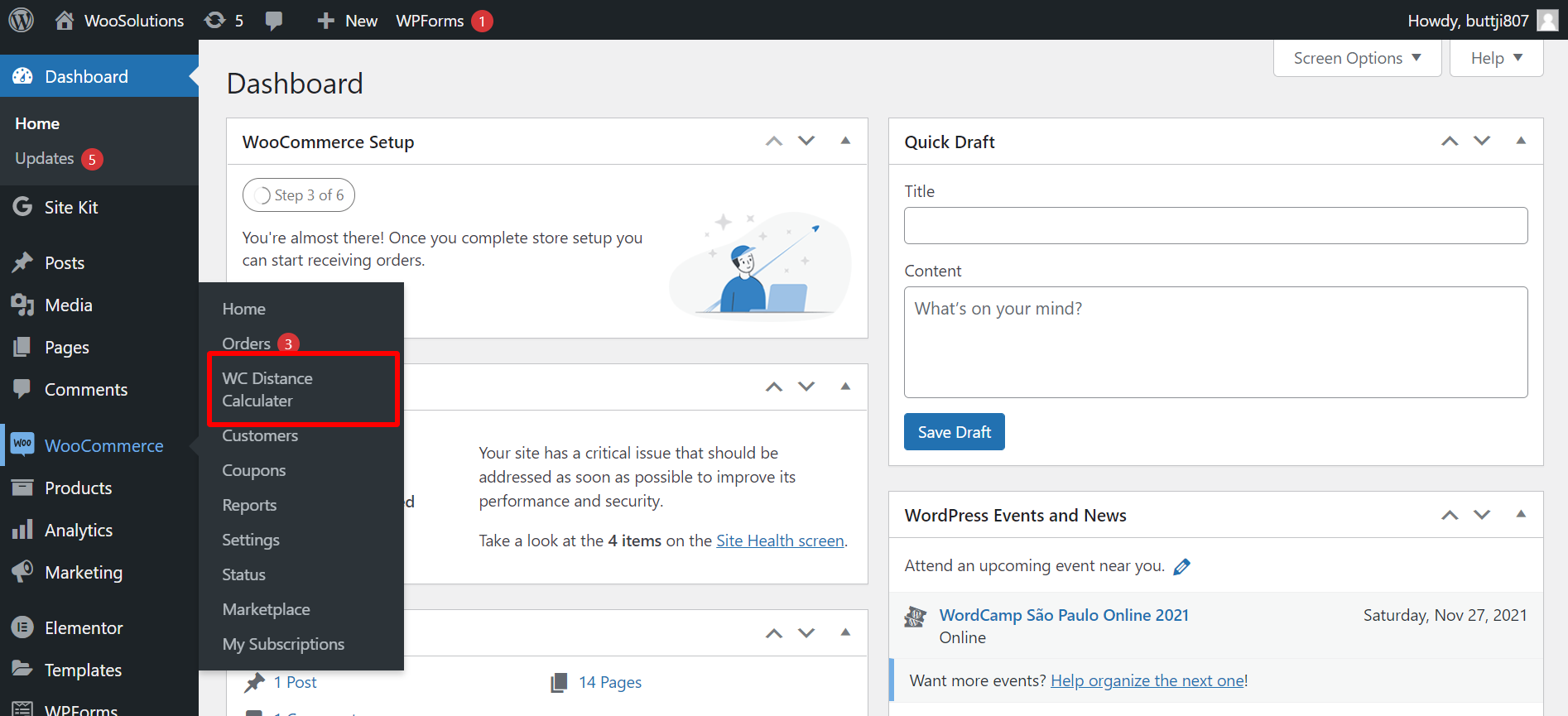
Plugin Admin Settings
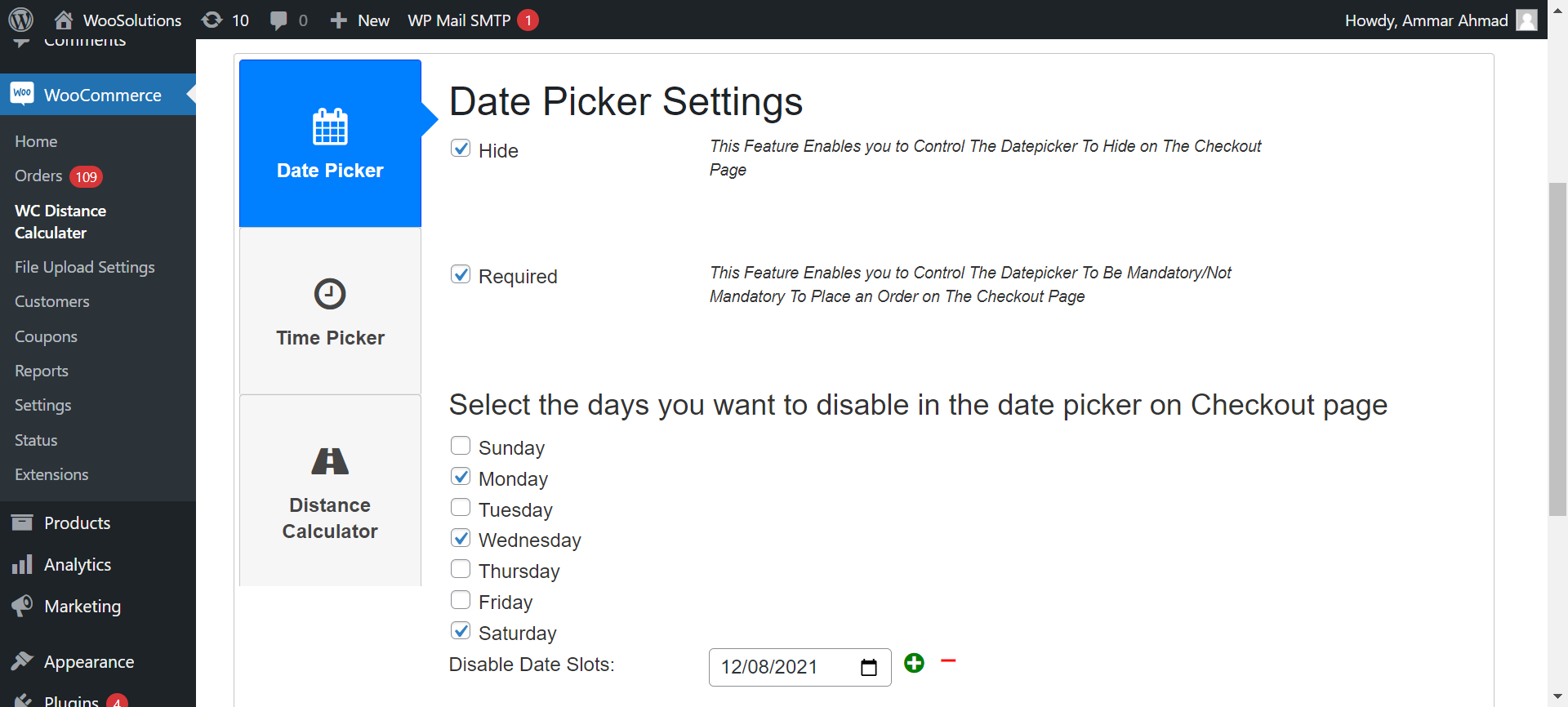
Distance-Based Pricing Configuration
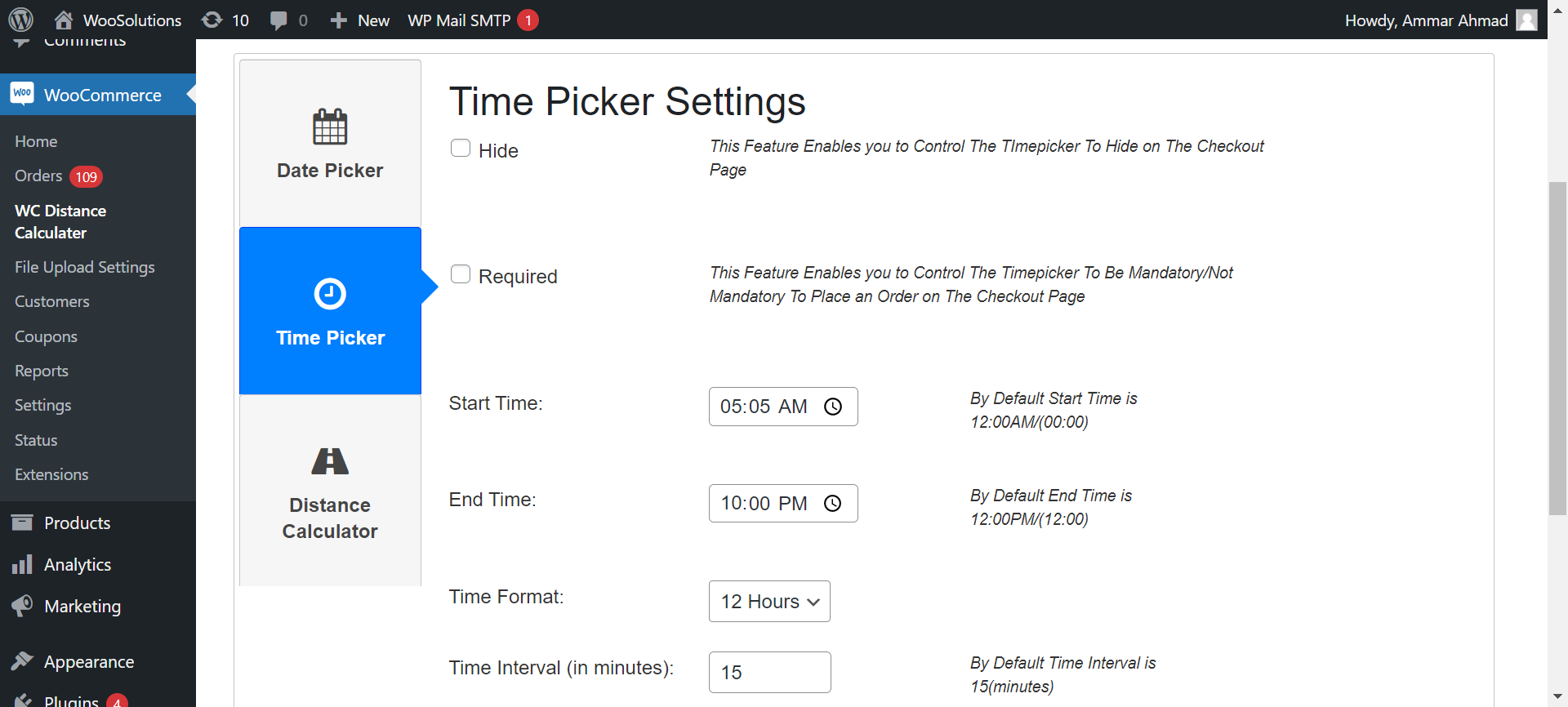
Datepicker & Timepicker Settings

Checkout Page with Automated Delivery Fee Calculation
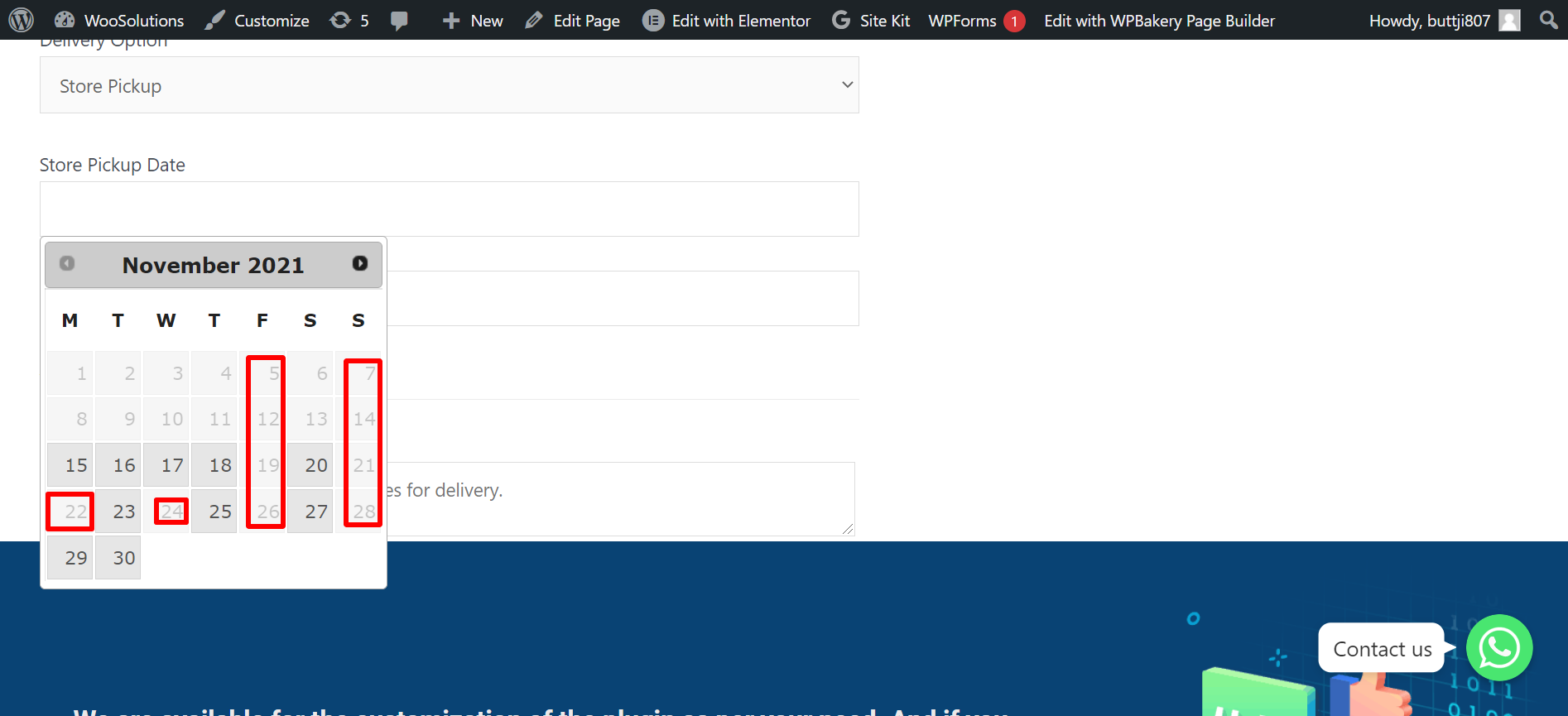
Custom Pricing Per Distance Range
Multi-Store Distance Pricing
Changelog
1.3.5
- Improved Google Maps API setup guide for easier configuration
- Enhanced tiered pricing options in the PRO version
- Compatibility added for WooCommerce Block-Based Checkout
- Minor bug fixes and performance optimizations