

Plugin info
Maintenance & Compatibility
Maintenance score
Possibly abandoned • Last updated 1085 days ago • 1 reviews
Is Callout abandoned?
Possibly abandoned (last update 1085 days ago).
Compatibility
Similar & Alternatives
Explore plugins with similar tags, and compare key metrics like downloads, ratings, updates, support, and WP/PHP compatibility.
Description
The Callout Block plugin registers a WordPress block that allows you to add a styled box for featured content to your WordPress block editor.
Key Features
- Includes 200+ icons powered by Heroicons
- Use custom icons (loaded from SVG string or link)
- Design your callout block using inner blocks
- Transform your callout block to a reusable block
- Compatible with the Site Editor
Development
Installation
This section describes how to install the plugin and get it working.
- Upload the plugin files to the
/wp-content/plugins/callout-blockdirectory, or install the plugin through the WordPress plugins screen directly. - Activate the plugin through the “Plugins” screen in WordPress.
- Inside the Block Editor, search the “Callout” block and insert it.
Frequently Asked Questions
Yes. Open the modal with the icons, go to the “Custom SVG” tab and insert your SVG string or a link (the extension must end with .svg). After that, click on “Insert” button and the icon will be inserted and can be styled.
Yes. Transform your callout box to a reusable block as usual. Then, if you want to use it later in a post or page, insert it from the reusable blocks section.
If you want to edit the content for the reusable block, you have to transform your block to a regular block. If you don’t do that, the callout box will be updated across your website (unless if that’s what you want it).
Review feed
Screenshots
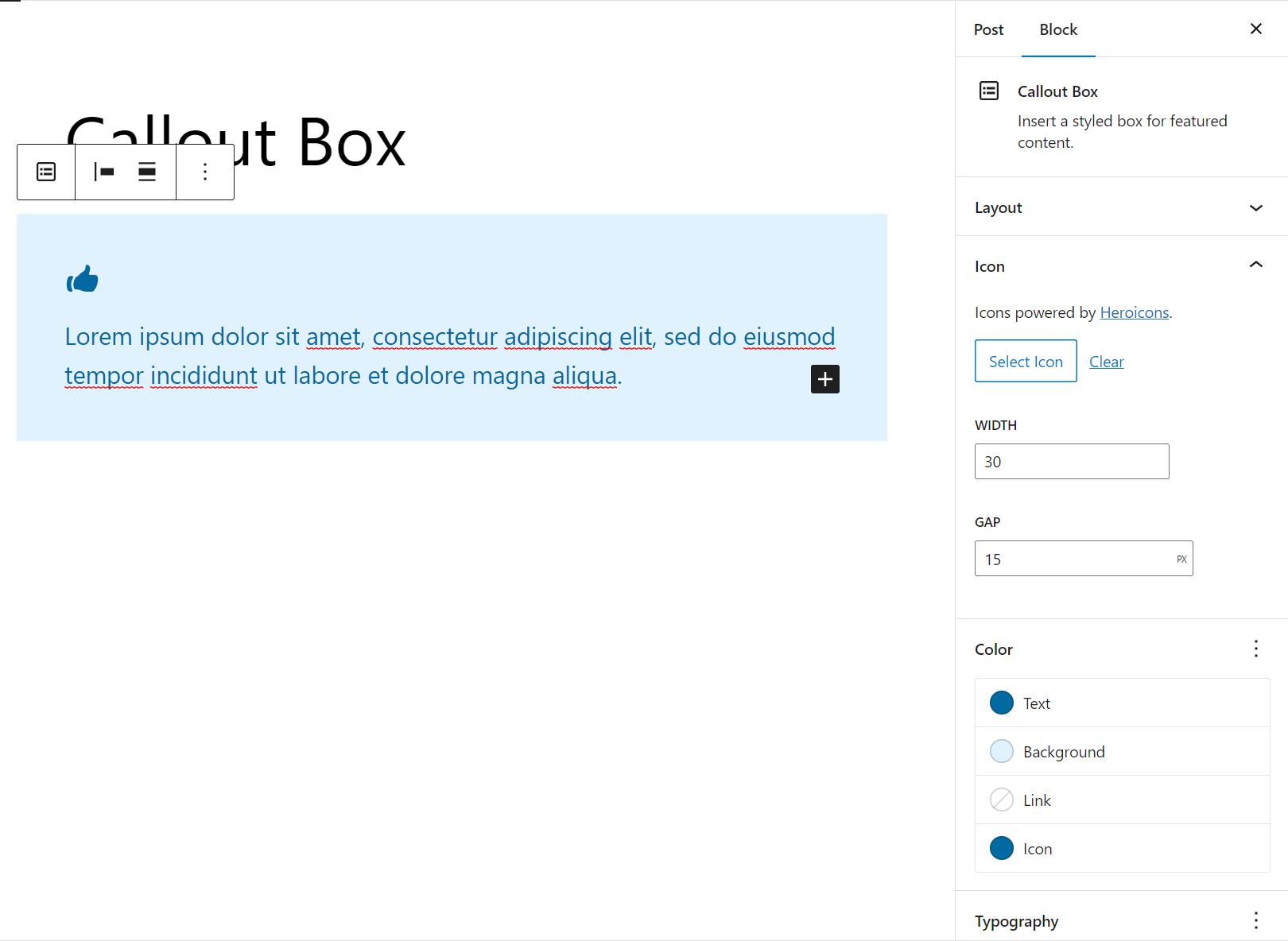
Callout with an icon from the library.

Callout with a custom icon (The icon was inserted from a link).

Callout with more styling. The icon is bigger, the block has a border radius and a left border. The paragraph and button were moved by modifying their custom attributes.

Icon Library.

Custom SVG (SVG string and preview). You can insert SVG string or from a link.
Changelog
1.1.0
This version is only compatible with WP 6.2 or higher. If you are using WP 6.1, please use the previous version.
Also, attempt to recovery the block if it’s broken after update.
- FIX: Flex property missing after update WP 6.2 (#5)
1.0.0
- Initial release