

Canto
Find & publish creative assets to WordPress easily, no email or folder search needed, with Canto's digital asset management.
Plugin info
Maintenance & Compatibility
Maintenance score
Stale • Last updated 358 days ago
Is Canto abandoned?
Likely maintained (last update 358 days ago).
Compatibility
Similar & Alternatives
Explore plugins with similar tags, and compare key metrics like downloads, ratings, updates, support, and WP/PHP compatibility.
Description
Simplify collaboration: Publish media from Canto to WordPress. Browse/search your library directly. Inserted images save to WordPress.
Installation
Installing Canto wordpress plugin can be done either by searching for “Canto” via the “Plugins > Add New” screen in your WordPress dashboard, or by using the following steps:
- Download the plugin via WordPress.org
- Upload the ZIP file through the ‘Plugins > Add New > Upload’ screen in your WordPress dashboard
- Activate the plugin through the ‘Plugins’ menu in WordPress
Configure and authorize your account under “Settings > Canto” left nav menu. Click “Connect” and enter in your account credentials. You will be automatically redirected back to WordPress.
All set, enjoy!
Frequently Asked Questions
For help installing or using the plugin, refer to Canto Help
Unfortunately not. However, you are welcome to sign up today for free! Start free trial
We recommend you to connect to your Canto account using an administrator account.
Review feed
Screenshots

Find media assets quickly with Canto digital asset management

Insert into Post directly from our CDN
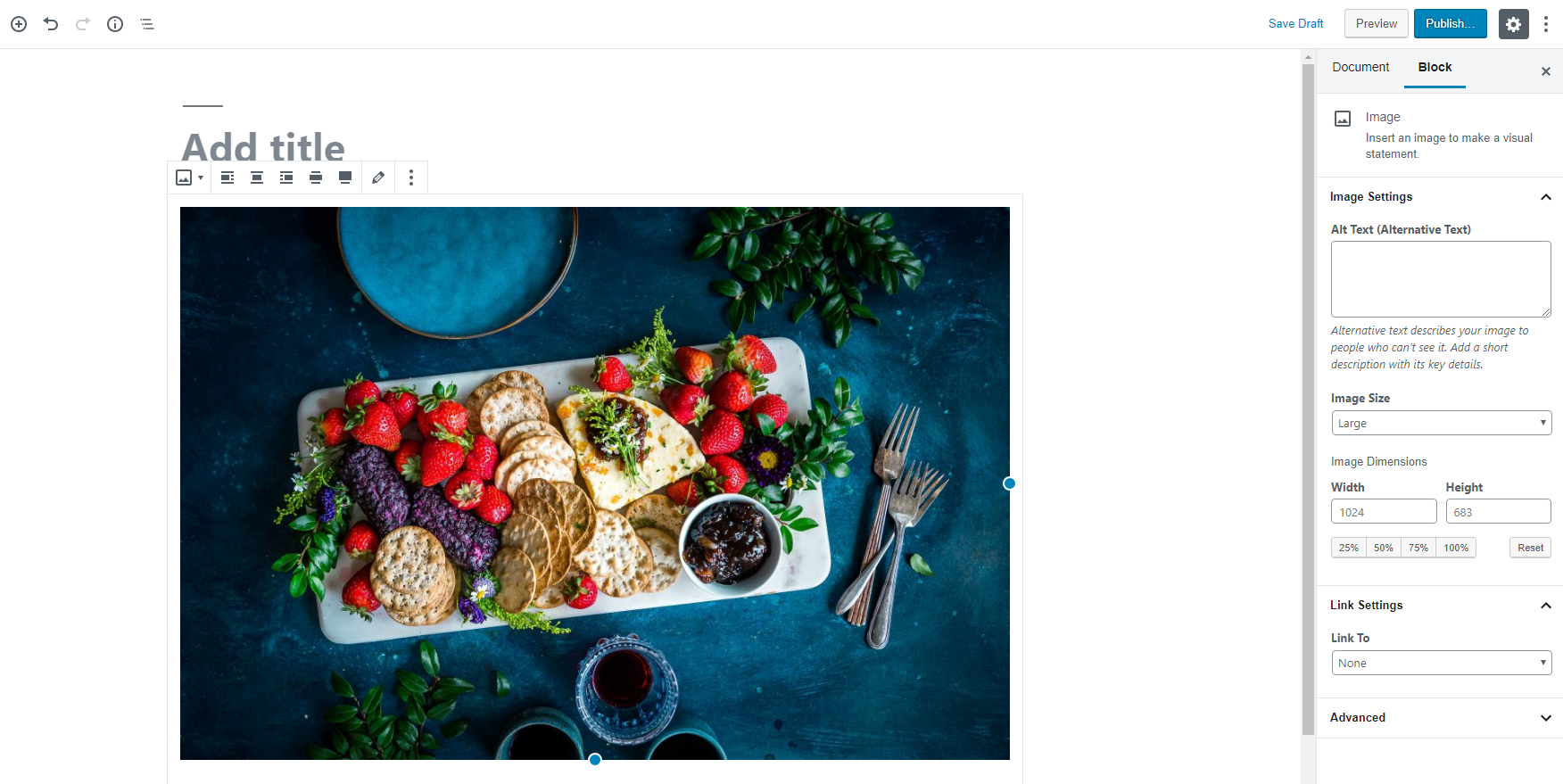
Inserts a native Gutenberg block with customizable options and formatting

Canto block under Common Blocks

Plugin settings include duplicate checking and automatic updates for assets imported in WordPress
Changelog
3.1.0
- 2025-04-10
- Fixed deprecated optional parameter $field declared before required parameter.
3.0.9
- 2024-07-13
- Fixed Vulnerability Title: Canto <= 3.0.8 – Unauthenticated Blind SSRF
3.0.8
- 2024-07-13
- Fixed Vulnerability Title: Canto <= 3.0.8 – Unauthenticated Blind SSRF
3.0.9
- 2024-06-21
- Fixed Vulnerability Title: Canto <= 3.0.8 – Remote File Inclusion Issue
3.0.8
- 2024-06-21
- Fixed Vulnerability Title: Canto <= 3.0.8 – Remote File Inclusion Issue
3.0.8
- 2024-04-04
- Updated the version number only and added some WordPress methods instead of PHP.
3.0.7
- 2024-03-18
- FIX: Fixed the security issue for the full review.
3.0.6
- 2023-10-26
- Support added for all Canto customers who store their data in the Australia region.
3.0.5
- 2023-1-29
- Minor bug fixes
3.0.4
- 2023-1-11
- Bug fixes and improvements
3.0.3
- 2023-1-3
- Bug fixes and improvements
3.0.2
- 2022-12-29
- Bug fixes and improvements
3.0.1
- 2022-12-20
- Bug fixes and improvements
3.0.0
- 2022-11-17
- This version of the plugin supports WordPress v6.
2.1.2
- 2022-9-26
- Minor bug fixes
2.1.1.1
- 2022-5-13
- Minor bug fixes
2.1.1
- 2022-2-23
- Minor bug fixes
2.0.10
- 2022-1-26
- Minor bug fixes
2.0.9
- 2021-10-27
- Minor bug fixes
- Performance improvements
2.0.8
- 2021-09-20
- FIX: Modified some styles that may conflict with other plugins.
- FIX: Fixed the problem that the domain name cannot be selected after the login fails.
- FIX: Improved performance.
2.0.7
- 2021-08-03
- FIX: The album is not loaded when clicked.
2.0.6
- 2021-05-27
- FIX: WordPress plugin not working on Safari and Firefox.
- FIX: Other problems.
2.0.5
- 2021-05-19
- FIX: The problem of not being able to log off.
2.0.4
- 2021-05-17
- FIX: Fixed some security issues.
- FIX: The problem cannot insert picture without modification date.
2.0.3
- 2021-04-28
- FIX: Fixed the style conflict issue that caused the button to fail.
- FIX: Fixed the problem that pictures cannot be inserted normally.
- FIX: Fixed some security issues.
- FIX: Other problems.
2.0.2
- 2021-02-07
- FIX: Fixed the issue about login.
2.0.1
- 2021-01-30
- FIX: Fixed the secrity issue for the full review.
2.0.0
- 2021-01-30
- FIX: Fixed all secrity issue for the full review.
1.9.0
- 2020-12-14
- FIX: Fixed secrity issue for the full review.
1.8.0
- 2020-11-26
- FIX: Fixed issue about cannot login within .global.
1.7.0
- 2020-11-17
- FIX: Fixed issue about cannot insert image in Firefox.
1.6.0
- 2020-9-29
- FIX: Fixed issue about token expired.
1.5.0
- 2020-8-20
- FIX: Fixed issue of treeview for global env.
1.4.0
- 2019-10-10
- FIX: The tree structure data is too large to be rendered. Now load the first layer for the first time.
1.3.0
- 2019-03-06
- NEW: Gutenberg block compatibility. Canto block created to import assets into Gutenberg with native block types based on file type
1.2.1
- 2018-11-07
- FIX: Edge browser compatibility for CSS and JS loading issues
1.2.0
- 2018-10-01
- FIX: Added API domain selection for legacy and canto.global accounts
- FIX: Divi theme compatibility for custom image sizes
1.1.0
- 2018-06-09
- NEW: Added icon for non-image files. File name appears when hovering over item
1.0.0
- 2018-06-08
- Merging formerly known as “Flight by Canto” as a Canto WordPress plugin