

Canva – Design beautiful blog graphics
Utilise the full features of Canva directly in the edit screen of a page, post and custom post type.
Plugin info
Maintenance & Compatibility
Maintenance score
Possibly abandoned • Last updated 3496 days ago • Support resolved 0% • 7 reviews
Is Canva – Design beautiful blog graphics abandoned?
Possibly abandoned (last update 3496 days ago).
Compatibility
Languages
Similar & Alternatives
Explore plugins with similar tags, and compare key metrics like downloads, ratings, updates, support, and WP/PHP compatibility.
Description
Canva makes graphic design amazingly simple for everyone by bringing together a drag and drop design tool with a library of more than 1 million stock photographs, graphic elements and fonts.
Use Canva within WordPress with this plugin. Ensure every blog post has an engaging image. Start with Canva’s thousands of beautiful layouts or easily create your own graphic from scratch.
The Canva plugin integrates seamlessly with WordPress, giving you access to the Web’s most powerful design platform.
Choose from hundreds of professionally designed layouts or create your own designs from scratch:
One million images
Design with hundreds of free elements and fonts, or choose from our library of more than 1 million premium images for $1.
Photo editing
Take your photos to the next level with Canva’s stunning photo editor. Photo editing has never been simpler. Present a consistent look and feel on social media and in your marketing materials.
With Canva you can edit your photos using preset filters or get advanced with photo editing tools like brightness, contrast, saturation, tint, blur, x-process and vignette. With more than six quadrillion options, you’ll never be stuck for choice.
Used by bloggers everywhere
In 10 months, Canva users have created more than 3 million designs. Canva has been featured in publications including Techcrunch, Forbes, NBC, Mashable, The Next Web, and Lifehacker.
Installation
Easy! For personal sites:
- Install the plugin.
- Start designing!
Frequently Asked Questions
Do I need an API Key?
You need an API key if you think that you will be using the design button a lot.
Where do I get an API Key?
Go to http://about.canva.com/canva-button/ and request one.
Review feed
Screenshots

You can create a new blog graphic by clicking the Canva Design Button while adding or editing a post in Wordpress
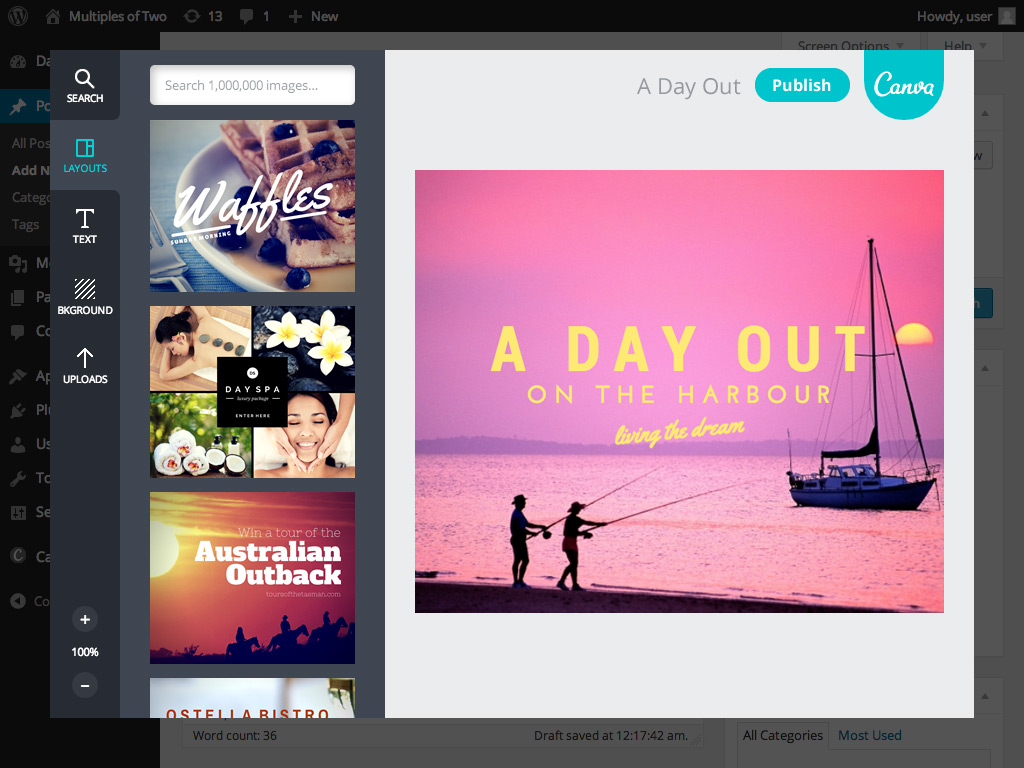
Design your blog graphic in Canva without leaving your Wordpress page, giving you access to millions of layouts and images
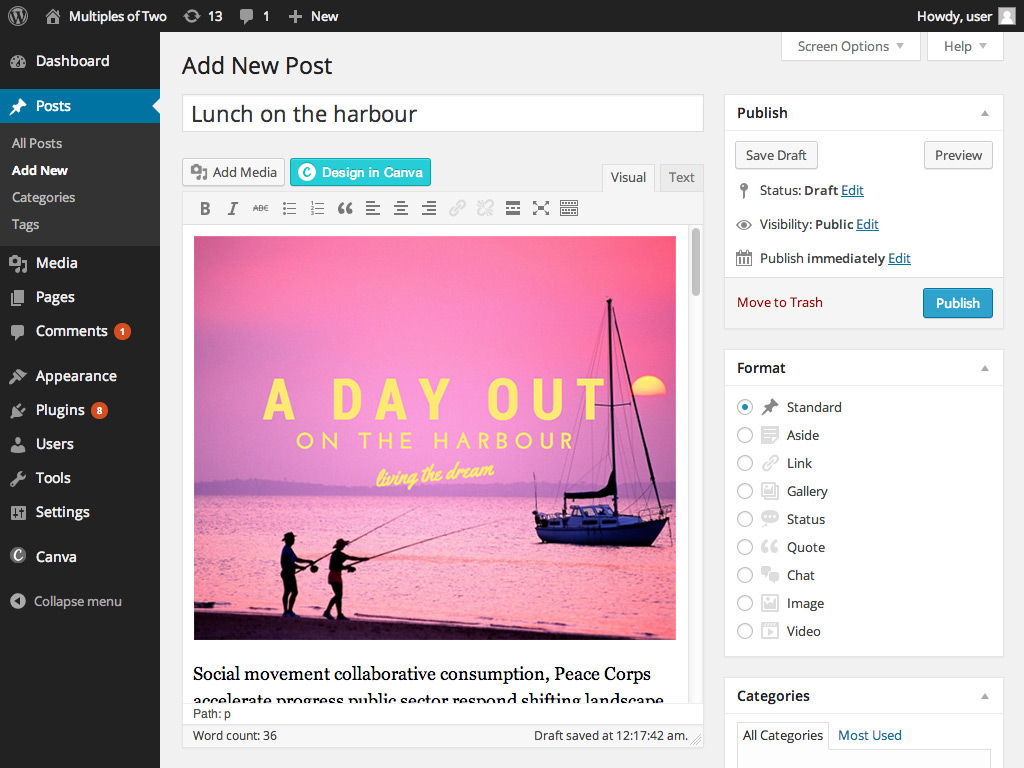
When you're finished your new design automatically gets added to your post

Publish your post and your new blog graphic goes live on your site!
Changelog
1.2.4
- Bugfix: version numbers.
1.2.3
- Bugfix: missing files
1.2.2
- Fixed security vulnerability in admin ajax. Fixed the admin menu code and database table install code
1.2.1
- Enhancement: Designs can be edited via a button in the tinymce editor, or via the canva database
1.1
- Enhancement: Designs can be edited.
1.0.2
- Bugfix: version numbers.
1.0.1
- Enhancement: No key required for small sites.
1.0
- First version.