

Captcha by Yandex for Contact Form 7
Add antispam Yandex SmartCaptcha for your forms with Contact Form 7
Plugin info
Maintenance & Compatibility
Maintenance score
Maintained • Last updated 157 days ago • Support resolved 0% • 3 reviews
Is Captcha by Yandex for Contact Form 7 abandoned?
Likely maintained (last update 157 days ago).
Compatibility
Similar & Alternatives
Explore plugins with similar tags, and compare key metrics like downloads, ratings, updates, support, and WP/PHP compatibility.
Description
Yandex Captcha protects you against spam and other types of automated abuse. With Contact Form 7’s Yandex Captcha integration module, you can block abusive form submissions by spam bots.
Using of a 3rd Party or external service
This plugin uses Yandex SmartCaptcha service for its main functionality. Please read terms of use
To implement the main plugin functionality, this plugin makes remote requests to yandex smart captcha service (https://smartcaptcha.yandexcloud.net) within three cases:
– to check yandex captcha sitekey validity
– to load captcha challenge
– to check a solving result
Installation
This section describes how to install the plugin and get it working.
- Upload the plugin files to the
/wp-content/plugins/captcha-by-yandex-for-contact-form-7directory, or install the plugin through the WordPress plugins screen directly. - Activate the plugin through the ‘Plugins’ screen in WordPress.
- Go to Contact form 7 plugin integration page
- Setup site key and server key from yandex cloud
- Open the contact form and press Yandex captcha tag button to add captcha in your form
Frequently Asked Questions
Open console.cloud.yandex.ru login, add Yandex SmartCaptcha service and generate your keys
When you add yandex captcha into your form, please check Use invisible captcha
Trigger custom event to init captcha. See this example
window.addEventListener(‘DOMContentLoaded’, function() {
document.dispatchEvent(new CustomEvent(‘cfycInitEvent’));
});
Review feed
Screenshots
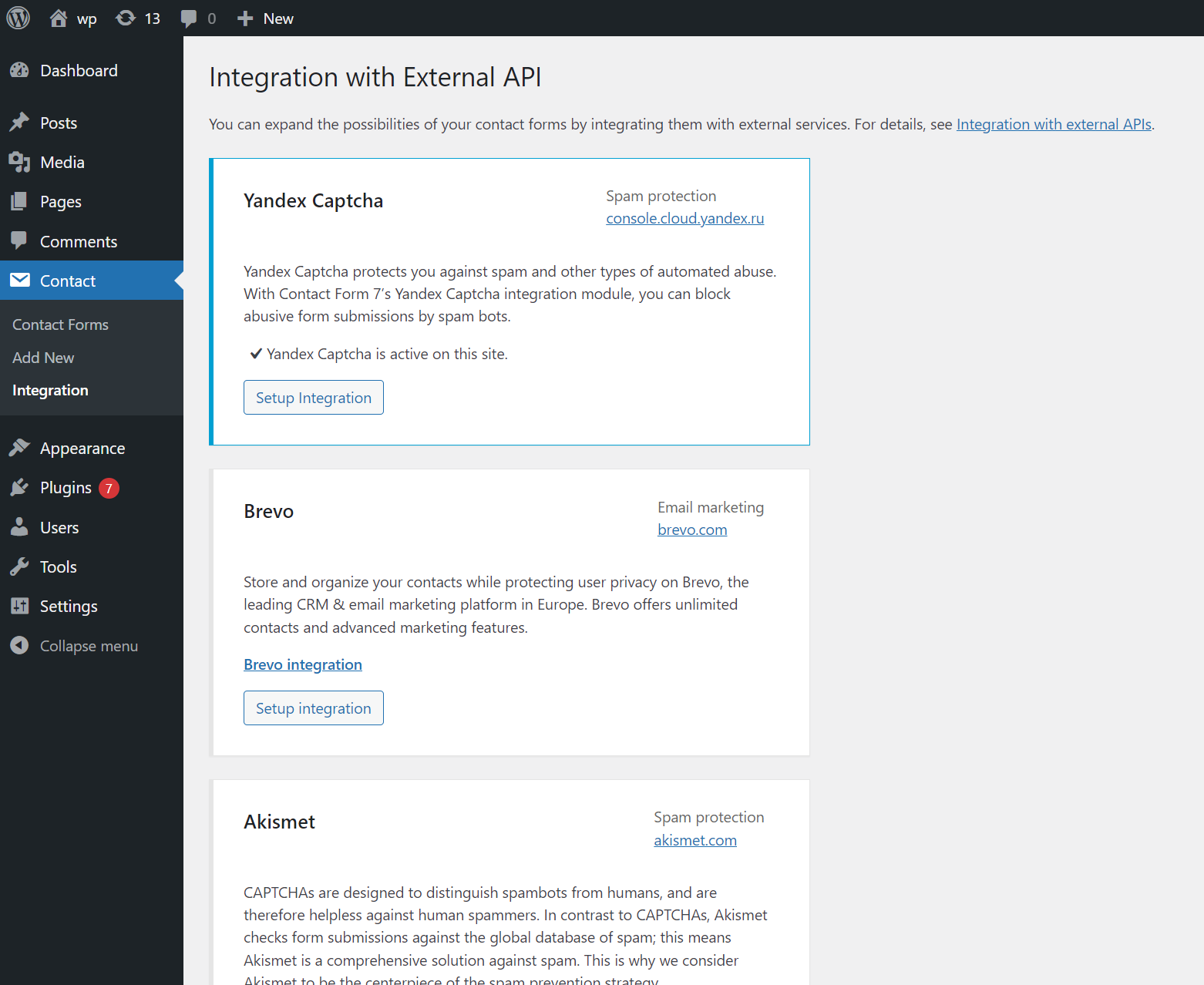
There is a configuration page placed
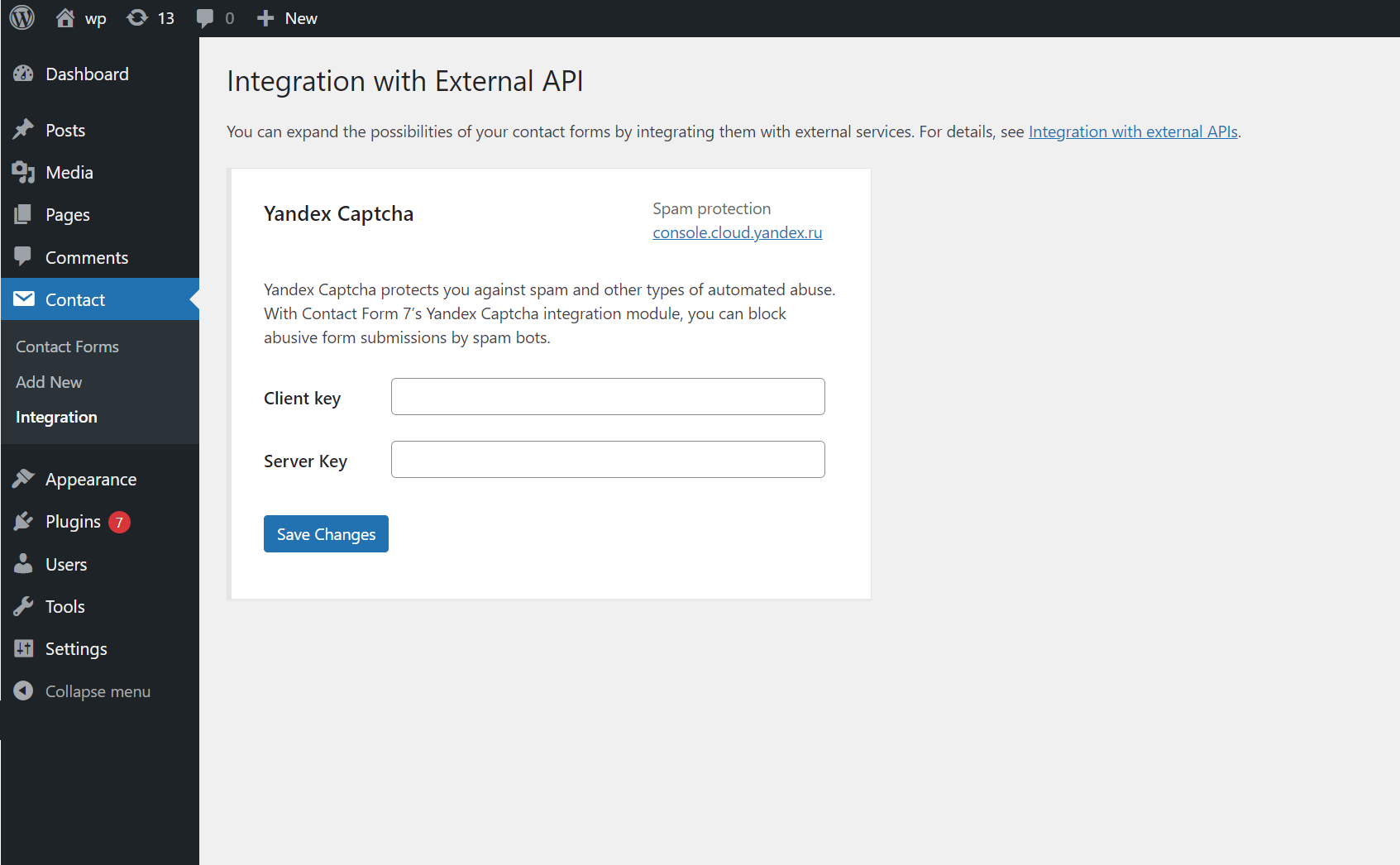
What configuration block looks like
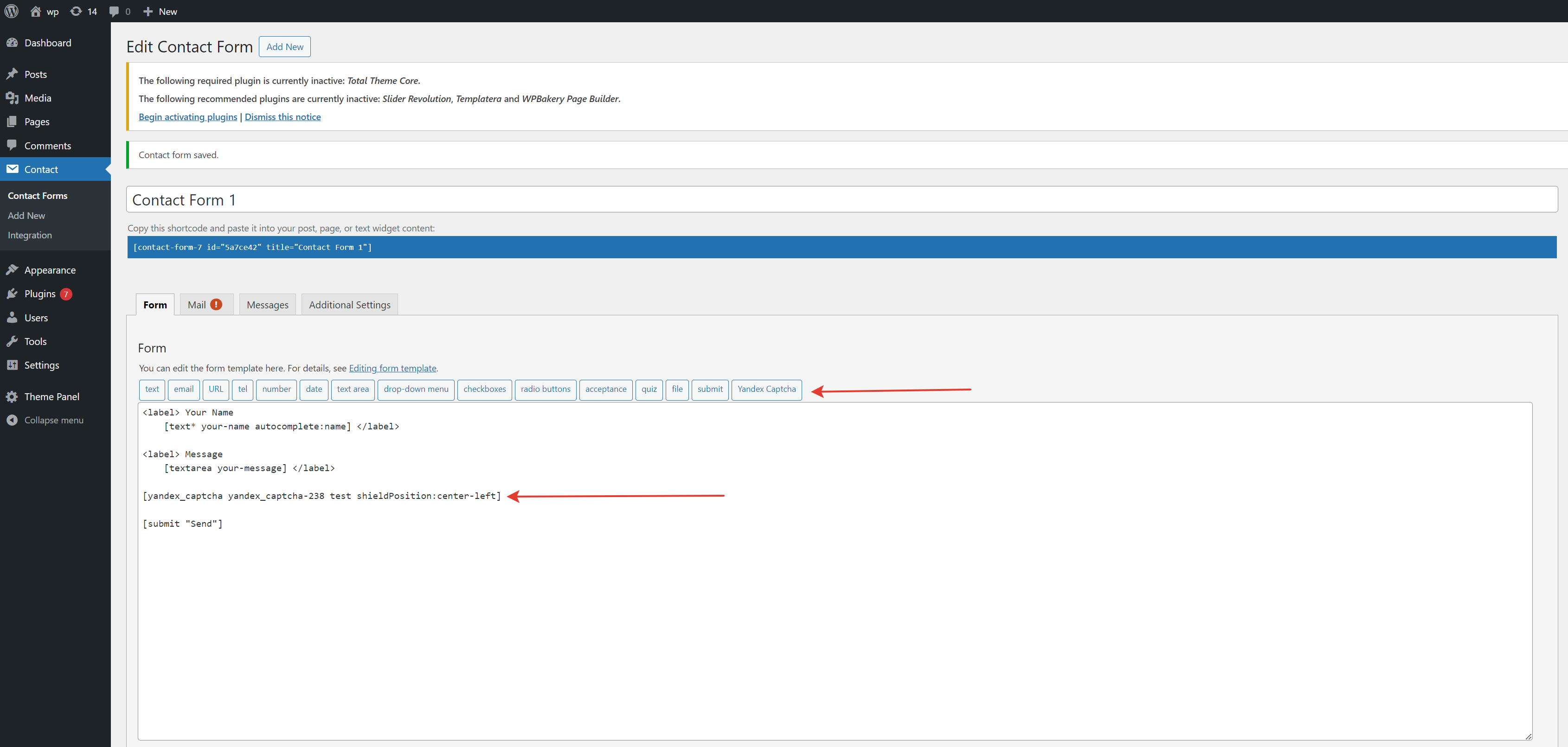
How to place captcha into contact form
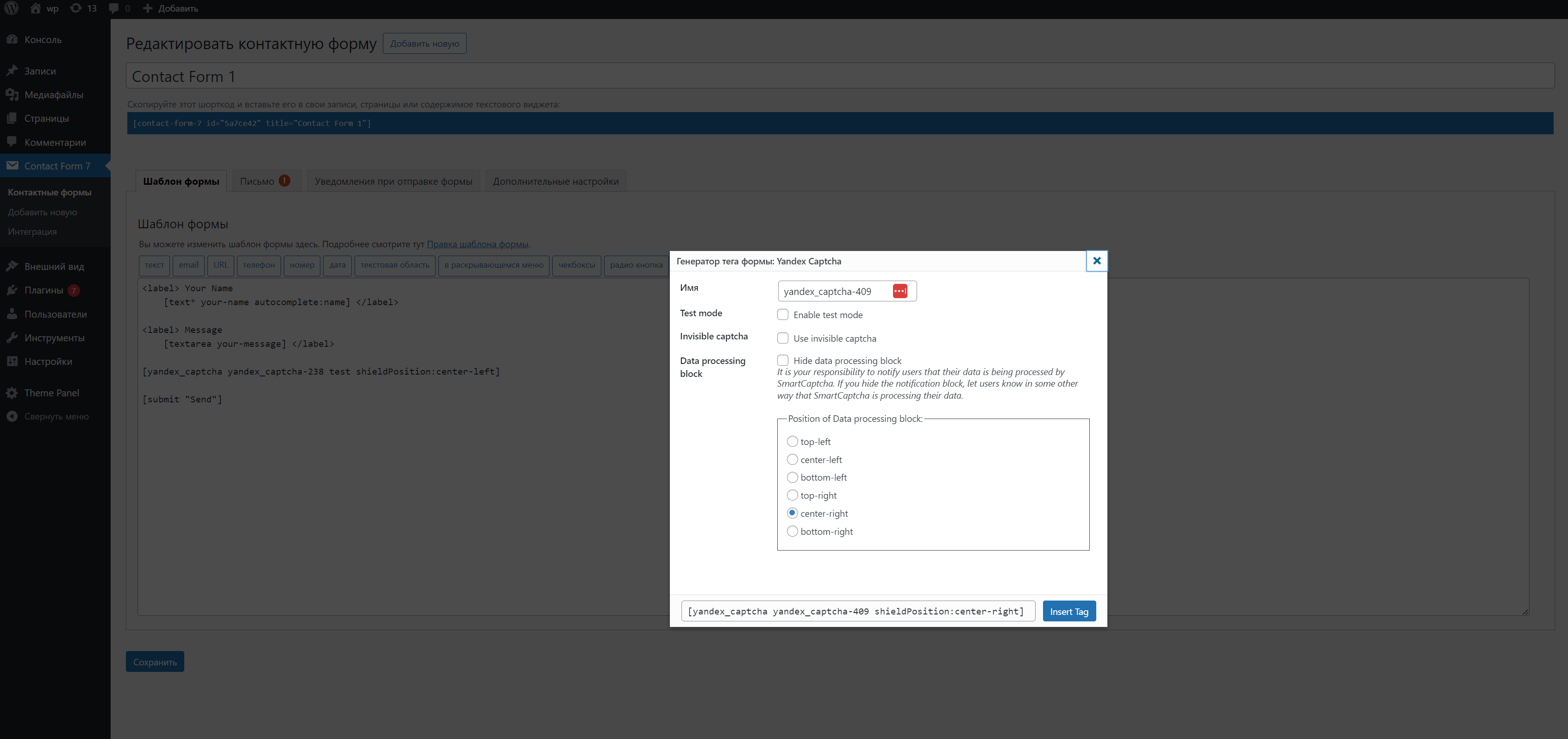
Captcha settings
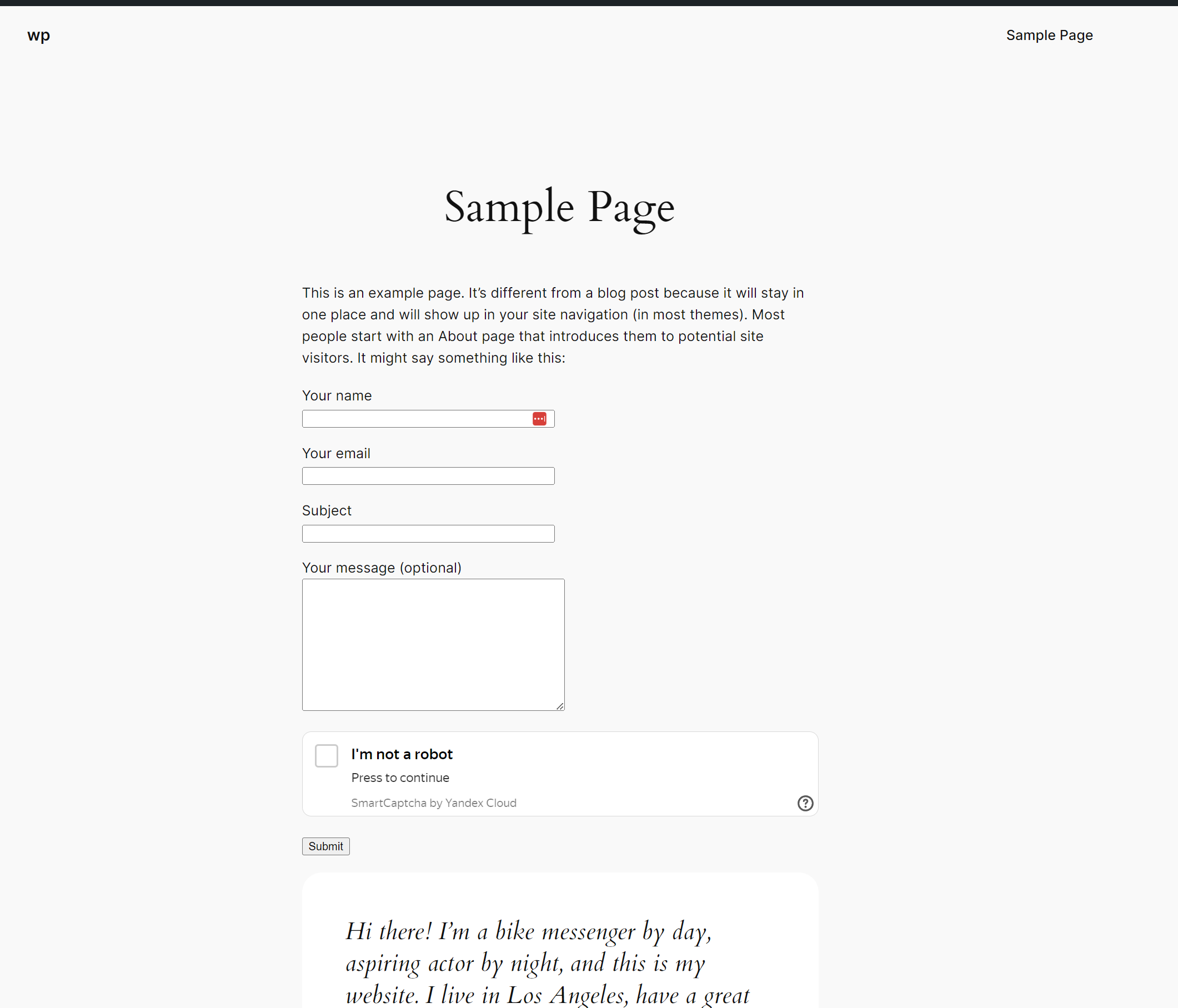
Captcha frontend view
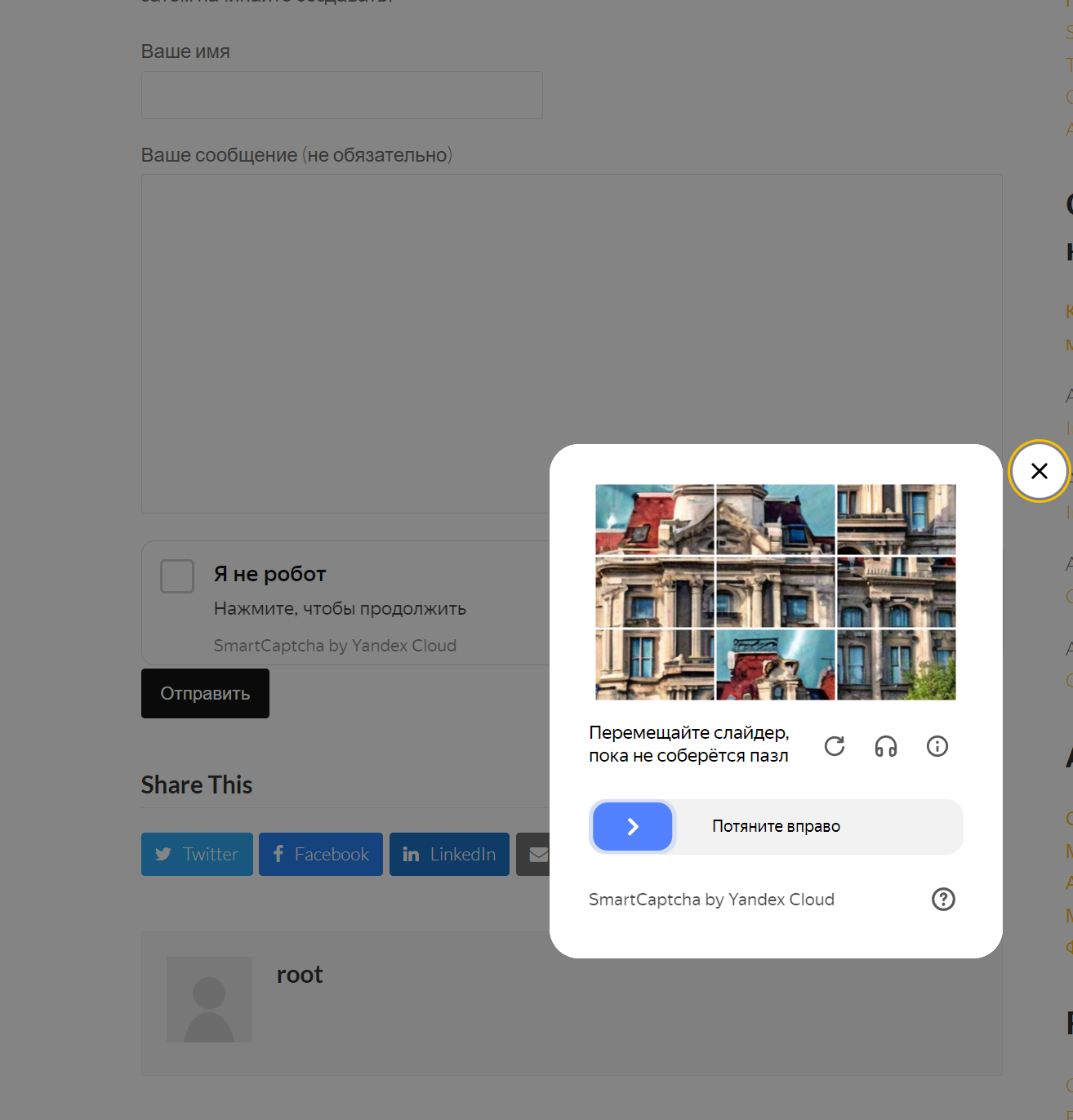
When the system suspects you

Just captcha block

Just captcha block in russian
Changelog
1.2.5
- Fix Bedroсk compatibility
1.2.4
- Fix validator.w3.org error into
<
form>
1.2.3
- Fix other init captcha error
1.2.1
- Fix error init captcha
- Fix duplicate class attribute
1.2.0
- Update for CF7 new tag generator version 2
- Add custom event for custom init
- Check WP 6.8.1 compatibility
1.1.1
- Fix error when submit is button instead of input
- Check WP 6.7.1 compatibility
1.1.0
- Refactor captcha loading
- Fix load a few captchas on one page
- Execute invisible captcha only on submitting (on page load was before)
1.0.4
- Add blueprint
- Fix author name like my other plugins
1.0.3
- Update code due deploy review
1.0.2
Fix wp codex issue
Allows using few forms in one page
1.0.1
Reduce php version to 7.4
Fix verify captcha on some cases
1.0.0
- Basic functionality released.