

Captcha Code
GDPR compatible captcha anti-spam protection for login form, comments form, registration form & lost password form. Eliminate spam with captcha.
Plugin info
Maintenance & Compatibility
Maintenance score
Maintained • Last updated 119 days ago • 33 reviews
Is Captcha Code abandoned?
Likely maintained (last update 119 days ago).
Compatibility
Similar & Alternatives
Explore plugins with similar tags, and compare key metrics like downloads, ratings, updates, support, and WP/PHP compatibility.
Description
Adds GDPR compatible captcha code anti-spam protection to WordPress forms – comments form, registration form, lost password form, and login form. In order to post comments or register, users have to type in the code shown on the image. This prevents spam from automated bots & adds security. No external services (like Google ReCaptcha) are used. No API keys are needed, and no user-identifiable data is used so it’s GDPR compatible.
Features
- Captcha position – comments form, login form, registration form, or lost password form.
- Letters type – capital letters, small letters, or captial & small letters.
- Captcha type – alphanumeric, alphabets or numbers.
- Translation enabled.
Installation
- Download the plugin.
- Upload to your blog (/wp-content/plugins/).
- Activate it.
- Click the ‘Captcha’ menu.
- Fill in the options.
- You’re done!
Frequently Asked Questions
Just use standard Plugin overview page in WordPress admin section and deactivate it or rename plugin folder /wp-content/plugins/captcha-code-authentication over FTP access.
No, it won’t. It’s only loaded on the pages it protects.
You can report security bugs through the Patchstack Vulnerability Disclosure Program. The Patchstack team help validate, triage and handle any security vulnerabilities. Report a security vulnerability.
Uninstalling is as simple as deactivating and deleting the plugin.
Review feed
Screenshots
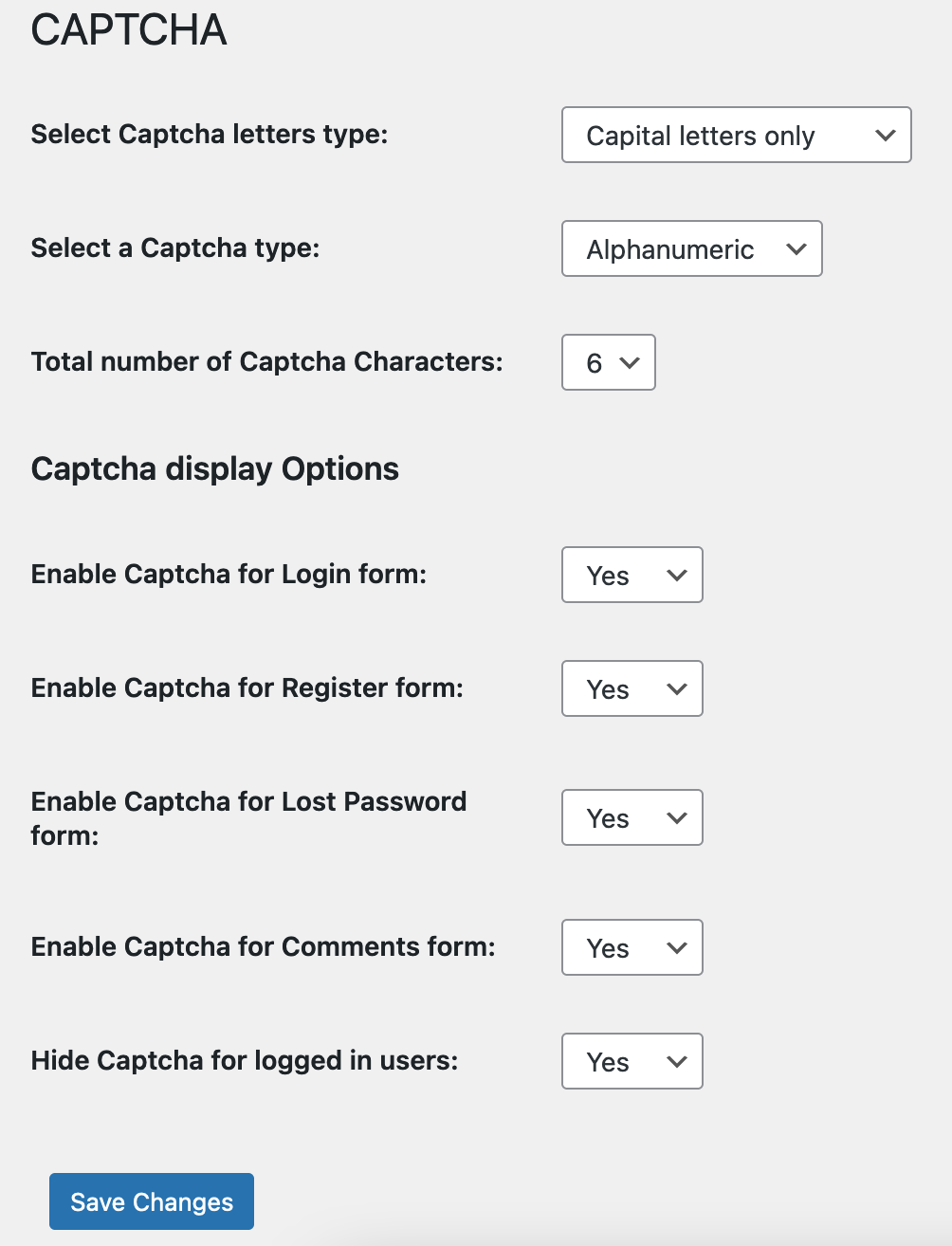
Captcha settings
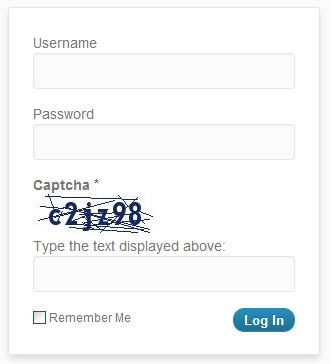
Captcha on login form

Captcha on reset password form
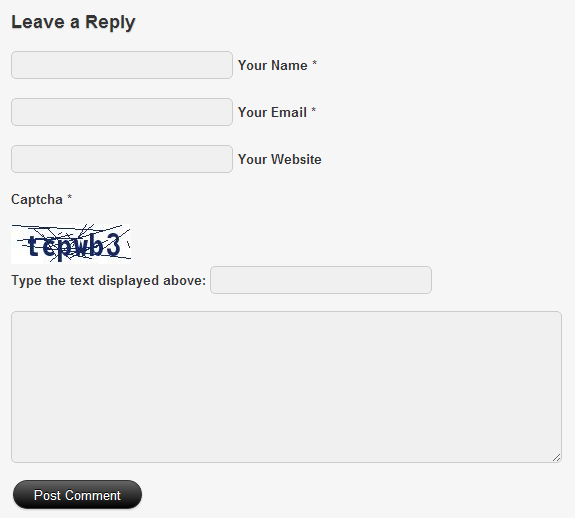
Captcha on comments form
Changelog
3.3
- 2025/08/04
- minor code fixes
3.2
- 2024/06/30
- minor security fix
3.1
- 2024/03/13
- bug fix related to saving settings
3.0
- 2024/01/31
- security fix
2.9
- 2023/12/29
- complete rewrite
1.0
- 2012/07/17
- initial release