

SilentShield – Captcha & Anti-Spam for WordPress (CF7, WPForms, Elementor, WooCommerce)
SilentShield – the invisible shield against spam. Spam is the weed of the internet. It clogs your forms, steals your time, and corrupts your data.
Plugin info
Maintenance & Compatibility
Maintenance score
Maintained • Last updated 128 days ago • Support resolved 93% • 16 reviews
Is SilentShield – Captcha & Anti-Spam for WordPress (CF7, WPForms, Elementor, WooCommerce) abandoned?
Likely maintained (last update 128 days ago).
Compatibility
Similar & Alternatives
Explore plugins with similar tags, and compare key metrics like downloads, ratings, updates, support, and WP/PHP compatibility.
Description
SilentShield is a unified captcha and anti-spam plugin for WordPress.
It works with the most popular form builders and protects login, registration, and comment forms – without slowing your site.
Why choose SilentShield?
– Invisible defense – Captcha, honeypot, and blacklists working silently.
– Instant results – Install, activate, and stop spam.
– Universal support – Works with Contact Form 7, WPForms, Elementor, WooCommerce, and more.
– Privacy-first – No cookies, no tracking, fully GDPR / DSGVO compliant.
SilentShield doesn’t just protect forms.
It protects your time, your customers, your business.
Core Features
- Invisible Captcha (Arithmetic, Honeypot, Image)
- Smart IP Blocking & Blacklists
- Spam filters for links, code & keywords
- Whitelisting for admins & customers
- GDPR-ready, no cookies, no tracking
The Promise
SilentShield is not “just another plugin.”
It’s an invisible wall against the background noise of the internet.
Activate once – and your forms are human again.
Privacy & Telemetry
- No cookies, no user tracking.
- Encrypted IP storage (max. 2 months, only for spam defense).
- Telemetry is optional and anonymized.
- You can disable telemetry anytime in plugin settings.
Collected fields:
– plugin_slug, plugin_version
– snapshot_date
– settings_json (anonymized config)
– features_json (enabled features)
– created_at, first_seen, last_seen
– counters_json (spam events)
– wp_version, php_version, locale
GDPR / DSGVO Compliance
– Basis: Art. 6 Abs. 1 lit. f DSGVO (legitimate interest – plugin optimization).
– No personal data, no cookies, no user tracking.
Installation
- Upload to
/wp-content/plugins/. - Activate via WordPress “Plugins” menu.
- Configure protection settings.
Frequently Asked Questions
Not all, but it drastically reduces it.
Yes – no cookies, no tracking, only anonymized data.
No. Everything is managed via WordPress Dashboard.
SilentShield includes optional anonymous telemetry (opt-out).
This helps us understand which features are used, so we can improve usability and remove unused complexity.
We are a small independent team – we don’t earn money with this plugin, and we don’t sell or share data.
Telemetry is used only for optimization and maintenance purposes.
Review feed
Fast support and great working solution
Screenshots
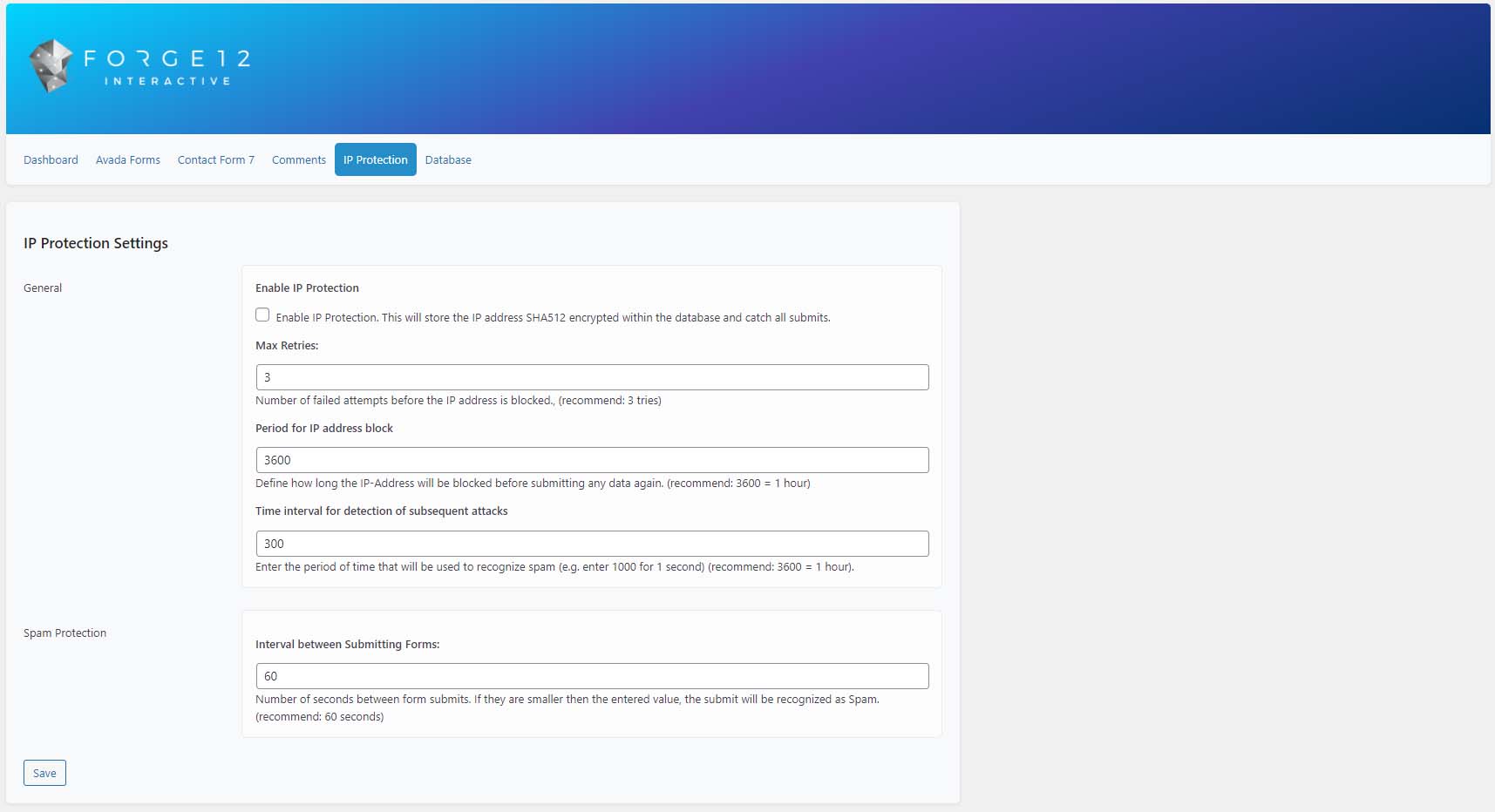
IP Protection settings

Spam protection in comments

Contact Form 7 integration
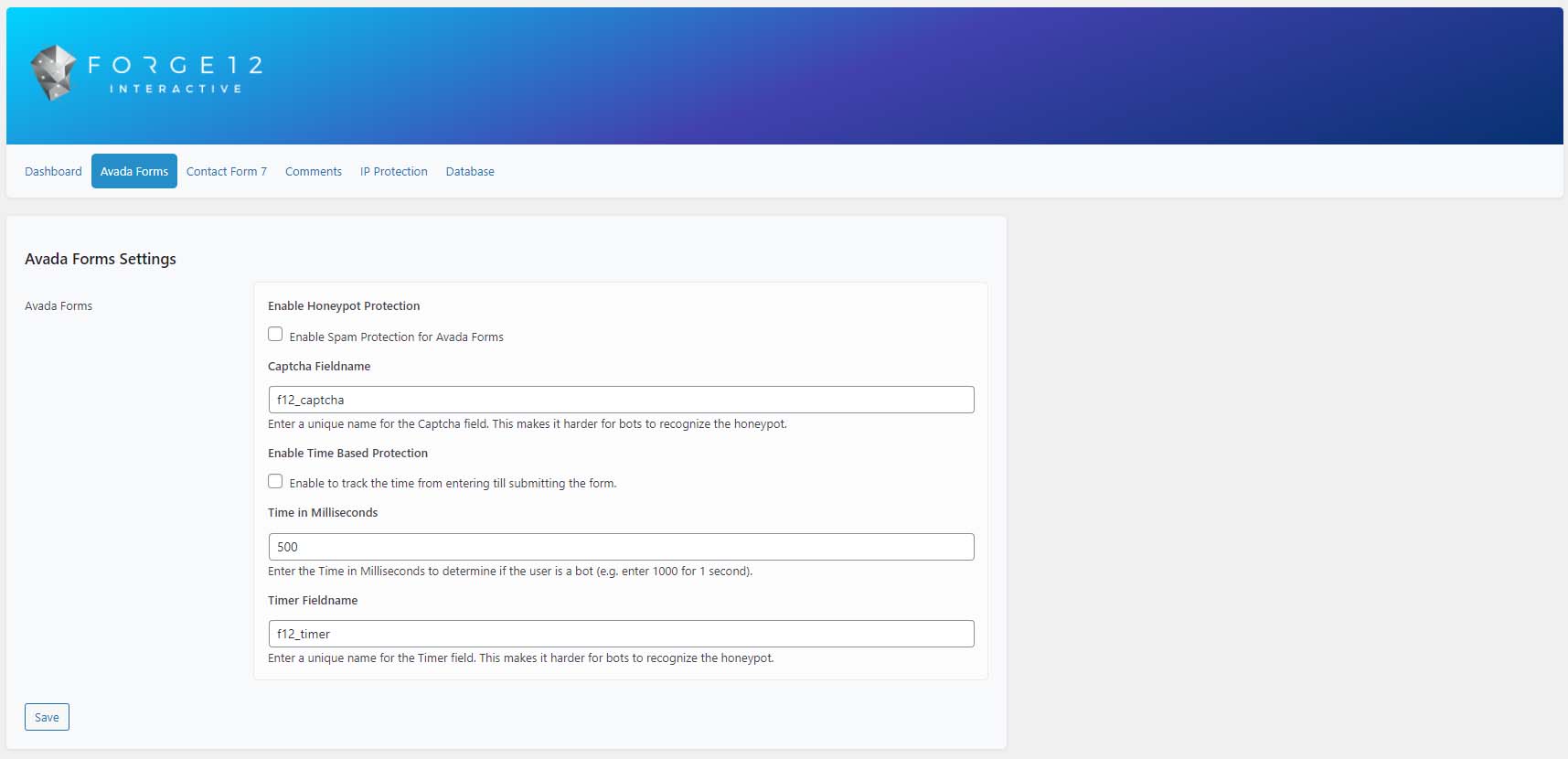
Avada Forms integration

Image Captcha example
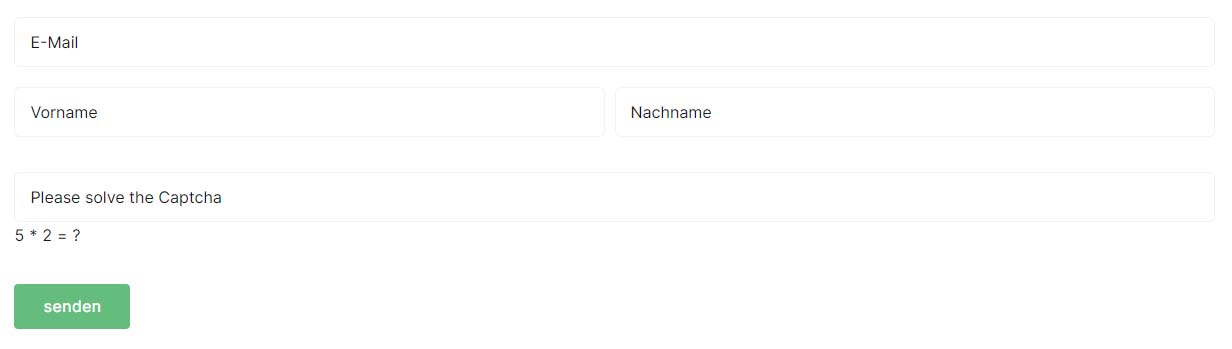
Arithmetic Captcha example

Honeypot Captcha example
Changelog
2.2.58
- Improvement [JavaScript]: Updated default form to exclude additional wordpress components which have be extracted to different components.
2.2.57
– Fix [WordPress Login / Registration]: Resolved an issue where enabling one protection feature incorrectly activated both.
2.2.56
- Fix [Form Detection] Resolved an issue where a recent script adjustment caused default WordPress/WooCommerce forms to be unintentionally registered as protected SilentShield forms. This led to conflicts with the WooCommerce “Add to cart” process for anonymous sessions. The form detection logic has been corrected to properly exclude default forms.
2.2.55
- Fix [JavaScript] Fixed a build issue where the minifier renamed classes to _, overwriting window._ (Underscore.js) and breaking WordPress/WooCommerce scripts by reserving _ during mangling and adding a safe global namespace.
2.2.55
- Fix [JavaScript] Fixed a build issue where the minifier renamed classes to _, overwriting window._ (Underscore.js) and breaking WordPress/WooCommerce scripts by reserving _ during mangling and adding a safe global namespace.
2.2.54
- Fix [WP Job Manager]: Added reliable detection for WP Job Manager plugin presence before initializing compatibility hooks, preventing unnecessary execution and log noise when the plugin is not installed or active.
- Improvement [JavaScript]: Refactored JavaScript interception logic and updated compatibility with the latest plugin versions. This reduces the number of loaded scripts and improves overall page performance by using optimized, minified files.
- Improvement [API]: When using the beta API (SaaS service), the system now automatically disables legacy protection mechanisms to prevent potential conflicts.
- Fix [Avada / Contact Form 7]: Reworked the form submission script to prevent duplicate submissions.
- Fix [Elementor]: Updated integration with the latest Elementor version to ensure form submissions require valid CAPTCHA verification.
- Fix [Elementor]: Resolved an issue caused by Elementor’s internal caching, which stored forms (including CAPTCHA data) in the database. The system now reloads CAPTCHA immediately after attaching it to the form to ensure proper validation.
2.2.53
- Improvement [Whitelist]: Added global AJAX/REST whitelist for WooCommerce and major payment gateways (PayPal, Stripe, Klarna, Mollie, Amazon Pay, Apple Pay, Google Pay, Link) to prevent false CAPTCHA validation during checkout.
- Improvement [Captcha Math Generator]: Improved numeric CAPTCHA validation logic to correctly handle 0 results (e.g., 5 − 5 = 0) and prevent false negatives from empty or non-numeric inputs.
2.2.52
- New [WooCommerce Checkout]: Now protected with Captcha. Enable or disable under Settings Extended. More security. Less spam.
- Improvement [API v2]: Refactored server-side validation for greater consistency and reduced error rate.
2.2.51
- Improvement [API v2/JavaScript]: Refactored client-side validation for consistency and reduced error rate
2.2.50
- Fix [API v2]: Updated key and endpoint configuration.
- Fix [JavaScript]: Adjusted script to align with latest Chrome behavior, resolving issues with event forwarding from WooCommerce/WordPress.
2.2.49
- New [API v2]: Started implementing the new Captcha SaaS solution.
- Fix [JavaScript]: Fixed a bug that prevented WooCommerce from triggering its own events on form submit.
- Fix [Logger]: No longer tied to WP_DEBUG. Enable with F12_DEBUG.
- Fix [Core]: Updated paths for blacklist and set timeout value to 3s.
2.2.46
- Fix [Core]: Removed dynamic property creation in CaptchaTimer; explicit initialization.
- Fix [JS]: Validation now works when the submit button has an inline onclick; our callback is no longer blocked.
- Fix [Gravity Forms]: CAPTCHA now renders at the configured position; misplacement previously caused constant protection triggering.
- Fix [Logs]: Removed properties are no longer tracked; prevents excessive log size growth.
2.2.44
- Fixed: Updated the comparison of
$setting_valueby adding an explicit(int)cast to ensure numeric strings like'1'are correctly converted to integers. This fixes issues where the strict comparison=== 1would previously returnfalse.
2.2.43
- Fixed: Adjusted hooks to clear database entries by user.
- Fixed: Fatal error caused by IPLogs using array_keys
2.2.4
- New: JetForm support
- New: IP Blacklist Validator
- New: Anonymous telemetry (opt-out)
- Improved: Simplified configuration defaults
- Improved: Reload & error handling for form plugins
- Fixed: Admin whitelist for Ajax forms
(Older versions trimmed – full changelog on plugin site.)