

SVG Case Study
SVG Case Study is a simple WordPress plugin that provides a way to showcase case studies for your business.
Plugin info
Maintenance & Compatibility
Maintenance score
Possibly abandoned • Last updated 2099 days ago • 2 reviews
Is SVG Case Study abandoned?
Possibly abandoned (last update 2099 days ago).
Compatibility
Similar & Alternatives
Explore plugins with similar tags, and compare key metrics like downloads, ratings, updates, support, and WP/PHP compatibility.
Description
We provide advance level of support for installation and customization at $10/hour.
Click here for more information
SVG Case Study is a simple WordPress plugin that provides a way to showcase case studies for your business.
You can add multiple images for each case study and also define problems and solution to them using additional fields provided.
To display all case studies, add [CS_Case_List] in any page or template.
To display specific case study, simply add [CS_Case_Post id=”case study post ID”] in any page or template. Slider can be with or without thumbnail.
For retriving banner image url, add [CS_Case_Banner postid=”case study post ID” url=”true”] in any page or template.
To fetch IDs’ of featured case studies, use shortcode [CS_Featured] in any page or template.
Features:
- SVG Supported
- Easy to install.
- Easy to create portfolio of business.
- Give better picturized view of products.
Plugin Developed by August Infotech Visit website
Installation
- Upload the ‘casestudy’ folder to the ‘/wp-content/plugins/’ directory.
- Activate the plugin from the ‘Plugins’ menu of your WordPress admin panel.
- Create category under Case Studies custom post type.
- Create post under Case Studies custom post type.
- Use shortcode.
Plugin Developed by August Infotech Visit website
Frequently Asked Questions
No Questions
Review feed
Screenshots

Add screen for case study category.

Edit screen for case study post.

Default images for banner, list, slider and fields for headings.

Case study help screen to describe how to use shotcodes.

Add shortcodes in page.

Display slider of single post with thumbnails.
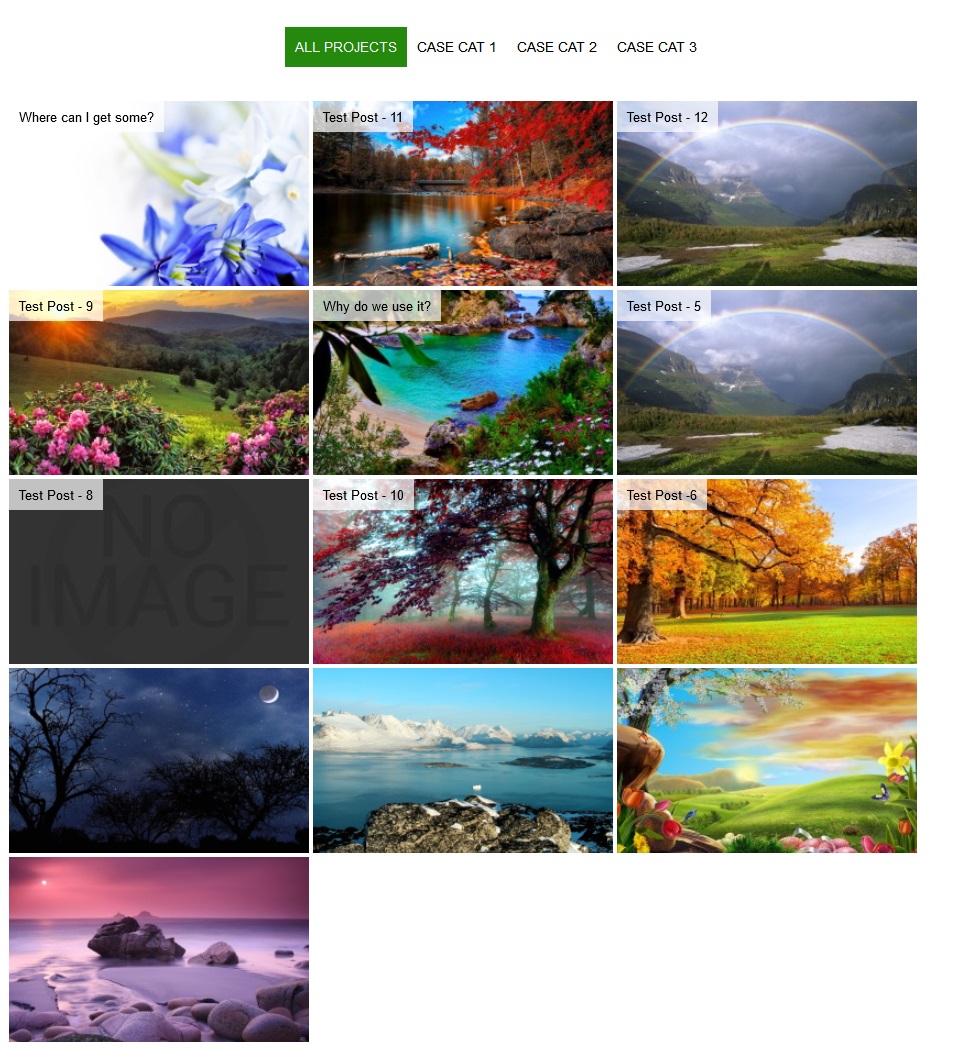
Listing of all case study post.

ID's of featured case study post.

Return url of banner image for given post ID.
Changelog
1.0
- First version.