

Catch Infinite Scroll
Catch Infinite Scroll is a WordPress plugin that allows you to add the magic of infinite scrolling with several customization options on your website …
Plugin info
Maintenance & Compatibility
Maintenance score
Stale • Last updated 326 days ago • 21 reviews
Is Catch Infinite Scroll abandoned?
Likely maintained (last update 326 days ago).
Compatibility
Languages
Similar & Alternatives
Explore plugins with similar tags, and compare key metrics like downloads, ratings, updates, support, and WP/PHP compatibility.
Description
Catch Infinite Scroll allows you to add the magic of infinite scroll on your website. The plugin will help in increasing the user engagement on your WordPress site. The inspiration behind crafting Catch Infinite Scroll is Jetpack’s Infinite Scroll. Catch Infinite Scroll is a single solution to all those loading issues caused by the change of the page. With the plugin installed and activated, your users will be able to simply scroll down and go deeper into your website. The plugin will load content automatically as you scroll down the page or you can also add a “Load More” button to load more content. You will have control over some of the crucial features available in the plugin, such as, choosing between Click or Scroll to load more content, add a custom image, the load more text, and finish text. Display your contents online in a sequential way with the new infinite scrolling plugin—Catch Infinite Scroll, without affecting your wallet.
Installation
The easy way (via Dashboard) :
- Go to Plugins > Add New
- Type in the Catch Infinite Scroll in Search Plugins box
- Click Install Now to install the plugin
- After Installation click activate to start using the Catch Infinite Scroll
- Go to Catch Infinite Scroll from Dashboard menu
Not so easy way (via FTP) :
- Download the Catch Infinite Scroll
- Unarchive Catch Infinite Scroll plugin
- Copy folder with catch-infinite-scroll.zip
- Open the ftp \wp-content\plugins\
- Paste the plug-ins folder in the folder
- Go to admin panel => open item “Plugins” => activate Catch Infinite Scroll
- Go to Catch Infinite Scroll from Dashboard menu
Frequently Asked Questions
Review feed
Screenshots
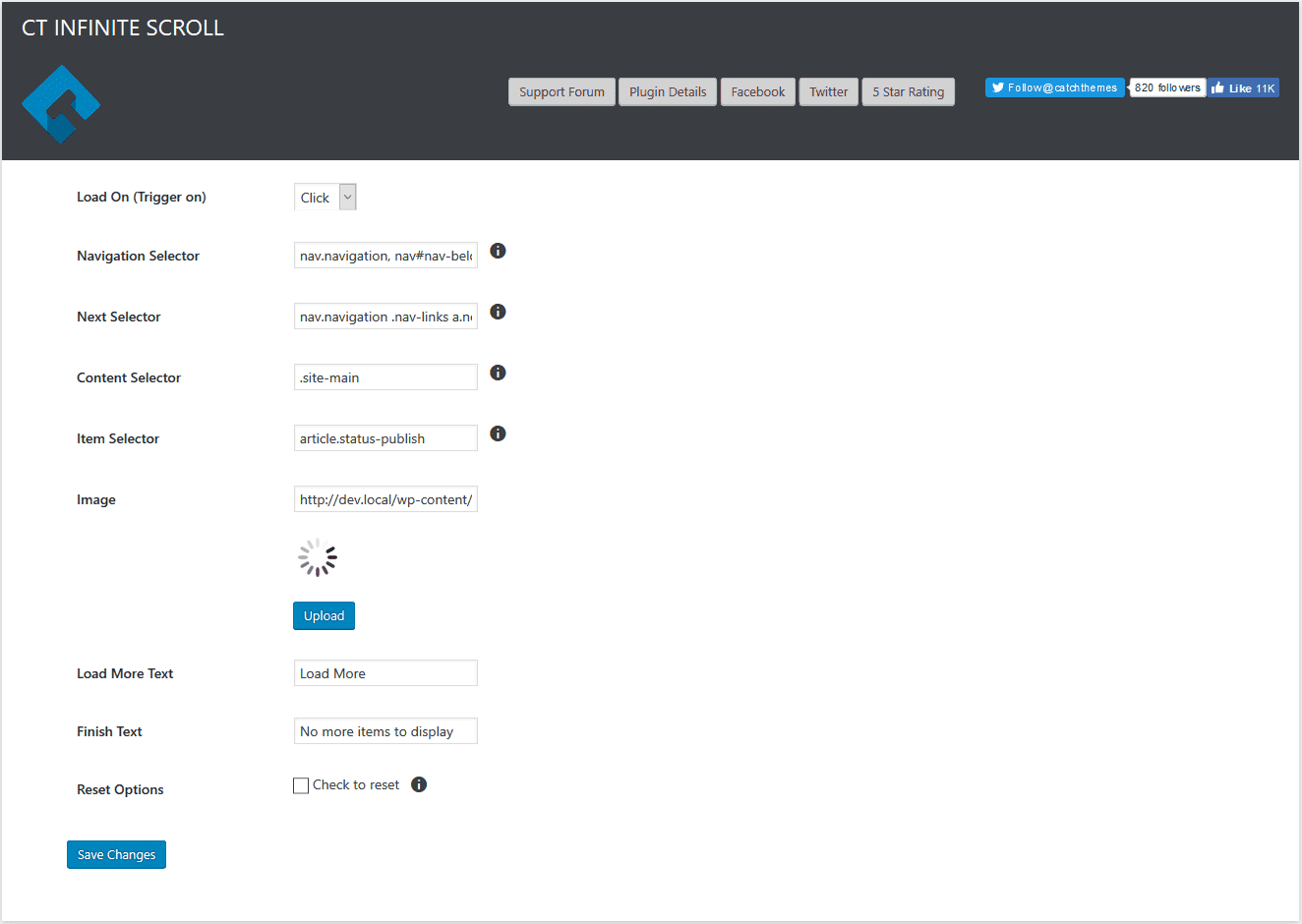
Main Page
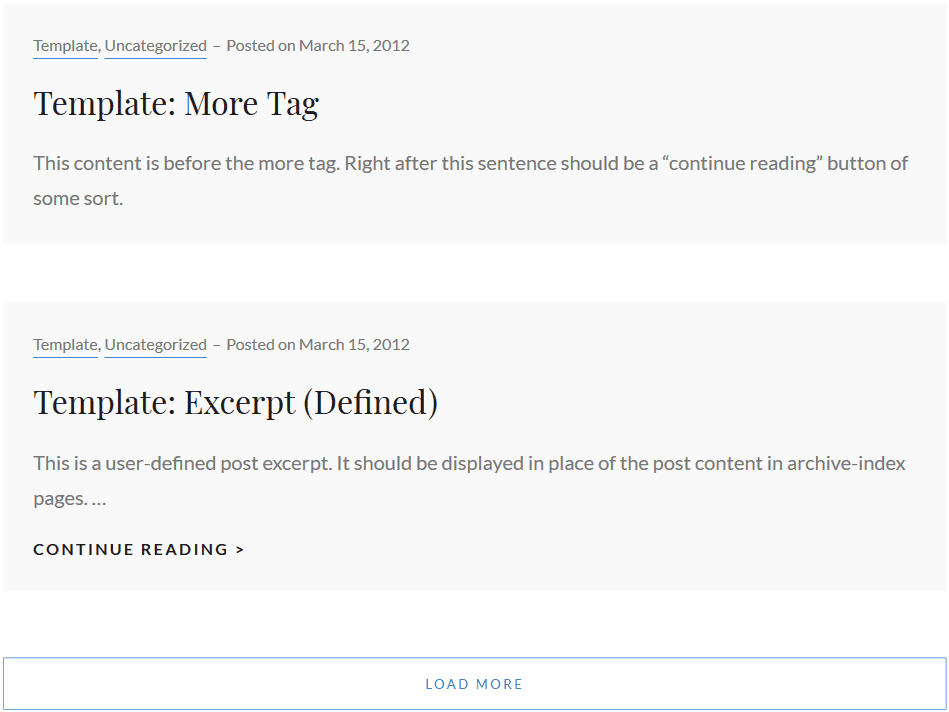
Infinite Scroll on blog posts page
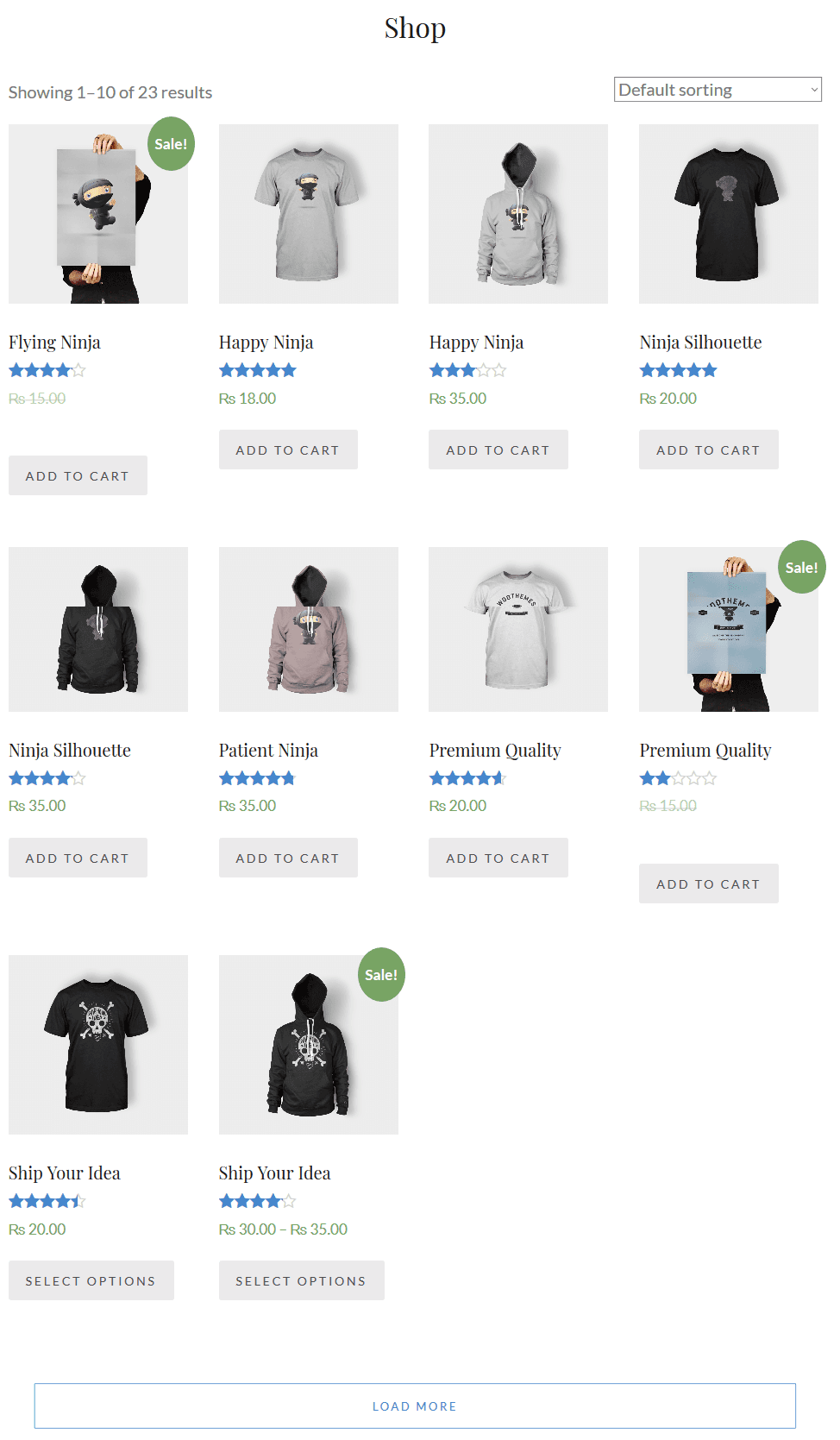
Infinite Scroll on WooCommerce shop page
Changelog
2.0.7 (Released: May 11, 2025)
- Compatibility check up to version 6.8
2.0.6 (Released: April 16, 2024)
- Bug Fixed: Deprecation notice in PHP 8.2
- Compatibility check up to version 6.5
2.0.5 (Released: November 15, 2023)
- Compatibility check up to version 6.4
2.0.4 (Released: November 03, 2022)
- Compatibility check up to version 6.1
2.0.3 (Released: March 29, 2022)
- Bug Fixed: Item selector issue
2.0.2 (Released: March 25, 2022)
- Bug Fixed: Issue in TwentyTwenty theme from last update
2.0.1 (Released: March 22, 2022)
- Bug Fixed: Conflict with Jetpack plugin
2.0 (Released: February 24, 2022)
- Compatibility check up to version 5.9
1.9 (Released: September 16, 2021)
- Bug Fixed: Security issue on ajax calls
1.8.1 (Released: August 20, 2021)
- Bug Fixed: Post load trigger
1.8.0 (Released: July 23, 2021)
- Added: afterScroll, JS hook to add custom functions after loading completes
- Compatibility check up to version 5.8
1.7.9 (Released: March 04, 2021)
- Compatibility check up to version 5.7
1.7.8 (Released: January 11, 2021)
- Bug Fixed: Separator not loading in TwentyTwenty theme on load more
1.7.7 (Released: November 19, 2020)
- Bug Fixed: Infinite scroll in product-category page
1.7.6 (Released: September 24, 2020)
- Removed: Set default settings on theme switch
1.7.5 (Released: September 15, 2020)
- Bug Fixed: Replaced deprecated load callback function with on Method
- Design enhancements
1.7.4 (Released: September 08, 2020)
- Removed: Unnecessary logs from console
- Bug Fix: Unnecessary content loading on scroll
1.7.3 (Released: August 28, 2020)
- Bug fixed: Issue with elementor pagination (Reported by: pako69)
- Support for TwentyTwenty theme
- Design fixes
1.7.2 (Released: August 19, 2020)
- Bug Fixed: Issue in add new theme page
1.7.1 (Released: May 12, 2020)
- Security Fix: Localize scripts escaped
1.7 (Released)
- Added: Alt text added in loader image (Reported by: libinvbabu)
1.6 (Released: February 29, 2020)
- Bug Fixed: Compatibility with W3-total-cache Lazy Loading (Reported by: shone76)
- Compatibility check up to version 5.4
1.5 (Released: November 12, 2019)
- Compatibility check up to version 5.3
1.4 (Released: August 20, 2019)
- Added: Tooltip for info icons
- Added: Option to turn off Catch Themes and Catch Plugins tabs
- Compatibility check up to version 5.2
- Updated: Catch Themes and Catch Plugins tabs displaying code
1.3 (Released: February 21, 2019)
- Compatibility check up to version 5.1
1.2 (Released: December 12, 2018)
- Added: Catch Themes and Catch Plugins tabs in Add themes and Add plugins page respectively
- Added: Themes by Catch Themes section under Themes panel in customizer
- Code optimization
- Compatibility check up to version 5.0
1.1 (Released: May 07, 2018)
- Updated: Moved domain from catchthemes.com to catchplugins.com
- Compatibility check up to version 4.9.5
1.0.4
- Removed: Jetpack’s CSS file for Infinite Scroll module if Jetpack is inactive
1.0.3
- Updated: Plugin CSS
1.0.2
- Added: Checked if Jetpack is enabled
1.0.1
- Bug Fixed: Arrow overlaps the text in Admin menu when plugin page is selected (Reported by: skynet)
- Compatibility check up to version 4.9.4
- Restrict activation when Pro plugin is active
1.0.0
- Initial Release