

Category Archives Block
Displays a monthly or yearly archive of posts for one or more specific categories.
Plugin info
Maintenance & Compatibility
Maintenance score
Stale • Last updated 328 days ago • 4 reviews
Is Category Archives Block abandoned?
Likely maintained (last update 328 days ago).
Compatibility
Similar & Alternatives
Explore plugins with similar tags, and compare key metrics like downloads, ratings, updates, support, and WP/PHP compatibility.
Description
Displays a archive of posts for one or more specific categories in the Gutenberg block editor. It can be configured to either show by month or year with post counts and as a listing or a pulldown.
Tip Top Press
We’re Tip Top Press and create Gutenberg Blocks for WordPress. If you want to know about what we’re working on and you are interested in backgrounds then you can read all newes storys on our blog.
Features
- Option multi category selection
- Option group by month or year
- Option to either show a listing or a pulldown
- Option show post counts
- Option to order
- Option for spacing, color and typography
Contribute
While using this plugin if you find any bug or any conflict, please submit an issue at Github (If possible with a pull request).
Installation
This section describes how to install the plugin and get it working.
e.g.
- Upload the plugin files to the
/wp-content/plugins/category-archive-blockdirectory, or install the plugin through the WordPress plugins screen directly. - Activate the plugin through the ‘Plugins’ screen in WordPress
Frequently Asked Questions
The Category Archives Block lets you show posts for one or more specific categories. The built-in Archive widget shows posts for all categories.
Review feed
Screenshots
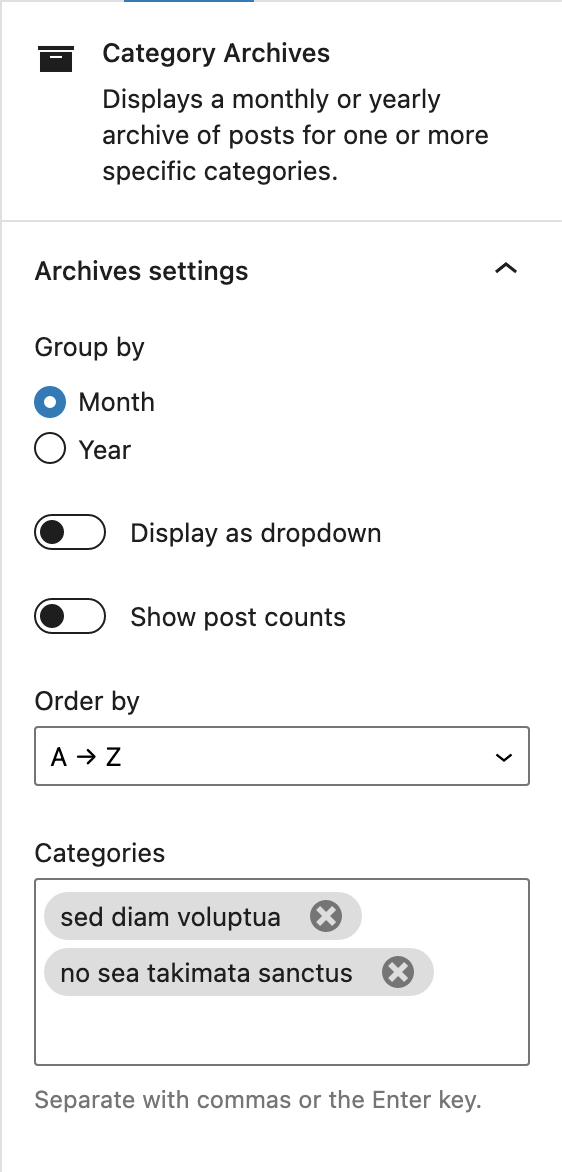
From the Category Archives Block control, you can set the title, category, whether to group by month or year and whether to show post counts.

The archive displayed as a list with post counts and the archive displayed as a pulldown of years without post counts.
Changelog
1.0.4 – December 31th 2023
- Bugfix List breaks on Safari
1.0.3 – December 09th 2023
- Bugfix Warnings with DropDown
1.0.2 – December 08th 2023
- Bugfix Html for lists not valide
1.0.1 – July 30th 2023
- Add option to adapt the title on archives pages
1.0.0 – January 13th 2023
- Add spacing, color and typography
0.1.1 – March 26th 2021
- Add preview
0.1.0 – March 9th 2021
- Release